
1. Introduction
Thank you for choosing the AMEIFU PC450A Dehumidifier. This manual provides essential information for the safe and efficient operation, maintenance, and troubleshooting of your new appliance. Please read it thoroughly before use and retain it for future reference.
The AMEIFU PC450A Dehumidifier is designed to reduce excess moisture in your home environment, covering areas up to 1100 sq.ft. It features a 135-ounce water tank, quiet operation, timer settings, LED lighting, and automatic safety functions.

Image 1.1: Front view of the AMEIFU PC450A Dehumidifier, showing its compact design and water level indicator.
2. Safety Instructions
To ensure safe operation, always follow these basic precautions:
- Read all instructions before using the appliance.
- Do not operate the dehumidifier with a damaged power cord or plug.
- Ensure the power supply voltage matches the rating label on the unit.
- Keep the appliance away from heat sources, direct sunlight, and flammable materials.
- Do not block air inlets or outlets. Maintain at least 8 inches (20 cm) clearance around the unit.
- Always place the dehumidifier on a stable, level surface to prevent water spillage.
- Unplug the unit before cleaning, maintenance, or when not in use for extended periods.
- Do not immerse the unit, power cord, or plug in water or other liquids.
- This appliance is for indoor use only.
3. Product Overview and Components
The AMEIFU PC450A Dehumidifier is designed for efficient moisture removal. Familiarize yourself with its main components:
- Main Unit: Houses the internal components, control panel, and air vents.
- Water Tank: Removable tank for collecting condensed water. Capacity: 135 fluid ounces.
- Control Panel: Buttons for Power, Night Light, Timer, and Fan Speed.
- Power Adapter: For connecting the unit to an electrical outlet.

Image 3.1: Internal view illustrating the dual semiconductor condensation technology and the 135-ounce water tank.
4. Setup
Follow these steps to set up your dehumidifier:
- Unpack: Carefully remove the dehumidifier and all accessories from the packaging. Retain packaging for future storage or transport.
- Placement: Place the dehumidifier on a firm, level surface in the desired location. Ensure there is at least 8 inches (20 cm) of clear space around all sides for proper airflow. Avoid placing it directly against walls or furniture.
- Power Connection: Connect the power adapter to the dehumidifier's power input port, then plug the adapter into a suitable electrical outlet.
5. Operating Instructions
The AMEIFU PC450A Dehumidifier offers various functions for optimal moisture control.
5.1 Control Panel
The control panel features intuitive buttons:
- Power Button: Press to turn the unit ON or OFF.
- Night Light Button: Press to cycle through 7 LED colors or to lock a specific color. Long press to turn the lights OFF.
- Timer Button: Press to set the operating timer (1H, 2H, 4H, 8H, 12H, 24H, 48H, 72H).
- Speed Button: Press to adjust fan speed (Low, Medium, High).
5.2 Basic Operation
- Power On: Press the Power button. The unit will start operating in its default mode.
- Adjust Fan Speed: Press the Speed button to select your desired fan speed (Low, Medium, High). Lower speeds result in quieter operation.
- Set Timer: Press the Timer button repeatedly to select the desired operating duration. The unit will automatically turn off after the set time.
- Control LED Light: Press the Night Light button to activate the ambient LED lights. Each press cycles through colors. Long press to turn off the lights.
- Sleep Mode: The unit operates at a low 20dB in sleep mode, ideal for bedrooms. This mode is typically activated by selecting the lowest fan speed and turning off the LED lights.
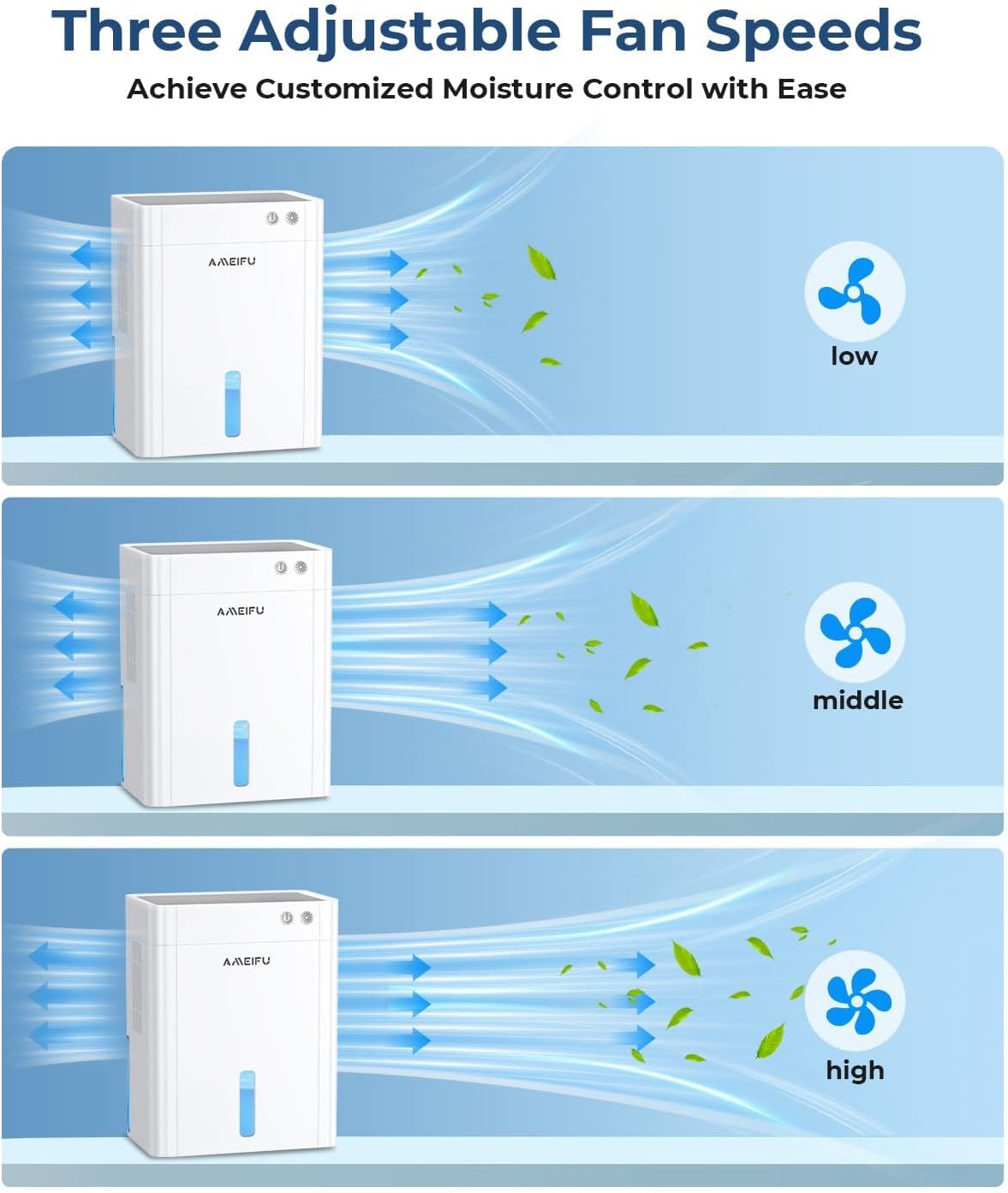
Image 5.1: Illustration of the three adjustable fan speeds for customized moisture control.

Image 5.2: The dehumidifier operating in a bedroom, emphasizing its quiet performance and suitability for sleep environments.
5.3 Automatic Functions
- Auto Shut-off: When the water tank is full, the dehumidifier will automatically shut off, and a red indicator light will flash. This prevents overflow and ensures safety.
- Automatic Defrost: In low-temperature environments, if frost forms on the internal semiconductors, the unit will automatically activate defrost mode to maintain efficient operation.

Image 5.3: Visual representation of the auto shut-off protection when the water tank is full.
6. Maintenance
Regular maintenance ensures the longevity and efficiency of your dehumidifier.
6.1 Emptying the Water Tank
- When the water tank is full, the unit will stop operating, and a red indicator light will flash.
- Carefully pull out the water tank from the back of the unit.
- Pour out the collected water.
- Slide the empty water tank back into the unit until it clicks into place. The dehumidifier will resume operation.
6.2 Cleaning the Unit
- Exterior: Wipe the exterior of the dehumidifier with a soft, damp cloth. Do not use abrasive cleaners or solvents.
- Water Tank: Clean the water tank periodically with mild soap and water to prevent mold or mildew growth. Rinse thoroughly before reinserting.
- Air Inlets/Outlets: Use a soft brush or vacuum cleaner attachment to gently remove dust and debris from the air inlets and outlets. Ensure they are not blocked.
Note: Always unplug the dehumidifier from the power outlet before performing any cleaning or maintenance.
7. Troubleshooting
Refer to this section for common issues and their solutions.
| Problem | Possible Cause | Solution |
|---|---|---|
| Dehumidifier does not turn on. | No power supply. Power button not pressed. | Ensure the power adapter is securely plugged into the unit and a working electrical outlet. Press the Power button firmly. |
| Unit is running but not collecting water. | Ambient humidity is too low. Room temperature is too low. Air inlets/outlets are blocked. | The unit will only collect water if humidity levels are above 40-50% RH. The unit's efficiency decreases in very cold environments. Check for obstructions and ensure proper clearance around the unit. |
| Red indicator light is flashing. | Water tank is full. | Empty the water tank and reinsert it correctly. |
| Unit is noisy. | Fan speed is set to high. Unit is not on a level surface. | Reduce the fan speed. Place the unit on a stable, flat surface. |
If the problem persists after trying these solutions, please contact customer support.
8. Specifications
| Feature | Specification |
|---|---|
| Brand | AMEIFU |
| Model Name | PC450A |
| Water Tank Capacity | 135 Fluid Ounces (approx. 4 liters) |
| Dehumidification Capacity | Up to 40 ounces (1,182 ml) per day |
| Coverage Area | Up to 1100 Square Feet |
| Product Dimensions (D x W x H) | 6.3" x 9.84" x 12.6" (16cm x 25cm x 32cm) |
| Item Weight | 6.69 pounds |
| Special Features | Quiet Operation, Sleep Mode, Automatic Shutoff, Automatic Defrost, 8 Timing Settings, 7 Color LED Light |
| Operation Mode | Intermittent |
| Included Components | Dehumidifier, Water Tank, Power Adapter, Manual |
9. Warranty and Support
AMEIFU provides a warranty of more than 1 year for this dehumidifier, along with lifetime technical support.
If you encounter any problems during use or require assistance, please contact our customer support team. We are committed to resolving your issues within 24 hours.
For support, please refer to the contact information provided with your purchase or visit the official AMEIFU website.


