
1. Introduction
This manual provides essential information for the safe and efficient use of your DOOGEE Fire 3 Rugged Phone. The Fire 3 is designed for durability and performance, featuring the Android 16 operating system, a large 8350mAh battery, and a compact 5.5-inch HD+ IPS display. It is built to withstand challenging environments while offering modern smartphone functionalities.

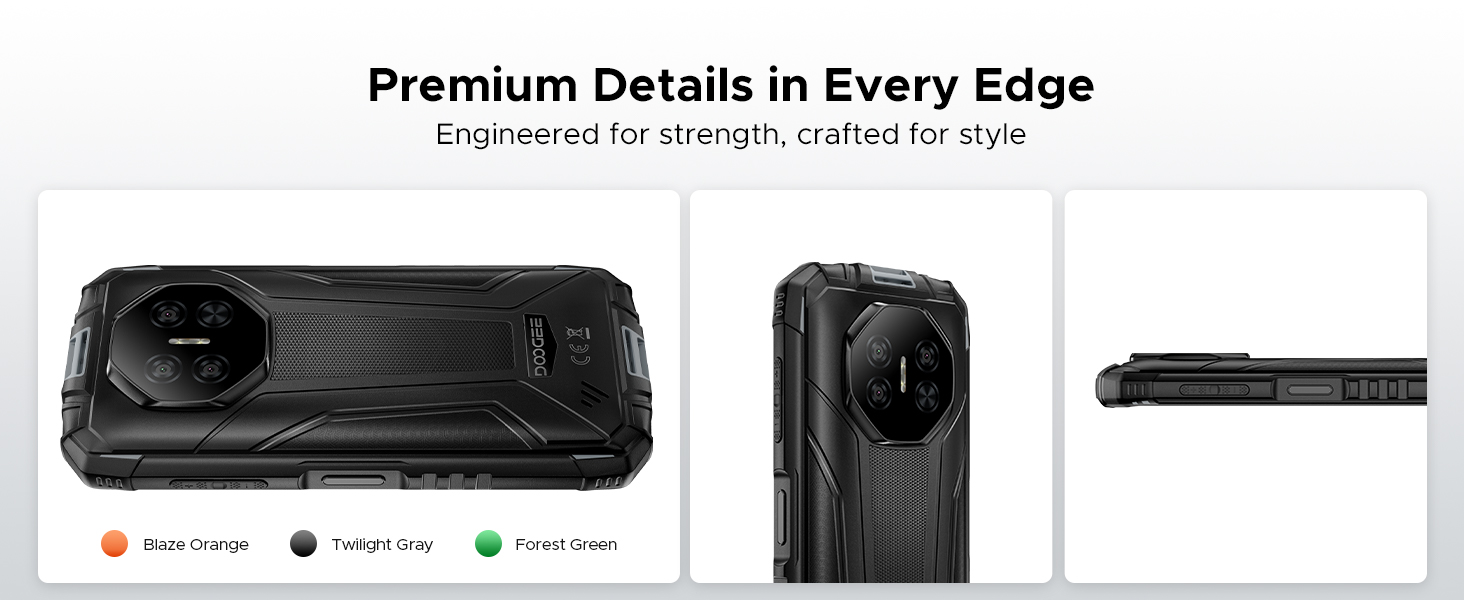
The DOOGEE Fire 3 Rugged Phone, showcasing its compact design and core features.
Package Contents
- DOOGEE Fire 3 Rugged Phone
- Charger
- USB Cable
- SIM Ejector Tool
- Quick Start Guide
- Warranty Card
2. Initial Setup
2.1 SIM Card and MicroSD Card Installation
The DOOGEE Fire 3 supports dual SIM cards and a microSD card for expandable storage. Ensure the phone is powered off before inserting or removing cards.
- Locate the SIM card tray on the side of the phone.
- Insert the SIM ejector tool into the small hole next to the tray and press firmly until the tray pops out.
- Place your Nano-SIM cards and/or microSD card into the designated slots on the tray. Ensure the gold contacts face downwards and the cards are correctly oriented.
- Carefully push the tray back into the phone until it clicks into place.
2.2 Powering On/Off
- To Power On: Press and hold the Power button (located on the right side) until the DOOGEE logo appears.
- To Power Off: Press and hold the Power button, then select 'Power off' from the options displayed on the screen.
- To Restart: Press and hold the Power button, then select 'Restart' from the options.
2.3 Initial Configuration
Upon first power-on, the phone will guide you through the Android 16 setup wizard. Follow the on-screen prompts to:
- Select your language and region.
- Connect to a Wi-Fi network.
- Sign in with your Google account or create a new one.
- Set up screen lock (PIN, pattern, password, or biometric).
- Review and accept terms and conditions.
3. Operating Your Phone
3.1 Basic Navigation
The DOOGEE Fire 3 uses a capacitive touchscreen. Navigate by tapping, swiping, pinching, and spreading fingers on the display.
3.2 Android 16 Features
The phone operates on the Android 16 system, offering enhanced security and various features:
- App Cloning: Duplicate certain applications to use multiple accounts simultaneously.
- Smart Motion Sensing: Utilize gestures for quick actions.
- Super Clipboard: Enhanced clipboard functionality for managing copied content.
- Split Screen: Run two applications side-by-side for multitasking.
- Video Enhancement: Improve video playback quality.
- Live Caption: Automatically caption media playing on your device (English only).
- Glove Mode: Allows for touchscreen operation while wearing gloves.
- Screen Awareness: Keeps the screen on while you are looking at it.
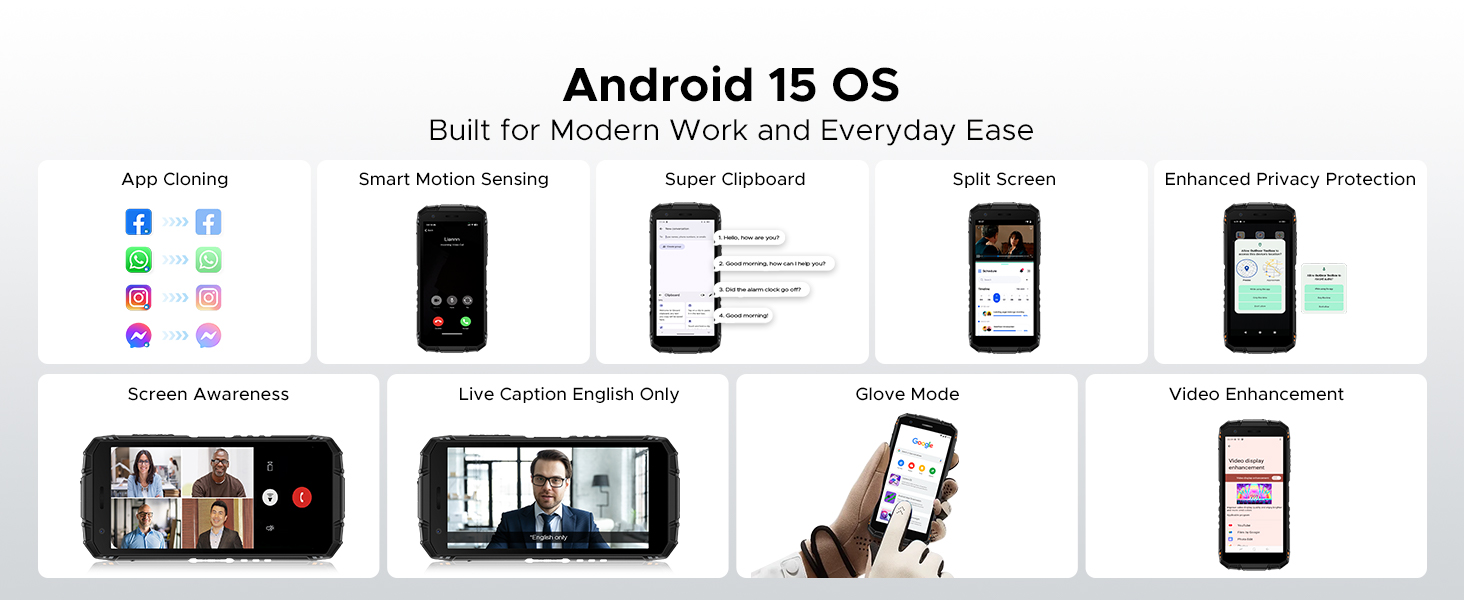
Key features of the Android 16 operating system.
3.3 NFC (Near Field Communication)
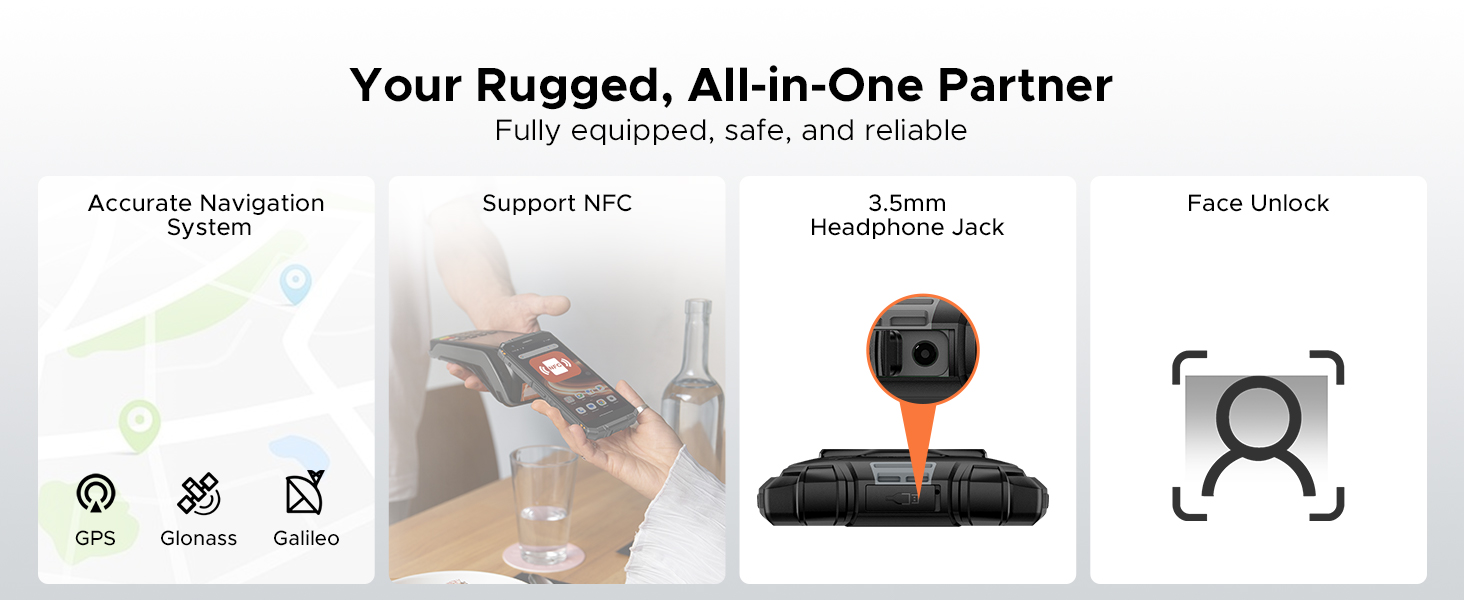
The phone supports NFC for contactless payments, quick data transfer, and connecting to compatible devices. To use NFC, ensure it is enabled in Settings and hold the phone near an NFC reader or tag.
3.4 Face Unlock
Set up Face Unlock in the Security settings to conveniently unlock your phone using facial recognition.
3.5 Digital Toolkit
The DOOGEE Fire 3 includes a suite of practical tools for outdoor and professional use:
- Compass: For navigation and direction.
- Sound Meter: Measures ambient noise levels.
- Pic Hanging: Assists in aligning objects.
- Magnifier: Enlarges small text or objects.
- Protractor: Measures angles.
- Plumb Bob: Determines vertical alignment.
- Alarm Bell: A loud alarm function.
- Gradienter: Measures slopes and angles.
- Height Measure: Estimates object heights.
The integrated Digital Toolkit for various utility functions.
4. Battery Management
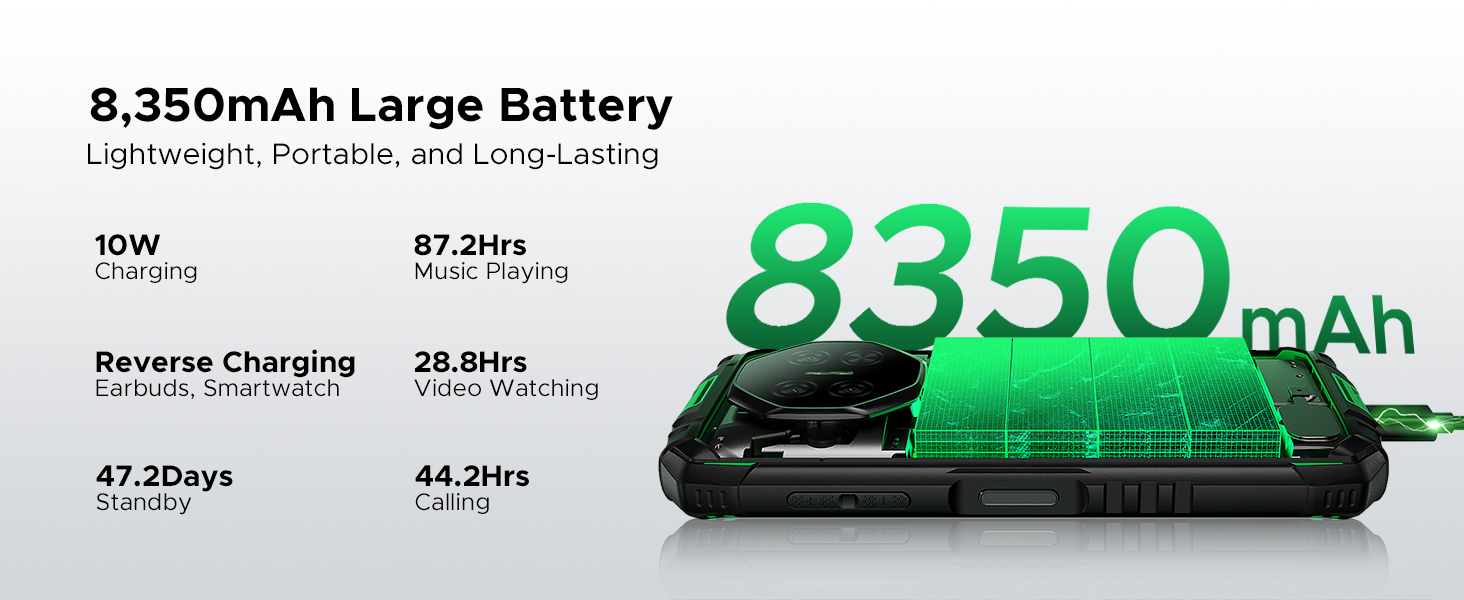
4.1 8350mAh Massive Battery
The DOOGEE Fire 3 is equipped with an 8350mAh battery, providing extended usage times. Expected battery life includes:
- Up to 47 days standby time.
- Up to 87 hours of music playback.
- Up to 28 hours of video watching.
- Up to 44 hours of calling.
4.2 Charging
The phone supports 10W charging. Use the provided charger and USB cable for optimal charging performance. Avoid using damaged chargers or cables.
4.3 Reverse Charging
The DOOGEE Fire 3 can function as a power bank to charge other devices such as earbuds or smartwatches using a compatible USB cable (not included).

Details on the 8350mAh battery and its performance.
5. Durability Features
The DOOGEE Fire 3 is engineered for resilience in harsh environments.
5.1 IP68/IP69K Ratings
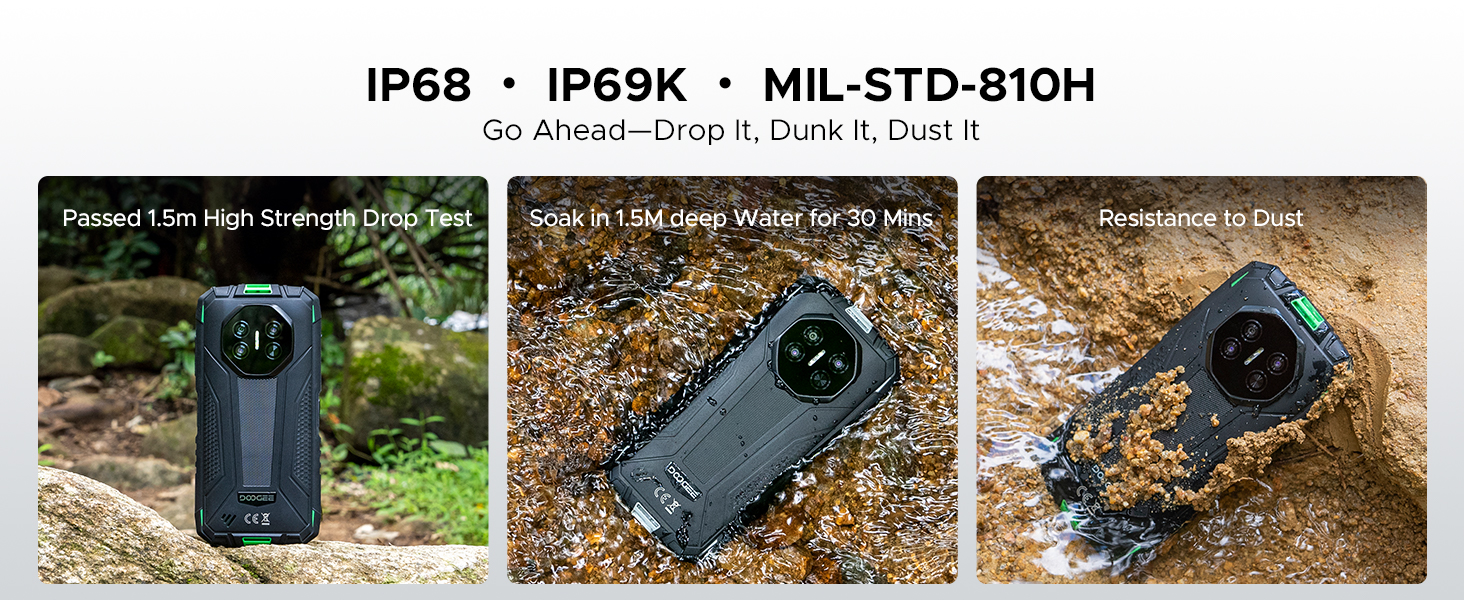
The phone is certified with IP68 and IP69K ratings, indicating high levels of water and dust resistance. It can withstand:
- Submersion in water up to 4 feet (1.2 meters) for 30 minutes.
- Protection against high-pressure, high-temperature water jets.
- Complete protection against dust ingress.
5.2 MIL-STD-810H Certification
The DOOGEE Fire 3 meets MIL-STD-810H military standards for durability, ensuring it can withstand:
- Drops from up to 5 feet (1.5 meters).
- Resistance to extreme temperatures, humidity, and vibrations.
The DOOGEE Fire 3 demonstrating its resistance to drops, water, and dust.
6. Camera Functions
Capture moments with the integrated camera system.
6.1 Rear Camera
The phone features a 13MP AI triple rear camera, designed to capture clear and detailed photos in various conditions.
6.2 Front Camera
An 8MP front camera is available for selfies and video calls.
6.3 AI Scene Recognition
The AI scene recognition feature automatically detects the subject and optimizes camera settings for the best possible shot across 12 distinct scenes.
The 13MP main camera and 8MP front camera in action.
AI Scene Recognition for optimized photography.
7. Display
7.1 5.5-inch HD+ IPS Display
The DOOGEE Fire 3 features a 5.5-inch HD+ IPS display with a resolution of 1280x720 pixels. It offers 400 nits (typical) brightness and supports 16.7 million colors, providing clear visuals.
7.2 Eye Care Mode
An Eye Care mode is available to reduce blue light emission, helping to minimize eye strain during prolonged use.
The 5.5-inch HD+ IPS display specifications.
Eye Care mode for comfortable viewing.
8. Performance and Storage
8.1 Processor
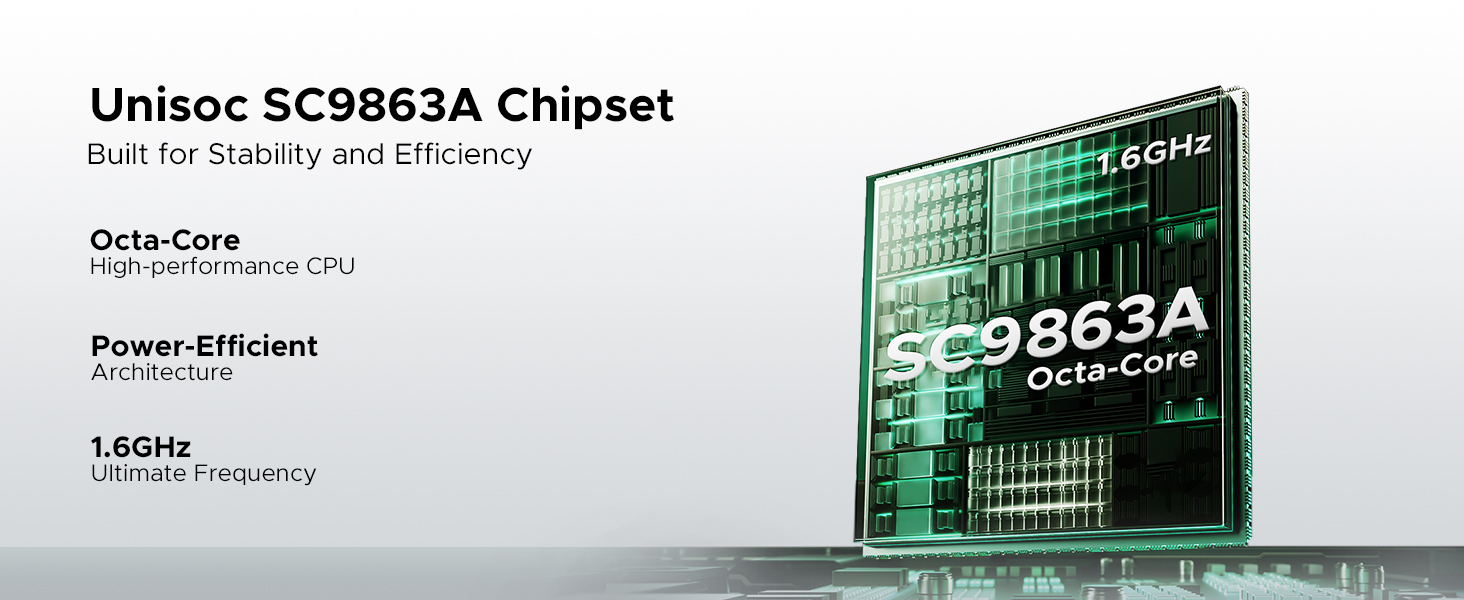
The DOOGEE Fire 3 is powered by an Octa-Core Unisoc SC9863A chipset, providing stable and efficient performance for daily tasks and applications.
The Unisoc SC9863A Octa-Core chipset for stable performance.
8.2 Memory and Storage
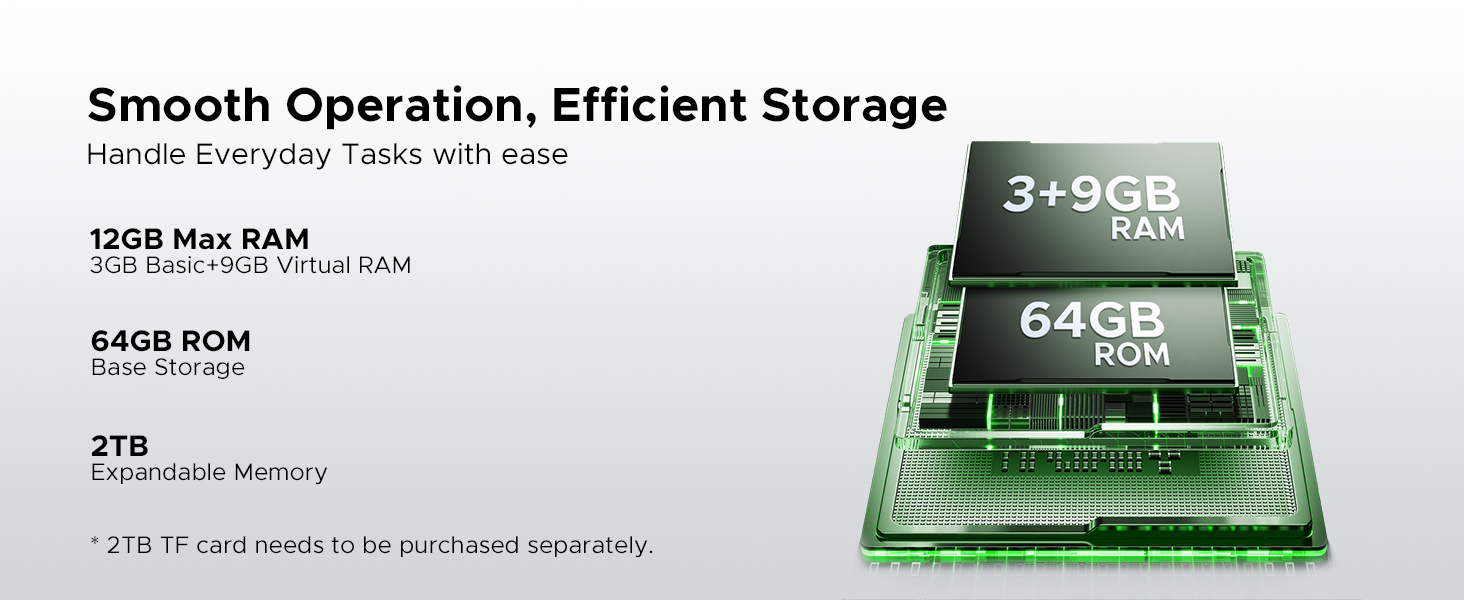
The phone comes with 12GB of RAM (3GB physical + 9GB virtual expansion) and 64GB of internal storage (ROM). Storage can be expanded up to 2TB using a microSD card (sold separately).

Memory and storage configuration of the DOOGEE Fire 3.
9. Connectivity
9.1 Network Compatibility
The DOOGEE Fire 3 is an unlocked dual SIM phone compatible with GSM networks, including T-Mobile. It does not support AT&T, new Cricket, or Verizon networks. Please verify compatibility with your local frequency bands before purchase.
Supported frequency bands:
- GSM: B2/3/5/8
- WCDMA: B1/2/4/5/8
- TDD: B34/38/39/40/41
- FDD: B1/2/3/4/5/7/8/18/19/20/25/26/28A/28B/66
- Supports EDGE/GPRS.
9.2 Other Connectivity
- Wi-Fi: Supports standard Wi-Fi protocols.
- Bluetooth: For connecting wireless accessories.
- GPS: Integrated GPS, GLONASS, and Galileo for accurate navigation.
- USB: Type-C port for charging and data transfer.
- 3.5mm Headphone Jack: For wired audio accessories.
10. Maintenance
10.1 Cleaning
To clean your DOOGEE Fire 3, wipe it with a soft, damp cloth. For stubborn dirt or mud, rinse under low-pressure fresh water and ensure all ports are dry before charging or using accessories. Avoid using harsh chemicals or abrasive materials.
10.2 Water and Dust Exposure
While the phone is IP68/IP69K rated, it is important to ensure all port covers are securely closed before exposure to water or dust. After exposure to saltwater or other liquids, rinse the phone with fresh water and dry thoroughly.
10.3 Temperature
Avoid exposing the phone to extreme temperatures (below -20°C or above 60°C) for extended periods, as this can affect battery life and overall performance.
11. Troubleshooting
If you encounter issues with your DOOGEE Fire 3, try the following basic troubleshooting steps:
- Phone not turning on: Ensure the battery is charged. Connect the phone to its charger for at least 15 minutes, then try powering it on.
- Phone freezing or unresponsive: Press and hold the Power button for about 10-15 seconds to force a restart.
- Charging issues: Check if the charger and USB cable are securely connected and undamaged. Try a different charger or cable if available.
- Network connectivity problems: Ensure your SIM card is correctly inserted. Check network settings and ensure airplane mode is off. Restart the phone.
- App crashes: Clear the cache and data for the problematic app in Settings > Apps. If the issue persists, uninstall and reinstall the app.
- Poor call quality: Check network signal strength. Ensure the microphone and speaker are not obstructed.
- Overheating: Close background applications and reduce screen brightness. Avoid using the phone while charging in hot environments.
For persistent issues, refer to the support section or contact customer service.
12. Technical Specifications
| Feature | Specification |
|---|---|
| Brand | DOOGEE |
| Model Name | Fire 3 |
| Operating System | Android 16 |
| RAM Memory Installed Size | 12 GB (3GB physical + 9GB virtual) |
| CPU Model | MediaTek_MT8127 (Unisoc SC9863A) |
| Memory Storage Capacity | 64 GB |
| Flash Memory Supported Size Maximum | 2 TB (microSD, card not included) |
| Screen Size | 5.5 Inches |
| Display Resolution Maximum | 1280x720 (HD+) |
| Brightness | 400 nits (TYP) |
| Screen Color | 16.7M |
| Rear Facing Camera Photo Sensor Resolution | 13 MP (Triple AI Camera) |
| Front Photo Sensor Resolution | 8 MP |
| Battery Capacity | 8350 Milliamp Hours |
| Wireless Carrier | Unlocked |
| Cellular Technology | 4G |
| Connectivity Technology | GSM, WCDMA, TDD, FDD, NFC |
| SIM Card Slot Count | Dual SIM |
| Water Resistance Level | Waterproof (IP68/IP69K) |
| Durability Standard | MIL-STD-810H |
| Biometric Security Feature | Face Recognition |
| Color | Grey |
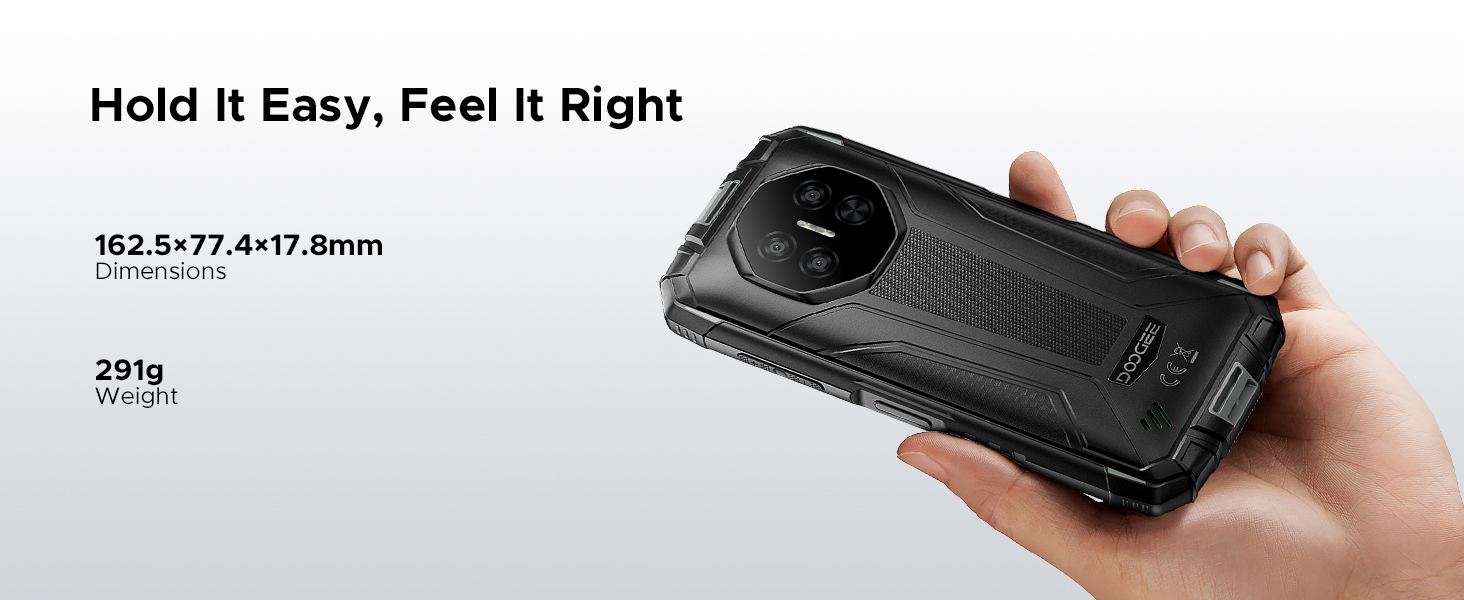
| Dimensions | 162.5 x 77.4 x 17.8 mm |
| Weight | 291g |
13. Warranty Information
The DOOGEE Fire 3 Rugged Phone comes with a 2-year free warranty from the date of purchase. Additionally, a 30-day money-back guarantee is offered for returns without reason. Please retain your proof of purchase for warranty claims.
14. Customer Support
For any problems or inquiries regarding your DOOGEE Fire 3, a professional support team is available 24/7 to assist you. Please refer to the contact information provided with your product packaging or visit the official DOOGEE website for support details.


