
Introduction
Product Overview
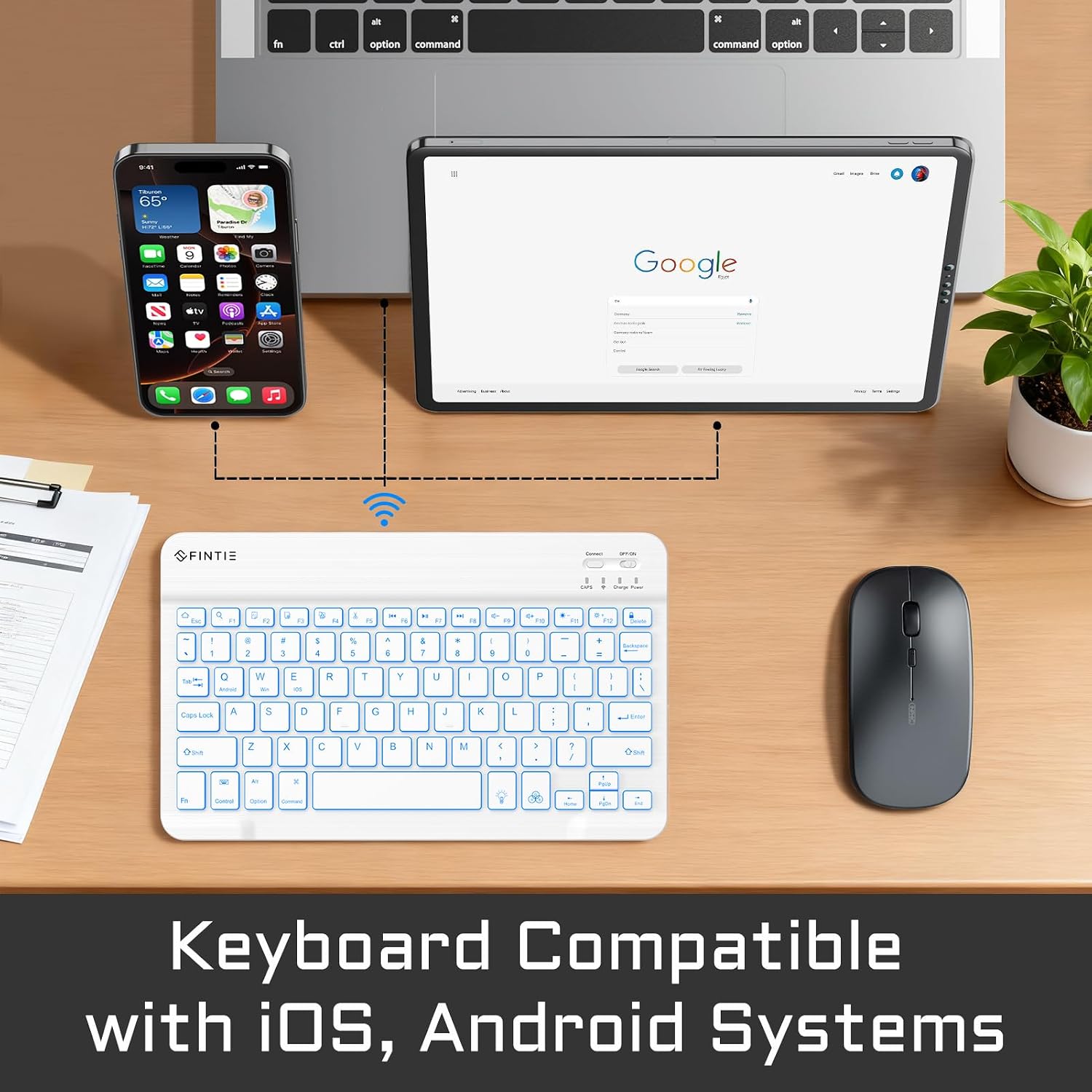
This manual provides detailed instructions for the Fintie 10-Inch Ultrathin Wireless Bluetooth Backlight Keyboard. This keyboard is designed for universal compatibility with iOS and Android operating systems, making it suitable for various tablets and smartphones.
Package Contents
- 1 x Fintie Backlit Keyboard
- 1 x USB Charging Cable
- 1 x User Manual
Setup
Charging the Keyboard
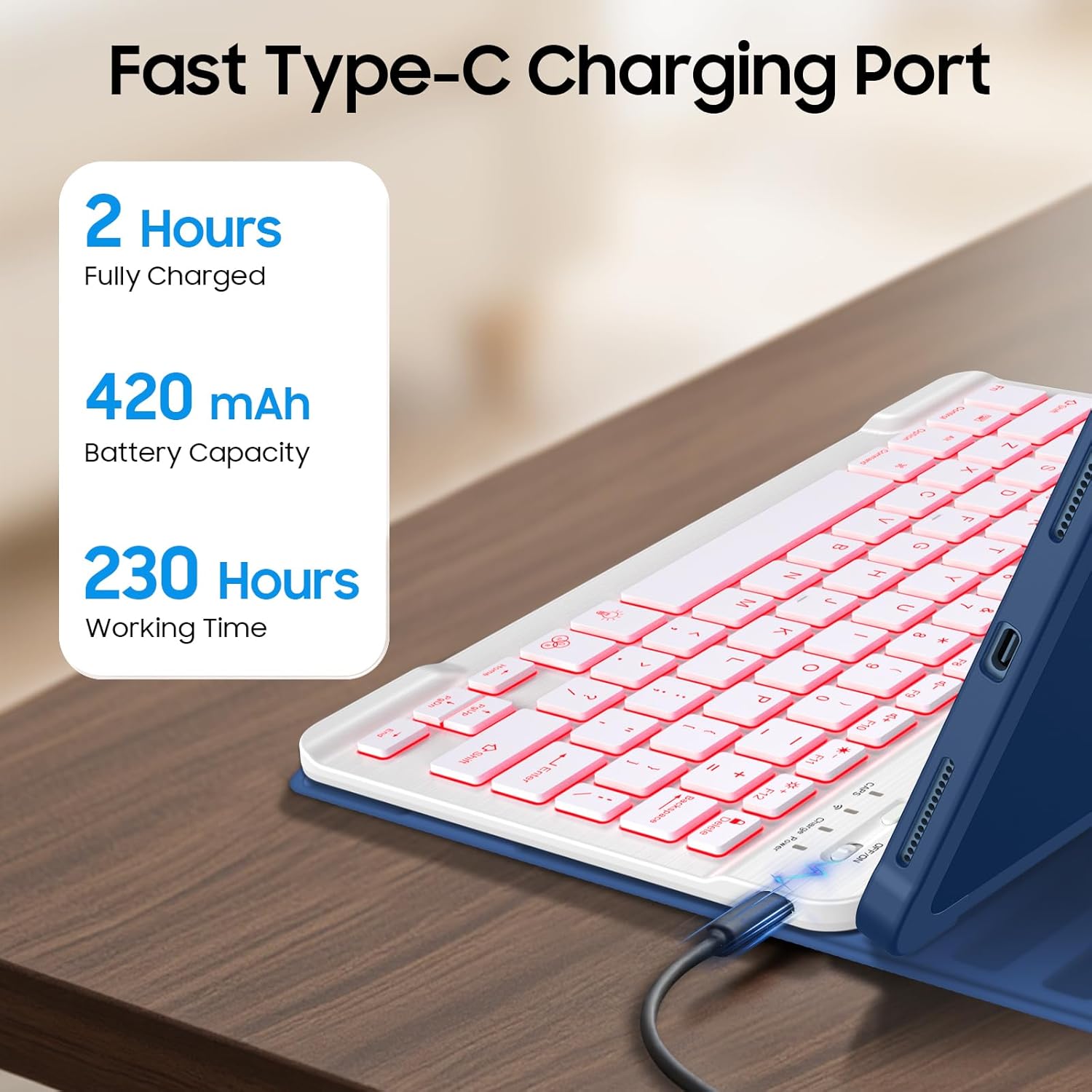
Before initial use, fully charge the keyboard. Connect the provided USB charging cable to the keyboard's Type-C port and to a standard USB power source. The charging indicator light will illuminate during charging and turn off once fully charged.
- Charging Time: Approximately 2-3 hours for a full charge.
- Battery Capacity: 420mAh.
- Working Time: Up to 230 hours of continuous typing on a full charge.

Pairing with Your Device
Follow these steps to connect your Fintie keyboard to your tablet or smartphone via Bluetooth:
- Ensure the keyboard is fully charged.
- Slide the ON/OFF switch on the keyboard to the 'ON' position. The power indicator light will turn on briefly.
- Press the 'Connect' button on the keyboard. The Bluetooth indicator light will start blinking, indicating it is in pairing mode.
- On your device (tablet or smartphone), go to the Bluetooth settings.
- Search for available Bluetooth devices. You should see 'Bluetooth Keyboard' or a similar name appear in the list.
- Select the keyboard from the list to initiate the pairing process. Your device may display a pairing code; enter this code on the Fintie keyboard and press Enter.
- Once successfully paired, the Bluetooth indicator light on the keyboard will stop blinking and turn off. The keyboard is now ready for use.
Operating Instructions
Power On/Off
To power on the keyboard, slide the ON/OFF switch to the 'ON' position. To power off, slide the switch to the 'OFF' position to conserve battery life when not in use.
Backlight Function
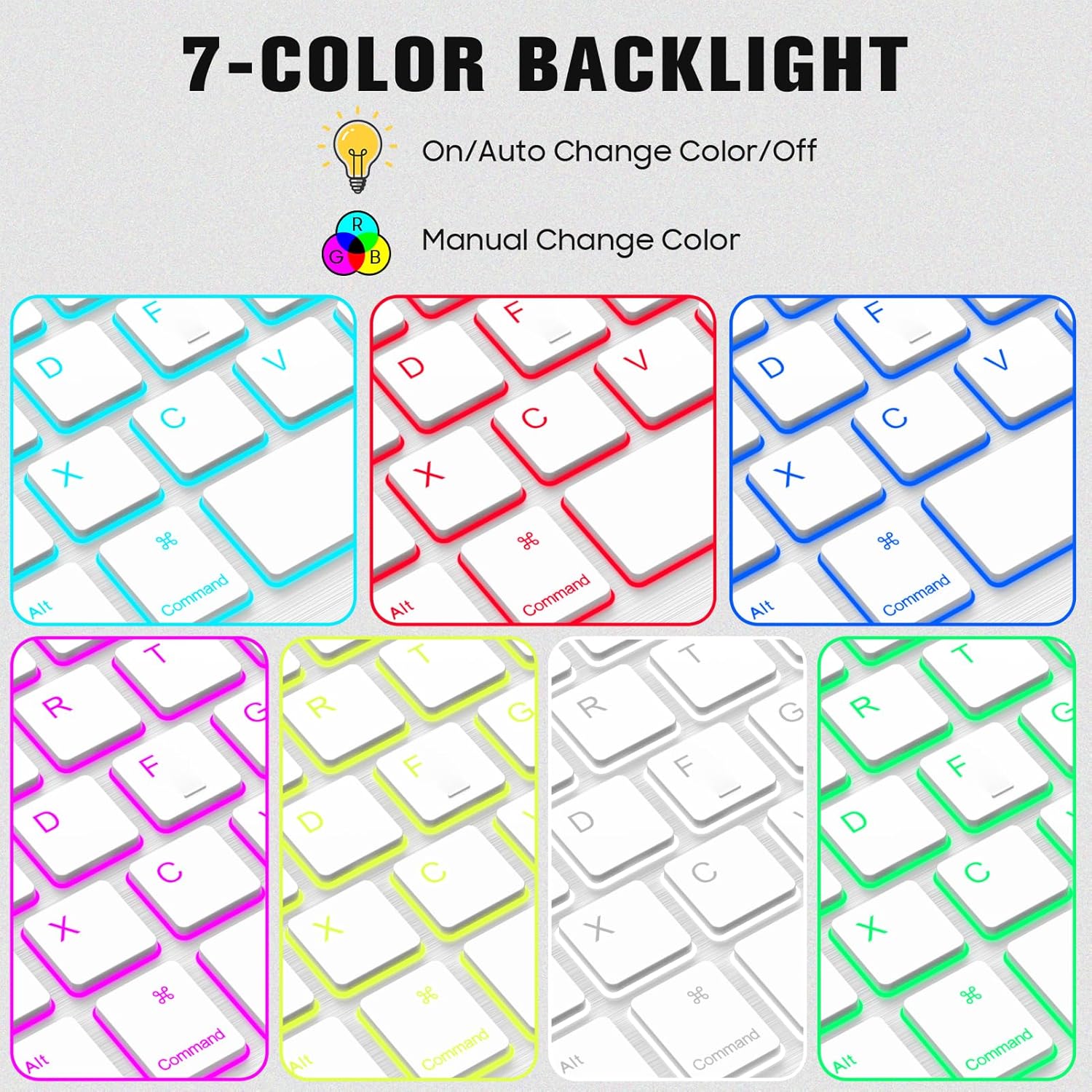
The keyboard features a 7-color adjustable backlight. Note that the backlight will not function until the keyboard is successfully paired with a device.
- To turn on the backlight, press the '(Bulb)' key.
- To change the backlight color (7 optional colors), press the 'RGB' key.
- Press the '(Bulb)' key a third time to turn off the backlight.
- The backlight will automatically turn off when the battery level is below 20% to conserve power.
- The backlight will also auto turn off when idle to conserve power.
Multimedia Keys
The keyboard includes optimized multimedia keys for enhanced control over your device. These functions are typically accessed by pressing the Fn key in combination with the corresponding function key (F1-F12).
Typing Experience
The keyboard features ergonomic mechanical scissor keys designed for a responsive tactile rebound and reduced noise, providing a comfortable typing experience during extended use.

Maintenance
Cleaning
To clean the keyboard, gently wipe the surface with a soft, damp cloth. Avoid using harsh chemicals or abrasive materials that could damage the finish or internal components. Ensure the keyboard is powered off before cleaning.
Battery Care
To maximize the lifespan of your keyboard's battery:
- Charge the keyboard fully before first use.
- Avoid completely draining the battery frequently.
- Store the keyboard in a cool, dry place when not in use for extended periods.
- The keyboard features an auto-sleep function that activates after 10 minutes of inactivity to conserve battery power. Press any key to wake it up.
Troubleshooting
Keyboard Not Pairing
- Ensure the keyboard is sufficiently charged.
- Verify that Bluetooth is enabled on your device.
- Make sure the keyboard is within the effective Bluetooth range (up to 10 meters).
- Press the 'Connect' button on the keyboard to enter pairing mode.
- If previously paired, try 'forgetting' or 'unpairing' the keyboard from your device's Bluetooth settings and then re-pair it.
Backlight Not Working
- Check the keyboard's battery level. The backlight automatically turns off when the battery is below 20%.
- Ensure the keyboard is successfully paired with your device. The backlight function is only active after pairing.
- Press the '(Bulb)' key to activate the backlight.
Keys Not Responding
- Recharge the keyboard to ensure it has sufficient power.
- Re-pair the keyboard with your device.
- Ensure no physical obstructions are preventing key presses.
Specifications
| Feature | Description |
|---|---|
| Brand | FINTIE |
| Model | 10-Inch Ultrathin Wireless Bluetooth Backlight Keyboard |
| Compatible Devices | Smartphone, Tablet (iOS, Android) |
| Connectivity Technology | Bluetooth |
| Special Features | Backlit (7 Colors), Detachable Keyboard, Scissor-switch keys |
| Color | Classic White |
| Battery Capacity | 420mAh |
| Charging Time | 2-3 hours (Type-C) |
| Working Time | Up to 230 hours |
| Operating Range | Up to 10 meters |
| Dimensions | Ultrathin (7mm) |
Warranty and Support
Warranty Information
Fintie provides a warranty covering the product for up to 90 days after the initial purchase date. Please retain your proof of purchase for warranty claims.
Customer Support
For any questions, technical assistance, or warranty inquiries, please contact Fintie customer support through their official website or the retailer where the product was purchased.
