
1. Introduction
Thank you for choosing the iphoenix R350 Portable Bluetooth Speaker. This manual provides essential information for setting up, operating, and maintaining your speaker. Please read it thoroughly before use to ensure optimal performance and longevity of your device.
2. What's in the Box
- iphoenix R350 Portable Bluetooth Speaker
- USB Charging Cable
- User Manual
3. Product Overview
The iphoenix R350 is a compact and versatile portable Bluetooth speaker designed for high-quality audio output with added visual flair. It features multiple LED light modes, TWS stereo pairing capability, and a durable, water-resistant design.

Image: Front view of the iphoenix R350 Portable Bluetooth Speaker, showcasing its compact design and control buttons.
3.1 Controls and Ports

Image: Rear view of the iphoenix R350 speaker, highlighting the control buttons and various input ports.
- Power Button: Press and hold to power on/off. Short press to play/pause.
- Volume Up / Next Track Button: Short press for volume up. Long press for next track.
- Volume Down / Previous Track Button: Short press for volume down. Long press for previous track.
- Mode Button (M): Short press to switch between Bluetooth, FM Radio, and AUX modes.
- LED Light Mode Button: Short press to cycle through LED light modes.
- USB-C Charging Port: For charging the speaker.
- USB Port: For USB drive playback.
- Micro SD Card Slot: For Micro SD card playback.
3.2 Key Features
- Room-Filling Sound: Delivers crisp highs and deep bass.
- LED Light Modes: 5 dynamic lighting options including color shift and rhythm sync.
- TWS Stereo Pairing: Connect two R350 speakers for an immersive stereo experience.
- Extended Battery Life: Enjoy up to 8 hours of continuous music playback.
- Water Resistant (IPX6 Rated): Designed to withstand splashes, rain, and brief submersion.
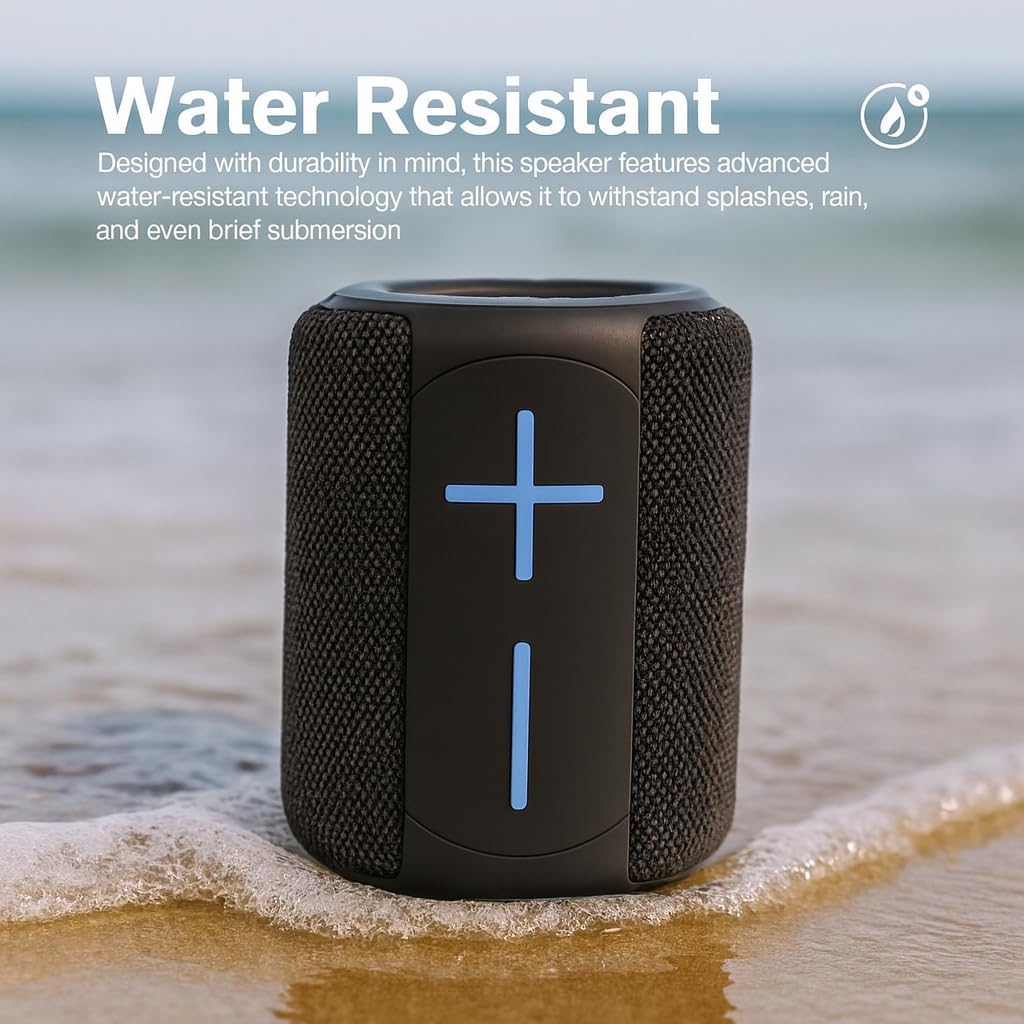
Image: The iphoenix R350 speaker positioned on a sandy beach near water, demonstrating its water-resistant capability.

Image: The iphoenix R350 speaker illuminated with its LED lights, placed next to a smartphone, showcasing its ambient lighting feature.
4. Setup
4.1 Initial Charging
Before first use, fully charge the speaker. Connect the provided USB charging cable to the USB-C port on the speaker and the other end to a 5V USB power adapter (not included). The LED indicator will show charging status and turn off when fully charged.
4.2 Powering On/Off
Press and hold the Power Button for approximately 3 seconds to turn the speaker on or off. A sound prompt will indicate the power status.
5. Operating Instructions
5.1 Bluetooth Pairing
- Turn on the speaker. It will automatically enter Bluetooth pairing mode, indicated by a flashing LED light.
- On your device (smartphone, tablet, etc.), enable Bluetooth and search for available devices.
- Select "iphoenix R350" from the list.
- Once paired, the speaker will emit a confirmation sound, and the LED light will stop flashing.
5.2 True Wireless Stereo (TWS) Pairing
To achieve a stereo sound experience, you can pair two iphoenix R350 speakers together:
- Ensure both R350 speakers are powered on and not connected to any other Bluetooth device.
- On one speaker (this will be the primary speaker), double-press the Power Button. The speaker will enter TWS pairing mode.
- The two speakers will automatically connect to each other. A confirmation sound will indicate successful TWS pairing.
- Now, connect your device to the primary speaker via Bluetooth as described in section 5.1.
5.3 LED Light Modes
Press the LED Light Mode Button to cycle through the 5 available lighting options:
- Colorful
- Ambience
- Rhythm Sync
- Flashing
- Slow Transition
- Off
5.4 Audio Playback
- Bluetooth Mode: Play audio from your paired device.
- USB/Micro SD Card Mode: Insert a USB drive or Micro SD card into the respective port. The speaker will automatically switch to the corresponding mode and begin playback.
- FM Radio Mode: Press the Mode Button (M) to switch to FM Radio. Use the Volume Up/Down buttons to scan for stations.
5.5 Volume and Track Control
- Volume Up: Short press the Volume Up button.
- Volume Down: Short press the Volume Down button.
- Next Track: Long press the Volume Up button.
- Previous Track: Long press the Volume Down button.
- Play/Pause: Short press the Power Button.
6. Maintenance
- Cleaning: Wipe the speaker with a soft, dry cloth. Do not use abrasive cleaners or solvents.
- Water Resistance: While the speaker is IPX6 rated, avoid prolonged submersion. Ensure the charging port cover is securely closed when near water.
- Storage: Store the speaker in a cool, dry place away from direct sunlight and extreme temperatures.
- Battery Care: To prolong battery life, charge the speaker regularly, even if not in use for extended periods. Avoid fully discharging the battery frequently.
7. Troubleshooting
| Problem | Possible Solution |
|---|---|
| Speaker does not power on. | Ensure the speaker is fully charged. Press and hold the Power Button for 3 seconds. |
| Cannot pair via Bluetooth. | Ensure the speaker is in pairing mode (flashing LED). Turn off and on Bluetooth on your device. Move speaker closer to your device. Forget "iphoenix R350" from your device's Bluetooth list and try pairing again. |
| No sound. | Check volume levels on both the speaker and your connected device. Ensure the speaker is not muted. Check if the correct input mode is selected (Bluetooth, USB, Micro SD, FM). |
| TWS pairing fails. | Ensure both speakers are not connected to any other Bluetooth device. Try resetting both speakers and repeat the TWS pairing process. |
| LED lights not working. | Press the LED Light Mode Button to cycle through modes. Ensure the speaker has sufficient battery. |
8. Specifications
| Feature | Detail |
|---|---|
| Model Name | R350 |
| Brand | iphoenix |
| Connectivity Technology | Bluetooth |
| Wireless Communication Technology | Bluetooth |
| Bluetooth Range | Up to 10 meters (33 feet) |
| Speaker Type | Portable |
| Special Feature | LED Light, Water Resistant (IPX6) |
| Power Source | Battery Powered |
| Battery Life | Approximately 8 hours |
| Speaker Maximum Output Power | 20 Watts |
| Audio Output Mode | Stereo |
| Impedance | 4 Ohm |
| Control Method | Touch Buttons |
| Material | Plastic |
| Product Dimensions | 3.5"D x 3.5"W x 7.5"H |
| Item Weight | 1.2 Pounds |
| Compatible Devices | Desktop, Laptop, Smartphone, Tablet |
| Recommended Uses | Indoor Entertainment, Music Playback, Outdoor Use |
9. Warranty and Support
The iphoenix R350 Portable Bluetooth Speaker comes with a standard manufacturer's warranty. For detailed warranty information, product support, or service inquiries, please refer to the contact information provided on the product packaging or visit the official iphoenix website.