1. Introduction
This manual provides essential information for the safe and efficient operation of your Juskys 1800W Electric Fireplace, Model 301861. Please read these instructions carefully before installation and use, and retain them for future reference.
The Juskys electric fireplace offers a realistic LED flame effect and two heat settings (900W / 1800W) to provide warmth and ambiance. It features integrated WiFi and app control, a remote control, a timer function, a thermostat, and overheat protection. The robust cast iron body ensures stability and durability.
2. Safety Instructions
WARNING: To reduce the risk of fire, electric shock, or injury, observe the following safety guidelines:
- Read all instructions before using this appliance.
- Do not use this fireplace outdoors.
- This fireplace is hot when in use. To avoid burns, do not let bare skin touch hot surfaces. Keep combustible materials, such as furniture, pillows, bedding, papers, clothes, and curtains at least 1 meter (3 feet) from the front of the fireplace.
- Extreme caution is necessary when any heater is used by or near children or invalids and whenever the fireplace is left operating and unattended.
- Do not operate any fireplace with a damaged cord or plug or after the fireplace malfunctions, has been dropped, or damaged in any manner.
- Do not run power cord under carpeting. Do not cover cord with throw rugs, runners, or similar coverings. Arrange cord away from traffic area and where it will not be tripped over.
- To disconnect the fireplace, turn controls to off, then remove plug from outlet.
- Do not insert or allow foreign objects to enter any ventilation or exhaust opening as this may cause an electric shock or fire, or damage the fireplace.
- To prevent a possible fire, do not block air intakes or exhaust in any manner. Do not use on soft surfaces, like a bed, where openings may become blocked.
- This fireplace has hot and arcing or sparking parts inside. Do not use it in areas where gasoline, paint, or flammable vapors or liquids are used or stored.
- Use this fireplace only as described in this manual. Any other use not recommended by the manufacturer may cause fire, electric shock, or injury to persons.
- Always plug fireplaces directly into a wall outlet/receptacle. Never use with an extension cord or relocatable power tap (outlet/power strip).
- Ensure the power supply voltage matches the rating label on the appliance.
- The appliance is for indoor use only (IP20).
- Do not cover the fireplace.
- Do not immerse the appliance in water or any other liquid.
- This appliance is not intended for use by persons (including children) with reduced physical, sensory or mental capabilities, or lack of experience and knowledge, unless they have been given supervision or instruction concerning use of the appliance by a person responsible for their safety.
3. Package Contents
Carefully unpack the box and ensure all items are present and undamaged. If any items are missing or damaged, contact customer support.
- 1x Juskys Electric Fireplace
- 1x Remote Control
- 1x CR2025 Battery (for remote control)
- 1x User Manual (this document)

Image: The Juskys Electric Fireplace with its remote control and user manual, illustrating the complete package contents.
4. Setup
The Juskys Electric Fireplace is delivered as a self-assembly kit. Follow these steps for proper setup:
- Unpacking: Remove all components from the packaging. Keep packaging materials until assembly is complete and you are satisfied with the product.
- Assembly: Assemble the fireplace according to the included assembly instructions (if separate from this manual, refer to those specific diagrams). Ensure all screws and fasteners are securely tightened.
- Placement: Place the fireplace on a firm, level surface. Ensure there is at least 1 meter (3 feet) clearance from combustible materials (curtains, furniture, etc.) on all sides, especially the front.
- Power Connection: Ensure the fireplace is switched off before plugging it into a grounded 220-240V~, 50/60 Hz wall outlet. Do not use extension cords or power strips.
- Remote Control Battery: Open the battery compartment on the remote control and insert the provided CR2025 battery, observing the correct polarity.

Image: The Juskys Electric Fireplace showing its compact dimensions (45 cm width, 35 cm depth, 75 cm height), illustrating suitable placement.
5. Operating Instructions
Your Juskys Electric Fireplace can be operated via the control panel on the unit, the included remote control, or a smartphone app via WiFi.
5.1 Control Panel
The control panel is typically located behind the front door of the fireplace. It includes buttons for power, flame effect, heat settings, and timer.
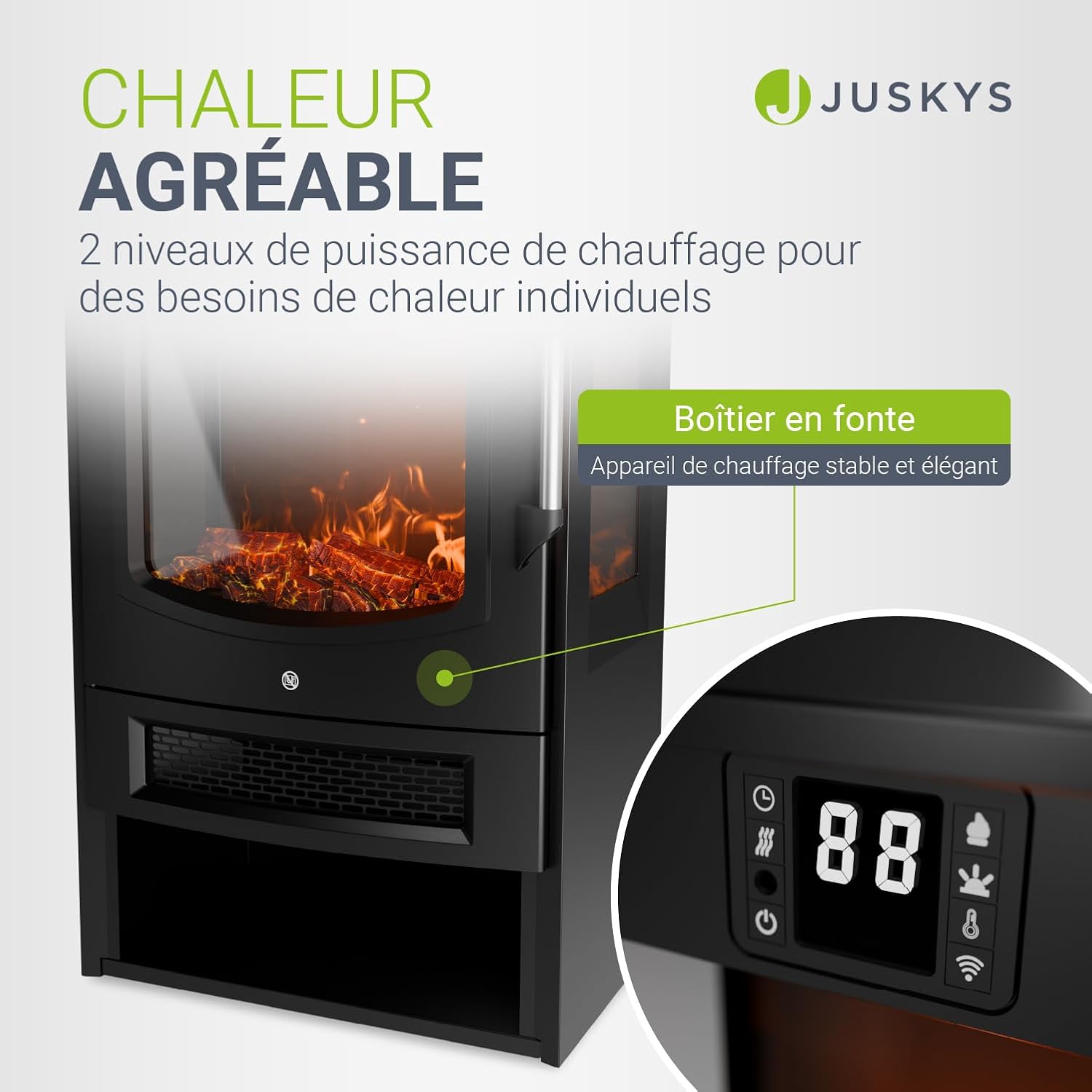
Image: Close-up of the Juskys Electric Fireplace's control panel and digital display, showing icons for power, timer, heat settings, and WiFi connectivity.
- Power Button: Press to turn the fireplace ON or OFF.
- Flame Effect Button: Cycles through different flame effects and ember colors. The flame effect can be used independently without heating.
- Heat Setting Button: Selects between 900W (low heat) and 1800W (high heat). Press again to turn off heating.
- Timer Button: Sets the operating timer for automatic shutdown.
- Thermostat: Adjusts the desired room temperature. The heater will automatically turn on/off to maintain the set temperature.
5.2 Remote Control
The remote control provides convenient access to all functions from a distance.
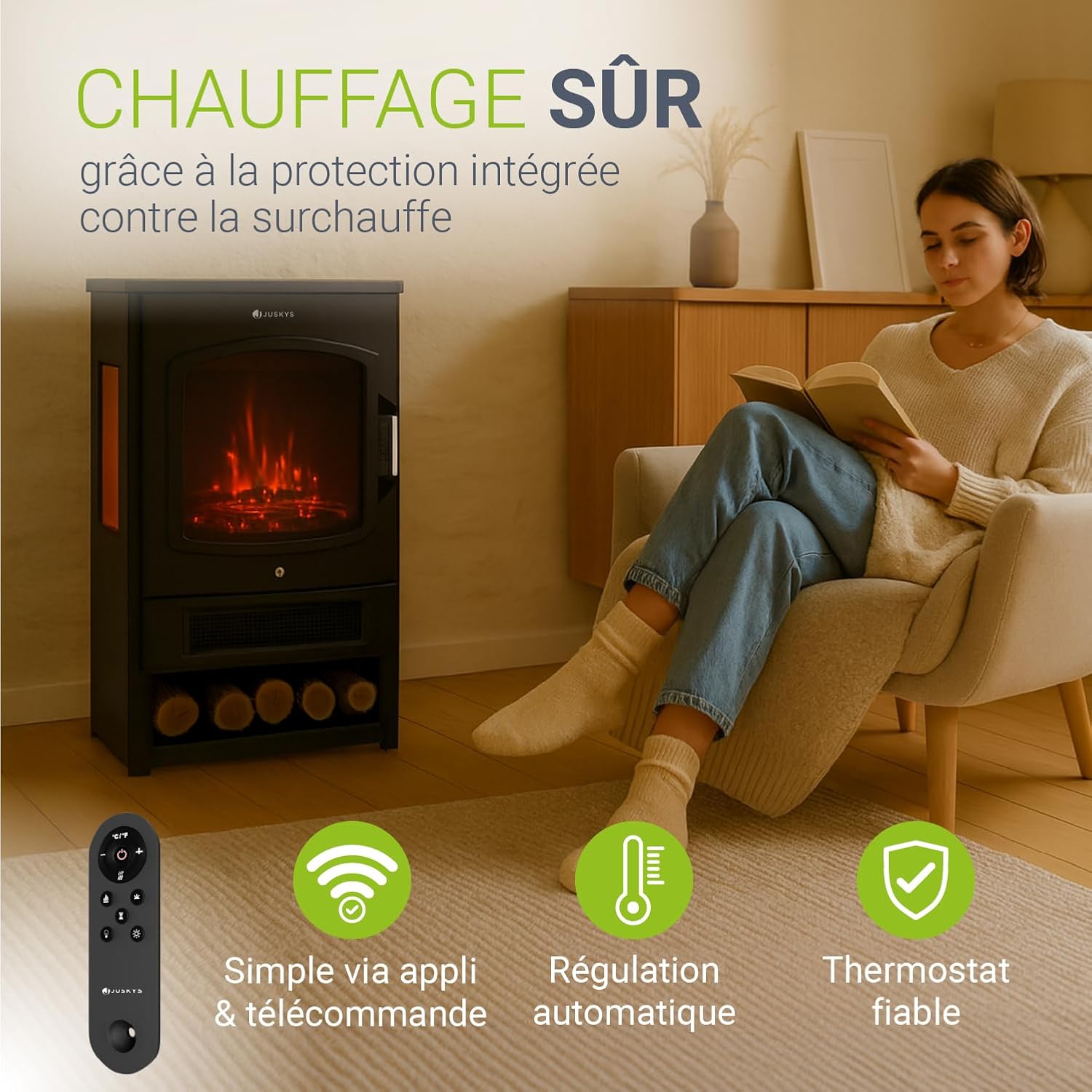
Image: The Juskys Electric Fireplace remote control, displaying buttons for power, flame, heat, timer, and temperature adjustment, alongside icons representing app and WiFi control.
- Power: Turns the unit ON/OFF.
- Flame: Adjusts flame brightness or cycles through flame styles.
- Heat 1 (900W): Activates low heat.
- Heat 2 (1800W): Activates high heat.
- Temperature Up/Down: Adjusts the thermostat setting.
- Timer: Sets the operating timer.
5.3 WiFi and App Control
For advanced control and smart home integration, download the dedicated Juskys app (or compatible smart home app) from your smartphone's app store. Follow the in-app instructions to connect your fireplace to your home WiFi network.
- App Features: Control power, flame effects, heat settings, timer, and thermostat remotely.
- Pairing: Refer to the app's specific instructions for pairing the device. Ensure your fireplace's WiFi indicator is active during pairing.
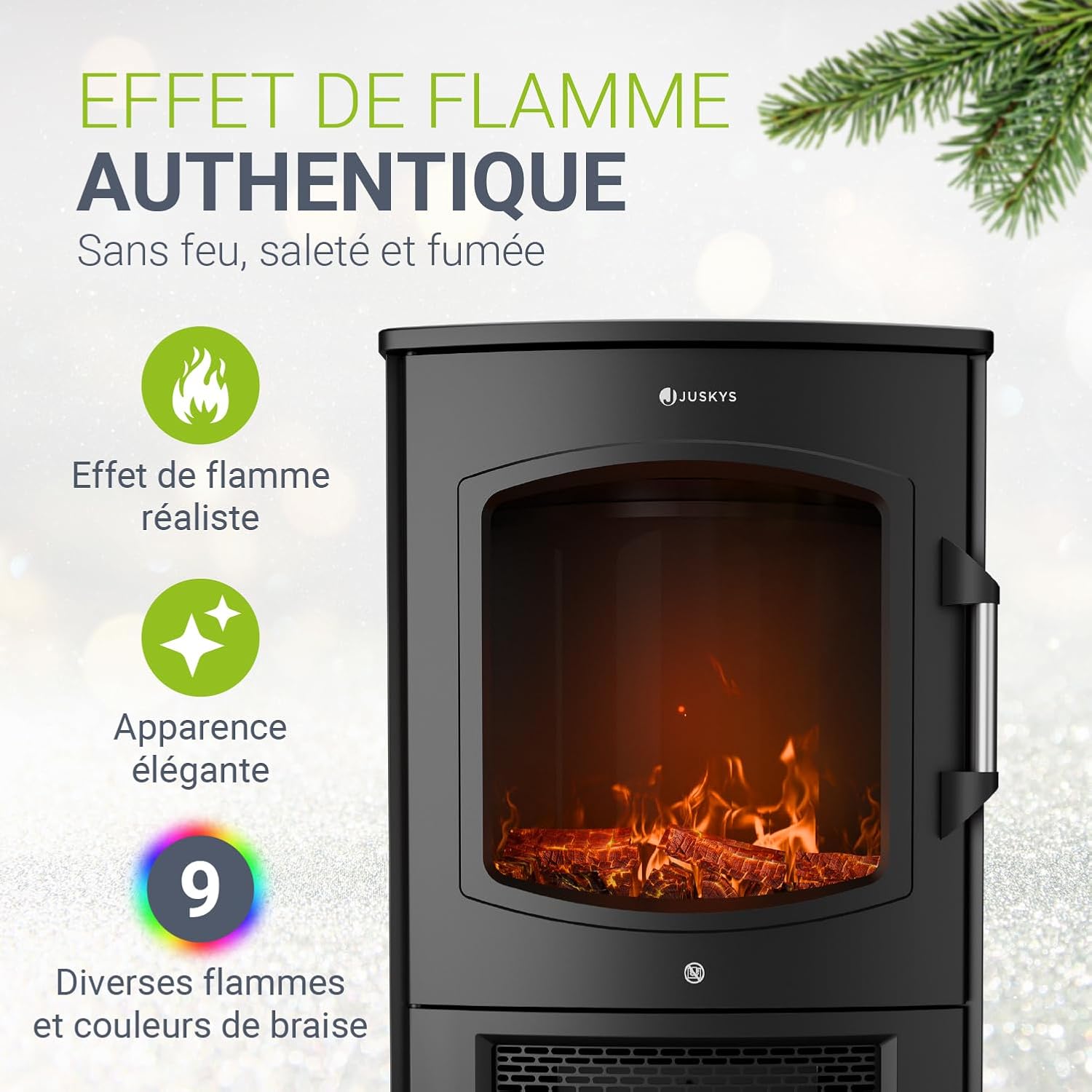
Image: The Juskys Electric Fireplace showcasing its realistic LED flame effect and glowing embers, highlighting the visual ambiance it creates.
6. Maintenance
Regular maintenance ensures the longevity and optimal performance of your electric fireplace.
- Cleaning: Always unplug the fireplace before cleaning. Use a soft, damp cloth to wipe the exterior surfaces. Do not use abrasive cleaners or sprays.
- Glass Panel: Clean the glass panel with a soft cloth and a non-abrasive glass cleaner.
- Ventilation Openings: Keep the ventilation openings clear of dust and debris to ensure proper airflow and prevent overheating. Use a vacuum cleaner with a brush attachment if necessary.
- Storage: If storing the fireplace for an extended period, unplug it and store it in a dry, dust-free location.
- Battery Replacement: Replace the remote control battery (CR2025) when its range decreases or it stops responding.
7. Troubleshooting
If you encounter issues with your Juskys Electric Fireplace, refer to the following troubleshooting guide:
| Problem | Possible Cause | Solution |
|---|---|---|
| Fireplace does not turn on. |
|
|
| No heat, but flame effect works. |
|
|
| Remote control not working. |
|
|
| WiFi/App control not connecting. |
|
|
8. Specifications
| Brand | Juskys |
| Model Number | 301861 |
| Color | Black |
| Material | Cast Iron, Plastic |
| Max. Power Output | 1800 W |
| Heat Settings | 900 W / 1800 W |
| Voltage | 220–240 V~, 50/60 Hz |
| Protection Class | I |
| IP Rating | IP20 (Indoor use only) |
| Dimensions (L x W x H) | 45 x 35 x 75 cm (17.7 x 13.8 x 29.5 inches) |
| Item Weight | 13.8 kg (30.4 lbs) |
| Remote Control Battery | 1x CR2025 |
| Special Features | LED Flame Effect, WiFi/App Control, Timer, Thermostat, Overheat Protection |
9. Warranty and Support
Juskys products are manufactured with high-quality materials and undergo strict quality control. In the unlikely event of a defect, please contact your retailer or Juskys customer support.
- Warranty: Information regarding the specific warranty period and conditions can be found on your purchase receipt or the Juskys official website. Please retain your proof of purchase.
- Customer Support: For technical assistance, spare parts, or general inquiries, please visit the official Juskys website or contact their customer service department. Contact details are usually available on the product packaging or the brand's website.
- Product Registration: Consider registering your product on the Juskys website to receive updates and facilitate warranty claims.


