
1. Introduction
This manual provides essential information for the safe and effective operation, maintenance, and troubleshooting of your CIIHI XM01W Walking Pad Treadmill with Incline. Please read this manual thoroughly before initial use and retain it for future reference.
The CIIHI XM01W Walking Pad is a compact treadmill designed for home and office use, featuring an 8% manual incline, app and remote control capabilities, and a 300 lbs weight capacity. Its slim design allows for easy storage in small spaces.
2. Safety Information
- Always consult with a healthcare professional before starting any new exercise program.
- Place the treadmill on a flat, stable surface with adequate clearance around it.
- Ensure the power cord is not pinched or damaged.
- Do not allow children or pets near the treadmill during operation.
- Wear appropriate athletic footwear.
- Do not step on or off the treadmill while the belt is moving.
- If you feel dizzy, lightheaded, or experience pain, stop exercising immediately.
- Unplug the treadmill when not in use or before cleaning/maintenance.
3. What's in the Box
Upon unpacking, please verify that all components are present:
- CIIHI XM01W Walking Pad Treadmill
- Remote Control
- Power Cord
- Tool Kit
- User Manual (this document)
4. Setup
4.1 Unpacking and Placement
The CIIHI XM01W Walking Pad Treadmill arrives fully assembled. Carefully remove it from its packaging. Place the treadmill on a level, hard surface. Ensure there is sufficient space around the unit for safe operation and to prevent obstruction of air vents.
4.2 Adjusting Manual Incline
The treadmill features an 8% manual incline. To adjust the incline:
- Ensure the treadmill is powered off and unplugged.
- Locate the adjustment blocks on the sides of the treadmill.
- Lift the rear of the treadmill slightly and position the blocks to achieve either a flat (0%) or inclined (8%) surface.
- Ensure both sides are adjusted evenly and securely before use.
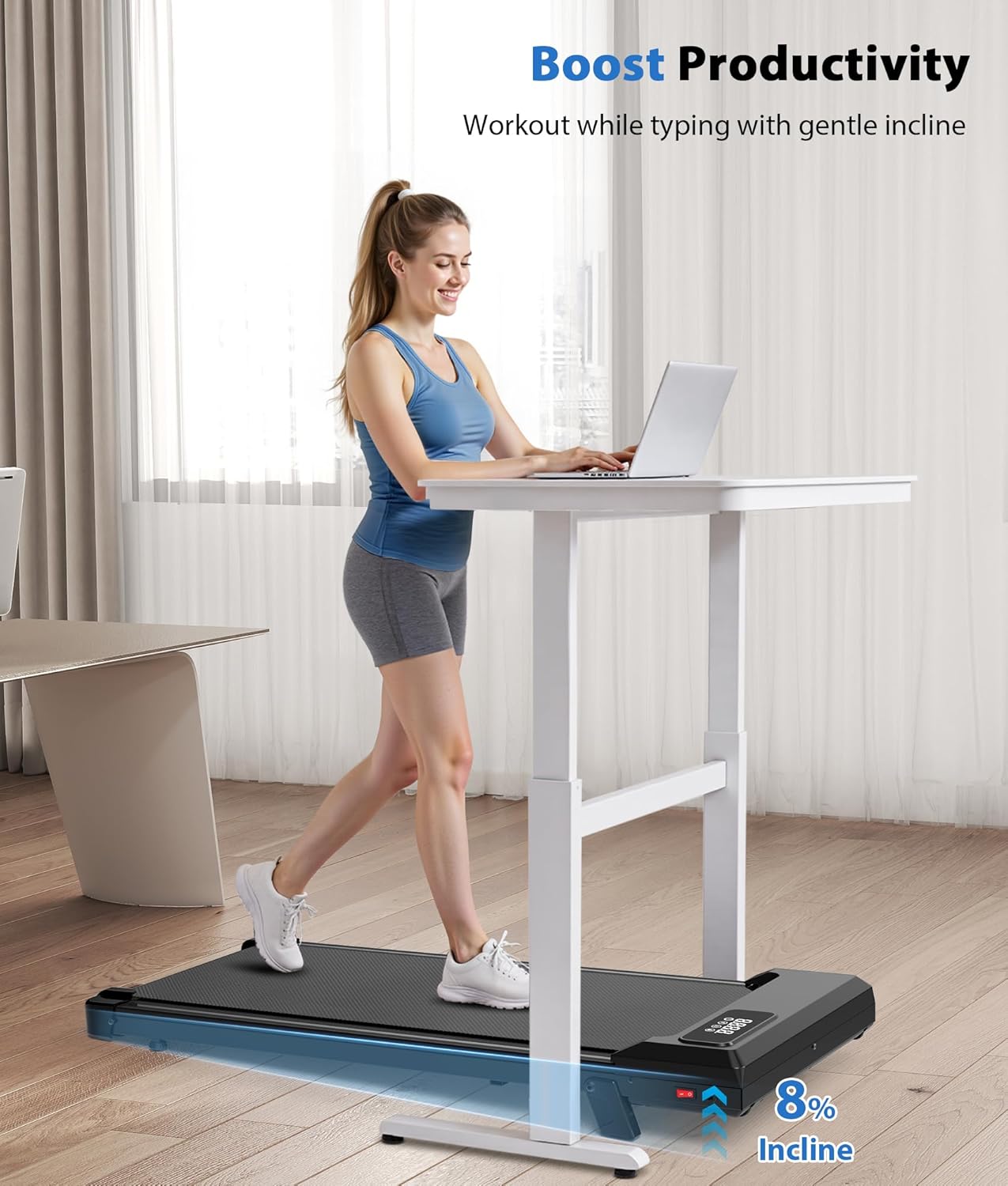
Image: Adjusting the manual incline blocks.
4.3 Power Connection
Connect the power cord to the treadmill's power input and then plug it into a standard 110V AC outlet. Flip the power switch to the 'ON' position. The display will illuminate.
Video: A guide on how to use the CIIHI Walking Pad with Incline, demonstrating setup and basic operation.
5. Operating Instructions
5.1 Power On/Off
To power on, ensure the treadmill is plugged in and flip the red power switch located at the front of the unit to 'ON'. The display will show '0.0'. To power off, flip the switch to 'OFF' and unplug the unit.
5.2 Remote Control Operation
The treadmill is controlled via the included remote. The remote allows you to start/stop the treadmill, adjust speed, and switch between modes.
- ON/OFF Button: Press to start or stop the treadmill.
- '+' Button: Increase speed. Press and hold to accelerate continuously.
- '-' Button: Decrease speed. Press and hold to decelerate continuously.
- 'M' Button: Cycle through display modes (Time, Distance, Calories, Speed).

Image: Remote control for the walking pad.
5.3 App Control
Enhance your workout experience by connecting your treadmill to compatible fitness apps such as FitShow, Kinomap, and Zwift. These apps allow you to track data, adjust speed, and select various workout modes directly from your smartphone or tablet.
- Download the desired fitness app from your device's app store.
- Ensure Bluetooth is enabled on your device.
- Open the app and follow the on-screen instructions to connect to your treadmill.
- Once connected, you can control the treadmill and monitor your workout progress through the app.

Image: App connectivity for smarter workouts.
Video: An introduction to controlling the Ciihi Walking Pad using its dedicated mobile application.
5.4 Display Information
The LED display on the treadmill cycles through various metrics, including:
- Time: Duration of your workout.
- Distance: Total distance covered.
- Calories: Estimated calories burned.
- Speed: Current walking speed (0.6 to 4 MPH).
6. Maintenance
6.1 Lubrication
Regular lubrication of the running belt is crucial for optimal performance and longevity. Use the provided silicone oil or a compatible treadmill lubricant. Apply a small amount of lubricant under the center of the running belt every 3-6 months, or after approximately 100 hours of use.
6.2 Cleaning
Wipe down the treadmill's surface with a damp cloth after each use to remove sweat and dust. Avoid using abrasive cleaners or solvents. Regularly vacuum underneath the treadmill to prevent dust buildup from affecting the motor.
6.3 Belt Adjustment
If the running belt starts to slip or drift to one side, it may need adjustment. Refer to the detailed instructions in the included user manual for proper belt tensioning and centering procedures using the provided tool kit.
7. Troubleshooting
- Treadmill not powering on: Check if the power cord is securely plugged into both the treadmill and the wall outlet. Ensure the power switch is in the 'ON' position.
- Belt not moving: Ensure the treadmill is powered on and not in standby mode. If using the remote, press the ON/OFF button. Check for any obstructions under the belt.
- Unusual noise: Inspect the belt for any foreign objects. Ensure the belt is properly lubricated and tensioned. If the noise persists, contact customer support.
- Remote control not responding: Check the remote control battery. Ensure there are no obstructions between the remote and the treadmill's receiver.
8. Specifications
| Feature | Specification |
|---|---|
| Brand | CIIHI C |
| Model Name | Walking Pad with Incline |
| Product Dimensions | 43.7"D x 19.7"W x 3.9"H |
| Item Weight | 32 Pounds |
| Material | Acrylonitrile Butadiene Styrene (ABS), Alloy Steel |
| Maximum Speed | 4 Miles per Hour |
| Minimum Speed | 0.6 Miles per Hour |
| Maximum Incline Percentage | 8.0% (Manual) |
| Maximum Horsepower | 2.5 Horsepower |
| Maximum Weight Recommendation | 300 Pounds |
| Display Type | LED |
| Connectivity Technology | FitShow, Kinomap, Zwift, Remote Control |
| Assembly Required | No |
| Included Components | Power Cord, Remote Control, Tool Kit, User Manual |
9. Storage
The CIIHI Walking Pad is designed for compact storage, making it ideal for small living spaces. Its slim profile (3.9 inches thick) and lightweight construction allow for easy storage.
- Under Furniture: The treadmill can be easily slid under a bed or sofa when not in use.
- Upright Storage: It can also be stored upright against a wall or behind a door to save floor space.
- Portability: Integrated wheels allow for convenient movement of the treadmill.
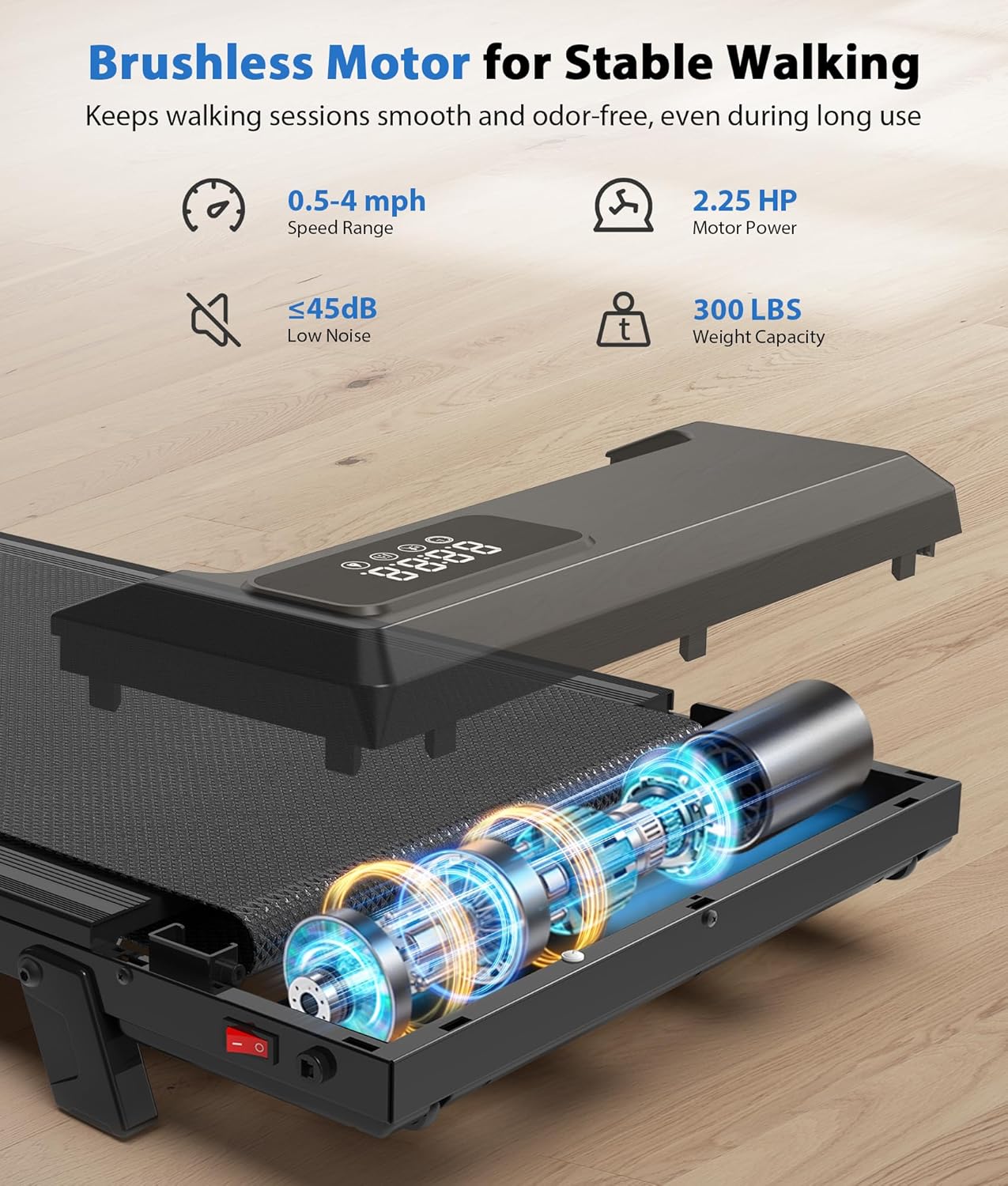
Image: Compact size and easy storage options.
10. Warranty and Support
Your CIIHI Walking Pad Treadmill comes with a 1 Year Manufacturer Warranty. For any product inquiries, technical support, or warranty claims, please contact CIIHI customer service. Refer to the contact information provided in your purchase documentation or on the official CIIHI website.