
Korfile HK-PC-001-CL-1D
Korfile 71" Tall Kitchen Pantry Storage Cabinet User Manual
Model: HK-PC-001-CL-1D
Brand: Korfile
1. Introduction
Thank you for choosing the Korfile 71" Tall Kitchen Pantry Storage Cabinet. This versatile and functional cabinet is designed to enhance your kitchen or dining area with ample storage and convenient features. It includes integrated LED lighting and a built-in charging station to power your appliances. This manual provides detailed instructions for assembly, operation, maintenance, and safety to ensure optimal use and longevity of your product.
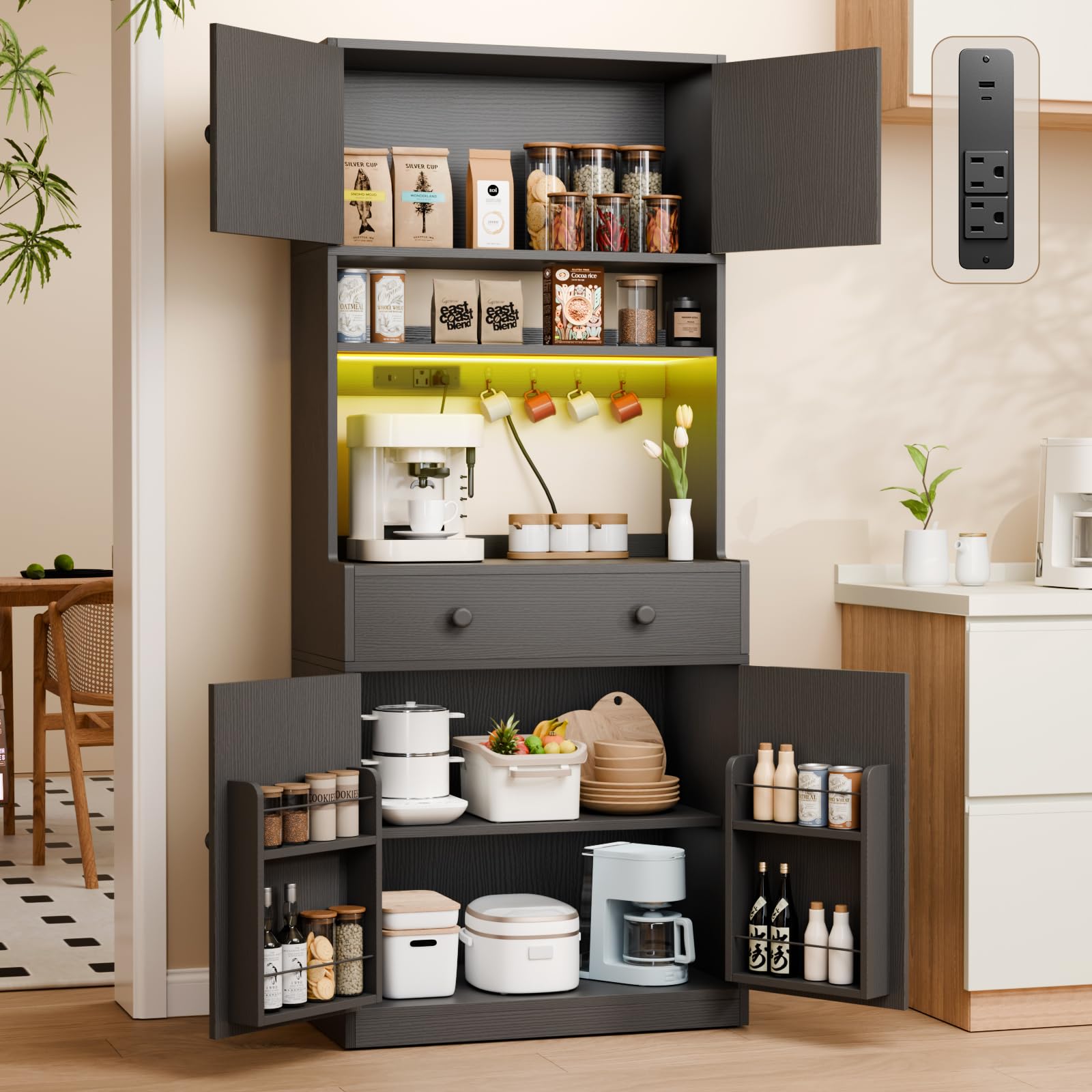
Figure 1: Korfile 71" Tall Kitchen Pantry Storage Cabinet (Black)
2. Important Safety Information
Please read and understand all safety instructions before assembly and use. Failure to follow these instructions may result in injury or damage to the product.
- Anti-Tipping Device: Always secure the cabinet to the wall using the anti-tipping device provided. This is crucial for stability and safety, especially in households with children or pets.
- Heavy Weight: Be cautious when assembling and moving the cabinet due to its heavy weight (approximately 87 pounds). It is recommended to have at least two people for assembly and relocation.
- Pinch Hazards: Be aware of potential pinch hazards when adjusting shelves and finger trap hazards when operating drawers and doors. Keep hands clear of moving parts.
- Assembly Instructions: Always follow the instructions provided in the installation manual carefully. Do not deviate from the steps or use unauthorized parts.

Figure 2: Anti-Tipping Device Installation
3. Package Contents
Before beginning assembly, ensure all parts are present and undamaged. Each component is labeled for easy identification. Refer to the included parts list in your physical manual for a complete inventory.
- All wooden panels (labeled A, B, C, etc.)
- Hardware kit (screws, dowels, cam locks, drawer slides, door hinges, anti-tipping kit)
- LED light strip with power adapter and remote control
- Built-in charging station unit
- 4 hooks for hanging items
- Assembly manual
Note: A Philips head screwdriver and possibly a power drill (use with caution) are required for assembly and are not included.
Video 1: Unboxing and Parts Overview (0:20 - 0:30)
This video demonstrates the unboxing process and lays out the various components of the kitchen pantry cabinet.
4. Assembly Instructions
Follow these steps carefully to assemble your Korfile Kitchen Pantry Storage Cabinet. It is recommended to assemble the unit on a soft, clean surface to prevent scratches.
4.1. Prepare Components
- Unpack all components and verify against the parts list.
- Separate hardware by type to streamline the assembly process.
Video 2: Laying Out Parts for Assembly (0:38 - 0:50)
This segment shows how to organize the cabinet components before starting the assembly.
4.2. Assemble Base Unit
- Attach the side panels to the bottom panel using the designated screws and dowels.
- Install the drawer slides onto the side panels of the base unit.
Video 3: Attaching Drawer Slides (1:04 - 1:20)
This clip illustrates the process of securing the drawer slides to the cabinet panels.
4.3. Assemble Middle and Top Units
- Construct the middle section, ensuring the power outlet and LED light strip are correctly installed and wired through the designated holes.
- Assemble the top cabinet section.
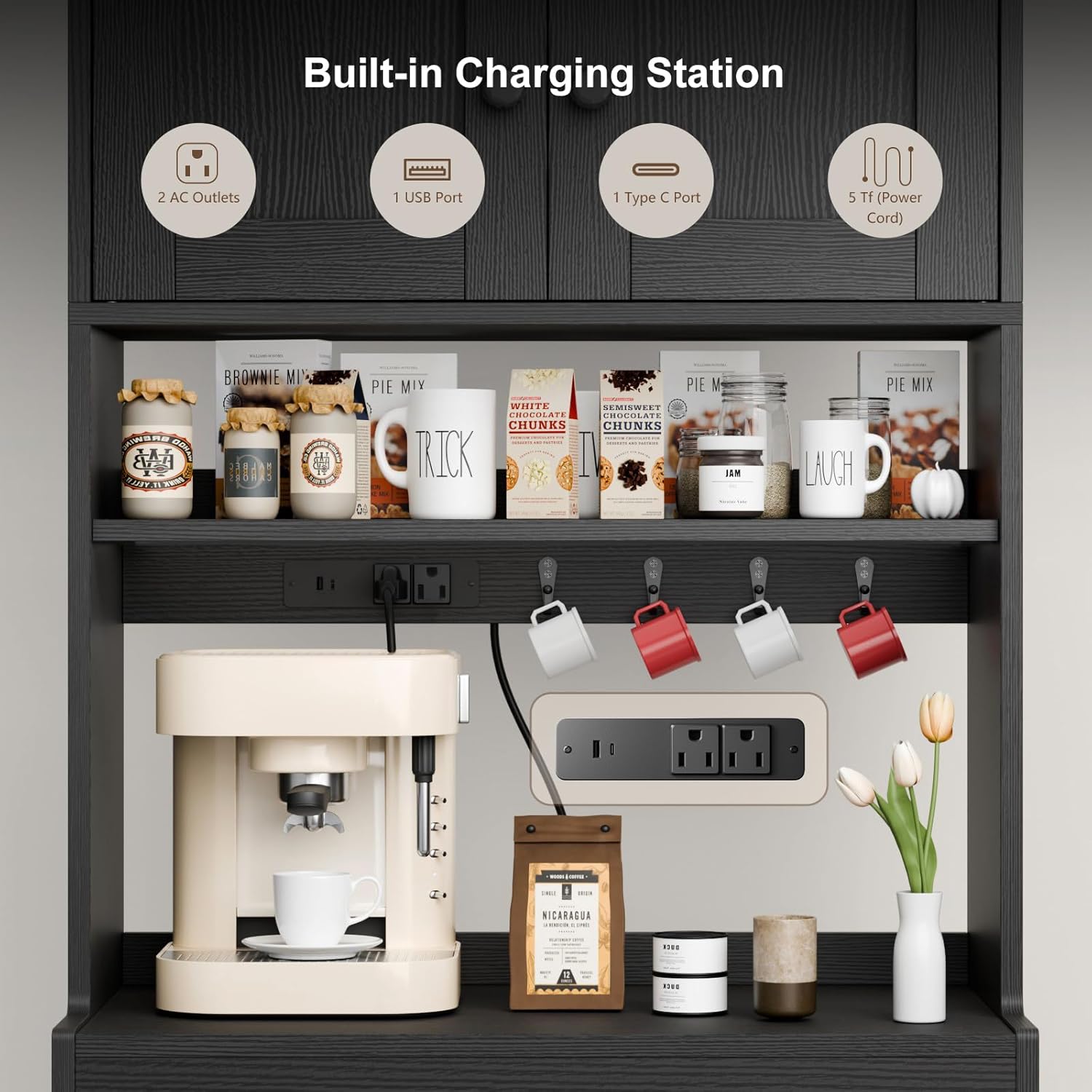
Figure 3: Built-in Charging Station
4.4. Combine Units
- Carefully lift and align the middle section onto the base unit, securing it with the provided hardware.
- Attach the top cabinet section to the middle unit. This step may require assistance due to the height and weight of the components.
Video 4: Attaching the Top Section (2:40 - 3:20)
This video demonstrates how to carefully lift and secure the upper cabinet section onto the lower unit.
4.5. Install Doors and Drawer
- Attach the four doors using the hinges. Adjust hinges as needed to ensure proper alignment and smooth closing.
- Insert the assembled drawer into its slides.
- Install the four hooks in the designated areas within the open shelf of the middle section.

Figure 4: Internal Storage Features
4.6. Final Touches
- Secure the anti-tipping device to a wall stud using appropriate hardware (not always included, check local building codes).
- Plug in the LED lights and charging station.
Video 5: Final Assembly and Placement (3:36 - 3:45)
This segment shows the completed cabinet and its placement in a room.
5. Operating Instructions
5.1. LED Lighting System
The cabinet features integrated RGB LED lights in the open middle section. These lights can be controlled via a smartphone application or the included remote control.
- Smartphone App: Download the recommended app (refer to the LED light manual for details) to access 20 lighting colors and 22 dynamic modes.
- Remote Control: Use the provided remote to switch between colors, adjust brightness, and select various lighting effects.

Figure 5: Cabinet with RGB LED Lights
Video 6: LED Light Color Demonstration (6:57 - 7:59)
This video showcases the various color options and modes available for the integrated LED lighting.
5.2. Charging Station
The cabinet is equipped with a convenient charging station located in the open middle section.
- Power Outlets: Features 2 standard AC power outlets for appliances like coffee makers, toasters, or microwaves.
- USB Ports: Includes 1 USB charging port and 1 Type C charging port for mobile devices.

Figure 6: Coffee Bar Setup with Charging Station
5.3. Storage Features
Utilize the various storage options to organize your kitchen essentials.
- Adjustable Shelves: The bottom cabinet features an adjustable shelf with 3 height options to accommodate different sized items.
- Door Shelves: The four doors are equipped with shelves for small items, spices, or bottles.
- Slide-Out Drawer: A smooth-gliding drawer provides concealed storage for utensils or other small accessories.
- Hooks: Four fixed hooks are available in the open section for hanging mugs or kitchen tools.

Figure 7: Organized Food Pantry Storage
6. Maintenance
Proper care and maintenance will ensure your cabinet remains in excellent condition.
- Cleaning: Wipe surfaces with a soft, damp cloth. Avoid harsh chemicals or abrasive cleaners that may damage the finish.
- Spills: Clean up spills immediately to prevent staining or damage to the engineered wood.
- Hardware: Periodically check all screws and fasteners to ensure they are tight. Retighten if necessary.
- LED Lights: If LED lights malfunction, check the power connection and remote control batteries. Contact customer service if issues persist.
7. Troubleshooting
Here are solutions to common issues you might encounter:
| Problem | Possible Cause | Solution |
|---|---|---|
| Doors do not align or close properly. | Hinges are not adjusted correctly. | Adjust the screws on the door hinges to align the doors. Refer to the hinge adjustment section in your detailed manual. |
| Drawer is stiff or does not slide smoothly. | Drawer slides are not installed correctly or are obstructed. | Ensure drawer slides are properly aligned and free of debris. Check that all screws are tightened. |
| LED lights are not working. | Power connection issue, remote battery dead, or light strip malfunction. | Check if the power adapter is securely plugged into a working outlet. Replace remote batteries. If issues persist, contact customer service. |
| Cabinet feels unstable. | Anti-tipping device not installed or loose hardware. | Ensure the anti-tipping device is securely fastened to the wall. Tighten all assembly screws. |
8. Specifications
- Brand: Korfile
- Model Name: HK-PC-001-CL-1D
- Color: Black
- Material: Engineered Wood
- Product Dimensions: 15.8"D x 29.5"W x 71.2"H
- Item Weight: 87 Pounds
- Mounting Type: Floor Mount
- Installation Type: Freestanding
- Special Features: Adjustable Shelf, Anti-Tipping, Built-In Charging Station (2 AC outlets, 1 USB, 1 Type C), Removable Shelf, LED Lighting
- Number of Shelves: 4 (internal)
- Number of Compartments: 6
- Assembly Required: Yes

Figure 8: Product Dimensions
9. Warranty and Support
For any questions during installation, operation, or if you encounter any issues with your Korfile Kitchen Pantry Storage Cabinet, please contact our customer service team. We are committed to providing a worry-free experience and will respond within 24 hours.
Please refer to your purchase documentation for specific warranty details.
Ask a question about this manual
Ask about setup, troubleshooting, compatibility, parts, safety, or missing instructions. Manuals+ will review the question and use this page’s manual context to help answer it.