
1. Introduction
This manual provides detailed instructions for the setup, operation, and maintenance of your Marsyu 2025 Smartwatch. Please read this manual thoroughly to ensure proper use and to maximize the device's functionality.
2. Package Contents
Verify that all items are present in your package:
- 1 x Smartwatch
- 1 x Charging Cable
- 1 x User Manual (this document)
3. Setup
3.1 Charging the Smartwatch
Before initial use, fully charge your smartwatch. The device is equipped with a 325mAh battery and uses magnetic charging. A full charge typically takes approximately 3-4 hours.
- Connect the magnetic charging cable to the charging points on the back of the smartwatch.
- Plug the USB end of the cable into a standard USB power adapter (5V/1A recommended) or a computer's USB port.
- The watch display will indicate charging status.
3.2 App Installation
To unlock the full potential of your smartwatch, download and install the companion application on your smartphone.
- Scan the QR code provided in the quick start guide or search for "H Band" in your smartphone's app store (compatible with iOS 10.0+ and Android 5.0+).
- Install the "H Band" application.
- Create an account and set up your personal profile within the app.
3.3 Device Pairing
Pair your smartwatch with the "H Band" app via Bluetooth to synchronize data and enable all features.
- Ensure Bluetooth is enabled on your smartphone.
- Open the "H Band" app and navigate to the device pairing section.
- Select your smartwatch from the list of available devices. Follow the on-screen prompts to complete the pairing process.
- Confirm any pairing requests on both your smartphone and the smartwatch.
4. Operating the Smartwatch
4.1 Display and Navigation
The smartwatch features a 1.97" AMOLED high-definition full-touch screen for intuitive interaction.
- Touch Screen: Swipe left, right, up, or down to navigate through menus and screens. Tap to select items.
- Side Button: Typically used to return to the home screen, wake the device, or access the app menu.
- Digital Crown: Rotate to scroll through lists or zoom in/out on certain interfaces. Press to confirm selections or return to the previous screen.
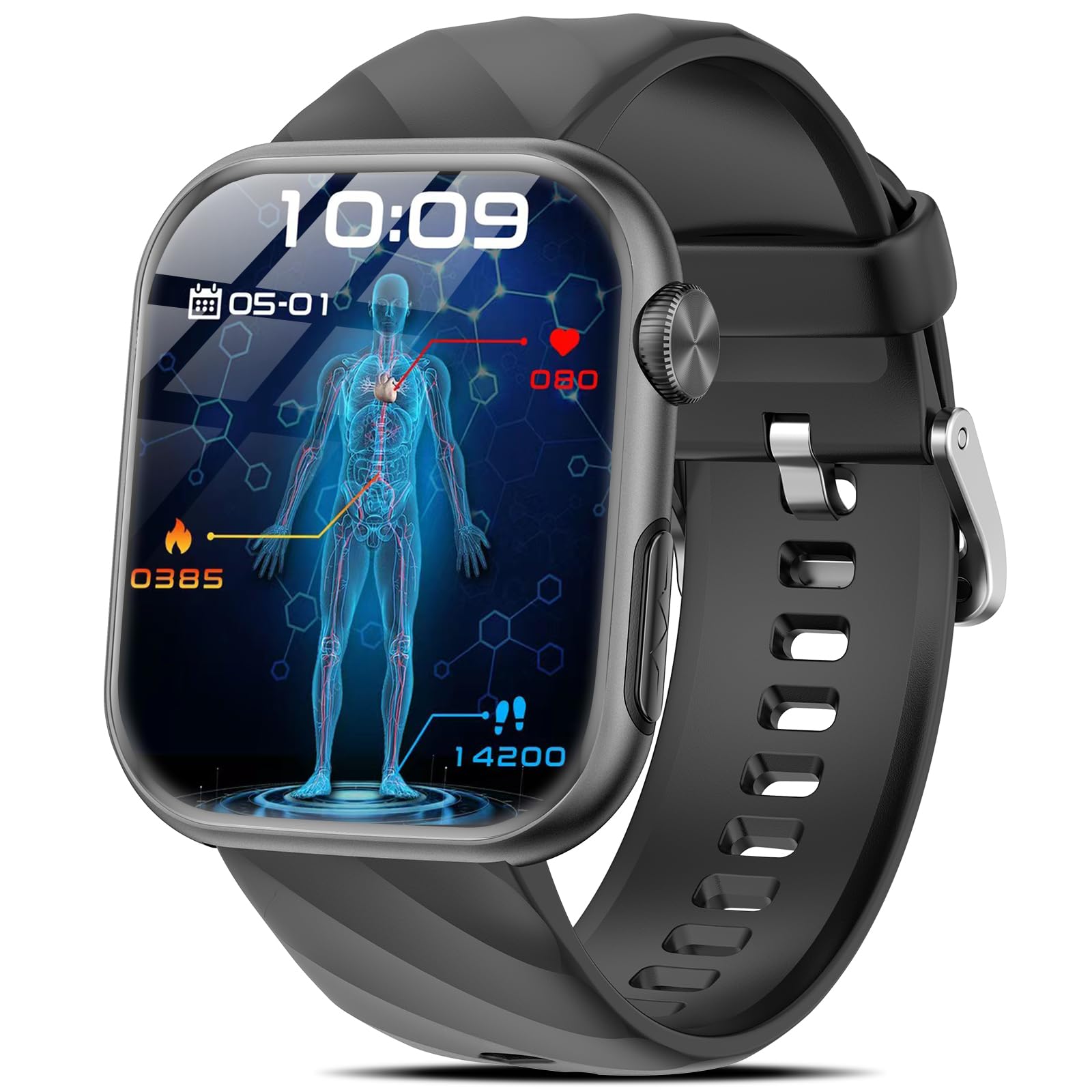
The image shows the Marsyu Smartwatch with a black strap and a square display. The screen illustrates various health metrics, including a human body diagram with highlighted organs, heart rate (080), calories burned (0385), and steps taken (14200). The current time is 10:09, and the date is 05-01.
4.2 Bluetooth Calling
With Bluetooth 5.3, you can make and receive calls directly from your smartwatch.
- Ensure your smartwatch is paired with your phone.
- Access the phone function on your watch to dial numbers or view contacts.
- The built-in microphone and speaker allow for hands-free communication.
4.3 Health Tracking
The smartwatch features an optical sensor for continuous health monitoring.
- Heart Rate Monitor: Automatically monitors your heart rate 24 hours a day.
- Sleep Monitor: Tracks your sleep status at night, providing insights into sleep patterns.
- SpO2 Monitor: Measures blood oxygen levels intermittently.
- Body Temperature: Monitors body temperature.
- Blood Glucose & Blood Pressure: Provides readings for blood glucose and blood pressure. Note: These readings are for reference only and should not be used for medical diagnosis.
- Stress Monitoring: Tracks stress levels.
- Body Composition: Provides basic body composition analysis.
4.4 Sports Modes
Track your physical activities with over 50 sports modes.
- Select your desired sport mode from the watch menu.
- The watch will track metrics such as steps, distance, calories burned, mileage, and workout duration.
4.5 Notifications
Receive notifications directly on your wrist.
- Enable desired app notifications (e.g., WhatsApp, Facebook, Instagram, Twitter, Skype, Line) through the "H Band" app settings.
- Notifications will appear on the watch screen.
4.6 Other Functions
The smartwatch includes several practical features:
- AI Voice Assistant: Use voice commands for tasks like asking questions, playing music, setting alarms, and checking weather.
- Menstrual Tracking: For female users, track menstrual cycles.
- One-Click SOS: A quick access feature for emergency situations.
- Breathing Training: Guided breathing exercises for relaxation.
- Alarm Clock: Set alarms directly from the watch.
- Sedentary Reminder: Alerts you to move after periods of inactivity.
4.7 Watch Faces
Personalize your smartwatch with various watch faces.
- Choose from over 100+ watch faces available in the "H Band" app.
- Custom watch faces can also be set to reflect your personal style.
5. Maintenance
5.1 Water Resistance
The smartwatch meets IP67 waterproof standards, suitable for daily waterproofing.
- It is resistant to splashes and brief immersion in shallow water.
- Important: The device is not resistant to hot water or seawater. Do not wear it while swimming, showering, or in saunas.
5.2 Cleaning
Regular cleaning helps maintain the device's appearance and functionality.
- Wipe the screen and strap with a soft, damp cloth.
- Avoid using harsh chemicals or abrasive materials.
- Ensure the charging contacts are clean and dry before charging.
5.3 Battery Care
To prolong battery life:
- Avoid extreme temperatures.
- Charge the device regularly, but avoid leaving it fully discharged for extended periods.
6. Troubleshooting
If you encounter issues with your smartwatch, try the following steps:
- Device not turning on: Ensure the battery is charged. Connect to the charger and wait a few minutes.
- Cannot pair with phone: Ensure Bluetooth is enabled on your phone and the watch. Restart both devices and try pairing again. Check if the "H Band" app has necessary permissions.
- Inaccurate health data: Ensure the watch is worn snugly on your wrist. Avoid excessive movement during measurements. Remember that health metrics are for reference and not medical diagnosis.
- Notifications not received: Check app notification settings on your phone and within the "H Band" app. Ensure the watch is connected via Bluetooth.
- Short battery life: Reduce screen brightness, disable unnecessary notifications, and limit continuous heart rate monitoring if not needed.
For persistent issues, refer to the "H Band" app's help section or contact customer support.
7. Specifications
| Feature | Detail |
|---|---|
| Model | B0FQJHK9SZ |
| Display | 1.97" AMOLED, 390*450 resolution |
| Connectivity | Bluetooth 5.3 |
| Battery Capacity | 325mAh |
| Charging Time | Approx. 3-4 hours |
| Usage Time | Approx. 5-7 days |
| Water Resistance | IP67 |
| Strap Width | 22mm |
| Strap Length | 255mm |
| Compatible Wrist Size | 12~20cm |
| Operating System | Android 5.0+ / iOS 10.0+ |
| Memory Storage Capacity | 128 MB |
| Item Weight | 5.6 ounces |
| GPS | No GPS |
8. Warranty and Support
Your Marsyu Smartwatch comes with a standard manufacturer's warranty. For specific warranty details, please refer to the documentation included with your purchase or contact Marsyu customer support.
For technical assistance, troubleshooting, or any other inquiries, please visit the official Marsyu website or contact their customer service team through the contact information provided with your product or on their website.