1. Product Overview
The Pawfly USB Rechargeable Bait Aerator is designed to provide consistent oxygenation for live bait and fish in buckets, livewells, and minnow tanks. This portable device ensures your aquatic life remains healthy and lively, whether for fishing trips or emergency aeration.
Key features include:
- Steady air output for 5-20 gallon containers.
- USB rechargeable 1,800 mAh lithium battery.
- Dual working modes: Continuous and Intermittent (10s on/10s off).
- 6 adjustable airflow levels.
- Ultra-bright hat light with 500 mAh battery, 100 lumens, and 3 lighting modes.
- IPX5-rated waterproof design.
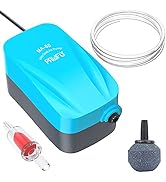
Image 1.1: Dimensions and specifications for the Pawfly Bait Aerator and accompanying hat light. The aerator measures approximately 4.46 inches (11.3 cm) in height, 2.83 inches (7.2 cm) in width, and 1.5 inches (4 cm) in depth. The hat light measures approximately 2.68 inches (6.8 cm) in height, 1.94 inches (5 cm) in width, and 0.95 inches (3.4 cm) in depth.
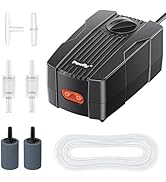
Image 1.2: Illustration of the Pawfly Bait Aerator's low noise level, rated at less than 35 dB. This is comparable to a whisper (10-20 dB) and significantly quieter than a normal conversation (40-50 dB) or a vacuum cleaner (60-70 dB).
2. Package Contents
Ensure all items are present in the package:
- 1 x Pawfly USB Rechargeable Bait Aerator
- 1 x Ultra-Bright Hat Light
- 2 x XXL Air Stones
- 3ft Airline Tubing
- 1 x USB Charging Cable
- 1 x Instruction Manual
- 1 x Storage Box
3. Setup Instructions
- Charge the Aerator: Before first use, fully charge the aerator using the provided USB-C cable. Connect the cable to the aerator's Type-C port and a compatible USB power source (phone charger, power bank, car charger, or laptop). The battery indicator will show charging progress.
- Connect Air Stone and Tubing: Attach the air tubing to the aerator's air outlet. Connect the other end of the tubing to the air stone.
- Placement: Place the air stone at the bottom of your bait bucket, livewell, or minnow tank. Secure the aerator unit to the side of the container using the integrated metal clip.
- Hat Light Setup: The hat light is powered by a separate 500 mAh lithium battery. Charge it via its USB-C port. Attach it to your hat or clothing using its clip for hands-free illumination.

Image 3.1: The Pawfly Bait Aerator features a metal clip on its back, allowing it to be securely fixed to the rim of a tank or bucket for stable outdoor use.
4. Operating Instructions
4.1. Aerator Operation
- Power On/Off: Press the ON/OFF button to turn the aerator on or off.
- Select Mode: Press the Mode (M) button to switch between Continuous Mode and Intermittent Mode.
- Continuous Mode: Provides uninterrupted airflow. The mode indicator will be off.
- Intermittent Mode: Operates with a 10-second on/10-second off cycle, extending battery life and providing gentle aeration. The mode indicator will flash.
- Adjust Air Flow: Use the Flow Control (Level) button to cycle through 6 adjustable airflow levels to suit the needs of your fish or bait.
- Battery Status: The 4-level indicator (25%, 50%, 75%, 100%) displays the real-time battery status.
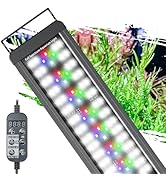
Image 4.1: Close-up of the Pawfly Bait Aerator's control panel, showing the ON/OFF button, Flow Control button (Level), and Mode Switch button (M). It also illustrates the mode indicator for continuous (off) and intermittent (flashing) operation, and the 4-level battery display.
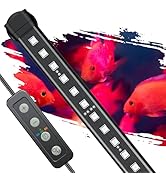
Image 4.2: The aerator features a smart battery display with a 4-level indicator (25%, 50%, 75%, 100%) to provide real-time battery status.
4.2. Hat Light Operation
- Power On/Off: Use the dedicated ON/OFF button on the hat light.
- Lighting Modes: Cycle through 3 lighting modes: High, Low, and Strobe.
- Intelligent Sensor Mode: Quickly turn the light on or off with a simple wave of your hand using the motion sensor feature.
- Adjustable Angle: The hat light features a 150° adjustable angle to direct the light spot as needed.
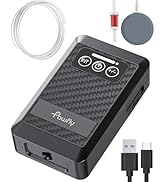
Image 4.3: The hat light's intelligent sensor mode allows users to quickly turn the light on or off with a simple hand wave. It also features three lighting modes: High, Low, and Strobe.
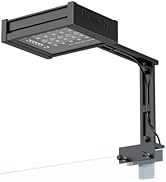
Image 4.4: The hat light offers a 150° adjustable angle, providing flexibility to direct the light precisely where needed.
5. Charging
Both the aerator and the hat light are USB rechargeable.
- Aerator: Features a built-in 1,800 mAh lithium battery. Charge via the Type-C interface. A full charge provides up to 26 hours in continuous mode and 30 hours in intermittent mode.
- Hat Light: Features a 500 mAh lithium battery. Charge via its USB-C port. Provides up to 10 hours of continuous use on a full charge.
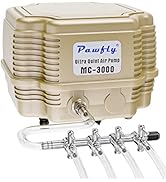
Image 5.1: The Pawfly Bait Aerator is USB rechargeable, featuring a Type-C charging port. It is compatible with various USB power sources such as phone chargers, power banks, car chargers, and laptops.
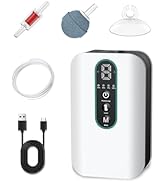
Image 5.2: The aerator utilizes a Type-C interface for charging, ensuring compatibility with common USB power supplies.
6. Maintenance
- Cleaning: Regularly clean the air stone to prevent clogging and ensure optimal bubble production. Rinse the aerator unit with fresh water after use, especially if exposed to saltwater.
- Storage: Store the aerator and hat light in a dry, cool place when not in use. Ensure both devices are fully charged before long-term storage to maintain battery health.
- Water Resistance: The aerator is IPX5-rated, meaning it can resist splashes and light rain. Do not immerse the main unit in water.
Image 6.1: The Pawfly Bait Aerator features an IPX5-rated waterproof design, providing resistance against splashes and light rain, making it suitable for various weather conditions during fishing.
7. Troubleshooting
- No Air Output:
- Check if the aerator is powered on.
- Ensure the battery is charged.
- Verify that the air tubing is not kinked or blocked.
- Clean the air stone for any blockages.
- Low Bubble Production:
- Increase the airflow level using the Flow Control button.
- Clean the air stone.
- Check for leaks in the air tubing connections.
- Hat Light Not Working:
- Ensure the hat light is charged.
- Press the ON/OFF button to activate.
8. Specifications
| Feature | Specification |
|---|---|
| Brand | Pawfly |
| Model Name | CW2421-WT |
| Aerator Max Flow Rate | 25 GPH (1.5 L/min) |
| Aerator Power | 1.5 W |
| Aerator Pressure | ≥ 0.015 MPa |
| Aerator Battery Capacity | 1,800 mAh Lithium |
| Aerator Battery Life (Continuous) | Up to 26 hours |
| Aerator Battery Life (Intermittent) | Up to 30 hours |
| Hat Light Battery Capacity | 500 mAh Lithium |
| Hat Light Brightness | 100 Lumens |
| Hat Light Battery Life | Up to 10 hours |
| Material | Plastic |
| Color | White |
| Water Resistance | IPX5 Rated |
9. Product Videos
Rechargeable Aerator for Bait Bucket
Video 9.1: This video demonstrates the features and usage of a rechargeable aerator for bait buckets, highlighting its effectiveness in keeping bait alive.
The Coolest Glow In The Dark Bait Pump!
Video 9.2: This video showcases a glow-in-the-dark bait pump, emphasizing its unique luminescent body and backlight features for nighttime fishing.
10. Warranty and Support
The Pawfly USB Rechargeable Bait Aerator comes with a 1 Year Warranty.
For technical support, troubleshooting assistance, or warranty claims, please contact Pawfly customer service. Refer to the product packaging or the official Pawfly website for contact information.


