
1. Introduction
The EZVALO Picture Light (Model PL01) is a versatile, rechargeable, and wireless LED light designed to illuminate artwork, photos, and other wall-mounted displays. Featuring adjustable color temperatures, dimmable brightness, and remote control functionality, it offers flexible lighting solutions for various indoor spaces. Its magnetic mount allows for easy installation and convenient recharging.
2. What's Included
Please check the package contents to ensure all items are present:
- 3 x Picture Lights
- 3 x Mounting Brackets
- 3 x USB-C Charging Cables
- 2 x Remote Controls
- 1 x User Manual
- 6 x Screws
- 3 x Double-Sided Adhesive Tapes
- 6 x Wall Anchors

3. Setup
3.1 Initial Charging
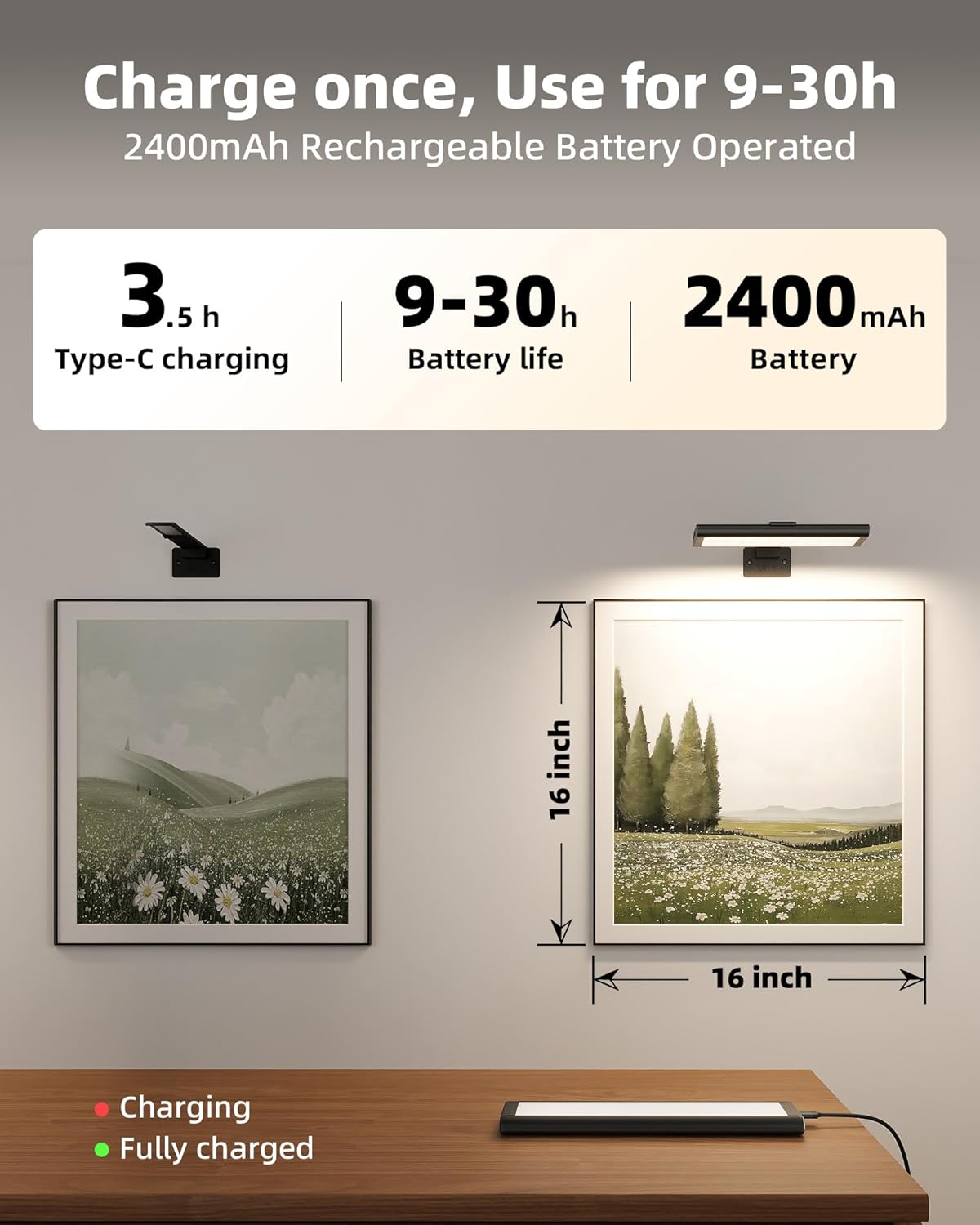
Before first use, fully charge the picture light. Connect the provided USB-C cable to the charging port on the light and a 5V=2A power adapter (not included). The charging indicator light will be red while charging and turn green when fully charged. A full charge takes approximately 3.5 hours.
3.2 Installation Methods
The EZVALO Picture Light offers two convenient installation methods:
Method 1: Damage-Free Adhesive Tape (for smooth surfaces)
- Clean the desired wall surface thoroughly to ensure proper adhesion.
- Remove the protective film from the double-sided adhesive tape on the back of the mounting bracket.
- Firmly press the mounting bracket onto the wall in the desired position. Ensure the "UP" arrow on the bracket faces upwards.
- Align the magnetic base of the picture light with the bracket and attach it. The magnetic connection will secure the light.

Method 2: Screw Mount (for rough surfaces)
- Mark the desired installation position on the wall.
- Drill two holes at the marked positions. Insert the wall anchors if necessary.
- Secure the mounting bracket to the wall using the provided screws. Ensure the "UP" arrow on the bracket faces upwards.
- Align the magnetic base of the picture light with the bracket and attach it. The magnetic connection will secure the light.
Note: The light can be easily detached from the magnetic bracket for recharging.

4. Operating Instructions
4.1 Powering On/Off
The picture light can be controlled via the included IR remote control or the manual switch on the light itself.
- Manual Switch: Locate the ON/OFF switch on the side of the light. Slide it to the "ON" position to activate the light.
- Remote Control: Ensure the manual switch on the light is in the "ON" position. Point the remote control directly at the infrared receiver on the light for best response. Press the ON button to turn on the light and the OFF button to turn it off.

4.2 Adjusting Brightness and Color Temperature
Use the remote control to customize your lighting experience:
- Brightness: Use the + and - buttons under "Dimming" to increase or decrease the light intensity. There are 5 brightness levels.
- Color Temperature: Select from three color temperatures:
- 2700K (Warm White): For a cozy and inviting ambiance.
- 4500K (Neutral White): For balanced and natural illumination.
- 6500K (Cool White): For bright and clear display of artwork.

4.3 Timer Function
Set a timer for the light to automatically turn off:
- Press the desired timer button on the remote: 15min, 30min, 60min, 90min, or 120min.
- To cancel the timer, press the Cancel button.
4.4 Memory Function
The light will remember your last brightness and color temperature settings when turned off and on again.
4.5 Adjusting Light Angle
The light bar can be manually adjusted to direct illumination precisely onto your artwork. Gently pivot the light bar up or down to achieve the desired angle.
5. Maintenance
5.1 Recharging the Battery
When the battery is low, the light may dim or turn off. To recharge, simply detach the light from its magnetic mount and connect it to a USB-C charging cable. A full charge provides 9-40 hours of use depending on brightness settings.
5.2 Cleaning
Wipe the light and mounting bracket with a soft, dry cloth. Do not use abrasive cleaners or solvents, as these may damage the finish.
5.3 Storage
Store the battery in a cool, dry place away from hazardous fumes and children.
6. Troubleshooting
| Problem | Possible Cause | Solution |
|---|---|---|
| Light does not turn on. | Battery is depleted. Manual switch is OFF. Remote control not aimed correctly. | Charge the light fully. Ensure the manual switch is in the ON position. Point the remote directly at the light's IR receiver. |
| Light dims unexpectedly. | Low battery. | Recharge the light. |
| Remote control is unresponsive. | Remote battery low/dead. Obstruction between remote and light. | Replace remote battery (if applicable). Ensure clear line of sight to the light's IR receiver. |
| Light falls off the wall. | Adhesive not strong enough (for Method 1). Screws not properly secured (for Method 2). | Ensure surface is clean and dry before applying adhesive. Consider using screw mount for added security. Re-secure screws firmly into wall anchors/studs. |
7. Specifications
| Feature | Detail |
|---|---|
| Model | PL01 |
| Dimensions (L x W x H) | 7.8" x 1.65" x 0.59" |
| Weight | 0.53 Kilograms (for 3-pack) |
| Power | 1.1W |
| Input | 5V=2A |
| Battery Capacity | 2400mAh |
| Charging Time | Approx. 3.5 hours (via USB-C) |
| Battery Life | 9 hours (highest brightness) - 40 hours (lowest brightness) |
| Color Temperatures | 2700K (Warm White), 4500K (Neutral White), 6500K (Cool White) |
| Brightness | 120 Lumens (Max) |
| Control Method | Remote Control (Infrared) |
| Remote Range | Up to 16ft |
| Material | Aluminum |
| Indoor/Outdoor Usage | Indoor |
| Mounting Type | Wall Mount (Magnetic, Adhesive, or Screw) |
| Special Features | Adjustable Color Temperature, Dimmable, Energy Efficient, Timer, Memory Function |
8. Warranty & Support
8.1 Manufacturer Warranty
This product is covered by a 2-year manufacturer warranty. This warranty covers defects in materials and workmanship under normal household use. If you encounter any issues, please contact customer service.
8.2 Customer Support
For any questions, concerns, or missing accessories, please contact EZVALO customer service. We aim to respond within 24 hours.
Email: service@ezvalo.com
30-Day Returns: Unused items can be returned within 30 days of purchase for a refund or exchange.
24-Hour Support: Need help? If there are quality issues, malfunctions, or missing accessories with the product, contact us! We'll respond within 24 hours.
9. Safety and Usage Guidelines
- Charge Fully Before First Use: Ensure the product is fully charged before initial operation.
- Indoor Use Only: This product is not waterproof and is intended for indoor use only.
- Avoid High Temperatures and Humidity: Do not install the light near vents, heat sources, or in high-moisture areas.
- Do Not Disassemble: Do not attempt to disassemble or modify the light. Contact EZVALO support for maintenance or repair.
- Button Cell Battery Warning: The remote control contains a button cell battery. Keep out of reach of children. Swallowing may cause severe injury or death. Seek immediate medical attention if swallowed.
- Temperature Caution: Do not use or charge the product in places where temperatures are above 104°F (40°C) or below 32°F (0°C).
- Charge in Time: Charge the battery when it is empty and charge it every 3 months if not in use to keep the battery healthy.
- Dispose Carefully: Do not damage or dispose of the battery improperly. Follow local recycling laws when disposing.
10. Product Overview Video
Watch this official video for a quick overview of the EZVALO Rechargeable Picture Light for Wall, demonstrating its features and ease of use.