
Introduction
Thank you for choosing the Jugeman V20 Military Smart Watch. This manual provides essential information for setting up, operating, and maintaining your device. Please read it carefully to ensure optimal performance and longevity of your smartwatch.
What's in the Box
- Jugeman V20 Smart Watch x1
- Magnetic Charging Cable x1
- User Manual x1

Image: The Jugeman V20 Smart Watch, its magnetic charging cable, and the user manual, as included in the product packaging.
Setup Guide
1. Charging the Smart Watch
Before first use, fully charge your Jugeman V20 Smart Watch. Connect the magnetic charging cable to the charging points on the back of the watch and plug the USB end into a standard USB power adapter (not included).
- Charging Time: Approximately 2.5 hours for a full charge.
- Battery Indicator: The watch display will show the charging status.

Image: The Jugeman V20 Smart Watch connected to its magnetic charging cable, illustrating the charging process.
2. App Installation and Device Pairing
To unlock the full potential of your smartwatch, download and install the companion app on your smartphone.
- Download the App: Search for "GloryFitPro" in your smartphone's app store (App Store for iOS, Google Play Store for Android) and install it.
- Enable Bluetooth: Turn on Bluetooth on your smartphone.
- Open the App: Launch the GloryFitPro app and follow the on-screen instructions to create an account or log in.
- Add Device: In the app, navigate to the device section and select "Add a Device." The app will search for available devices. Select "V20" from the list.
- Pairing Confirmation: A pairing request will appear on your smartphone. Tap "Pair" and grant necessary permissions (e.g., access to contacts, call logs, notifications).
- Complete Setup: Once paired, the watch will synchronize with your phone, and you can begin using all its features.

Image: A visual guide demonstrating the six steps to connect the Jugeman V20 Smart Watch to a smartphone using the GloryFitPro application.
Operating Instructions
Basic Navigation
- Touchscreen: Swipe left/right, up/down to navigate through menus and features. Tap to select.
- Side Buttons: The watch features multiple side buttons for quick access to functions like power on/off, menu, and back. Refer to the watch interface for specific button assignments.
- Wake Screen: Raise your wrist or press any button to wake the screen.
Key Features
1. 1.43-inch AMOLED Display
The watch features a vibrant 1.43-inch AMOLED color display with an Always-On Display function. This allows you to check the time and essential information without fully activating the screen, optimizing power consumption.

Image: A detailed view of the smartwatch's 1.43-inch AMOLED display, highlighting its color accuracy and Always-On Display capability, with a comparison to a standard LED display.
2. Built-in GPS Multi-System Positioning
The Jugeman V20 includes high-precision GPS supporting six satellite systems (GPS, GLONASS, BeiDou, Galileo, NAVIC, QZSS). This enables accurate tracking of your routes during outdoor activities like hiking, cycling, and running, even without your phone.

Image: The smartwatch screen showing GPS tracking data, a compass, barometric pressure, and altitude, alongside a smartphone displaying a map with a tracked route.
3. LED Flashlight & Compass Navigation
Activate the high-brightness LED flashlight with a single button press for illumination in low-light conditions. The integrated anti-magnetic compass provides accurate directional guidance, crucial for outdoor navigation.

Image: A man using the LED flashlight on his Jugeman V20 Smart Watch while camping at night, illuminating a map.

Image: A hiker using the compass function displayed on the Jugeman V20 Smart Watch for navigation in a mountainous outdoor setting.
4. Bluetooth Calling & Message Notification
With a built-in stereo speaker and microphone, the watch supports Bluetooth voice calls directly from your wrist. Receive notifications for messages, calls, and app alerts (e.g., WhatsApp, Instagram, SMS) when connected to your smartphone.

Image: A man using the Jugeman V20 Smart Watch to answer a call and view message notifications, demonstrating its Bluetooth calling and messaging features.
Health Monitoring
The Jugeman V20 Smart Watch provides comprehensive health tracking features to help you monitor your well-being.
1. Heart Rate Monitoring
Using a high-performance optical sensor, the watch continuously monitors your heart rate in real-time, providing data throughout the day and during exercise.

Image: The Jugeman V20 Smart Watch showing a graph of heart rate data, with a man running in the background, illustrating continuous heart rate monitoring.
2. Sleep Monitoring
The smartwatch automatically tracks your sleep patterns, including deep sleep, light sleep, and wake-up times, providing a comprehensive analysis of your sleep quality.

Image: The Jugeman V20 Smart Watch displaying a detailed breakdown of sleep stages (deep, REM, light sleep) and total sleep duration, with a woman sleeping in the background.
3. Blood Oxygen Monitoring
Monitor your blood oxygen levels in real-time through the optical sensor. The watch supports both manual measurement and automatic monitoring throughout the day.

Image: The Jugeman V20 Smart Watch showing a blood oxygen percentage and historical data, with a man hiking in the background.
4. Blood Pressure Monitoring
The watch assesses real-time stress levels by combining heart rate analysis with exercise status and rest data. It can also provide relaxation suggestions, such as breathing exercises, to help manage physical and mental states.

Image: The Jugeman V20 Smart Watch displaying blood pressure readings and a graph, with a man experiencing stress in the background.
Sports Modes
The Jugeman V20 Smart Watch supports over 160 sports modes, catering to a wide range of activities including running, cycling, walking, yoga, pilates, and more. During workouts, the smartwatch displays your movement track and data via GPS, with detailed maps available on your smartphone.
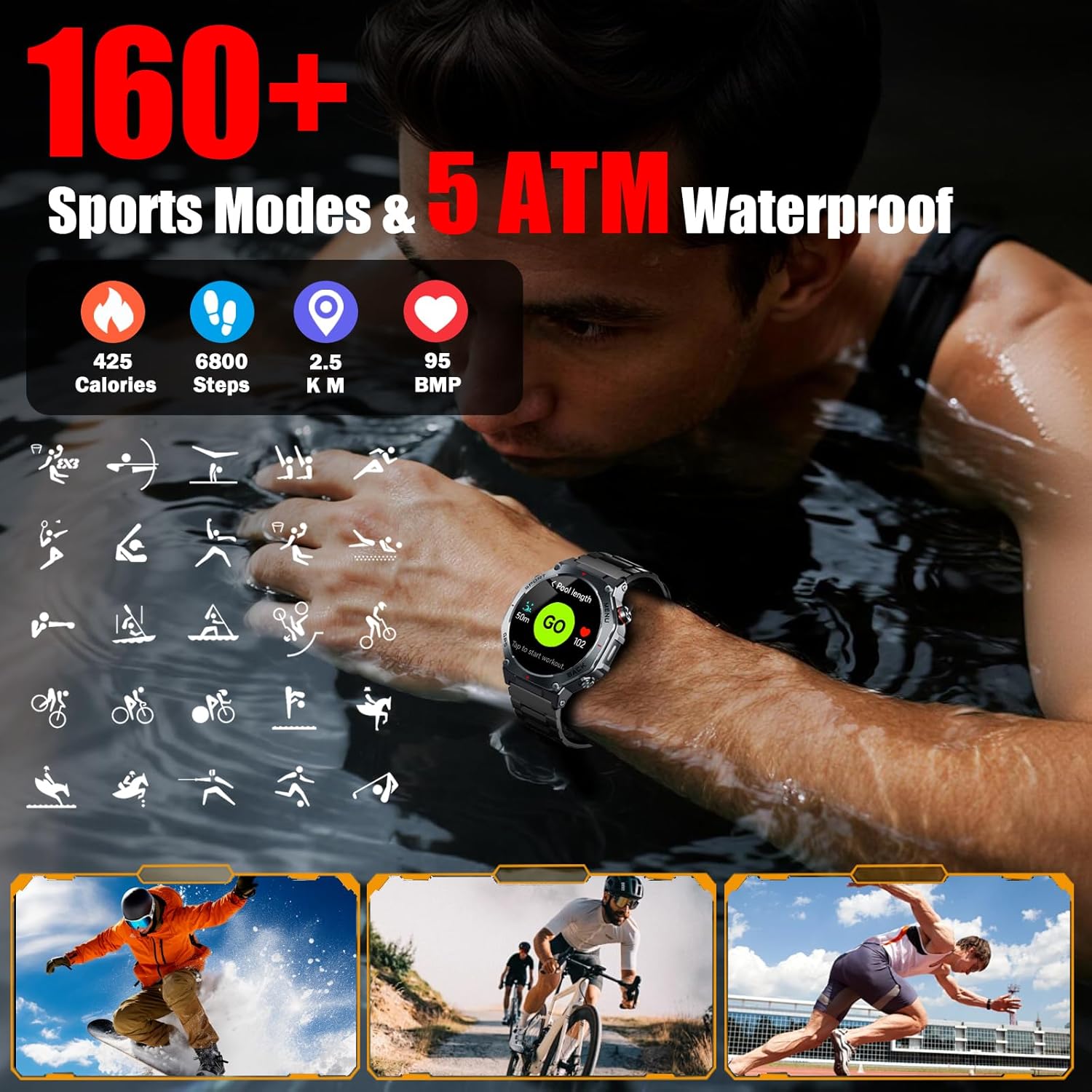
Image: The Jugeman V20 Smart Watch showing calories burned, steps taken, distance, and heart rate, surrounded by icons representing over 160 sports modes, with a person swimming in the background.
Waterproofing
The Jugeman V20 Smart Watch features 5ATM professional-grade waterproofing, making it resistant to rain, sweat, and suitable for swimming. It is designed to withstand various complex usage environments without fear of water damage.

Image: The Jugeman V20 Smart Watch partially submerged in water, with a surfer in the background, illustrating its 5ATM waterproof capability.
Battery Life
Equipped with a 520mAh battery, the Jugeman V20 Smart Watch offers extended usage times:
- Typical Use: 7-10 days
- Standby Mode: Up to 20 days
- Continuous GPS Use: Approximately 3 days
A full charge takes approximately 2.5 hours using the magnetic charging cable.
Image: The Jugeman V20 Smart Watch screen showing battery percentage and charging status, alongside icons indicating 5 days of battery life, 20 days standby, and 2.5 hours magnetic charging.
Customization
Watch Faces
Personalize your smartwatch with over 250 unique dial styles available online through the companion app. You can also customize watch faces using your own photos.

Image: A collage showcasing over 200 different watch face designs available for the Jugeman V20 Smart Watch, demonstrating customization options.
Maintenance
- Cleaning: Regularly wipe the watch screen and strap with a soft, dry cloth. For stubborn dirt, use a slightly damp cloth and mild soap, then dry thoroughly. Avoid harsh chemicals or abrasive materials.
- Charging Contacts: Ensure the magnetic charging contacts on the watch and cable are clean and free of debris to maintain efficient charging.
- Storage: When not in use for extended periods, store the watch in a cool, dry place. Avoid extreme temperatures.
- Water Exposure: While 5ATM waterproof, it is recommended to dry the watch after exposure to water to prevent skin irritation and ensure proper function of sensors.
Troubleshooting
| Problem | Possible Solution |
|---|---|
| Watch does not turn on | Ensure the watch is fully charged. Press and hold the power button for several seconds. |
| Cannot pair with smartphone | Ensure Bluetooth is enabled on your phone. Restart both the watch and phone. Make sure the watch is within Bluetooth range. Check if the GloryFitPro app is updated. |
| Inaccurate health data | Ensure the watch is worn snugly on your wrist, not too tight or too loose. Clean the sensor on the back of the watch. Avoid excessive movement during measurements. |
| Notifications not received | Check app permissions on your phone to ensure GloryFitPro has access to notifications. Ensure Bluetooth connection is stable. Verify notification settings within the GloryFitPro app. |
| GPS not tracking | Ensure you are in an open outdoor area with clear sky view. Wait for the watch to acquire a GPS signal before starting your activity. |
Specifications
- Model: V20
- Display: 1.43-inch AMOLED Color Display
- Battery Capacity: 520mAh
- Charging Time: Approximately 2.5 hours
- Battery Life (Typical Use): 7-10 days
- Standby Time: Up to 20 days
- Water Resistance: 5ATM
- GPS: Built-in, Multi-System (GPS, GLONASS, BeiDou, Galileo, NAVIC, QZSS)
- Connectivity: Bluetooth 5.3
- Operating System Compatibility: Android 5.0 or above, iOS 9.0 or above
- Special Features: LED Flashlight, Compass, Heart Rate Monitor, Blood Oxygen Monitor, Blood Pressure Monitor, Sleep Tracker, 160+ Sports Modes, Bluetooth Calling, AI Voice Assistant, Always-On Display
- Item Weight: 5.3 ounces
- Manufacturer: Jugeman
Warranty and Support
Your Jugeman V20 Smart Watch comes with a standard manufacturer's warranty. For specific warranty details, please refer to the warranty card included in your product packaging or contact Jugeman customer support.
If you encounter any issues or have questions regarding your device, please contact our customer support team through the contact information provided on the official Jugeman website or within the GloryFitPro application.


