
1. Introduction
Thank you for choosing the ZZA 32-Inch 4K UHD Gaming Monitor. This manual provides essential information for setting up, operating, and maintaining your monitor. Please read it thoroughly before use to ensure optimal performance and safety.

Image: ZZA 32-inch 4K UHD Gaming Monitor in a typical gaming environment.
2. Safety Information
- Ensure the monitor is placed on a stable, level surface to prevent accidental falls.
- Do not block ventilation openings. Proper airflow is crucial to prevent overheating.
- Use only the power adapter supplied with the monitor.
- Keep the monitor away from water, moisture, and direct sunlight.
- Avoid placing heavy objects on the power cord or monitor cables.
- Disconnect the power cable from the outlet before cleaning the monitor.
- Do not attempt to disassemble or repair the monitor yourself. Refer all servicing to qualified personnel.
3. Package Contents
Please check the contents of your package. If any items are missing or damaged, contact your retailer.
- ZZA 32-Inch 4K UHD Monitor
- Monitor Stand (Base and Neck)
- Power Adapter
- HDMI Cable
- DisplayPort (DP) Cable
- User Manual
- Screws for Stand Assembly
4. Setup
4.1 Assembling the Stand
- Carefully remove the monitor from its packaging, keeping the screen protected.
- Attach the stand neck to the monitor's rear panel using the provided screws. Ensure it is securely fastened.
- Connect the stand base to the stand neck, tightening the screws from the bottom of the base.
- Place the assembled monitor on a stable desk.

Image: Rear view of the monitor illustrating the stand attachment area and available input ports (DC, HDMI, DP, Earphone).
4.2 Wall Mounting (Optional)
The monitor supports VESA wall mounting with a 75mm x 75mm pattern. A VESA bracket is not included and must be purchased separately.
- Remove the stand from the monitor if it is already attached.
- Attach your VESA-compatible wall mount bracket to the monitor using appropriate screws.
- Follow the instructions provided with your wall mount for secure installation.

Image: Example of ZZA monitors utilizing VESA mounting for a multi-monitor setup.
4.3 Connecting to Devices
The monitor is equipped with multiple input ports:
- DC Input: Connect the power adapter here.
- HDMI 2.0 (x2): Connect to devices such as PCs, gaming consoles, or media players.
- DisplayPort 1.4 (DP): Connect to PCs or other compatible devices for high-resolution and refresh rate output.
- Earphone Jack: Connect headphones or external speakers.
Ensure all cables are securely connected to both the monitor and your source device.
5. Operating Instructions
5.1 Power On/Off
- Connect the power adapter to the monitor's DC input and then to a power outlet.
- Press the power button (usually located on the back or bottom of the monitor) to turn the monitor on or off.
5.2 On-Screen Display (OSD) Menu
The OSD menu allows you to adjust various monitor settings. Access it using the control buttons/joystick on the monitor.
- Navigation: Use the joystick or buttons to navigate through the menu options.
- Selection: Press the center of the joystick or a dedicated button to select an option.
- Exit: Move the joystick left or press a designated exit button to go back or exit the OSD.
5.3 Picture Settings
Adjust display parameters for optimal viewing experience:
- Brightness: Adjust the overall luminance of the screen.
- Contrast: Control the difference between light and dark areas.
- Color Temperature: Select preset modes (Warm, Cool, User) or adjust RGB values manually.
- HDR: Enable or disable HDR10 support for compatible content.
- Aspect Ratio: Choose between Full, 1:1, or other scaling options.
5.4 Input Selection
To switch between connected devices:
- Access the OSD menu and navigate to the 'Input' or 'Source' section.
- Select the desired input (HDMI1, HDMI2, DP).
6. Key Features
The ZZA 32-Inch 4K UHD Gaming Monitor offers a range of features designed to enhance your visual experience:

Image: Overview of the monitor's main features and technologies.
6.1 4K UHD Resolution (3840x2160p)
Experience stunning clarity and detail with a 4K Ultra High Definition resolution. This provides four times the pixels of Full HD, resulting in sharper images and more screen real estate for productivity and immersive entertainment.

Image: The monitor showcasing professional image quality with 4K resolution and high contrast.
6.2 VA Panel Technology
The monitor utilizes a VA (Vertical Alignment) panel, known for its high contrast ratios (3000:1) and deep blacks, providing excellent image depth. It also offers wide 178° viewing angles, ensuring consistent color and brightness from various positions.
6.3 60Hz Refresh Rate & 1ms MPRT
With a 60Hz refresh rate, the monitor delivers smooth visuals for everyday use and casual gaming. The 1ms MPRT (Moving Picture Response Time) helps reduce motion blur and ghosting, ensuring clear and fluid on-screen action.
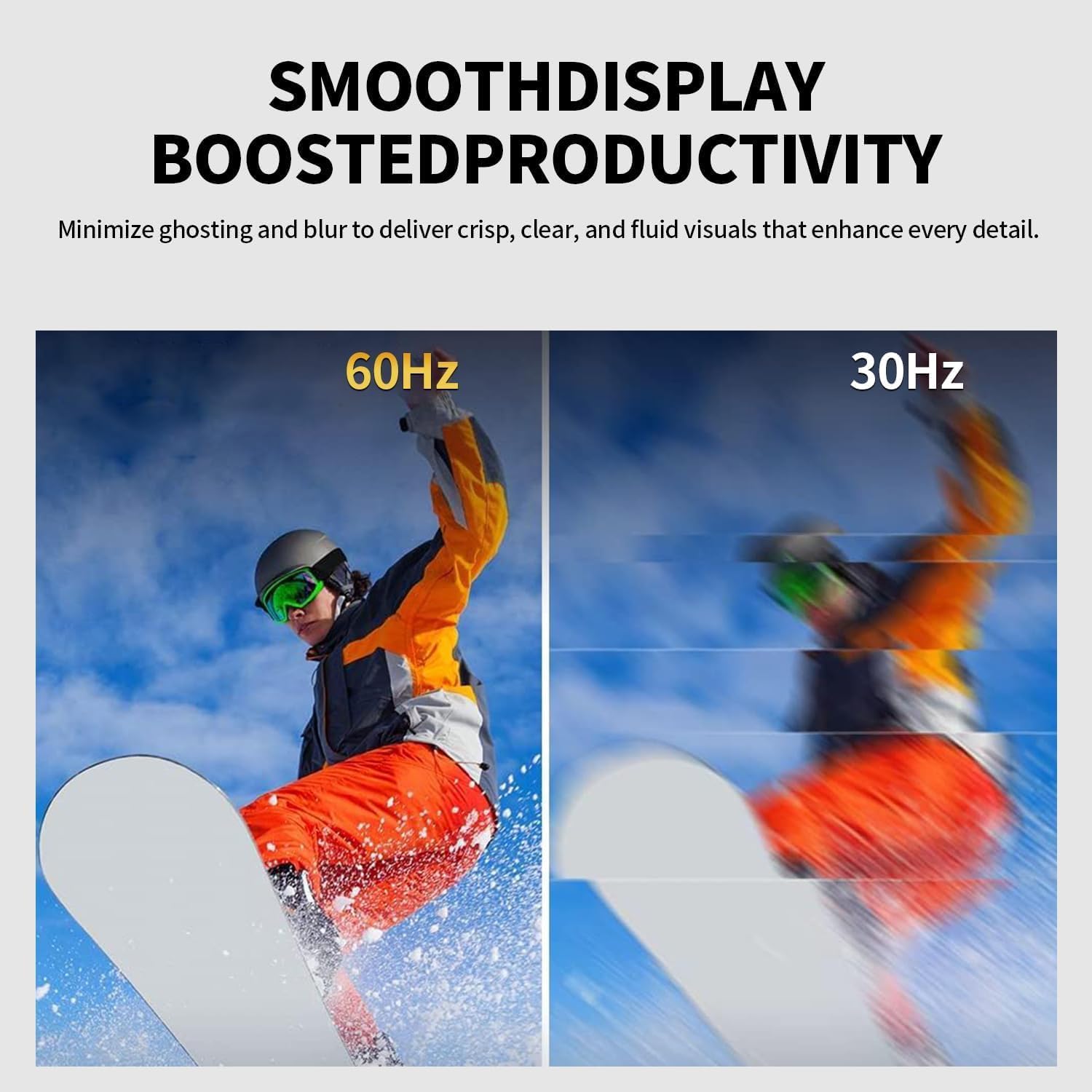
Image: Visual comparison of display smoothness at 60Hz versus 30Hz.
6.4 AMD FreeSync Support
AMD FreeSync technology synchronizes the monitor's refresh rate with your GPU's frame rate, eliminating screen tearing and stuttering for a smoother gaming and video playback experience.
6.5 HDR10 Support
High Dynamic Range (HDR10) support enhances the contrast and color accuracy, providing a more vibrant and lifelike image with brighter whites and deeper blacks when viewing HDR-compatible content.
6.6 Wide Color Gamut
The monitor offers 99% sRGB and 95% DCI-P3 color coverage, ensuring accurate and vivid color reproduction, which is ideal for content creation, photo editing, and immersive media consumption.
6.7 Eye Care Technologies
Designed for comfortable extended viewing, the monitor incorporates several eye care features:
- Flicker-Free: Reduces screen flickering that can cause eye strain.
- Low Blue Light Filter: Minimizes harmful blue light emissions to reduce eye fatigue.
- DC Dimming: Provides stable backlighting to further reduce flicker.

Image: Visual representation of the monitor's eye protection features.

Image: Effect of DC Dimming and Low Blue Light on screen comfort.
6.8 Game Assist Features
Enhance your gaming experience with built-in features like Black Level adjustment, on-screen Timer, and Pinpoint crosshairs.
6.9 Adjustable Tilt
The monitor stand allows for tilt adjustment from -5° to 15° (+-2°), enabling you to find a comfortable viewing angle.
6.10 Product Video Overview
Video: An official ZZA overview of the 32-inch 4K monitor, highlighting its crystal clear display, 4K resolution, and dual monitor compatibility. This video demonstrates the monitor's visual capabilities and design.
7. Troubleshooting
If you encounter issues with your monitor, refer to the following common problems and solutions:
- No Power:
- Ensure the power adapter is securely connected to the monitor and a working power outlet.
- Check if the power button is pressed.
- No Signal:
- Verify that the video cable (HDMI or DP) is firmly connected to both the monitor and your source device.
- Select the correct input source via the OSD menu.
- Ensure your source device is powered on and outputting a signal.
- Flickering Screen:
- Check the video cable for damage or loose connections.
- Ensure the refresh rate is set correctly in your device's display settings.
- Enable FreeSync if your graphics card supports it.
- Poor Picture Quality:
- Adjust brightness, contrast, and color settings in the OSD menu.
- Ensure the display resolution on your source device is set to 3840x2160.
- Try a different video cable.
- No Audio from Earphone Jack:
- Ensure your headphones or speakers are properly connected.
- Check the audio output settings on your source device.
- Adjust the volume settings on both the monitor (if available) and your connected device.
8. Specifications
| Feature | Specification |
|---|---|
| Brand | ZZA |
| Model Number | Z32B |
| Screen Size | 32.2 Inches |
| Resolution | 4K UHD (3840 x 2160p) |
| Aspect Ratio | 16:9 |
| Display Technology | VA |
| Refresh Rate | 60 Hz |
| Response Time | 1ms MPRT (Moving Picture Response Time) |
| Brightness | 260 cd/m² |
| Contrast Ratio | 3000:1 |
| Color Gamut | 99% sRGB, 95% DCI-P3 |
| Viewing Angle | 178° (H/V) |
| HDR Support | HDR10 |
| Connectivity | 2x HDMI 2.0, 1x DisplayPort 1.4, 1x Earphone Jack |
| VESA Compatibility | 75mm x 75mm |
| Item Weight | 4.15 Kilograms |
| Color | Black |
9. Maintenance
- Cleaning the Screen:
- Turn off the monitor and unplug the power cord.
- Gently wipe the screen with a soft, lint-free cloth.
- For stubborn marks, lightly dampen the cloth with water or a non-ammonia, non-alcohol based screen cleaner. Do not spray cleaner directly onto the screen.
- Cleaning the Casing:
- Wipe the casing with a soft, dry cloth.
- Avoid using abrasive cleaners or solvents.
- Storage:
- If storing the monitor for an extended period, unplug it and store it in a cool, dry place, preferably in its original packaging.
10. Warranty and Support
ZZA monitors are designed for superior performance and durability. For specific warranty details, please refer to the warranty card included with your product or visit the official ZZA website. If you require technical assistance or have questions not covered in this manual, please contact ZZA customer support through the retailer or the manufacturer's contact channels.
Please retain your proof of purchase for warranty claims.