1. Introduction
This manual provides detailed instructions for the installation, operation, and maintenance of your OBO HANDS 2-Wire 7-inch WiFi Tuya Video Intercom System, Model TY75T. Please read this manual thoroughly before installation and use to ensure proper functionality and safety.
2. Package Contents
Verify that all items listed below are included in your package:
- 7-inch Indoor Monitor
- Outdoor Doorbell Unit with RFID Reader
- Mounting Brackets for Indoor Monitor and Outdoor Unit
- Power Adapter (AC/DC)
- 2-Pin Wiring Cables
- Screws and Wall Anchors
- RFID Key Fobs (multiple)
- 32GB TF Card (pre-installed or included)

Image: All components of the OBO HANDS 2-Wire 7-inch WiFi Tuya Video Intercom System.
3. Specifications
| Feature | Specification |
|---|---|
| Model Number | TY75T |
| Manufacturer | OBO HANDS |
| Connectivity | 2-Wire, WiFi (Tuya App) |
| Indoor Monitor Size | 7 inches |
| Video Resolution | Full HD 1080p |
| Night Vision | Supported |
| Unlock Methods | Touchscreen, Tuya App, RFID Key Fob |
| Audio | Two-way audio |
| Storage | Local (32GB TF card included), Cloud (optional) |
| Power Source | AC/DC |
| Product Weight | 1 kg |
| Package Dimensions | 20 x 17 x 8 cm |
4. Installation Guide
4.1. Doorbell Unit Installation
The outdoor doorbell unit is designed for easy 2-wire installation, replacing traditional doorbells without additional wiring. Ensure power is off before beginning installation.
- Mounting: Use the provided mounting bracket as a template to mark drilling points on the wall. Drill holes and insert wall anchors. Secure the mounting bracket to the wall with screws.
- Wiring: Connect the 2-wire cable from your existing doorbell wiring to the designated terminals on the back of the outdoor unit. Ensure correct polarity if specified.
- Secure Unit: Attach the outdoor doorbell unit to its mounting bracket. Secure the unit using the small screw at the bottom to prevent tampering.
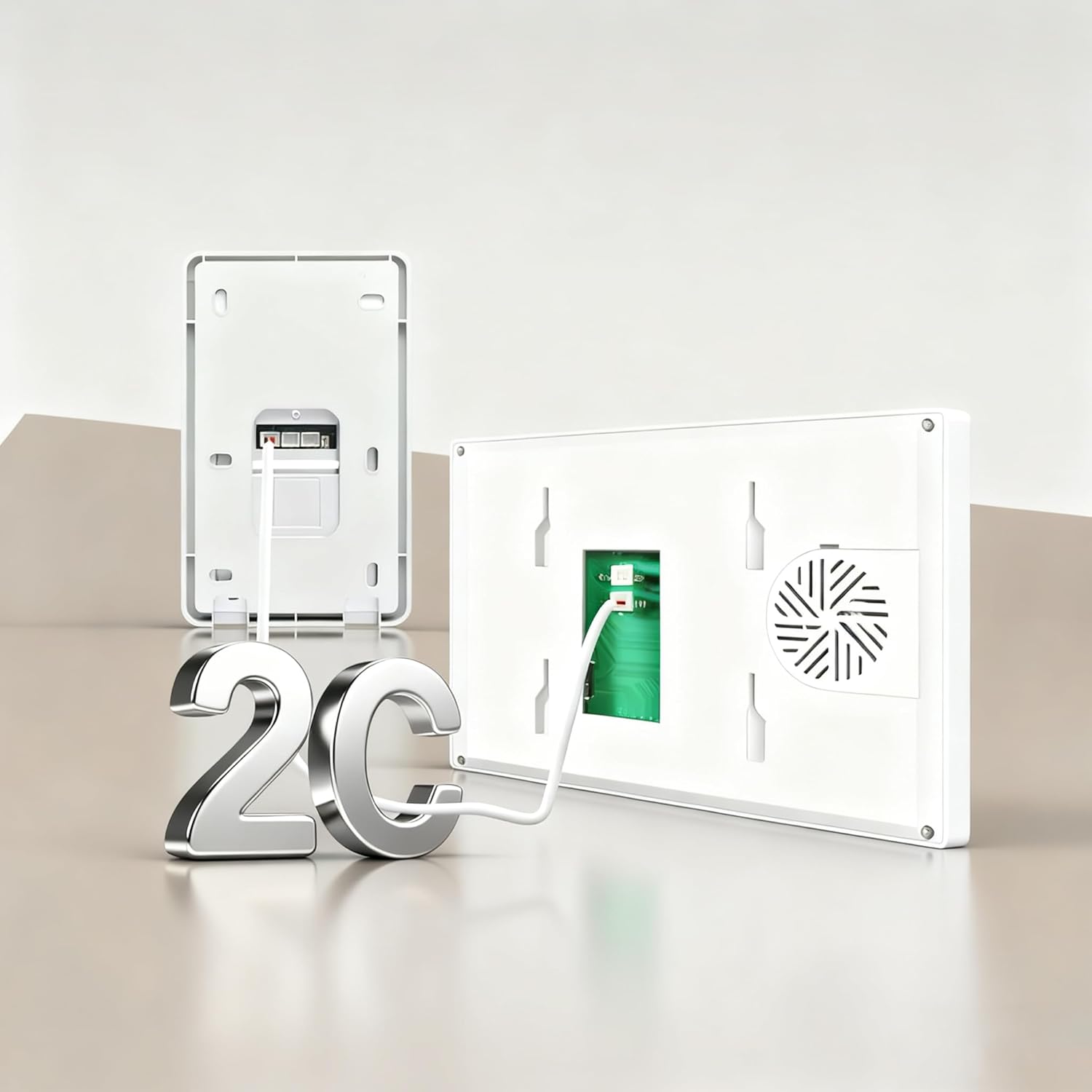
Image: Simplified 2-wire connection for the outdoor doorbell unit.
Video: Detailed guide on how to install the 2-wire video intercom system, including wiring and mounting of the outdoor unit.
Video: Step-by-step instructions for installing the doorbell unit.
4.2. Indoor Monitor Installation
The indoor monitor provides the interface for communication and control.
- Mounting: Choose a suitable location indoors. Use the monitor's mounting bracket as a template to mark and drill holes. Secure the bracket to the wall.
- Wiring: Connect the 2-wire cable from the outdoor unit to the corresponding terminals on the back of the indoor monitor. Connect the power adapter to the monitor and a power outlet.
- Secure Monitor: Carefully attach the indoor monitor to its mounting bracket.
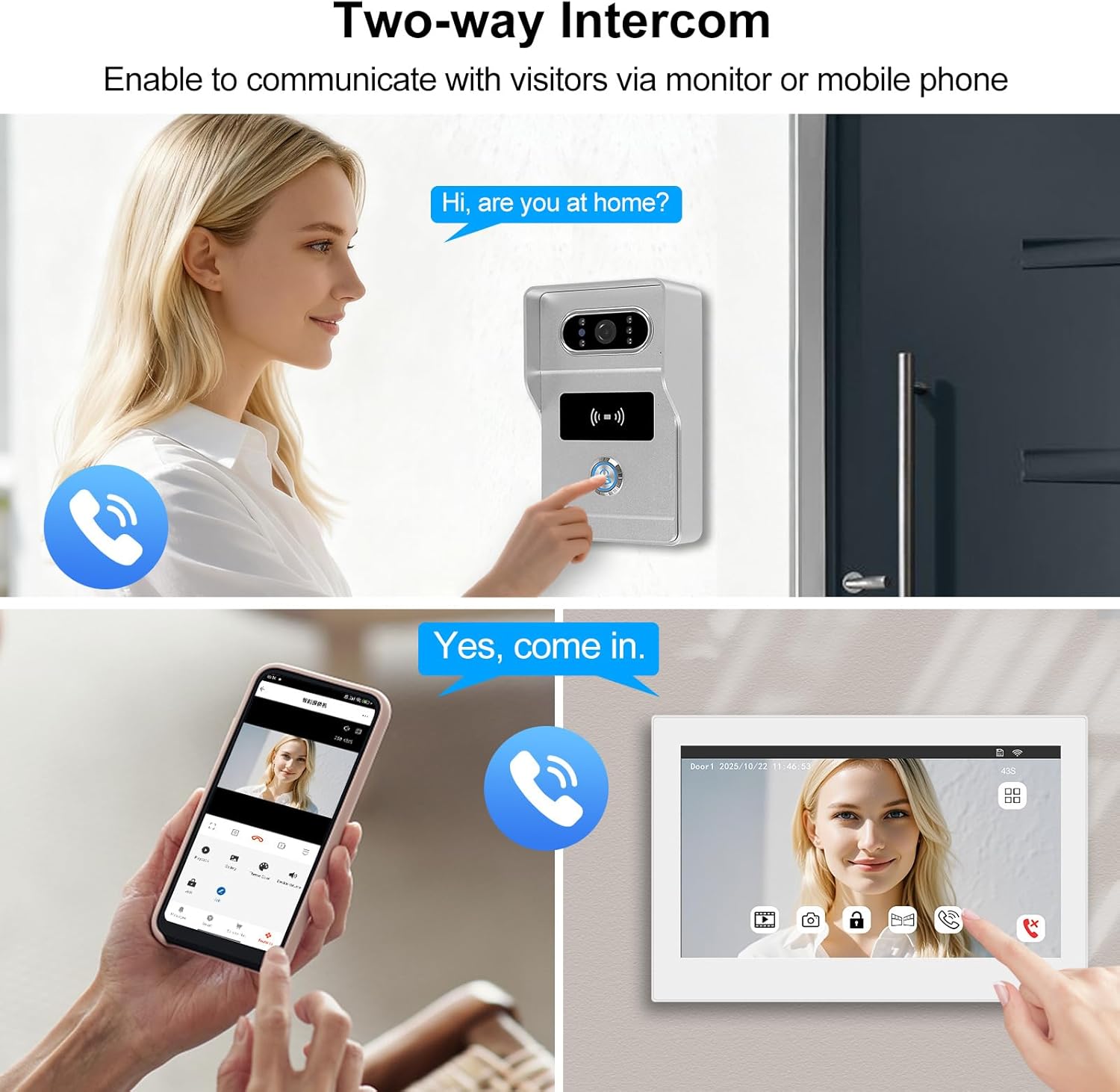
Image: Dimensions of the indoor monitor and outdoor doorbell unit for installation planning.
Video: General installation steps for the video intercom system, including the indoor monitor.
5. Operation
5.1. Two-Way Intercom
Communicate directly with visitors at your door using the indoor monitor or the Tuya app on your smartphone. This feature allows for hands-free conversations, enhancing security and convenience.

Image: Two-way audio communication with visitors via the indoor monitor or mobile application.
5.2. Multiple Door Opening Methods
The system offers flexible and secure ways to grant access:
- Indoor Monitor: Unlock the door directly from the 7-inch touchscreen monitor.
- Tuya App: Remotely unlock the door using the Tuya app on your smartphone, from anywhere with an internet connection.
- RFID Key Fob: For quick and convenient access, use the provided RFID key fobs by scanning them on the outdoor unit.

Image: Various methods for unlocking the door, including the Tuya app, indoor monitor, and RFID cards.
5.3. Recording and Storage
When a visitor presses the doorbell, the device automatically records video or captures a screenshot. The system includes a 32GB TF card for local storage, with no subscription fees. Cloud storage options may also be available.

Image: Local and cloud storage capabilities for video recordings and snapshots.
5.4. Night Vision
The outdoor unit features clear Full HD 1080p video and infrared (IR) night vision, ensuring you can see visitors clearly even in low-light conditions or complete darkness.

Image: The outdoor unit's IR night vision ensures clear visibility at night.
Video: Product overview showcasing features like two-way audio, night vision, and multiple unlock methods.
6. Maintenance
To ensure optimal performance and longevity of your video intercom system, follow these maintenance guidelines:
- Cleaning: Regularly wipe the indoor monitor and outdoor doorbell unit with a soft, damp cloth. Avoid using abrasive cleaners or solvents that could damage the surfaces.
- Lens Care: Keep the camera lens on the outdoor unit clean and free from dust or smudges to maintain clear video quality.
- Firmware Updates: Check the Tuya app periodically for any available firmware updates for your device. Updates can improve performance and add new features.
- Environmental Protection: While the outdoor unit is designed for outdoor use, ensure it is not exposed to extreme conditions beyond its operating specifications.
7. Troubleshooting
If you encounter issues with your OBO HANDS Video Intercom System, refer to the following common troubleshooting steps:
- No Power: Ensure the power adapter is securely plugged into both the indoor monitor and a working power outlet. Check circuit breakers if necessary.
- No Video/Audio: Verify all 2-wire connections between the outdoor unit and indoor monitor are secure and correctly wired. Check the Tuya app for device status.
- Poor Video Quality: Clean the camera lens on the outdoor unit. Ensure adequate lighting for optimal image capture.
- Unlocking Issues: Confirm that the electric lock is correctly wired to the outdoor unit and receiving power. Check RFID key fobs for damage or proper registration.
- App Connectivity Problems: Ensure your indoor monitor is connected to a stable Wi-Fi network. Restart the monitor and your router if needed. Re-pair the device with the Tuya app if connectivity persists.
8. Warranty and Support
For technical support or warranty inquiries, please contact OBO HANDS customer service. Our team is available to assist you with any questions or concerns.
Contact Information:
- WhatsApp: +86 177 2255 8183 (24/7 support)


