
Introduction
The Salicru SPS 750 Soho+ is a Line-Interactive Uninterruptible Power Supply (UPS) designed to provide reliable power protection for your electronic devices. It safeguards against power outages, voltage fluctuations, and surges, ensuring continuous operation and preventing data loss. This manual provides essential information for the safe and efficient use of your UPS.
Safety Information
Please read all safety instructions carefully before installing, operating, or servicing the UPS. Failure to follow these instructions may result in electric shock, fire, or serious injury.
- Do not open the UPS casing. There are no user-serviceable parts inside.
- Ensure the UPS is connected to a grounded outlet.
- Do not block ventilation openings.
- Avoid placing the UPS in direct sunlight, near heat sources, or in areas with excessive dust or humidity.
- Refer to the official safety document for detailed warnings and precautions: Safety Information (PDF).
Package Contents
Verify that all items are present in the package:
- Salicru SPS 750 Soho+ UPS unit
- User Manual (this document)
- Power cable
- USB communication cable (for software management)

Image: The Salicru SPS 750 Soho+ UPS packaging box, indicating the model and VA rating.
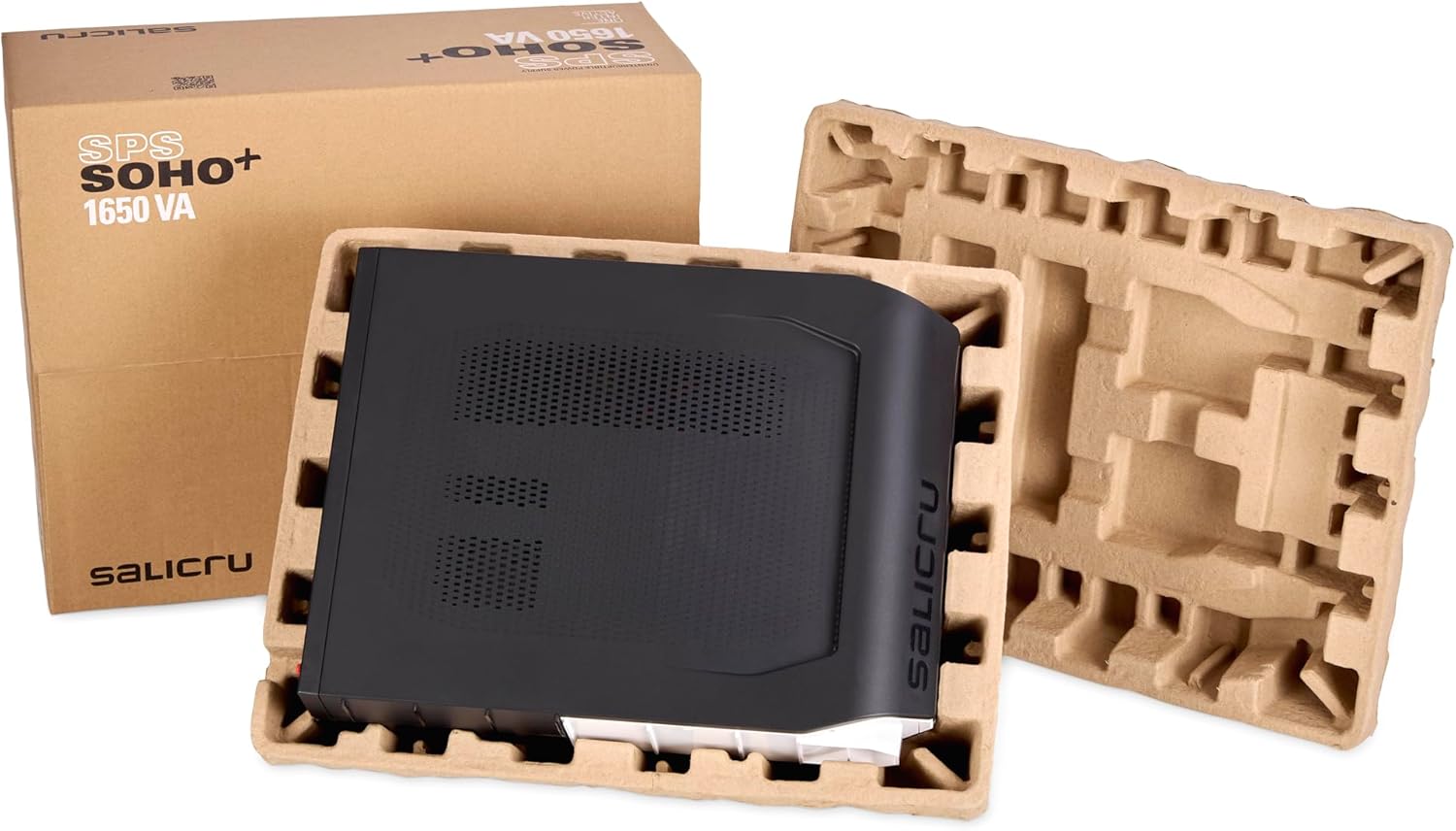
Image: The Salicru SPS 750 Soho+ UPS unit unboxed, showing the protective molded pulp packaging.
Product Overview
Front Panel

Image: Front view of the Salicru SPS 750 Soho+ UPS, highlighting the LCD display and the front USB charging port.
- LCD Display: Shows real-time status, battery level, load level, input/output voltage, and operational mode.
- Control Buttons: For power ON/OFF, mute alarm, and display navigation.
- USB Charging Port (5V 2.1A): For charging mobile devices.
Rear Panel

Image: Rear view of the Salicru SPS 750 Soho+ UPS, detailing the SCHUKO outlets, USB communication port, and circuit breaker.
- SCHUKO Outlets: Battery backup and surge protected outlets for connecting critical equipment.
- USB Communication Port: For connecting to a computer for UPS management software.
- Circuit Breaker: Resettable overload protection.
- AC Input: Power cord connection.
Setup
- Unpacking: Carefully remove the UPS from its packaging. Inspect for any shipping damage.
- Placement: Place the UPS in a cool, dry, and well-ventilated area, away from direct sunlight and heat sources. Ensure adequate clearance around the unit for airflow.
- Initial Charging: Connect the UPS to a grounded wall outlet using the provided power cable. Allow the unit to charge for at least 8 hours before initial use to ensure optimal battery performance. The LCD display will show charging status.
- Connecting Equipment:
- Connect your computer, monitor, router, and other critical devices to the SCHUKO outlets on the rear panel. These outlets provide both battery backup and surge protection.
- Do not connect laser printers or other high-power devices to the battery backup outlets, as this may overload the UPS.
- USB Communication (Optional): Connect the USB communication cable from the UPS to your computer. Install the UPS management software (available from Salicru's website) to enable automatic shutdown, monitoring, and advanced settings.
Operating Instructions
Turning On/Off
- To Turn On: Press and hold the power button on the front panel for approximately 2 seconds until the LCD display illuminates and the UPS beeps.
- To Turn Off: Press and hold the power button for approximately 2 seconds until the LCD display turns off.
LCD Display and Indicators

Image: Close-up of the Salicru SPS 750 Soho+ UPS LCD display, showing battery charge level, load level, and output voltage (230V).
The LCD display provides real-time information about the UPS status. Key indicators include:
- BATT: Battery charge level.
- LOAD: Connected load level.
- Voltage (V): Input or output voltage.
- Operating Mode: Indicates if the UPS is operating on utility power, battery power, or AVR mode.
The UPS features Line-Interactive technology with Automatic Voltage Regulation (AVR) (Buck/Boost). This means it can stabilize incoming voltage fluctuations without switching to battery power, extending battery life and providing cleaner power to your devices.
USB Charging
The front USB port (5V 2.1A) can be used to charge compatible mobile devices even when the UPS is off, as long as it is connected to a live wall outlet.
Maintenance
- Battery Care: To maximize battery life, ensure the UPS is always connected to a power source. If the UPS is stored for an extended period, recharge it every 3 months.
- Battery Replacement: The battery in the SPS 750 Soho+ is user-replaceable. Refer to the detailed instructions in the full product manual or contact Salicru support for guidance on safe battery replacement. Use only approved replacement batteries.
- Cleaning: Clean the exterior of the UPS with a soft, dry cloth. Do not use liquid or aerosol cleaners.
- Ventilation: Keep the ventilation openings clear of dust and obstructions to prevent overheating.
Troubleshooting
If you encounter issues with your UPS, consult the following table for common problems and solutions.
| Problem | Possible Cause | Solution |
|---|---|---|
| UPS does not turn on | No AC input power; Low battery; UPS fault | Check power cable connection; Allow UPS to charge; Contact support if fault persists. |
| UPS beeps continuously | On battery power; Low battery; Overload | Save work and shut down equipment; Reduce connected load; Mute alarm with button. |
| Overload warning | Too many devices connected; High power consumption device | Disconnect non-essential devices; Ensure total load is within UPS capacity (750 VA / 750W). |
| Short backup time | Battery not fully charged; Battery nearing end of life | Allow UPS to charge for 8+ hours; Consider battery replacement. |
For more complex issues, please refer to the comprehensive troubleshooting guide on the Salicru website or contact technical support.
Specifications
| Feature | Detail |
|---|---|
| Model | SPS 750 Soho+ |
| Capacity | 750 VA / 750 W |
| Technology | Line-Interactive with AVR (Buck/Boost) |
| Input Voltage | 230V AC (nominal) |
| Output Sockets | SCHUKO (Battery + Surge Protected) |
| USB Charging Port | 5V, 2.1A |
| Communication Port | USB (HID protocol) |
| Dimensions (D x W x H) | 20 x 15 x 15 cm |
| Weight | 6.5 kg |
| Manufacturer Model Number | 647EA000001 |
Warranty
The Salicru SPS 750 Soho+ UPS comes with a 2-year warranty from the date of purchase. This warranty covers defects in materials and workmanship under normal use. Please retain your proof of purchase for warranty claims. For full warranty terms and conditions, refer to the official Salicru website or contact customer support.
Support
For technical assistance, product information, or to download the latest software and drivers, please visit the official Salicru website:
Salicru SPS Soho+ Product Page
You can also find general support and contact information on the main Salicru website: