
1. Product Overview
The INIU 10000mAh 45W PD Power Bank & Qi2 Certified 15W Mag-Safe Wireless Charger Stand Combo is a versatile charging solution designed for portability and fast charging. It features a compact design, multiple charging ports, and a detachable wireless charging stand.
Package Contents:
- INIU 45W 10000mAh Power Bank x1
- Qi2 15W Mag-Safe Wireless Charger x1
- Integrated USB-C to USB-C GoCord Cable x1
- User Manual x1
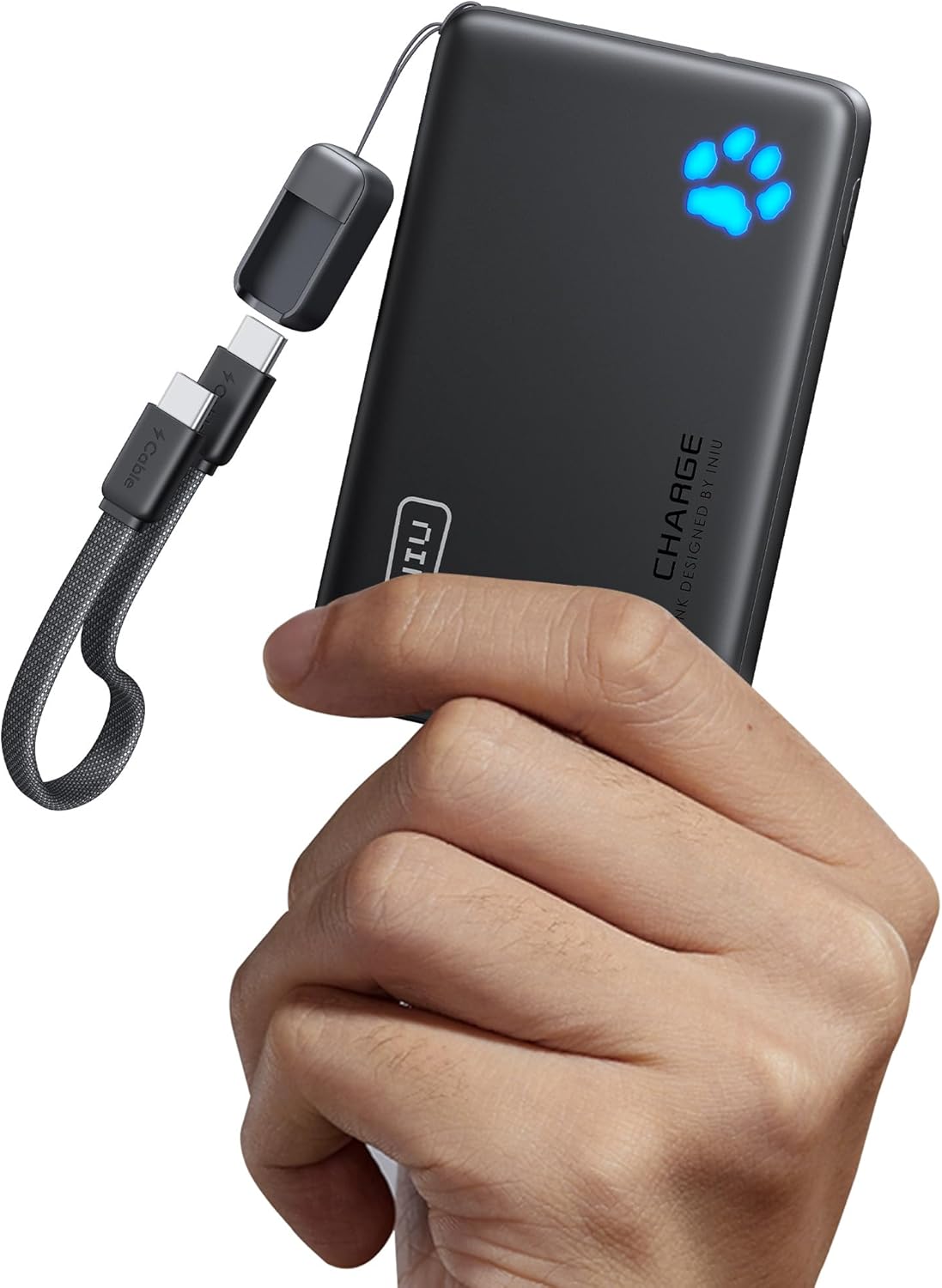
Image: The INIU 10000mAh Power Bank, demonstrating its compact size and the integrated USB-C GoCord cable. The paw print LED indicator is visible, showing charge status.
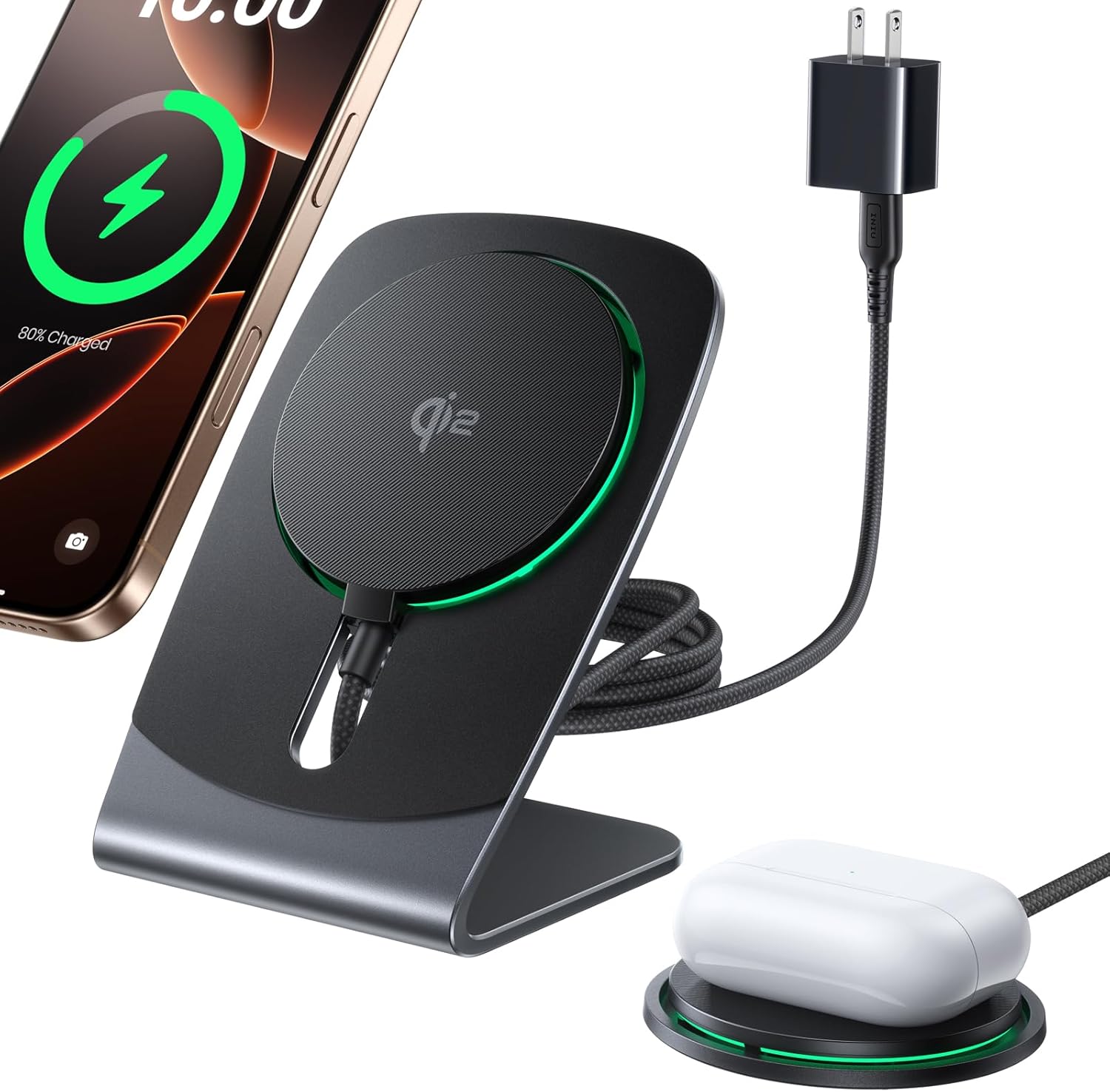
Image: The INIU Qi2 Mag-Safe Wireless Charger Stand in use, wirelessly charging an iPhone and AirPods. This illustrates the 2-in-1 detachable design.
2. Key Features
- 10000mAh Capacity: Provides extended power for multiple device charges.
- 45W Power Delivery (PD): Supports fast charging for compatible smartphones, tablets, and even some laptops via USB-C.
- Qi2 Certified 15W Wireless Charging: Offers magnetic wireless charging at 15W for Qi2-compatible devices, significantly faster than standard 7.5W wireless chargers.
- 2-in-1 Detachable Design: Functions as a desktop wireless charging stand and a portable Mag-Safe wireless charging pad.
- Advanced Cooling Technology: Features an upgraded 23-Fin Turbo Cooling Fan to maintain optimal charging temperatures, preventing overheating and battery damage.
- Integrated USB-C GoCord Cable: A durable, braided USB-C to USB-C cable is built into the power bank for convenience and portability.
- Multi-Device Charging: Capable of charging up to three devices simultaneously via its USB-C input/output ports and USB-A output port.
- Pass-Through Charging: Allows the power bank to be recharged while simultaneously charging other devices.
- Compact & Lightweight: Designed to be ultra-slim and lightweight for easy transport.
- Paw Print LED Indicator: Clearly displays the remaining battery level.
- Built-in Flashlight: A convenient flashlight function for low-light situations.
- Airline Compliant: With a 37Wh rating, it is safe for air travel.

Image: An infographic highlighting the core features of the INIU wireless charging solution, including Qi2 certification, 15W ultra-fast charging, advanced cooling technology, hands-free operation, detachable design, and a strong 12.5N magnetic grip.

Image: A visual representation of the upgraded 23-Fin Turbo Cooling Fan actively preventing iPhone overheating during charging, illustrating the cooling technology.
3. Setup and Assembly
Power Bank Initial Charge:
Before first use, fully charge the power bank. Connect the integrated USB-C GoCord cable or another USB-C cable to a compatible power adapter (not included) and plug it into a wall outlet. The paw print LED indicator will illuminate to show charging progress.
Assembling the Wireless Charger Stand:
The wireless charger can be used as a stand or detached for portable use.
- To use as a stand, ensure the magnetic charging pad is securely attached to the stand base.
- To detach, gently pull the magnetic charging pad away from the stand base.
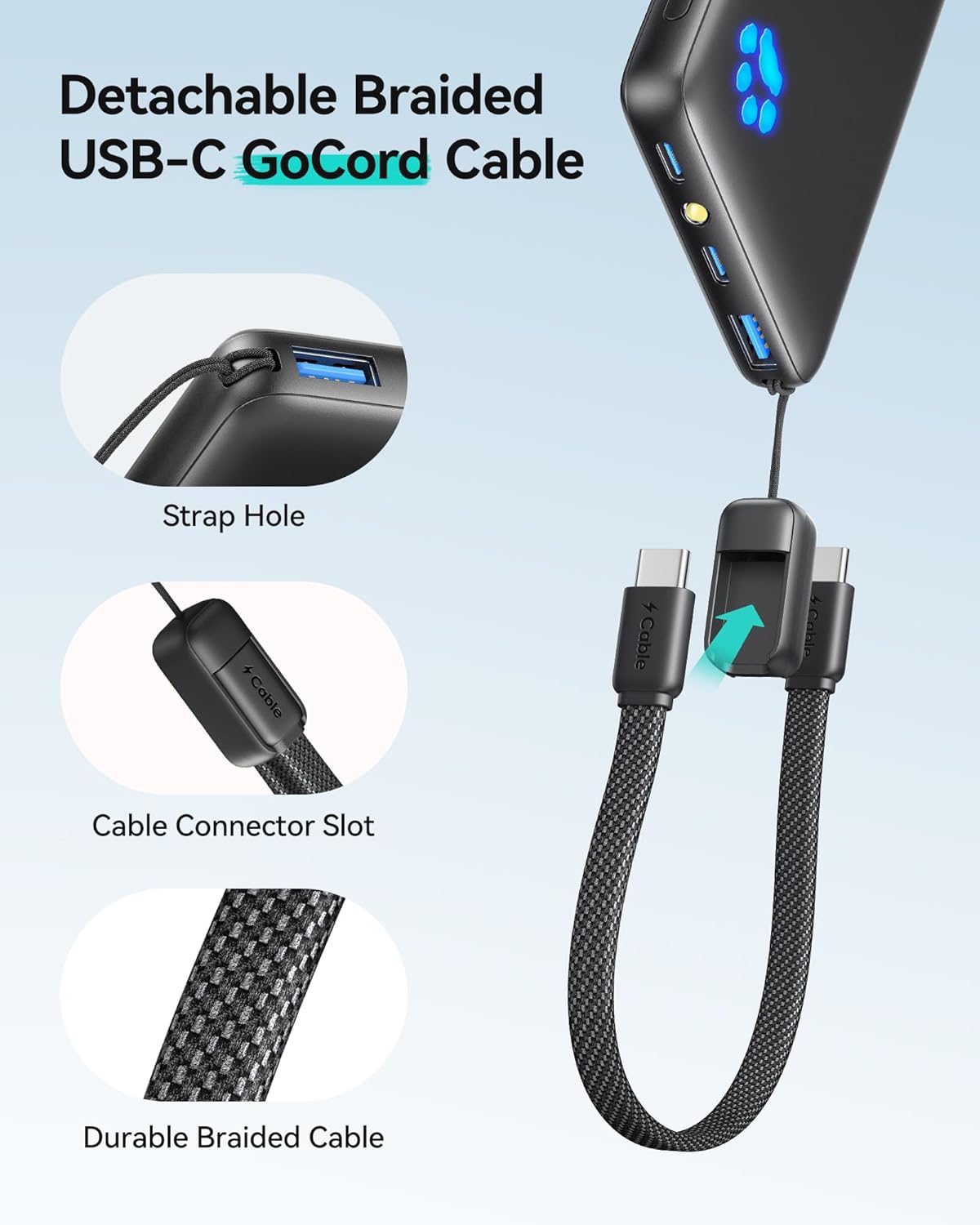
Image: A detailed view of the detachable braided USB-C GoCord cable, highlighting its strap hole, the secure cable connector slot, and the robust braided construction for durability.
4. Operating Instructions
Checking Battery Level:
Press the power button once to activate the paw print LED indicator. The number of illuminated paw prints indicates the remaining battery capacity.
Wired Charging:
Connect your device to the power bank using the integrated USB-C GoCord cable or another compatible USB-C or USB-A cable. The power bank will automatically begin charging your device. The USB-C ports support both input and output, while the USB-A port is output only.
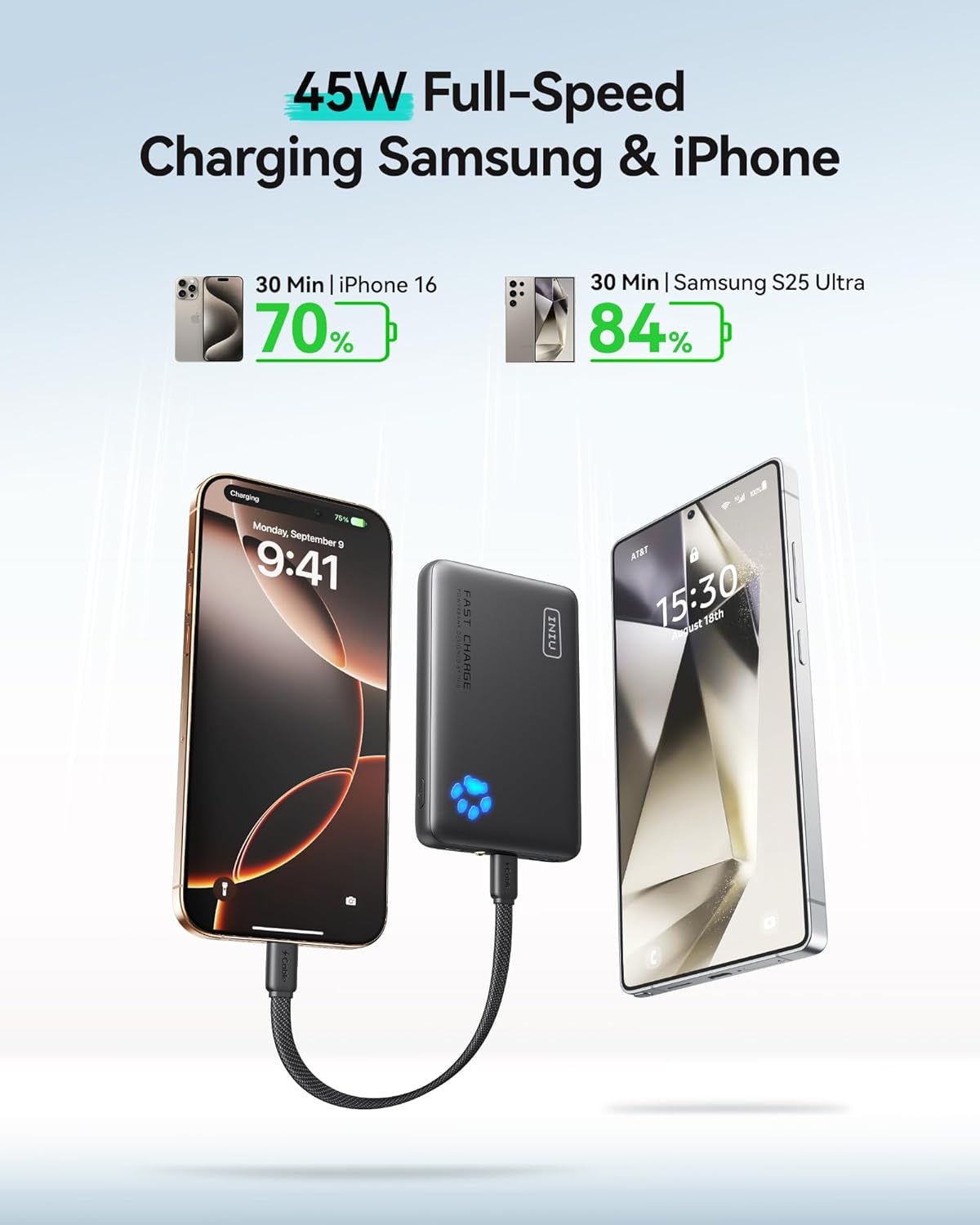
Image: An iPhone and a Samsung S25 Ultra being charged simultaneously by the INIU power bank, demonstrating its multi-device wired charging capability and 45W full-speed charging.
Wireless Charging (Mag-Safe/Qi2):
Place your Qi2-compatible device (e.g., iPhone 16 Pro) onto the magnetic charging pad. Ensure the device is properly aligned for optimal charging. The magnetic connection will secure your device in place. The wireless charger delivers up to 15W for fast charging.

Image: An iPhone 16 Pro being wirelessly charged on the INIU Qi2 magnetic charger, illustrating the fast 15W charging capability, achieving 77% charge in 1 hour.
Flashlight Function:
Double-press the power button to turn the built-in flashlight on or off.
Pass-Through Charging:
You can recharge the power bank while it is simultaneously charging other devices. Connect the power bank to a power source and then connect your devices to the power bank's output ports.
5. Maintenance
- Keep the power bank and wireless charger clean and dry.
- Avoid exposing the product to extreme temperatures, direct sunlight, or high humidity.
- Do not drop, disassemble, or attempt to repair the product yourself.
- Store in a cool, dry place when not in use.
6. Troubleshooting
- Device not charging:
- Ensure the power bank has sufficient charge.
- Check all cable connections for secure fit.
- Verify your device is compatible with the charging method (wired or wireless).
- For wireless charging, ensure proper alignment of your device on the magnetic pad.
- Slow charging:
- Ensure you are using a compatible fast-charging cable and adapter for the power bank.
- For wired charging, confirm your device supports the power delivery (PD) standard.
- For wireless charging, ensure your device is Qi2 certified for 15W charging.
- Power bank not charging:
- Verify the charging cable and power adapter are functional.
- Ensure the USB-C input port is clean and free of debris.
- Flashlight not working:
- Ensure the power bank has charge.
- Double-press the power button firmly.
7. Specifications
| Feature | Specification |
|---|---|
| Model | INIU 10000mAh 45W PD Power Bank & Qi2 Charger |
| Battery Capacity | 10000mAh |
| Energy Rating | 37Wh (Airline Compliant) |
| Wired Output (Max) | 45W Power Delivery (PD) |
| Wireless Output (Max) | 15W (Qi2 Certified) |
| Input Ports | USB-C (supports input/output) |
| Output Ports | USB-C (supports input/output), USB-A (output only) |
| Cooling | 23-Fin Turbo Cooling Fan |
| Dimensions (Approx.) | 4.3 in (length) x 2.7 in (width) |
| Weight (Approx.) | 178g / 6.3 oz |

Image: A visual comparison of the INIU power bank's size relative to an iPhone, indicating its dimensions as approximately 4.3 inches in length and 2.7 inches in width, highlighting its compact nature.
8. Warranty and Support
INIU provides an industry-leading 3-year care warranty for this product. For warranty claims or technical support, please refer to the contact information provided in your product packaging or visit the official INIU website.
For more information, visit the INIU Store.


