
1. Introduction
This manual provides detailed instructions for the setup, operation, and maintenance of your uaue P131 GPS Smart Watch. This device is designed to be a comprehensive fitness tracker and smart companion, offering features such as GPS positioning, extensive sports modes, health monitoring, and smart notifications.
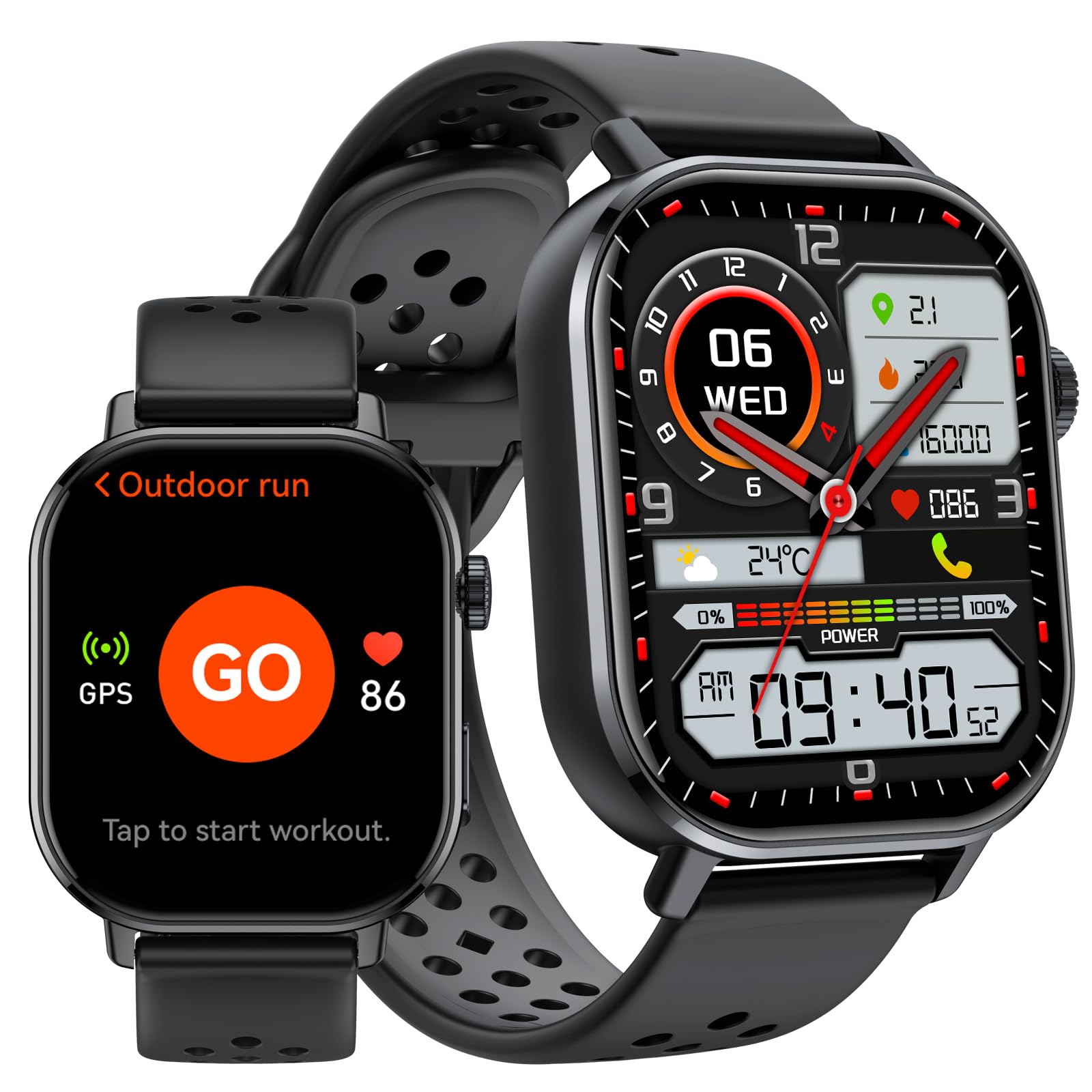
Image 1: Overview of the uaue P131 GPS Smart Watch's multifunctional display.
2. Setup
2.1 Charging the Device
Before first use, fully charge your smart watch. Connect the magnetic charging cable to the charging points on the back of the watch and plug the USB end into a power adapter (not included) or a computer's USB port. A full charge typically takes approximately 2.5 hours.

Image 2: Battery capacity and charging information for the uaue P131 Smart Watch.
2.2 Pairing with Your Smartphone
- Download the official companion app from your smartphone's app store (compatible with iOS and Android devices).
- Ensure Bluetooth is enabled on your smartphone.
- Open the app and follow the on-screen instructions to search for and pair with your uaue P131 Smart Watch.
- Grant necessary permissions for notifications, location services, and health data synchronization to ensure full functionality.
3. Operating Instructions
3.1 Display and Navigation
The uaue P131 features a vibrant 2.06-inch AMOLED touchscreen.
- Swipe Up/Down: Access quick settings or notifications.
- Swipe Left/Right: Navigate through widgets and main functions.
- Tap: Select an item or confirm an action.
- Press Side Button: Return to the home screen or access the app menu.

Image 3: The 2.06-inch AMOLED touchscreen of the uaue P131 Smart Watch.
3.2 Calling and Messaging Notifications
Once paired with your smartphone, you can make and receive calls directly from your watch via Bluetooth. The smart notification system delivers alerts for incoming calls, messages, and app notifications. Customize notification preferences through the companion app.

Image 4: Bluetooth calling and message alerts on the uaue P131 Smart Watch.
3.3 Health Tracking
The watch provides 24/7 health monitoring. Access these features by swiping through the watch interface or via the companion app.
- Heart Rate Monitoring: Tracks your heart rate continuously.
- Blood Oxygen (SpO2) Monitoring: Measures your blood oxygen levels.
- Sleep Monitoring: Analyzes your sleep patterns and quality.
- Stress Monitoring: Assesses stress levels based on heart rate variability.

Image 5: Real-time health monitoring features of the uaue P131 Smart Watch.
3.4 Sports Modes and GPS
The watch supports over 178 sports modes. Select your desired activity from the workout menu to track specific metrics. The integrated GPS system utilizes multiple global satellite networks for accurate tracking of your routes, distance, and pace during outdoor activities. It also includes an altimeter for elevation changes and a barometer for atmospheric pressure trends.

Image 6: The uaue P131 Smart Watch offers over 178 built-in sports modes.
3.5 Voice Control
Utilize the built-in voice assistant for hands-free control. Activate the voice assistant and issue commands for tasks such as checking weather, setting reminders, controlling music playback, or asking general questions.
3.6 Additional Features
The uaue P131 Smart Watch includes several utility features:
- Alarm Clock: Set multiple alarms for daily reminders.
- Stopwatch & Timer: For precise timekeeping during activities.
- Calculator: Perform basic calculations directly on your wrist.
- Music Control: Manage music playback on your connected smartphone.
- Weather Forecast: Get real-time weather updates.
- Find Phone: Locate your misplaced smartphone.
- Remote Shutter: Control your smartphone camera remotely.
- Flashlight: Use the screen as a temporary light source.
- Compass: Provides directional guidance.
- Breathing Exercises: Guided breathing for relaxation.
4. Maintenance
4.1 Waterproofing (IP68)
The uaue P131 Smart Watch is IP68 waterproof, meaning it is resistant to dust and can withstand immersion in water up to 1.5 meters for up to 30 minutes. It is suitable for daily use, such as hand washing, rain, and shallow swimming. However, it is not recommended for hot showers, saunas, or diving, as steam and high water pressure can compromise the seal.

Image 7: The uaue P131 Smart Watch features 5ATM waterproofing for outdoor use.
4.2 Battery Care
To maximize battery life, avoid extreme temperatures and fully discharge and recharge the battery periodically. The watch offers up to 30 days of standby time or 7 days of typical use.
4.3 Cleaning
Clean the watch and strap regularly with a soft, damp cloth. Ensure the charging contacts are free of dirt and debris for optimal charging.
5. Troubleshooting
- Watch not turning on: Ensure the watch is fully charged. Connect it to the charger and wait a few minutes before attempting to power it on.
- Cannot pair with smartphone:
- Ensure Bluetooth is enabled on your phone and the watch is within range.
- Restart both your phone and the watch.
- Try unpairing and re-pairing the device through the companion app.
- Check if the app has all necessary permissions granted on your phone.
- Inaccurate or missing health data (Heart Rate, Sleep, Blood Oxygen):
- Ensure the watch is worn snugly on your wrist, not too tight or too loose.
- Clean the sensors on the back of the watch.
- Restart the watch and check for app updates.
- Environmental factors or movement can sometimes affect sensor readings.
- Notifications not appearing:
- Verify that notifications are enabled in both the watch's settings and the companion app.
- Check your phone's notification settings to ensure the companion app has permission to send notifications.
- Ensure the watch is connected via Bluetooth to your phone.
- GPS tracking issues:
- Ensure you are in an open area with a clear view of the sky for optimal satellite reception.
- Verify that location services are enabled on your smartphone and for the companion app.
- Allow the watch a few moments to acquire a GPS signal before starting an activity.
6. Specifications
| Feature | Detail |
|---|---|
| Model Number | P131 |
| Brand | uaue |
| Display Type | AMOLED |
| Screen Size | 2.06 Inches |
| Connectivity | Bluetooth |
| GPS | Built-in GPS |
| Water Resistance | IP68 (5ATM equivalent) |
| Battery Life (Typical Use) | Up to 7 days |
| Battery Life (Standby) | Up to 30 days |
| Charging Time | Approx. 2.5 hours |
| Compatible Devices | iOS and Android smartphones |
| Item Weight | 5.9 ounces |
| Package Dimensions | 6.61 x 3.31 x 1.38 inches |
7. Warranty and Support
The uaue P131 GPS Smart Watch comes with a 2-year warranty from the date of purchase. This warranty covers manufacturing defects and ensures reliable operation under normal use. For warranty claims, technical support, or any inquiries regarding your device, please contact uaue customer service through the contact information provided with your product packaging or on the official uaue website.