
1. Introduction
Thank you for choosing the OUKITEL P800 Portable Power Station. This manual provides essential information for the safe and efficient operation, maintenance, and troubleshooting of your device. Please read this manual thoroughly before using the product and keep it for future reference.
The OUKITEL P800 is a high-performance 800W portable power station with a 512Wh LiFePO4 battery, designed to provide reliable power for outdoor activities, camping, RV travel, and emergency backup. It features multiple output ports and flexible charging options, including AC, solar, and car charging.
2. Safety Instructions
WARNING: Failure to follow these safety instructions may result in fire, electric shock, or other injury or damage.
- Do not disassemble, repair, or modify the unit.
- Do not place the unit near fire or expose it to high temperatures.
- Do not use or store the unit in direct sunlight or in hot environments.
- Do not use or store the unit in a bathroom or in areas exposed to water or humidity.
- Do not drop, hit, or subject the unit to strong impacts.
- Do not insert foreign objects into the ports or openings.
- Keep out of reach of children and pets.
- Ensure proper ventilation during use and charging. Do not cover the unit.
- If the unit emits smoke, odor, or unusual noise, stop using it immediately and contact customer support.
- Dispose of the unit according to local regulations. Do not dispose of it in household waste.
3. Product Overview
3.1 Package Contents
- 1 x OUKITEL P800 Portable Power Station
- 1 x AC Charging Cable
- 1 x MC4-XT60 Cable (for solar panel connection)
- 1 x User Manual
3.2 Unit Features and Ports
The OUKITEL P800 features a compact design with various input and output ports for versatile use.

Image 3.2.1: Front view of the OUKITEL P800 Portable Power Station, highlighting its robust handle, LCD display, AC output, DC 12V output, USB-A ports, and USB-C port. The unit is designed for stability and portability.
- AC Output: 240V, 800W (1600W Peak) for household appliances.
- DC 12V Output: Car cigarette lighter socket for 12V devices.
- USB-A Ports: For charging smartphones, tablets, and other USB-powered devices.
- USB-C Port: For fast charging compatible devices.
- LED Light: Integrated light with SOS mode for emergencies.
- LCD Display: Shows real-time battery level, input/output power, and operating status.
- LiFePO4 Battery: 512Wh capacity for long-lasting power.

Image 3.2.2: An illustrative view of the internal LiFePO4 battery cells, emphasizing the 800W AC output, 512Wh capacity, and 3.6-hour endurance for various applications.
4. Setup
4.1 Initial Charging
Before first use, fully charge the OUKITEL P800. This ensures optimal battery performance and calibration.
- Connect the provided AC charging cable to the power station's AC input port.
- Plug the other end of the AC charging cable into a standard wall outlet.
- The LCD display will indicate charging status. Charge until the battery indicator shows 100%.
The unit supports fast charging via AC, reaching full capacity in approximately 1 hour.
4.2 Connecting a Solar Panel (Optional)
To charge using solar power, connect a compatible solar panel (e.g., OUKITEL PV100) to the power station.
- Unfold your solar panel and place it in direct sunlight.
- Connect the MC4 connectors from the solar panel to the MC4-XT60 cable.
- Connect the XT60 end of the cable to the DC input port on the OUKITEL P800.
- The LCD display will show the solar input power and charging status.

Image 4.2.1: The OUKITEL P800 demonstrating its versatile charging methods: via car (350W, 1.4 hours), solar energy (200W, 2.5 hours), and AC power (500W, 1 hour). A solar panel is shown connected to the unit in an outdoor setting.
5. Operating Instructions
5.1 Powering On/Off
- To turn on: Press and hold the main power button for 3 seconds. The LCD display will light up.
- To turn off: Press and hold the main power button for 3 seconds. The LCD display will turn off.
5.2 Using AC Output
- Ensure the power station is turned on.
- Press the AC output button to activate the AC outlets. The AC indicator on the LCD will illuminate.
- Plug your AC appliance into the AC outlet. Ensure the appliance's power consumption does not exceed 800W (continuous) or 1600W (peak).
- After use, press the AC output button again to turn off the AC outlets to conserve power.
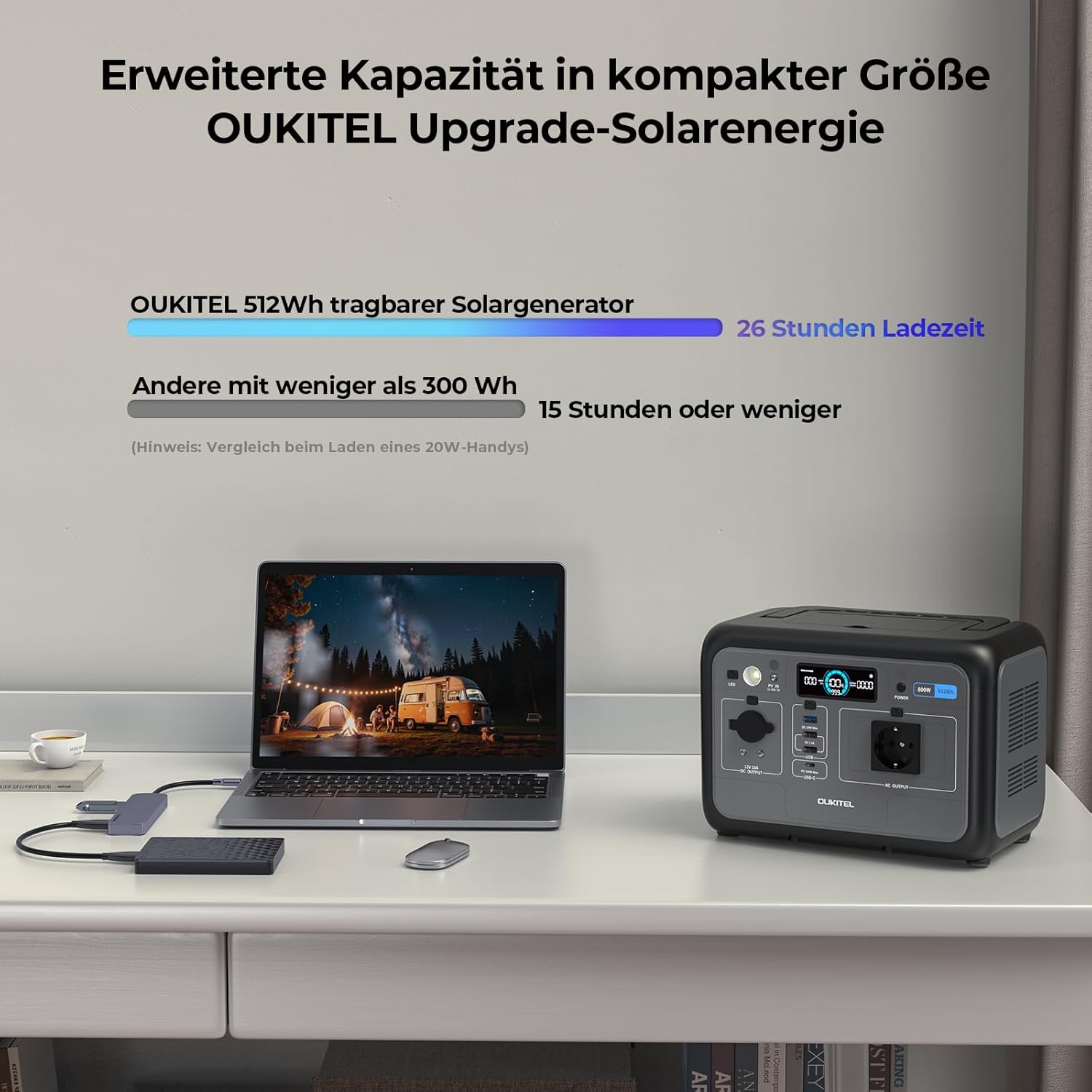
Image 5.2.1: The OUKITEL P800 providing power to a laptop and other electronic accessories, demonstrating its capability to support various devices in a compact and efficient manner.
5.3 Using USB and DC Outputs
- Ensure the power station is turned on.
- Press the DC output button to activate the DC 12V, USB-A, and USB-C ports. The DC indicator on the LCD will illuminate.
- Connect your devices to the appropriate USB or 12V DC port.
- After use, press the DC output button again to turn off these ports.

Image 5.3.1: The OUKITEL P800 providing power to a laptop, camera, and phone, illustrating its use for essential electronics during power outages or remote work.
5.4 Using the LED Light
- To turn on the LED light: Press the LED light button once.
- To switch to SOS mode: Press the LED light button again.
- To turn off the LED light: Press the LED light button a third time.
5.5 LCD Display Information
The LCD display provides real-time information about the power station's status:
- Battery Level Indicator: Shows the remaining battery percentage.
- Input Power: Displays the current power input (e.g., from AC, solar, or car charger).
- Output Power: Shows the current power output from AC, DC, or USB ports.
- Status Icons: Indicators for AC/DC output active, fan status, and warning messages.
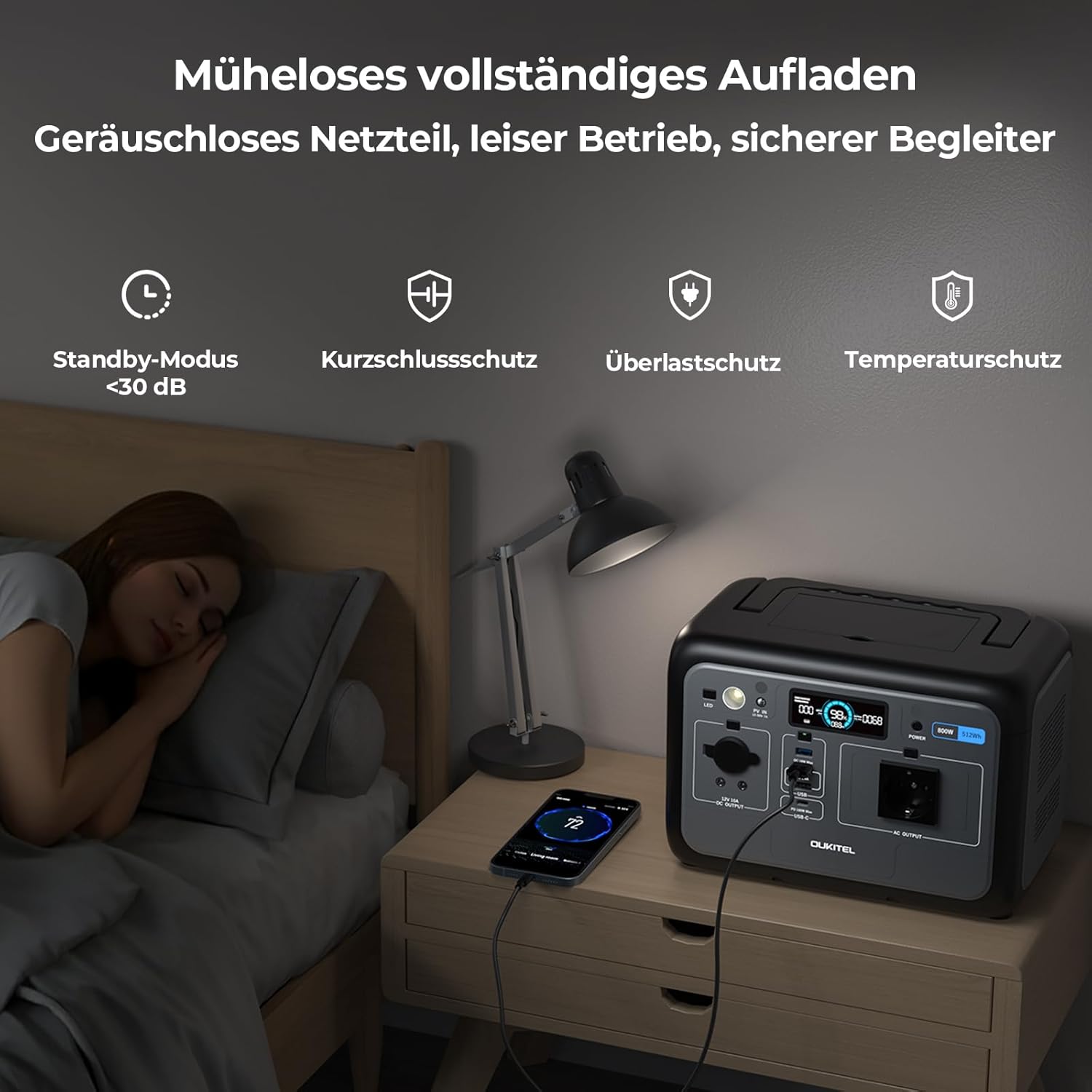
Image 5.5.1: The OUKITEL P800 operating quietly (Standby Mode <30 dB) in a bedroom, illustrating its safety features including short-circuit protection, overload protection, and temperature protection. A phone is shown charging from the unit.
6. Maintenance
6.1 Storage
- Store the power station in a cool, dry place, away from direct sunlight and extreme temperatures.
- For long-term storage, charge the unit to approximately 50-80% every 3-6 months to maintain battery health.
- Avoid storing in environments with high humidity or corrosive gases.
6.2 Cleaning
- Use a soft, dry cloth to wipe the exterior of the unit.
- Do not use abrasive cleaners or solvents.
- Keep the ventilation openings clear of dust and debris.
6.3 Battery Care
- The OUKITEL P800 uses a durable LiFePO4 battery.
- Avoid completely draining the battery frequently, as this can reduce its lifespan.
- Charge the unit fully before extended periods of non-use.
7. Troubleshooting
| Problem | Possible Cause | Solution |
|---|---|---|
| Unit does not turn on | Battery is completely drained; Power button not pressed long enough. | Charge the unit using the AC adapter; Press and hold the power button for 3 seconds. |
| AC output not working | AC output not activated; Appliance exceeds 800W; Overload protection triggered. | Press the AC output button; Use appliances within the rated power; Disconnect appliance, turn off/on AC output. |
| Solar charging is slow or not working | Insufficient sunlight; Solar panel not properly connected; Panel is dirty or damaged. | Ensure direct sunlight exposure; Check all cable connections; Clean the solar panel surface. |
| Unit is overheating | Poor ventilation; Excessive load. | Ensure vents are clear; Reduce the number or power of connected devices; Allow unit to cool down. |
8. Specifications
| Model | P800E |
| Battery Type | LiFePO4 |
| Capacity | 512 Wh |
| AC Output | 800 W (Continuous), 1600 W (Peak) |
| Voltage | 240 V (AC) |
| Charging Methods | AC Wall Outlet, Solar Panel, Car Charger |
| Dimensions (L x W x H) | 29.4 x 17.8 x 20.5 cm (11.6 x 7.0 x 8.1 inches) |
| Weight | 6 kg (13.2 lbs) |
| Recommended Use | Camping, Outdoor Activities, Emergency Backup |
9. Warranty and Support
OUKITEL provides a limited warranty for this product. Please refer to the warranty card included in your package or visit the official OUKITEL website for detailed warranty terms and conditions.
For technical support, troubleshooting assistance, or warranty claims, please contact OUKITEL customer service through their official website or the contact information provided with your purchase.