
Introduction
The AeroGarden Harvest Lite is an indoor hydroponic gardening system designed to simplify growing herbs, vegetables, and flowers year-round. This system utilizes water, nutrients, and an LED grow light to facilitate plant growth up to five times faster than traditional soil methods. This manual provides essential information for the proper setup, operation, and maintenance of your AeroGarden Harvest Lite.
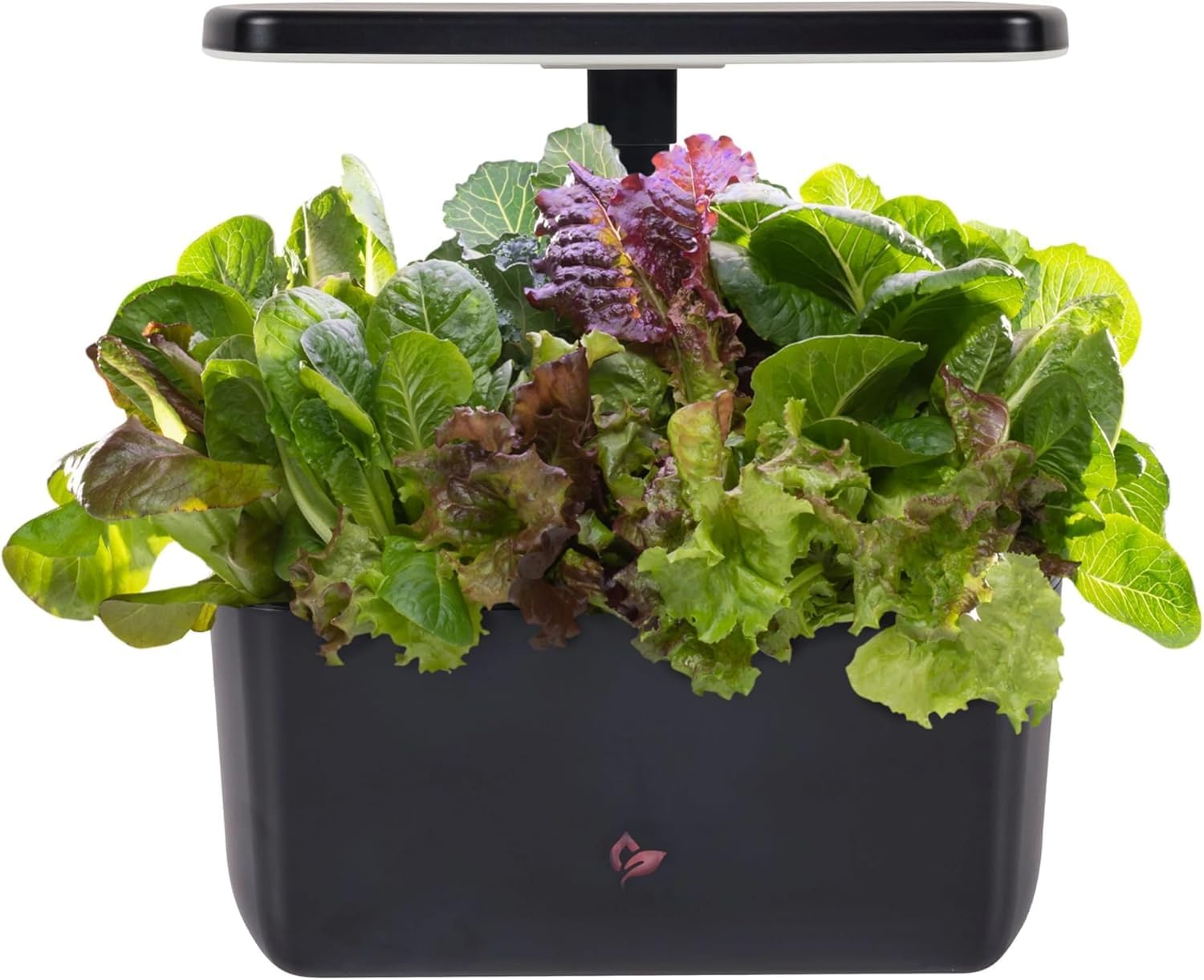
Image: The AeroGarden Harvest Lite, a compact indoor hydroponic system.
Important Safety Instructions
Please read and follow all safety instructions before using your AeroGarden Harvest Lite. Failure to do so may result in electric shock, fire, or injury.
- This is an electrical appliance. To prevent the risk of electric shock, never place the unit, cord, or plug in water or other liquids.
- Always unplug the AeroGarden Harvest Lite from the electrical outlet before cleaning or when not in use.
- The Harvest Lite is designed for indoor, household use only and is not approved for commercial applications.
- For everyone's safety, ensure children are supervised when near the appliance.
- Do not operate the AeroGarden with a damaged cord or plug, or after the appliance malfunctions or has been damaged in any manner. Contact customer support for assistance.
- Do not use attachments not recommended by the manufacturer, as this may cause hazards.
- Do not use the appliance for anything other than its intended use.
Package Contents
Upon unpacking your AeroGarden Harvest Lite, ensure all the following components are present:
- AeroGarden Harvest Lite Base Unit (reservoir and pump housing)
- Detachable 15W LED Grow Light System
- Adjustable Lamp Arm
- Grow Deck (holds up to 6 seed pods)
- Water Cover
- Power Adapter
Note: A growing starter kit or seed pod kit, containing plant food and grow sponges, is sold separately.
Setup Instructions
Follow these steps to assemble and prepare your AeroGarden Harvest Lite for planting.
Assembly
- Connect Lamp to Adjustable Arm: Securely attach the 15W LED grow light to the adjustable lamp arm.
- Connect Arm to Bowl: Insert the adjustable lamp arm into the designated slot on the main reservoir bowl.
- Place Grow Deck: Position the grow deck on top of the reservoir bowl. This deck has openings for the seed pods.
- Insert Water Cover: Place the water cover over the remaining open area of the reservoir.

Image: Visual guide for assembling the AeroGarden Harvest Lite.
Initial Setup for Planting
- Adjust Lamp for Grow Height: Ensure the grow light is positioned at the lowest setting, approximately 1-2 inches above the grow deck. The lamp can be adjusted up to 12 inches as plants grow.
- Add Water & Plant Food: Fill the reservoir with tap water up to the fill line. Add the recommended amount of liquid plant food from your seed pod kit. Refer to your seed pod kit instructions for specific nutrient dosages.
- Insert Grow Pods & Add Seeds: Place the grow sponges (with seeds) into the openings on the grow deck. Cover each pod with a grow dome to create a humid environment for germination.

Image: Overview of the three main steps to start growing with AeroGarden.

Image: Detailed diagram explaining the components and process of the AeroGarden system.
Operating Instructions
Once set up, your AeroGarden Harvest Lite operates largely automatically. However, regular monitoring and specific actions are required for optimal plant growth.
Light Cycle
The detachable 15W LED grow light features an automatic on/off timer. This timer is pre-set to provide the optimal light duration for most plants (typically 15-17 hours on, 7-9 hours off). No manual adjustment of the light cycle is typically needed.
Water and Nutrient Management
- Water Level: Check the water level daily. Refill the reservoir with fresh tap water as needed to maintain the appropriate level.
- Nutrient Reminder: The Harvest Lite includes a one-button control nutrient reminder. When the nutrient indicator light illuminates, it's time to add plant food. This typically occurs every two weeks. Follow the instructions provided with your plant food for correct dosage.
- Water Changes: For best results, perform a full water change every 2-4 weeks. Empty the old water, rinse the reservoir, and refill with fresh water and nutrients.
Plant Care
- Pruning: As plants grow, prune them regularly to encourage bushier growth and prevent them from touching the grow light.
- Light Height Adjustment: Raise the grow light as your plants grow taller. The adjustable lamp arm allows for growth up to 12 inches. Ensure there is always a few inches of space between the top of your plants and the LED light.
- Harvesting: Harvest outer leaves or mature fruits/vegetables regularly to encourage continued production.
Maintenance
Regular maintenance ensures the longevity and optimal performance of your AeroGarden Harvest Lite.
- Cleaning the Reservoir: When performing a full water change, clean the reservoir thoroughly to prevent algae buildup. The dark grow deck also helps in preventing algae growth.
- Cleaning Components: The reservoir bowl and grow deck are designed for easy cleaning. They can be washed by hand with mild soap and water.
- Between Harvests: After a full growing cycle, disassemble the unit and clean all components. This prepares the system for a new planting cycle.

Image: The AeroGarden Harvest Lite is designed for easy cleaning between harvests.
Troubleshooting
If you encounter issues with your AeroGarden Harvest Lite, refer to the following common problems and solutions.
| Problem | Possible Cause | Solution |
|---|---|---|
| Seeds not germinating | Old seeds, incorrect temperature, insufficient water, grow domes not used. | Ensure fresh seeds, maintain room temperature (20-25°C), check water level, use grow domes for humidity. Refer to the 21-Day Germination Guarantee. |
| Plants growing slowly or yellowing | Lack of nutrients, incorrect light height, old water, pH imbalance. | Add plant food as per schedule, adjust grow light closer to plants (2-4 inches), perform a water change, ensure proper pH (usually managed by AeroGarden nutrients). |
| Algae growth in reservoir | Excess light exposure to water, infrequent cleaning. | Ensure grow deck and water cover are properly seated. Perform regular water changes and clean the reservoir thoroughly. The dark grow deck helps minimize this. |
| Grow light not turning on | Power adapter disconnected, light timer cycle. | Check power connections. The light operates on an automatic timer; ensure it's within its "on" cycle. If issues persist, contact customer support. |
Specifications
- Model Number: 901200-8208
- Product Dimensions: 30.2 x 18.39 x 18.8 cm (11.89 x 7.24 x 7.4 inches)
- Weight: 1.52 kg (3.35 lbs)
- Grow Light: 15W LED (detachable, full-spectrum)
- Plant Capacity: Up to 6 seed pods
- Max Grow Height: 12 inches
- Manufacturer: AeroGrow International, Inc. c/o Scotts Canada Ltd.
- Country of Origin: China
Warranty Information
AeroGarden offers a 21-Day Germination Guarantee. If a seed pod fails to germinate within 21 days, AeroGarden will send out a replacement seed pod. Please retain your proof of purchase and contact AeroGarden customer support for claims.

Image: AeroGarden's 21-Day Germination Guarantee.
For further details regarding product warranty beyond germination, please refer to the official AeroGarden website or contact their customer service directly.
Customer Support
For technical assistance, replacement parts, or any questions not covered in this manual, please contact AeroGarden customer support.
- Website: Visit the official AeroGarden website for FAQs, support resources, and contact information.
- Phone/Email: Refer to the AeroGarden packaging or website for current customer service contact details.
When contacting support, please have your model number (901200-8208) and proof of purchase readily available.