
1. Introduction
Thank you for choosing the Statik 360 Magnetic Charging Cable. This manual provides essential information for the safe and efficient use of your new charging cable. Please read these instructions carefully before use and retain them for future reference.
The Statik 360 Magnetic Charging Cable offers a versatile and durable charging solution for a wide range of devices. Its innovative magnetic design and interchangeable tips simplify your charging experience.
2. Product Overview
2.1 Included Components
- 1 x Statik 360 Magnetic Charging Cable (6FT/2M)
- 1 x USB-C Magnetic Tip
- 1 x Micro USB Magnetic Tip
- 1 x iProduct Magnetic Tip
- 1 x Cable Wrap/Tip Holder
2.2 Cable Features
The Statik 360 cable features a strong, flexible nylon braided cable, a magnetic connector, and an LED charging indicator. It comes with three universal magnetic tips for broad compatibility.
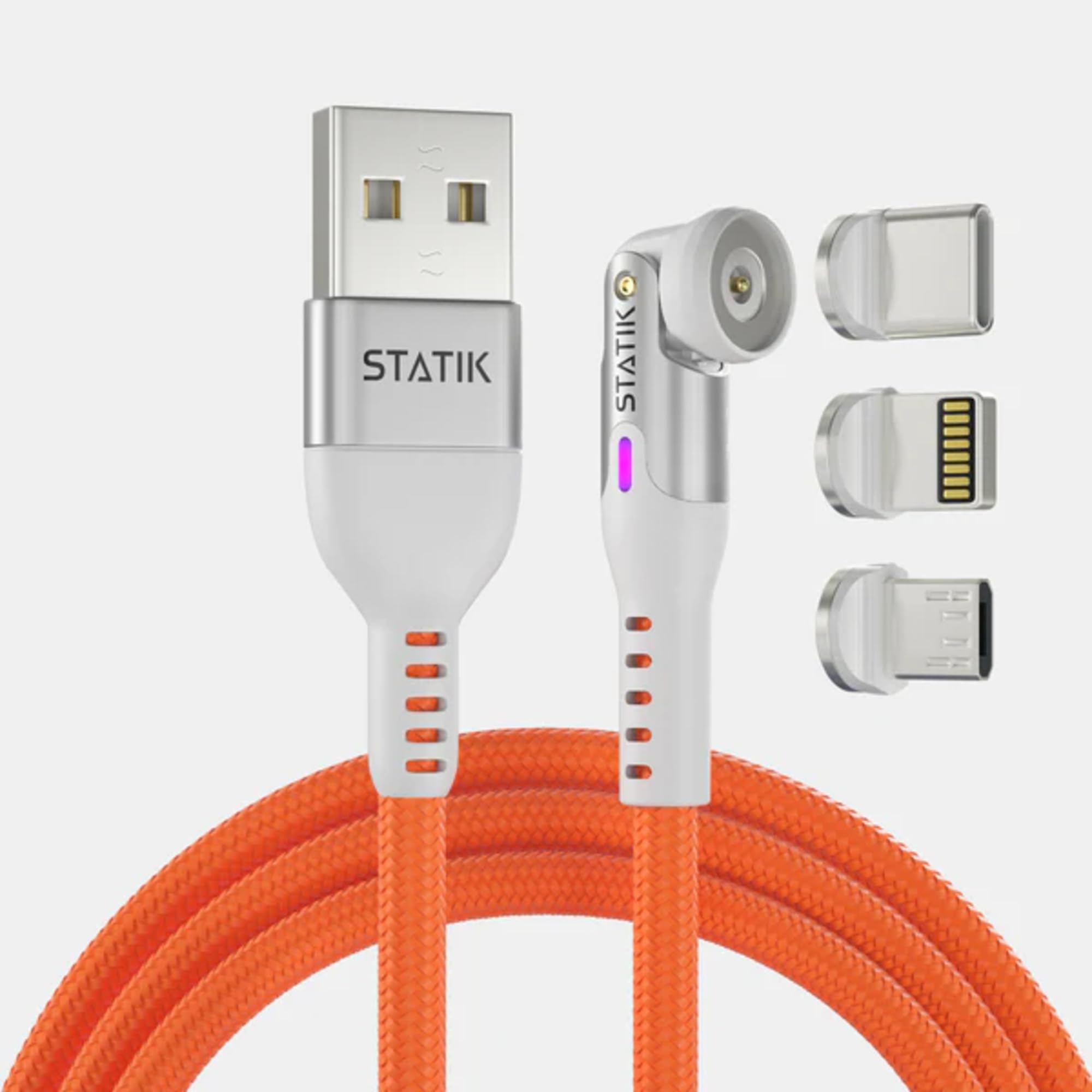
Image: Overview of the Statik 360 Magnetic Charging Cable and its universal magnetic tips.
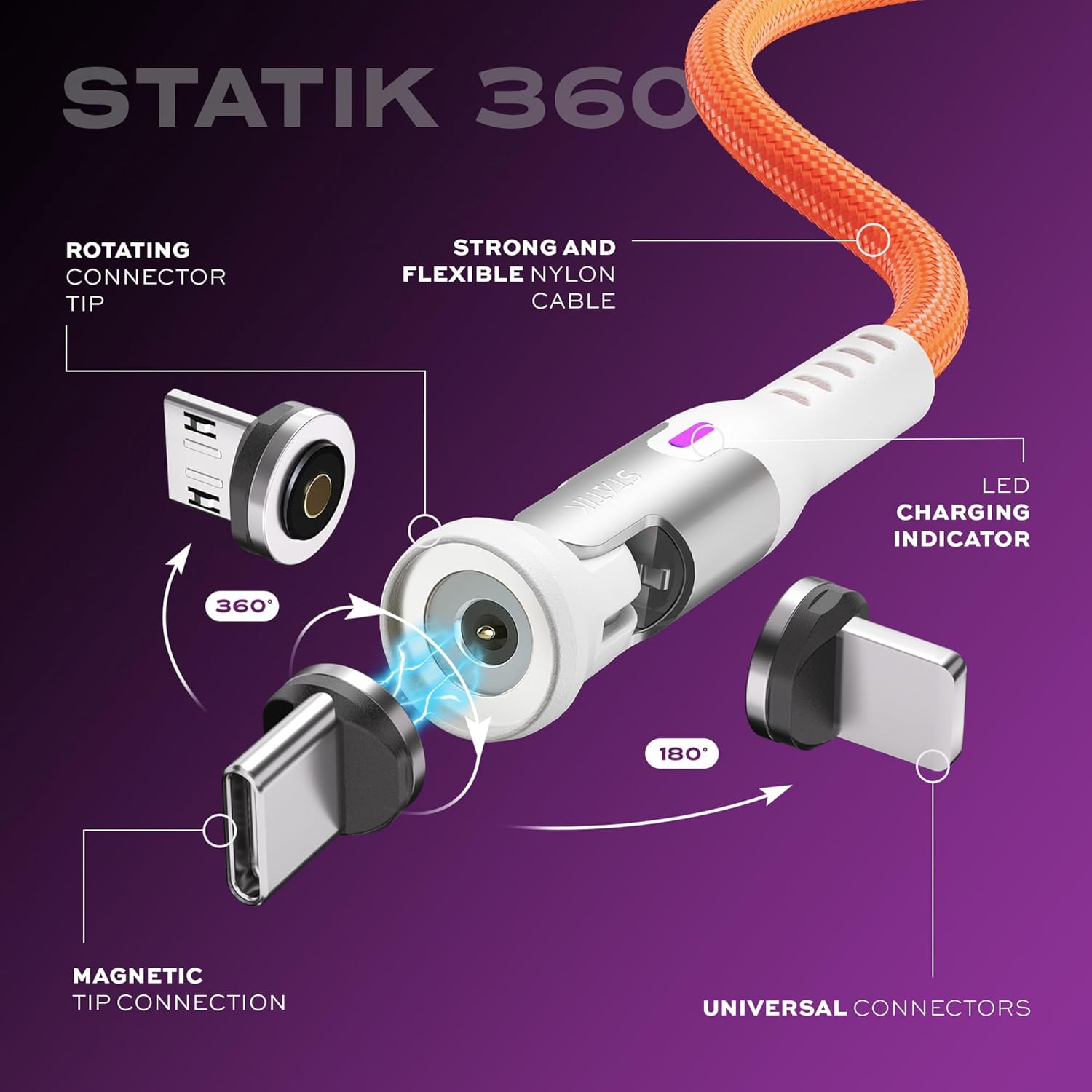
Image: Detailed view highlighting the rotating connector tip, magnetic tip connection, LED charging indicator, and universal connectors.
3. Setup
Follow these steps to set up your Statik 360 Magnetic Charging Cable:
- Select the Correct Tip: Choose the appropriate magnetic tip (USB-C, Micro USB, or iProduct) for your device.
- Insert Tip into Device: Gently insert the selected magnetic tip into your device's charging port. The tip is designed to remain in the port for convenience and protection.
- Connect Cable: Bring the magnetic end of the Statik 360 charging cable close to the inserted tip. The magnets will automatically connect, establishing a charging connection.
4. Operating Instructions
4.1 Charging Your Device
Once the cable is magnetically connected to the tip in your device, plug the USB-A end of the cable into a compatible USB power adapter or port. The LED indicator on the cable will illuminate, indicating that charging is in progress.
4.2 360-Degree Rotation Feature
The magnetic connector allows for 360-degree rotation, providing flexibility and reducing strain on your device's charging port. This feature is particularly useful when using your device while charging, such as during gaming or video playback, as it keeps the cable out of the way.
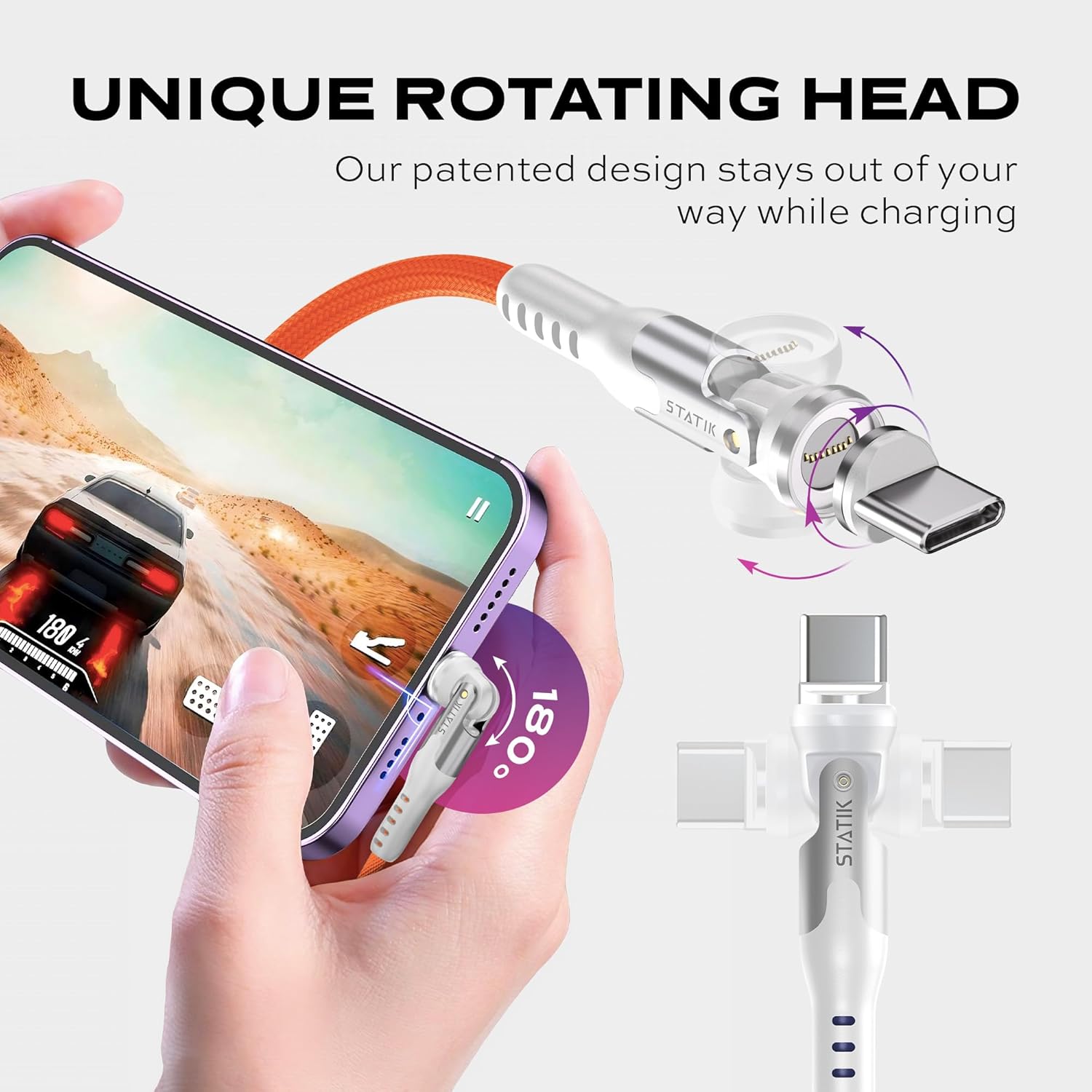
Image: Illustrates the cable's rotating head, allowing for comfortable device use while charging.
4.3 Device Compatibility
The Statik 360 Magnetic Charging Cable is compatible with a wide range of devices that use USB-C, Micro USB, or iProduct charging ports, including smartphones, tablets, smartwatches, and other accessories.

Image: Shows the three magnetic tips (USB-C, Micro USB, iProduct) and their universal application for various devices.
5. Maintenance
5.1 Cleaning
To ensure optimal performance, periodically clean the magnetic contacts on both the cable and the tips. Use a dry, soft cloth to gently wipe away any dust or debris. Avoid using liquids or abrasive cleaners.
5.2 Storage
When not in use, store the cable and magnetic tips in a clean, dry place. Utilize the included cable wrap/tip holder to keep the cable organized and prevent tangling. This also helps in keeping the magnetic tips secure.
5.3 Durability
The Statik 360 cable features a durable nylon braided design, engineered to withstand daily wear and tear, including bending and pulling. This construction helps prevent fraying and extends the lifespan of the cable.

Image: Demonstrates the military-grade nylon cable's durability through bending and plug/pull tests.

Image: Compares the Statik 360's durability (20,000+ rotations) against typical cables (1,000 bends).
6. Troubleshooting
- Device Not Charging:
- Ensure the magnetic connection between the cable and the tip is secure.
- Verify that the USB-A end of the cable is fully inserted into a working power source.
- Check if the magnetic tip is correctly inserted into your device's charging port.
- Clean the magnetic contacts on both the cable and the tip to remove any obstructions.
- Loose Magnetic Connection:
- Ensure there is no debris or foreign material on the magnetic surfaces.
- The magnetic tips are designed to be securely held by the cable's magnet. If the connection feels unusually weak, inspect for damage.
- LED Indicator Not Lighting Up:
- Confirm that the cable is properly connected to both the power source and your device.
- Test with a different power adapter or USB port.
7. Specifications
| Model Number | 810024058402 |
| Cable Length | 6FT (2 Meters) |
| Color | Orange |
| Connector Type (Cable) | USB-A to Magnetic Connector |
| Magnetic Tips Included | USB-C, Micro USB, iProduct |
| Special Features | 360-degree rotating magnetic tips, Durable Nylon Braid, LED Charging Indicator |
| Compatible Devices | Smartphones, Tablets, Smartwatches, Headphones, Laptops (with compatible tips) |
| Item Weight | 50 g |
8. Warranty and Support
Warranty information for the Statik 360 Magnetic Charging Cable is not provided within this document. For details regarding warranty coverage, returns, or technical support, please refer to the product packaging or contact the manufacturer directly.