1. Introduction
Thank you for choosing the Juskys 2000W Glass Infrared Heater. This manual provides essential information for the safe and efficient operation, installation, and maintenance of your new heater. Please read these instructions carefully before use and retain them for future reference.
This infrared heater is designed to provide direct, efficient warmth for indoor spaces such as living rooms, bedrooms, or offices. It features flexible installation options (wall-mounted or freestanding), two power levels, a 24-hour timer, and smart control via an app, remote control, or LED display.
2. Safety Instructions
WARNING: To reduce the risk of fire, electric shock, or injury, always follow these basic precautions.
- Read all instructions before using this heater.
- Do not use this heater in bathrooms, laundry areas, or similar indoor locations where it may come into contact with water.
- Do not insert or allow foreign objects to enter any ventilation or exhaust opening as this may cause an electric shock or fire, or damage the heater.
- To prevent a possible fire, do not block air intakes or exhaust in any manner. Do not use on soft surfaces, like a bed, where openings may become blocked.
- Keep combustible materials, such as furniture, pillows, bedding, papers, clothes, and curtains at least 1 meter (3 feet) from the front and sides of the heater.
- This appliance is not intended for use by persons (including children) with reduced physical, sensory or mental capabilities, or lack of experience and knowledge, unless they have been given supervision or instruction concerning use of the appliance by a person responsible for their safety.
- Children should be supervised to ensure that they do not play with the appliance.
- The heater has an IP24 protection rating, meaning it is protected against solid objects over 12.5mm and splashing water from any direction. However, it should not be submerged or exposed to direct water jets.
- Always unplug the heater when not in use.
3. Package Contents
Carefully unpack the box and ensure all items are present and undamaged. If any items are missing or damaged, please contact customer support.
- 1 x Juskys Glass Infrared Heater
- 1 x Remote Control
- 1 x Mounting Kit (for wall installation)
- 1 x Instruction Manual
4. Product Overview
The Juskys 2000W Glass Infrared Heater provides efficient and comfortable heating. Key features include:
- Infrared Heat Technology: Delivers targeted warmth to objects and people without drying out the air.
- Flexible Installation: Can be used as a freestanding unit with included feet or mounted on a wall.
- Adjustable Power: Two heating levels (1000W / 2000W) for customized warmth.
- Smart Control: Operate the heater via a dedicated mobile app (WiFi), the included IR remote control, or the integrated LED display.
- Timer Function: Program the heater with a 24-hour timer for automatic operation.
- Safety Features: Equipped with tempered glass, overheat protection, and an IP24 rating for splash water resistance.
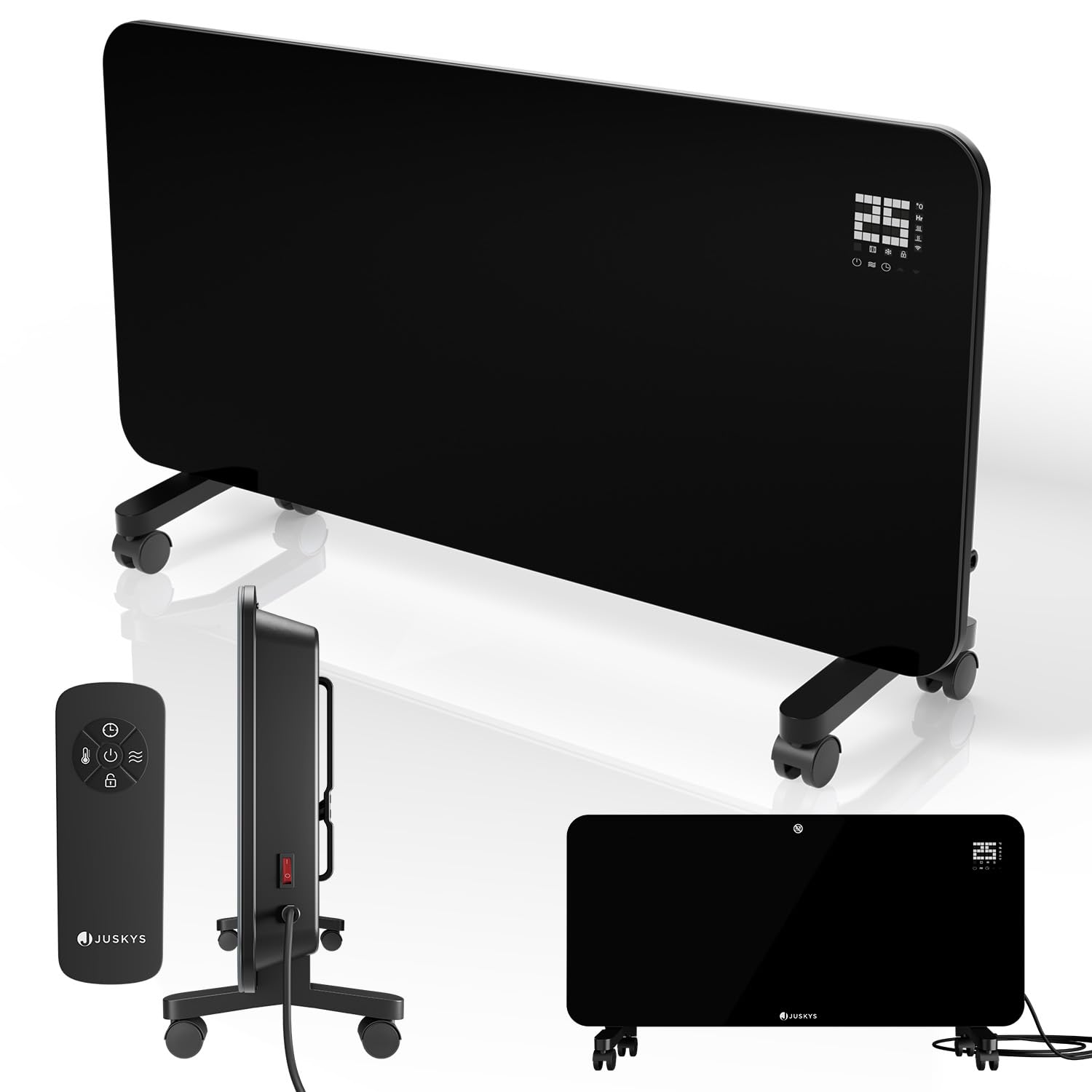
Figure 1: Juskys 2000W Glass Infrared Heater. This image displays the sleek black glass panel heater, highlighting its modern design and the integrated LED display. A remote control is also visible, indicating the various control options available to the user.
5. Setup
The product is delivered disassembled and requires assembly before use. Please follow the instructions provided in the mounting kit for your chosen installation method.
5.1 Freestanding Installation
- Attach the plastic feet to the base of the heater using the provided screws. Ensure they are securely fastened.
- Place the heater on a stable, level surface, ensuring adequate clearance from walls and combustible materials (at least 1 meter / 3 feet).
5.2 Wall-Mounted Installation
- Refer to the mounting kit instructions for detailed steps on how to securely attach the heater to a wall.
- Ensure the wall material is suitable for supporting the heater's weight (6.4 kg) and that proper wall anchors are used.
- Maintain recommended clearances from ceilings, floors, and adjacent walls as specified in the mounting kit.
Once installed, plug the heater into a suitable 220-240V~, 50/60 Hz power outlet.
6. Operating Instructions
Your Juskys infrared heater can be controlled via its LED display, the included remote control, or a mobile application.
6.1 Power On/Off
- Press the power button on the heater's control panel or the remote control to turn the unit on or off.
6.2 Adjusting Heat Levels
- The heater offers two power settings: 1000W and 2000W.
- Use the mode selection button on the control panel or remote to switch between these power levels. The LED display will indicate the current setting.
6.3 Setting the Timer
- The 24-hour timer allows you to set a specific duration for the heater to operate.
- Consult the detailed instructions in the full manual (if provided separately) or the app for precise timer programming steps.
6.4 Using the Mobile App (WiFi Control)
- Download the designated Juskys app from your smartphone's app store.
- Follow the in-app instructions to connect your heater to your home WiFi network.
- Once connected, you can control power, temperature, timer, and other settings remotely via the app.
6.5 Remote Control
- The remote control requires 1x CR2025 battery (not included). Insert the battery with the correct polarity.
- Point the remote control directly at the heater's receiver for optimal functionality.
7. Maintenance
Regular maintenance ensures the longevity and efficient operation of your heater.
- Cleaning: Always unplug the heater and allow it to cool completely before cleaning. Use a soft, damp cloth to wipe the exterior surfaces. Do not use abrasive cleaners or solvents.
- Storage: If storing the heater for an extended period, ensure it is clean and dry. Store it in a cool, dry place, preferably in its original packaging.
- Inspection: Periodically check the power cord and plug for any signs of damage. If damaged, do not use the heater and contact qualified service personnel.
8. Troubleshooting
If you encounter issues with your heater, refer to the following common problems and solutions:
- Heater does not turn on:
- Ensure the power cord is securely plugged into a working electrical outlet.
- Check if the main power switch on the heater is in the 'ON' position.
- Verify that the circuit breaker has not tripped.
- Heater is on but not producing heat:
- Check the selected power level (1000W/2000W).
- Ensure the thermostat setting is higher than the ambient room temperature.
- The overheat protection may have activated. Unplug the heater, let it cool down for 30 minutes, and then plug it back in.
- Remote control not working:
- Replace the CR2025 battery in the remote control.
- Ensure there are no obstructions between the remote and the heater's receiver.
- App control issues:
- Verify that your heater is connected to your WiFi network and that your smartphone has internet access.
- Restart the app and/or the heater.
- Ensure your WiFi network is 2.4GHz, as some smart devices do not support 5GHz networks.
If problems persist, please contact Juskys customer support for assistance.
9. Specifications
| Feature | Specification |
|---|---|
| Brand | Juskys |
| Model | 301871 |
| Color | Black |
| Heater Material | Glass |
| Feet/Wheels Material | Plastic |
| Net Weight | 6.4 kg |
| Power Settings | 1000 W / 2000 W |
| Voltage | 220–240 V~, 50/60 Hz |
| Standby Consumption | <0.5 W |
| Protection Rating | IP24 |
| Remote Control Battery | 1x CR2025 (not included) |
| Dimensions with feet (LxWxH) | 82 x 24 x 42 cm |
| Dimensions without feet (LxWxH) | 82 x 10 x 38 cm |
10. Warranty and Support
Juskys products are manufactured to high-quality standards. For information regarding warranty terms and conditions, please refer to the documentation provided at the time of purchase or visit the official Juskys website.
For technical support, troubleshooting assistance, or spare parts, please contact Juskys customer service. Contact details can typically be found on the product packaging, the official website, or your purchase receipt.


