
1. Introduction
This manual provides comprehensive instructions for the Retekess TH109N Wireless Caregiver Pager and the Retekess TD113 Call Bell System. This system is designed to facilitate communication between caregivers and individuals requiring assistance, such as the elderly, children, pregnant women, disabled individuals, and patients. Please read this manual thoroughly before use to ensure proper operation and maintenance.
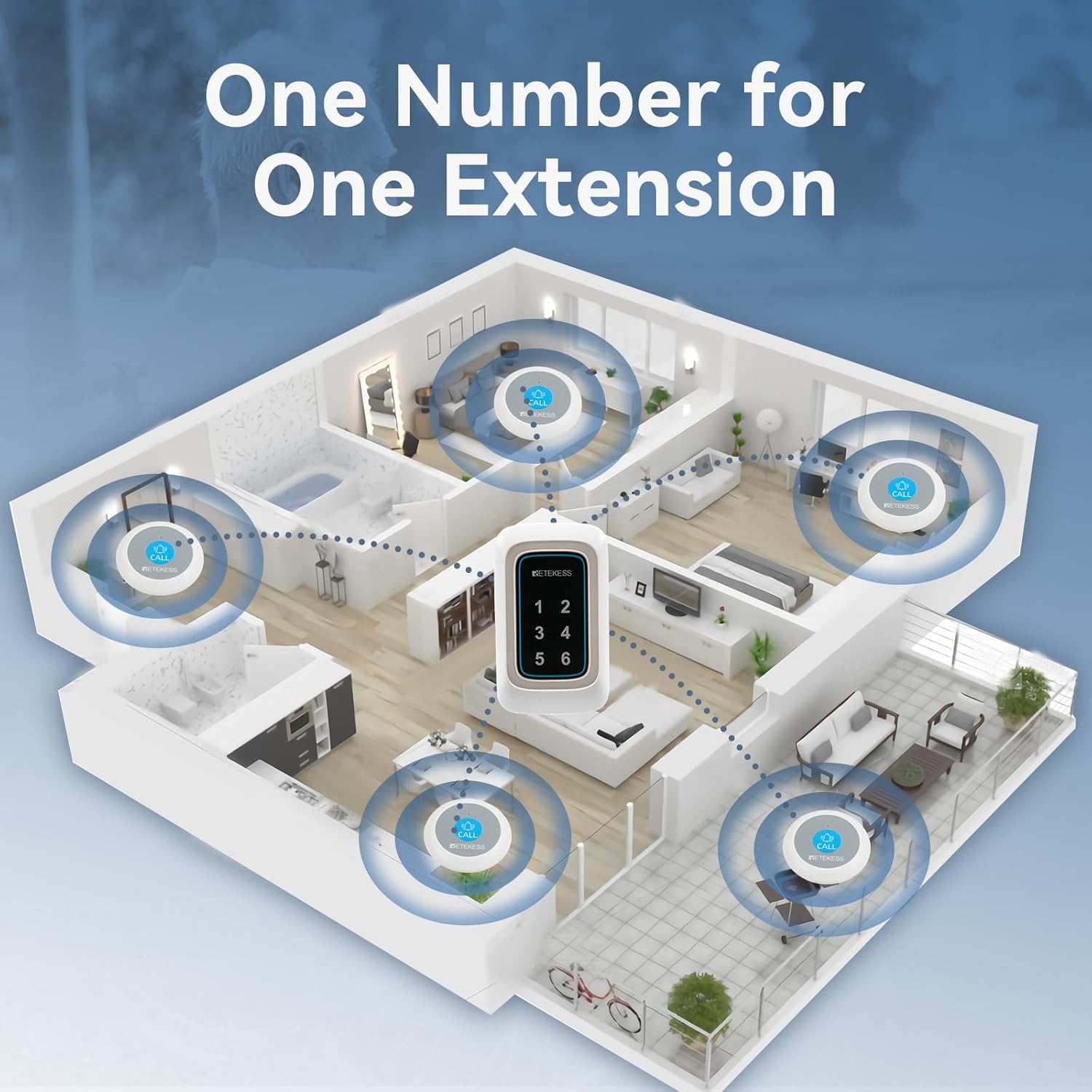
Image 1.1: The Retekess TH109N Watch Receiver and TD113 Call Button, illustrating the primary components of the caregiver alert system.
2. Product Components
The Retekess Caregiver Pager System typically includes the following components:
- TH109N Watch Receiver: The primary alert device worn by the caregiver, featuring a touchscreen display.
- TD113 Call Button: The emergency button used by the individual needing assistance.
- Magnetic Charging Cable (for Watch Receiver).
- User Manual.
3. Setup
3.1 Charging the Watch Receiver
- Connect the magnetic charging cable to a USB power source.
- Align the magnetic end of the cable with the charging contacts on the back of the TH109N Watch Receiver. The magnets will secure the connection.
- Allow the receiver to charge fully before first use. A full charge provides approximately 48 hours of standby time.

Image 3.1: The TH109N Watch Receiver being charged via its magnetic charging cable, highlighting the convenient connection method.
3.2 Call Button Battery Installation
The TD113 Call Button is powered by an ultra-low-power circuitry dry cell battery, offering up to two years of continuous standby. No user installation is typically required for initial use, but refer to the product packaging for specific battery replacement instructions if needed.
3.3 Pairing Devices
The system is typically pre-paired. If re-pairing is necessary or if you are adding new call buttons, follow these general steps:
- On the TH109N Watch Receiver, navigate to the pairing menu (refer to the on-screen instructions or a dedicated pairing section in the full manual).
- Activate the pairing mode on the receiver.
- Press the TD113 Call Button. The receiver should register the button and display a confirmation.
- Assign a specific number or identifier to each call button for easy identification.

Image 3.2: A diagram illustrating how multiple call buttons can be assigned to a single receiver, showing a typical home layout with various call points.
3.4 Placement Considerations
For optimal performance, place the TD113 Call Buttons in easily accessible locations where assistance might be needed, such as bathrooms, bedrooms, or living areas. The system offers a wide operating range of up to 850 feet (260 meters) in open areas, but environmental factors like walls and interference can affect this range.
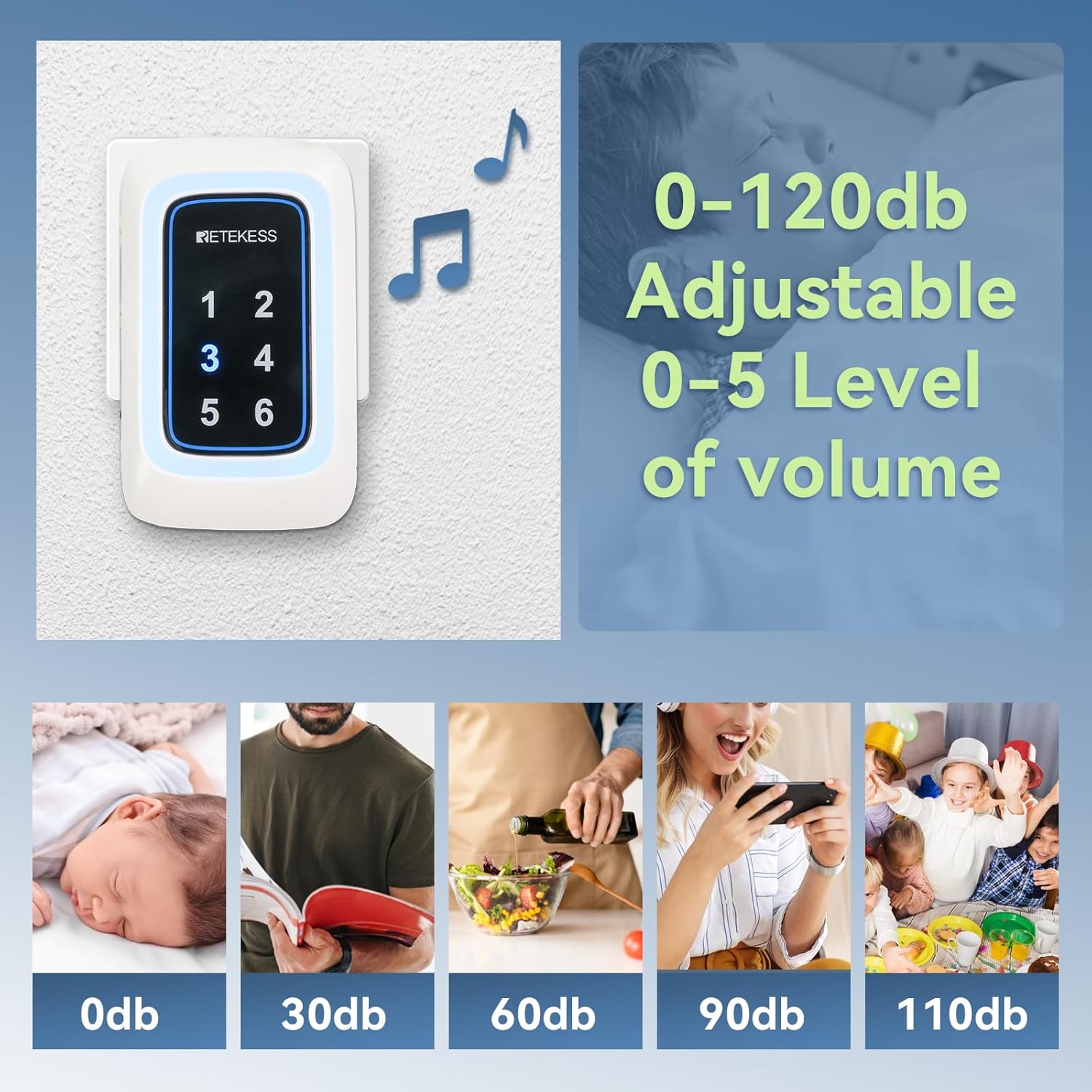
Image 3.3: An illustration demonstrating the extensive operating range of the Retekess system, capable of covering large areas like a hospital ward.
4. Operating Instructions
4.1 Making a Call
To request assistance, simply press the TD113 Call Button. The button will send a signal to the paired TH109N Watch Receiver.
4.2 Receiving a Call
When a call button is pressed, the TH109N Watch Receiver will alert the caregiver according to its set reminder mode (ringtone, vibration, or light). The display will show the identifier of the call button that initiated the alert.
4.3 Canceling a Call
After attending to an alert, you can cancel the call notification on the TH109N Watch Receiver to maintain a quiet environment. Navigate to the active alert on the touchscreen and select the 'cancel' or 'clear' option.
4.4 Adjusting Volume
The TH109N Watch Receiver offers adjustable volume levels from 0dB to 120dB, with 5 distinct levels. To adjust the volume:
- Access the settings menu on the touchscreen.
- Select the 'Volume' option.
- Choose your desired volume level from 0 to 5.
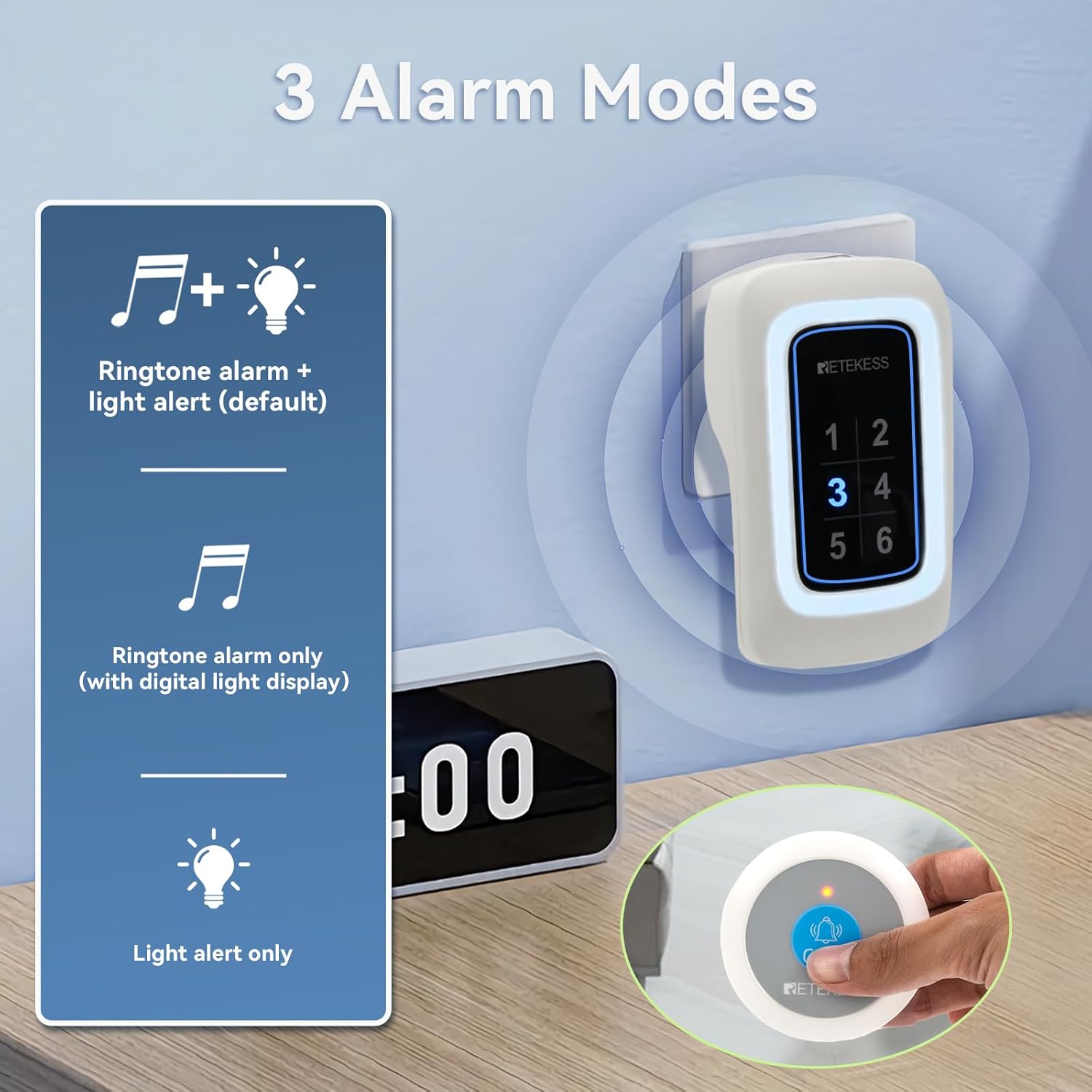
Image 4.1: The TH109N Watch Receiver displaying its adjustable volume settings, ranging from 0dB to 120dB across five levels.
4.5 Setting Alarm Modes
The TH109N Watch Receiver supports three alarm modes:
- Ringtone Alarm + Light Alert (Default): Both an audible ringtone and a visual light alert are activated.
- Ringtone Alarm Only: Only an audible ringtone is activated (with digital light display).
- Light Alert Only: Only a visual light alert is activated, providing a silent notification.
To change the alarm mode, navigate to the 'Alarm Mode' setting in the receiver's menu.

Image 4.2: A visual representation of the three distinct alarm modes available on the Retekess TH109N Watch Receiver.
4.6 Customizing Reminder Modes
Beyond alarm modes, the receiver allows for customizable combinations of vibrations and ringtones:
- Adjustable Vibration: Set vibration intensity from 0 to 100.
- Ringtone Options: Choose from 6 available ringtone options.
These settings can be accessed and adjusted through the 'Reminder Modes' or 'Sound Settings' menu on the touchscreen.
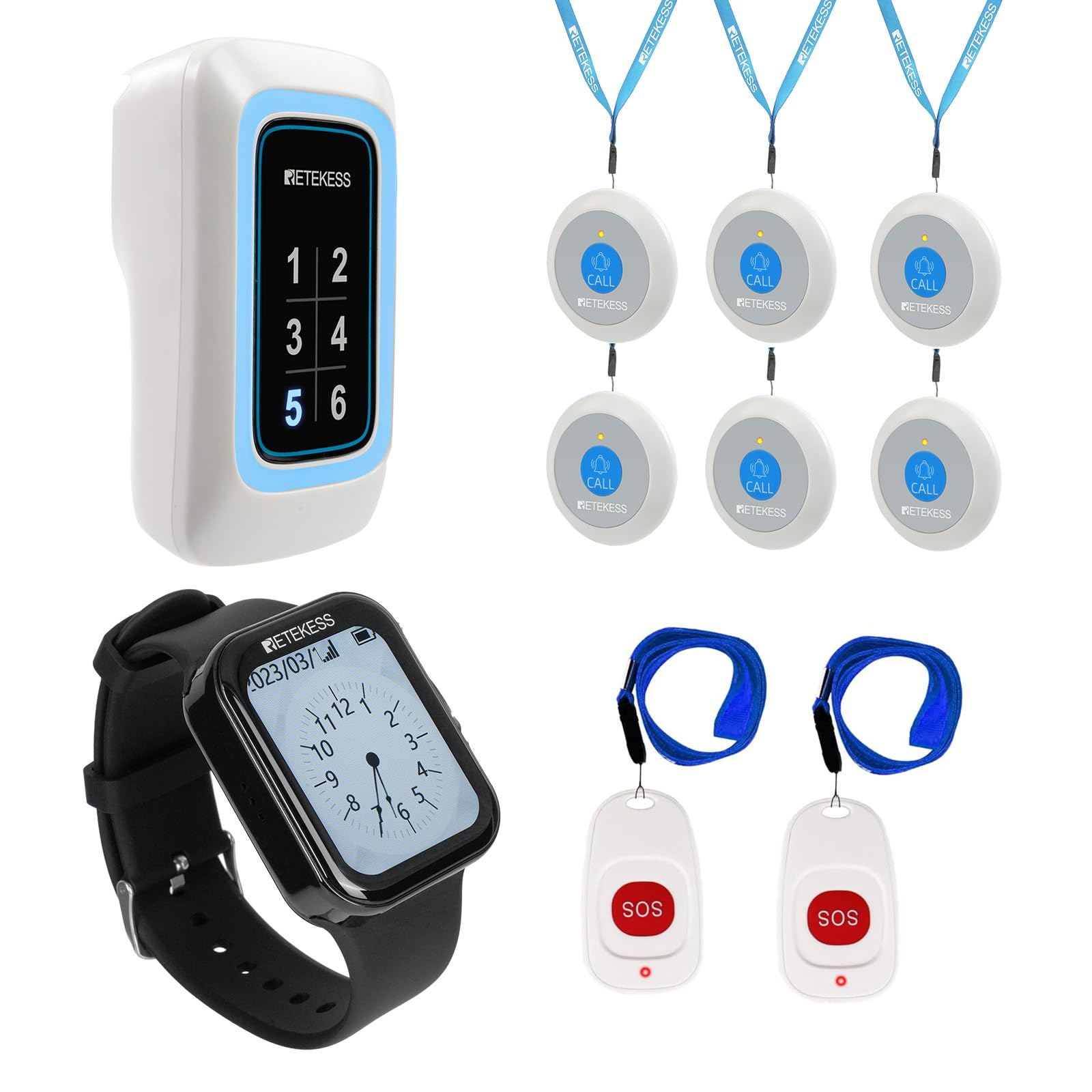
Image 4.3: The TH109N Watch Receiver's interface showing options for customizing sound, vibration, prompt duration, and sound type.
4.7 Touchscreen Operation
The TH109N Watch Receiver features a color touchscreen interface for convenient operation. Navigate through menus, select options, and adjust settings by tapping and swiping on the screen.
5. Maintenance
5.1 Waterproof and Dustproof Features
Both the TD113 Call Button and the TH109N Watch Receiver are designed with an IP67 rating, meaning they are waterproof and dustproof. This allows the call button to be used in wet environments like bathrooms and ensures durability against dust ingress. The watch receiver is also resistant to water splashes and brief immersion (up to 1 meter deep for 30 minutes).

Image 5.1: The TH109N Watch Receiver submerged in water, demonstrating its IP67 waterproof and dustproof capabilities.
5.2 Cleaning
To clean the devices, wipe them with a soft, damp cloth. Avoid using harsh chemicals or abrasive cleaners, as these may damage the surface or internal components. Ensure the charging contacts on the watch receiver are clean and dry before charging.
5.3 Battery Care
The TD113 Call Button's dry cell battery offers extended life (up to two years standby). The TH109N Watch Receiver's 500mAh battery provides approximately 48 hours of standby time. Charge the watch receiver regularly to ensure it is ready for use. Avoid extreme temperatures, which can affect battery performance and lifespan.
6. Troubleshooting
- No Alert on Receiver:
- Check if the watch receiver is powered on and charged.
- Ensure the call button is within the operating range.
- Verify that the call button is properly paired with the receiver.
- Check the call button's battery.
- Short Operating Range:
- Ensure there are no significant obstructions (thick walls, metal structures) between the call button and the receiver.
- Relocate devices to minimize interference.
- Receiver Not Responding to Touch:
- Ensure the screen is clean and dry.
- Restart the watch receiver.
7. Specifications
| Brand | Retekess |
| Model (Receiver) | TH109N |
| Model (Call Button) | TD113 |
| Waterproof Rating | IP67 (Call Button & Watch Receiver) |
| Operating Range | Up to 850 feet / 260 meters (open area) |
| Watch Receiver Battery | 500mAh, 48 hours standby |
| Call Button Battery | Dry cell, up to 2 years standby |
| Volume Levels | 0-120dB, 5 adjustable levels |
| Alarm Modes | Ringtone + Light, Ringtone Only, Light Only |
| Reminder Modes | Adjustable vibration (0-100), 6 ringtone options |
| Display | Touchscreen color interface |
8. Warranty and Support
For warranty information, technical support, or service inquiries, please refer to the official Retekess website or contact their customer support directly. Keep your purchase receipt as proof of purchase for warranty claims.