
Introduction
This manual provides comprehensive instructions for the installation, operation, and maintenance of your XIANJU Keyless Entry Door Lock and Deadbolt Set. Please read this manual thoroughly before installation and use to ensure proper function and safety. Keep this manual for future reference.
Important Safety Information
- Do not attempt to disassemble or repair the lock yourself. Contact qualified personnel for service.
- Use only the specified battery type (AA batteries). Do not mix old and new batteries or different types of batteries.
- Keep your master code and user codes confidential.
- Ensure the door is properly aligned and closes smoothly before installing the lock.
- Avoid exposing the lock to direct sunlight or extreme temperatures for prolonged periods.
Package Contents
Verify that all the following components are included in your package:
- Keypad Deadbolt Assembly
- Exterior Handle Assembly
- Interior Handle Assembly
- 2 Mechanical Keys
- USB-C Emergency Power Cable
- Mounting Hardware (screws, strike plate, latch)
- Installation Template
Setup and Installation
Before you begin, ensure your door is prepared according to the included installation template. A standard door thickness of 35-50mm (1-3/8" to 2") is typically supported.
- Prepare the Door: Use the provided template to mark and drill holes if necessary. Ensure the existing boreholes are compatible.
- Install the Latch and Strike Plate: Insert the latch into the door edge and secure it with screws. Install the strike plate on the door frame.
- Install the Exterior Assembly: Insert the keypad deadbolt and exterior handle into the door, ensuring the spindle passes through the latch mechanism.
- Install the Interior Assembly: Connect the interior handle assembly to the exterior assembly using the provided screws. Ensure all cables are properly connected and tucked away.
- Install Batteries: Open the battery cover on the interior assembly and insert 4 AA batteries (not included), observing polarity.
- Test Operation: After installation, test the mechanical key and the default code (if any) to ensure smooth operation.

Image: The XIANJU Keyless Entry Door Lock and handle assembly installed on a door, ready for use.
Operation
Unlocking the Door
- Using a Code: Enter your valid 4-8 digit code on the keypad, then press the '#' key. The lock will unlock, and a voice prompt will confirm.
- Using a Mechanical Key: Insert the provided mechanical key into the keyhole and turn to unlock the deadbolt.

Image: A person demonstrating keyless entry by entering a code on the keypad.
Programming Codes
The lock supports various user types for flexible access management.

Image: Visual representation of the permission-based management system, including Admin, Normal, Time Limit, and One-Time codes.
- Admin Code: The first code set is typically the Admin code. This code has full permissions to manage other users and settings. Follow the voice prompts for initial setup.
- Normal User Codes: These codes provide unlimited access. Admin users can add or delete up to 200 normal user codes.
- Time Limit Codes: These codes are valid only within a specified time period. Ideal for temporary access for guests or service providers.
- One-Time Codes: These codes become invalid after a single use. Useful for one-off access requirements.
Refer to the detailed programming instructions in the quick start guide for specific steps on adding and managing each code type.
Advanced Features

Image: An overview of the lock's combined features, including Auto-Lock, support for over 200 users, Anti-Peep Code, Voice Prompts, and IP55 weather resistance.
- Automatic Locking: The lock can be configured to automatically lock after a set period (e.g., 5, 10, 15 seconds) once the door is closed. This feature can be enabled or disabled via the Admin menu.
- Anti-Peep Password: To prevent others from guessing your code, you can enter random digits before or after your actual code. The lock will still recognize the correct sequence within the longer string of numbers.
- Voice Prompts: The lock provides clear voice guidance during setup and operation, making it easier to program and use.
- Integrated Doorbell: Press the doorbell button on the exterior unit to activate the chime on the interior unit, alerting occupants.
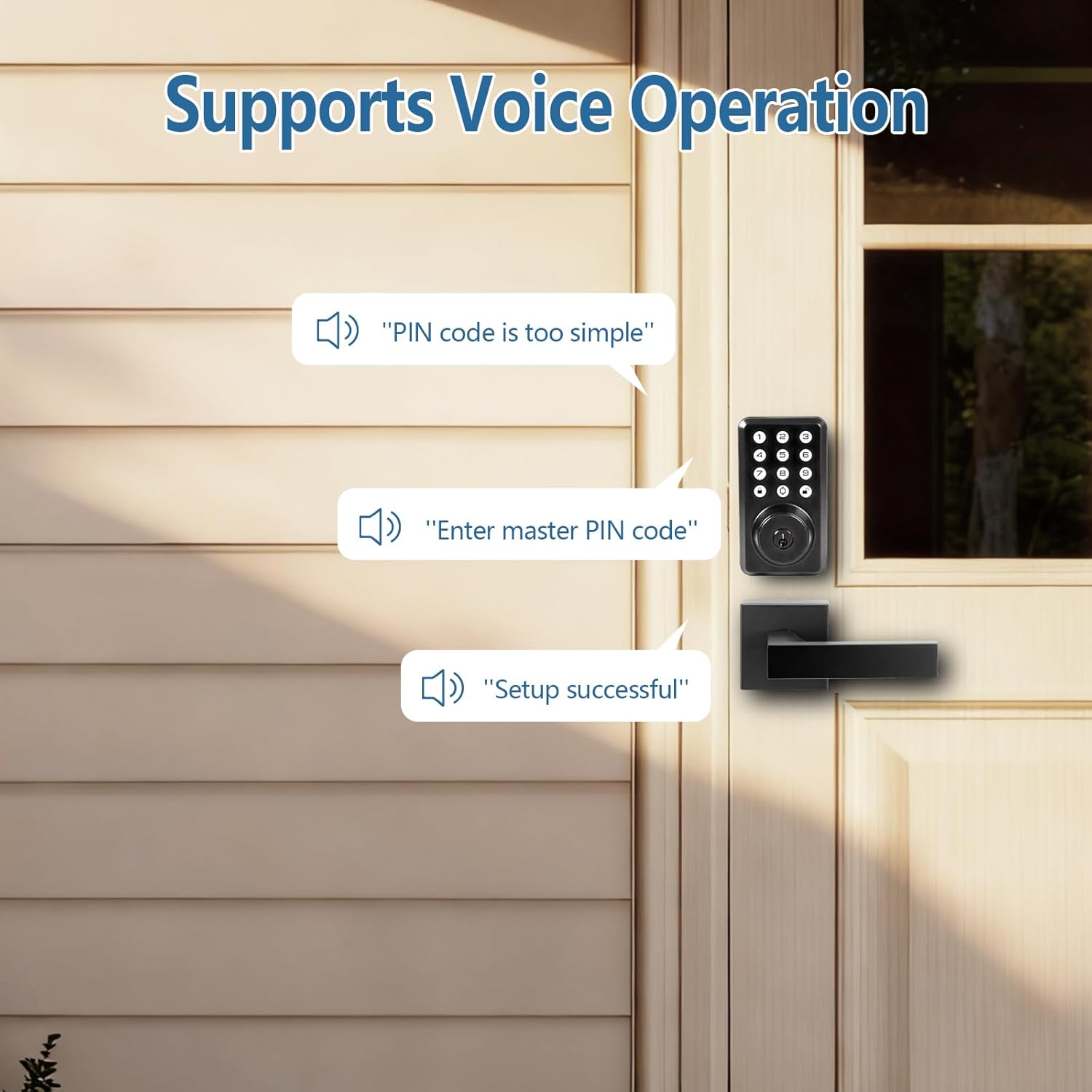
Image: The lock demonstrating its voice operation feature with example prompts.
Maintenance
Battery Replacement
The lock is powered by 4 AA batteries. When the battery level is low, the lock will provide a low power alert via voice prompt or indicator light. Replace all four batteries promptly to ensure continuous operation.
- Locate the battery cover on the interior assembly.
- Remove the cover.
- Remove the old batteries and dispose of them responsibly.
- Insert 4 new AA alkaline batteries, ensuring correct polarity (+/-).
- Replace the battery cover.
Emergency Power
In case of complete battery depletion, the lock can be temporarily powered using a USB-C cable connected to an external power bank.
- Locate the USB-C port on the exterior keypad assembly (usually at the bottom).
- Connect a USB-C cable from a power bank to this port.
- Once powered, you can enter your code to unlock the door.
- Replace the internal AA batteries as soon as possible after gaining entry.
Troubleshooting
| Problem | Possible Cause | Solution |
|---|---|---|
| Lock does not respond to keypad entry. | Low batteries; incorrect code; system error. | Replace batteries. Re-enter code carefully. Use emergency power. Perform a factory reset if necessary (refer to quick start guide). |
| Door does not lock/unlock smoothly. | Misalignment of lock components; door frame issues. | Check installation for proper alignment. Ensure the door closes without resistance. Adjust strike plate if needed. |
| Voice prompts are unclear or too loud/quiet. | Volume settings. | Adjust the volume setting through the Admin menu (refer to quick start guide). |
| Lock beeps continuously after multiple incorrect entries. | Anti-tamper alarm activated. | Wait for the alarm to clear (typically after a few minutes) or enter a correct code. |
Specifications
- Brand: XIANJU
- Model Number: XJ-D1PW601-BLK
- Lock Type: Keypad Deadbolt
- Material: Metal
- Special Feature: Anti-peep password, Voice prompt, Automatic locking, Integrated doorbell
- Power Source: 4 x AA Batteries (not included)
- Emergency Power: USB Type-C
- User Capacity: Up to 200 users
- Recommended Use: Residential doors, Commercial doors
- Package Dimensions: 22.4 x 14.71 x 7.29 cm
- Item Weight: 1.17 kilograms
Warranty and Support
For warranty information or technical support, please refer to the documentation provided with your purchase or contact XIANJU customer service through your retailer or the official XIANJU website. Please have your model number (XJ-D1PW601-BLK) and purchase date ready when contacting support.