
Product Overview
The UGREEN Active DisplayPort to HDMI Adapter (Model 85996P) facilitates the connection of a DisplayPort-enabled source device to an HDMI-enabled display. This adapter supports high resolutions and refresh rates, including 8K@60Hz, 4K@240Hz, and 2K@240Hz, ensuring a high-quality visual experience. It is designed for unidirectional signal transmission from DisplayPort to HDMI.
Key features include:
- High Resolution Support: Up to 8K@60Hz, 4K@240Hz, 2K@240Hz, and 1080P@480Hz.
- Unidirectional Signal Flow: Converts DisplayPort 1.4 output to HDMI 2.1 input only.
- Advanced Technologies: Supports HDCP 2.2, DSC1.2a, HDR 10+, 3D visuals, and G-SYNC compatibility.
- Audio Synchronization: Supports 24-bit/192kHz audio sampling rate for perfect audio-visual synchronization.
- Wide Compatibility: Works with various DisplayPort source devices (PCs, laptops, graphics cards) and HDMI display devices (monitors, TVs, projectors).
- Durable Construction: Features an aluminum housing for heat dissipation, tinned copper conductors for conductivity, and gold-plated ports for corrosion resistance.
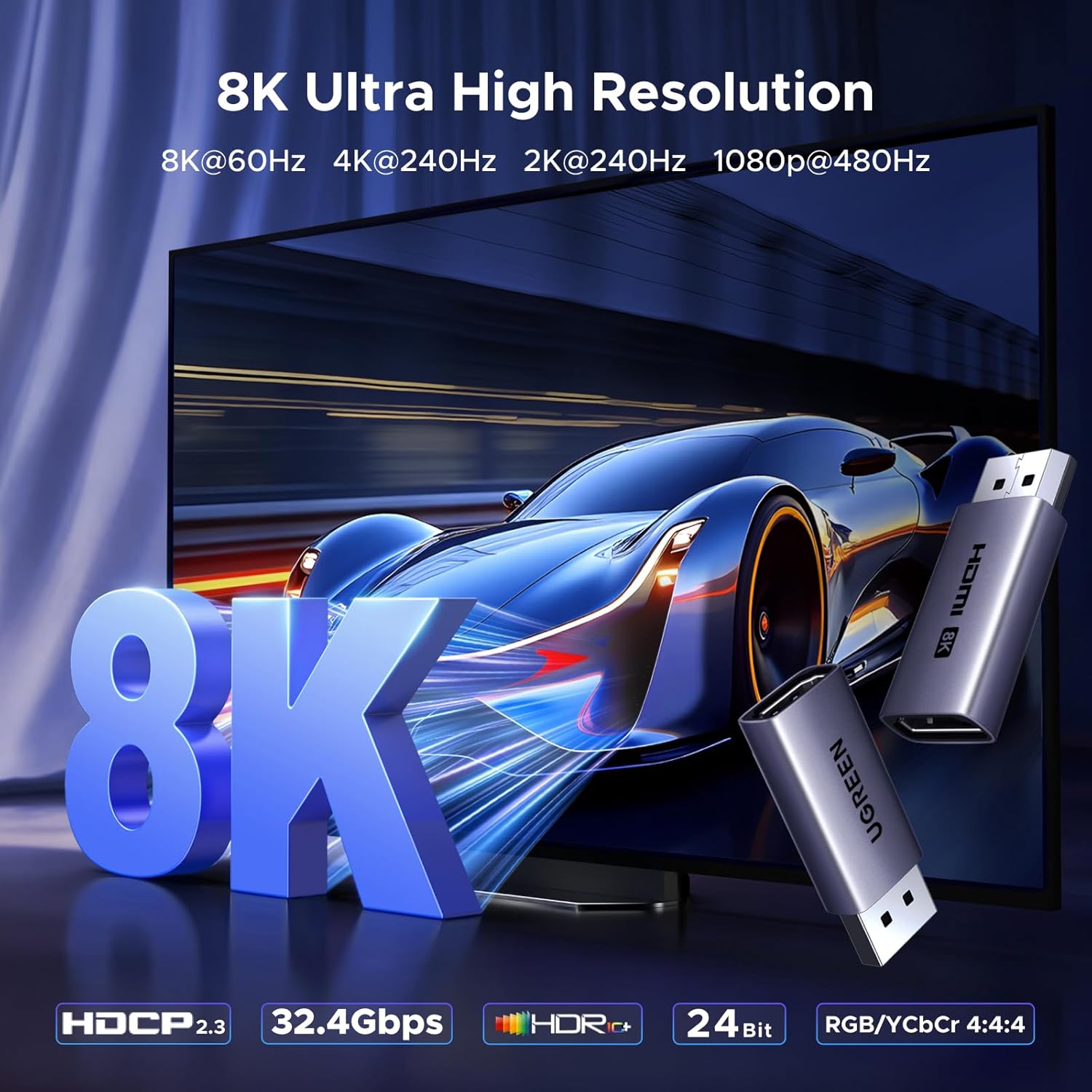
Image: The UGREEN adapter highlighting its 8K Ultra High Resolution support.
Setup Instructions
The UGREEN DisplayPort to HDMI adapter is designed for plug-and-play functionality, requiring no driver installation.
- Connect the Adapter to the DisplayPort Source: Insert the DisplayPort male end of the adapter into the DisplayPort output port of your source device (e.g., PC, laptop, graphics card). This converts the DisplayPort output into an HDMI female port.
- Connect the HDMI Cable: Connect one end of a standard HDMI cable (not included) into the HDMI female port of the adapter.
- Connect to the HDMI Display: Connect the other end of the HDMI cable to the HDMI input port of your display device (e.g., monitor, TV, projector).
Important Note:
- This adapter supports unidirectional signal flow only: from DisplayPort source to HDMI display. It will not work in the reverse direction (HDMI source to DisplayPort display).
- To achieve 8K@60Hz resolution, both your DisplayPort source device and your HDMI display device, as well as the HDMI cable used, must support 8K@60Hz. Similarly for other high resolutions like 4K@240Hz.

Image: Step-by-step connection guide for the adapter.

Image: Visual representation of the unidirectional DisplayPort to HDMI connection.
Operating Modes
This adapter supports various display modes, enhancing your productivity and entertainment experience.
- Mirroring Mode: Duplicate your primary display's content onto a secondary HDMI display. Ideal for presentations or sharing content.
- Extended Mode: Extend your desktop across multiple displays, allowing for increased workspace and multitasking.
The adapter's high refresh rate capabilities (up to 240Hz for 4K/2K) are particularly beneficial for gaming, providing smooth and fluid visuals. G-SYNC compatibility further enhances the gaming experience by synchronizing display refresh rates with the GPU.

Image: Example of an extended display setup using the adapter.

Image: The adapter enabling high-refresh-rate gaming.
Maintenance
To ensure the longevity and optimal performance of your UGREEN DisplayPort to HDMI adapter, follow these simple maintenance guidelines:
- Storage: Store the adapter in a cool, dry place away from direct sunlight and extreme temperatures.
- Cleaning: Use a soft, dry cloth to gently wipe the adapter. Avoid using liquid cleaners or abrasive materials, as these can damage the device.
- Handling: Always grasp the connector ends when plugging or unplugging the adapter. Avoid pulling on the cable itself, which can damage internal wiring.
- Protection: When not in use, consider using the original packaging or a protective pouch to prevent dust and physical damage.
- Avoid Repeated Plugging/Unplugging: While the adapter is designed for durability, minimizing frequent plugging and unplugging can help preserve the integrity of your device's original DisplayPort.

Image: The adapter helps protect your device's original DisplayPort from wear and tear.
Troubleshooting
If you encounter issues while using your UGREEN DisplayPort to HDMI adapter, please refer to the following common problems and solutions:
- No Display/Black Screen:
- Ensure all connections are secure. Unplug and re-plug both the DisplayPort and HDMI ends.
- Verify that your DisplayPort source device is powered on and outputting a signal.
- Check if your HDMI display is set to the correct input source.
- Test with a different HDMI cable to rule out cable issues.
- Confirm that the adapter is connected in the correct unidirectional flow (DP source to HDMI display). It will not work from HDMI source to DP display.
- Incorrect Resolution or Refresh Rate:
- Ensure both your source device (graphics card settings) and your display support the desired resolution and refresh rate (e.g., 8K@60Hz, 4K@240Hz).
- Check the specifications of your HDMI cable. For 8K@60Hz or 4K@240Hz, a high-speed HDMI 2.1 cable is required.
- Update your graphics card drivers to the latest version.
- No Audio:
- Verify that the audio output settings on your source device are configured to send audio via DisplayPort/HDMI.
- Check the volume levels on both your source device and your display.
- Ensure your HDMI display has built-in speakers or is connected to external audio output.
- Intermittent Signal/Flickering:
- Ensure all connections are firm and free from interference.
- Reduce the resolution or refresh rate to see if the issue persists. This can help determine if it's a bandwidth limitation.
- Check for potential electromagnetic interference (EMI) from other electronic devices.
- Adapter Not Recognized After Sleep Mode:
- Some systems may require re-plugging the adapter after waking from sleep mode. Ensure your system's power management settings are configured correctly for external displays.
- Consider updating your system's BIOS/UEFI firmware and graphics drivers.
If the problem persists after trying these steps, please contact UGREEN customer support for further assistance.
Specifications
| Feature | Detail |
|---|---|
| Model Number | 85996P |
| Brand | UGREEN |
| Connector Type | DisplayPort Male to HDMI Female (Unidirectional) |
| Max Resolution & Refresh Rate | 8K@60Hz, 4K@240Hz, 2K@240Hz, 1080P@480Hz |
| DisplayPort Standard | DP 1.4 (backward compatible with DP 1.3/1.2) |
| HDMI Standard | HDMI 2.1 |
| Bandwidth | 32.4Gbps |
| HDCP Support | HDCP 2.2, HDCP 2.3 |
| HDR Support | HDR 10+ |
| Audio Support | 24-bit/192kHz audio sampling, 3D audio, Dolby Atmos, DTS:X |
| Color Depth | 8-bit (10-bit may not be supported) |
| Compatible Devices (Source) | PCs, Laptops, Graphics Cards (NVIDIA/AMD/RTX 50/30/40, RX 6000/7000, ThinkPad T14 Gen 4, UltraSharp) with DisplayPort output |
| Compatible Devices (Display) | Monitors, TVs, HDTVs, Projectors with HDMI input |
| Incompatible Devices (Source) | HDMI source devices (MacBook, PS5, PS4, Switch, Xbox, GoPro, docking stations with HDMI output) |
| Material | Aluminum housing, tinned copper conductors, gold-plated ports |
| Color | Grey |

Image: Visual representation of 8K resolution capabilities.

Image: Table detailing recommended cable lengths and AWG for various resolutions.
Warranty and Support
UGREEN products typically come with a standard manufacturer's warranty. For specific warranty details, including duration and coverage, please refer to the warranty card included with your product or visit the official UGREEN website.
For technical support, troubleshooting assistance, or warranty claims, please contact UGREEN customer service through their official website or the contact information provided in your product packaging. When contacting support, please have your product model number (85996P) and purchase details readily available.
UGREEN Official Website: www.ugreen.com


