
Garmin 010-02875-10
Contents
Garmin Rally RS210 Dual-Sensing Power Meter Instruction Manual
Model: 010-02875-10
Brand: Garmin
Introduction
The Garmin Rally RS210 is a dual-sensing power meter pedal system designed for cyclists. It provides precise power data and is compatible with SHIMANO SPD-SL cleats. The pedals are rechargeable, easy to transfer between bikes, and offer advanced cycling dynamics for detailed performance analysis.

Image: Garmin Rally RS210 Dual-Sensing Power Meter Pedals.
What's in the Box
- Rally RS210 pedal-based power meter
- Two charging clips and charging cables
- SHIMANO SPD-SL compatible cleats
- Hardware
- Documentation
Setup
1. Pedal Installation
The Rally RS210 power meters are pedal-based and install like any standard bicycle pedals. They are compatible with SHIMANO SPD-SL cleats. The removable power sensor allows for easy transfer between bikes or use with Rally XC210 off-road pedal bodies (sold separately).

Image: Cyclists riding on a road, illustrating the use of Garmin Rally pedals.
2. Charging the Pedals
The pedals feature a rechargeable battery. Use the provided charging clips and cables to charge the pedals. A quick 15-minute charge can provide up to 12 hours of ride time, with a full charge offering up to 90 hours.
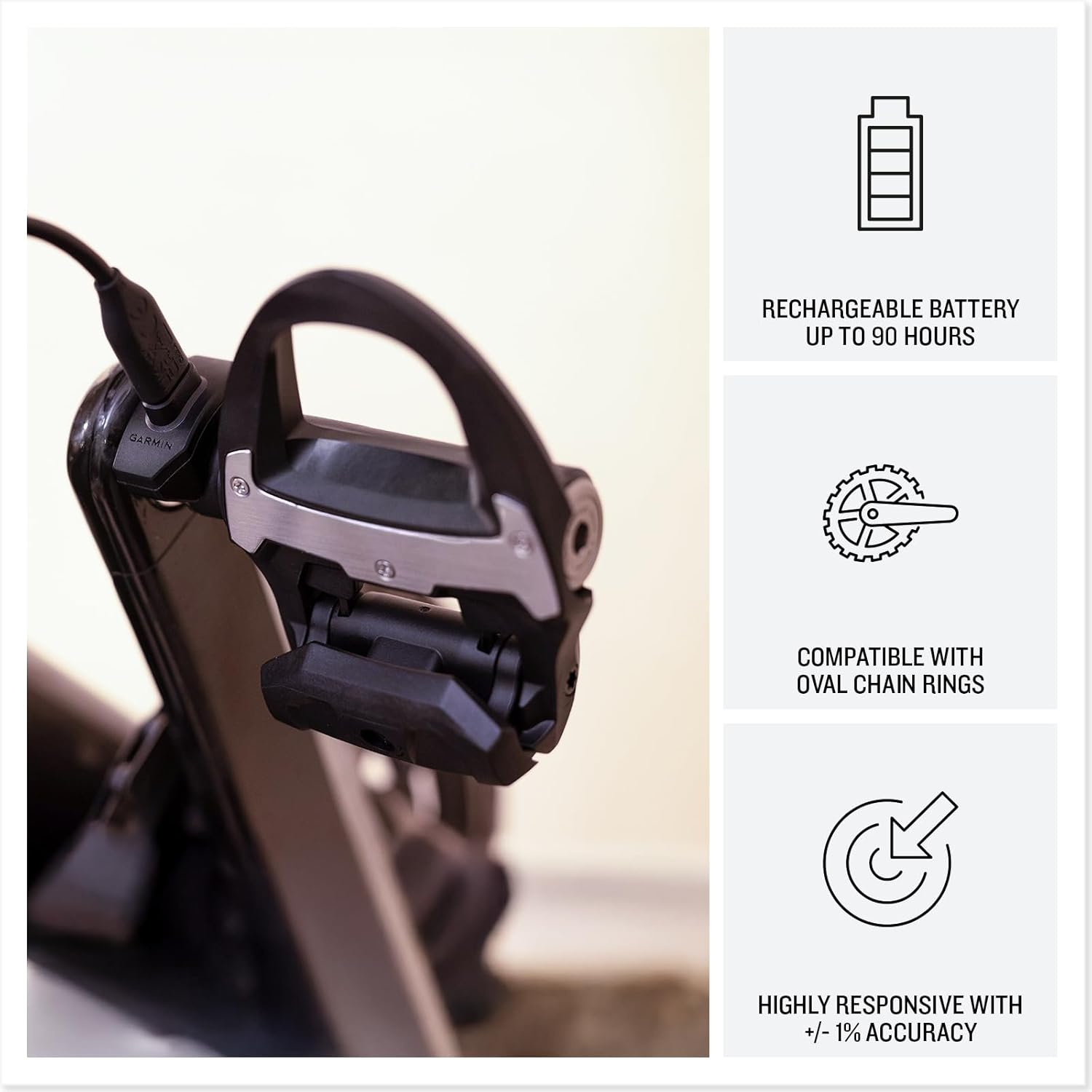
Image: A Garmin Rally pedal connected to a charging clip and cable.
3. Pairing and Calibration
Pair your Rally power meter pedals with compatible Garmin cycling computers and the Garmin Connect app for easy data uploads and software updates. The Pedal IQ smart calibration feature will alert you when calibration is needed, based on factors like temperature changes since the last calibration.
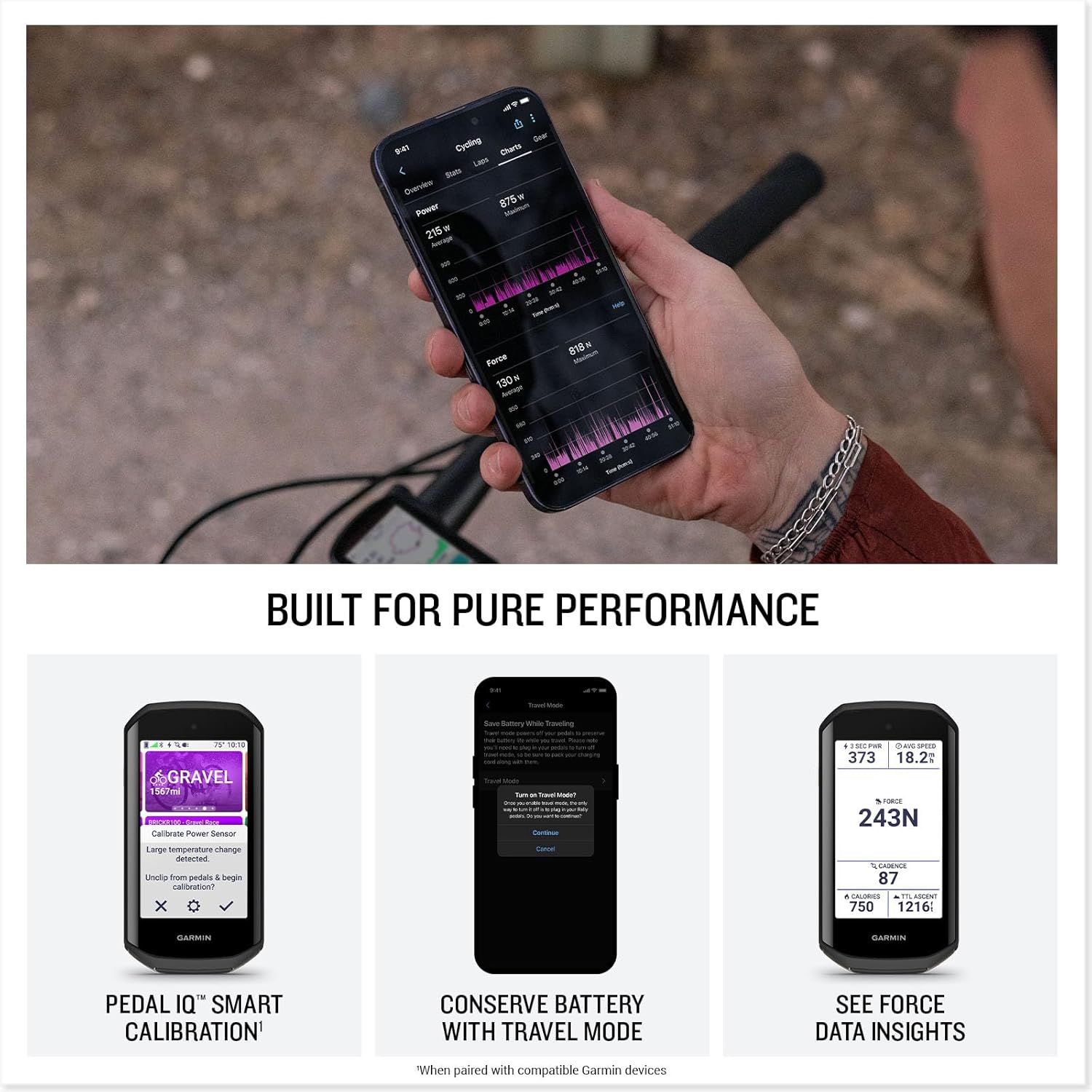
Image: A Garmin Edge device showing a 'Calibrate Power Sensor' alert from Pedal IQ.
4. Cleat Compatibility
The Rally RS210 pedals are compatible with SHIMANO SPD-SL cleats. The system also supports oval chain rings.

Image: Various Garmin Rally pedal types illustrating different cleat compatibility options.
5. Product Overview Video
Video: An official Garmin video providing an overview of the Rally 110/210 power meter pedals, including features and benefits.
Operating
Once connected to your compatible Garmin device, the Rally RS210 will automatically begin collecting data when you start your ride. The dual-sensing capability provides comprehensive cycling dynamics.
1. Cycling Dynamics Data
The pedals collect various metrics including left/right balance, seated versus standing time, platform center offset, and power phase. This data offers detailed insights into your pedaling efficiency and technique.

Image: A smartphone showing the Garmin Connect app with graphs and percentages for left/right power balance and power phase.
2. Garmin Connect App Integration
Utilize the Garmin Connect app on your smartphone, tablet, or desktop to analyze your performance data, track trends, and manage device settings. The app provides a user-friendly interface to review your rides and gain deeper understanding of your training.

Image: The Garmin Connect app logo and a screenshot of its interface on a smartphone, highlighting data analysis features.
3. Travel Mode
To conserve battery life during transport or when not in use, you can put the pedals into travel mode. This feature helps maximize the time between charges.
Maintenance
The Rally RS210 pedals are designed for durability with redesigned carbon pedal bodies that reduce weight and improve longevity. The rechargeable battery provides convenience and long-lasting performance.
Battery Life
The pedals offer up to 90 hours of ride time on a single charge. For quick top-ups, 15 minutes of charging provides approximately 12 hours of use.
Specifications
- Brand: Garmin
- Model Number: 010-02875-10
- Color: Black & Silver
- Material: Polycarbonate (PC)
- Item Weight: 11 Ounces
- Product Dimensions: 3.58 x 4.05 x 1.41 inches
- Batteries: 1 Lithium Ion battery required (included)
- Connectivity Technologies: Bluetooth, USB, Wi-Fi
- Operating System: Garmin OS
- UPC: 753759349592
Warranty and Support
For warranty information, technical support, and additional resources, please refer to the official Garmin website or the documentation included with your product. Garmin provides comprehensive support for its products.
Documents and downloads
Ask a question about this manual
Ask about setup, troubleshooting, compatibility, parts, safety, or missing instructions. Manuals+ will review the question and use this page’s manual context to help answer it.