
1. Introduction
Thank you for choosing the Sweetcrispy Compact Armless Treadmill. This manual provides essential information for the safe and effective operation, maintenance, and troubleshooting of your new walking pad. Please read this manual thoroughly before initial use and retain it for future reference.
2. Safety Information
To ensure safe operation and prevent injury, please adhere to the following guidelines:
- Always place the treadmill on a flat, stable surface.
- Ensure adequate clear space around the treadmill during use.
- Keep children and pets away from the treadmill during operation.
- Do not use the treadmill if you weigh more than the maximum recommended weight of 200 pounds (approximately 90.7 kg).
- Always attach the safety key before starting the treadmill. The treadmill will not operate without the safety key properly in place.
- Wear appropriate athletic footwear.
- If you experience pain, dizziness, or shortness of breath, stop exercising immediately.
- Unplug the treadmill from the power source when not in use or before cleaning and maintenance.
- Do not attempt to repair the treadmill yourself. Contact customer support for assistance.
3. Package Contents
Verify that all components are present in the package:
- Sweetcrispy Compact Armless Treadmill
- Remote Control
- Safety Key
- Power Cord
- Silicone Oil (for lubrication)
- Allen Wrench
- User Manual (this document)
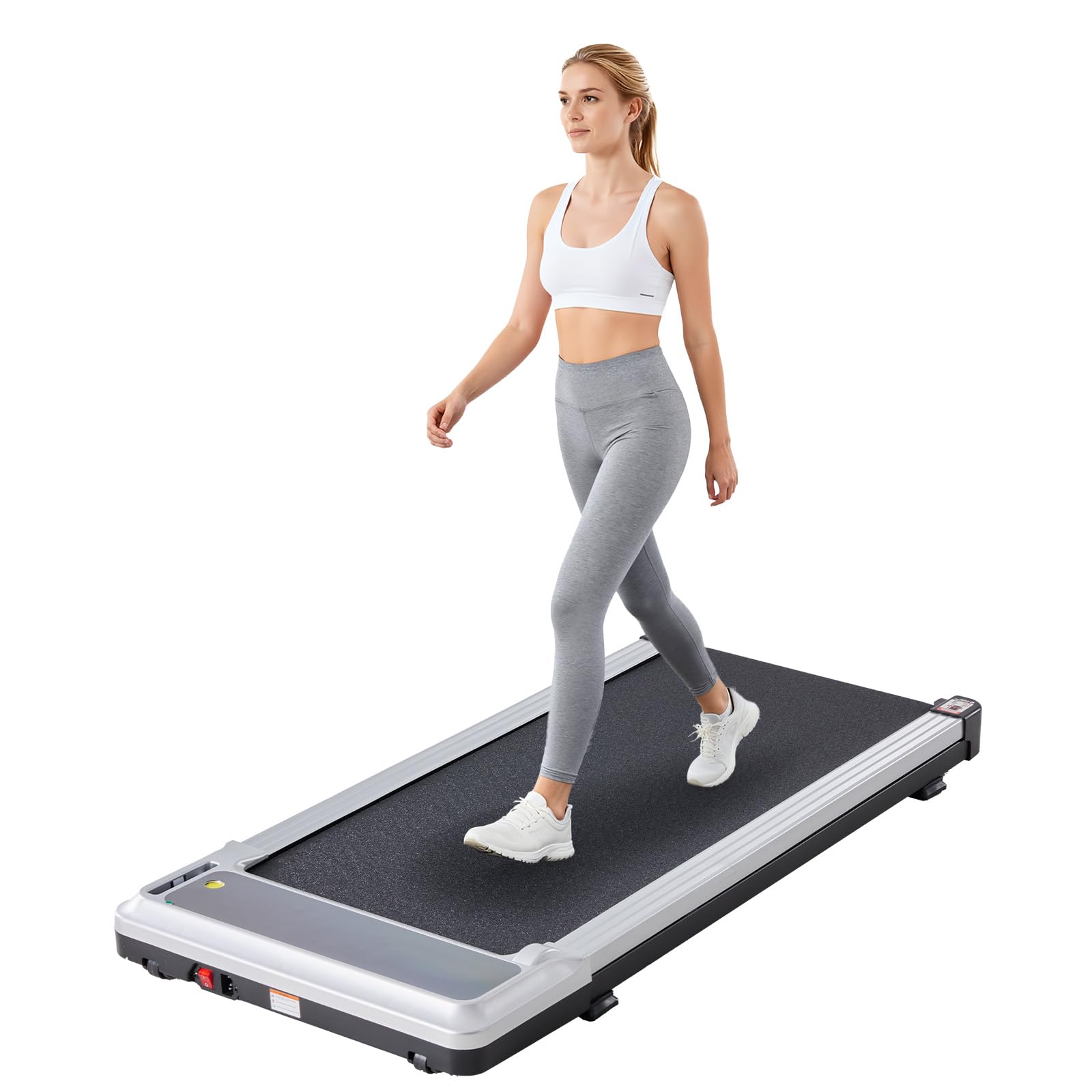
Figure 3.1: Package Contents
4. Setup
- Unpacking: Carefully remove the treadmill and all accessories from the packaging.
- Placement: Place the treadmill on a firm, level surface, ensuring there is sufficient space around it for safe operation.
- Power Connection: Connect the power cord to the treadmill and then to a grounded electrical outlet.
- Safety Key: Locate the safety key and attach it to the designated area on the treadmill's console. The treadmill will not power on or operate without the safety key in place.
5. Operating Instructions
5.1 Power On/Off
Press the power button on the remote control to turn the treadmill on or off. Ensure the safety key is attached before powering on.
5.2 Remote Control Functions
The included remote control allows you to adjust speed and modes. Point the remote control towards the treadmill's display for optimal response.

Figure 5.1: LED Display and Remote Control
5.3 LED Display
The integrated LED display provides real-time tracking of your workout metrics:
- TIME: Duration of your workout.
- SPEED: Current walking/running speed in MPH.
- DISTANCE: Total distance covered during the workout.
- CALORIES: Estimated calories burned.
5.4 Speed Modes
The treadmill offers three distinct speed ranges to accommodate various activities:
- Working Mode: 0.6 - 1.5 MPH (Ideal for light activity while working or reading).
- Walking Mode: 0.6 - 2.5 MPH (Suitable for a steady walking pace).
- Running Mode: 2.5 - 3.1 MPH (For brisk walking or light jogging).

Figure 5.2: Treadmill Modes
5.5 Safety Key Operation
The safety key is a critical safety feature. Attach the magnetic end of the safety key to the designated area on the treadmill's console. The clip end should be attached to your clothing. In case of an emergency or if you step off the treadmill, the safety key will detach, immediately stopping the treadmill.

Figure 5.3: Safety Key in Use
5.6 Running Belt and Shock Absorption
The treadmill features a durable, slip-resistant running belt and a shock absorption design to provide a comfortable and safe workout experience, reducing impact on your joints.

Figure 5.4: Non-Slip Running Belt and Shock Absorption
6. Maintenance
6.1 Lubrication
Regular lubrication of the running belt and deck is essential for optimal performance and longevity. Use the provided silicone oil and lubricate the belt and deck monthly, or as needed based on usage frequency. Refer to the specific instructions in the full user manual for the lubrication process.
6.2 Cleaning
Wipe down the treadmill with a damp cloth after each use to remove sweat and dust. Do not use abrasive cleaners or solvents. Ensure the treadmill is unplugged before cleaning.
7. Storage
The Sweetcrispy Compact Armless Treadmill is designed for easy storage due to its slim and portable design. It can be stored upright or flat under furniture.

Figure 7.1: Effortless Mobility and Storage

Figure 7.2: Compact Size for Storage
8. Troubleshooting
8.1 Error Code E14
If the treadmill displays an "E14" error code, this typically indicates that the safety key is not properly attached. Ensure the magnetic safety key is securely placed on the designated area of the console. The treadmill will not operate until the safety key is correctly engaged.
8.2 General Issues
- Treadmill does not power on: Check if the power cord is securely plugged into both the treadmill and the wall outlet. Ensure the safety key is correctly attached.
- Unusual noises: Stop using the treadmill immediately and inspect for any loose parts or obstructions. If the noise persists, contact customer support.
- Belt slipping: The running belt may require adjustment or lubrication. Refer to the maintenance section or the full user manual for instructions.
9. Specifications
| Brand | Sweetcrispy |
| Model Name | Sweetcrispy Compact Armless Treadmill for Small Spaces |
| Product Dimensions (D x W x H) | 107.2 x 48.8 x 9.1 cm (42.2 x 19.2 x 3.6 inches) |
| Item Weight | 13.6 kg (29.98 lbs) |
| Material | Stainless Steel |
| Maximum Speed | 5 Kilometers per Hour (approx. 3.1 MPH) |
| Maximum Horsepower | 1.75 HP |
| Maximum Weight Recommendation | 200 Pounds (approx. 90.7 kg) |
| Power Source | Corded Electric |
| Metrics Measured | Distance, Speed, Time, Calories |
| Special Feature | Foldable, Quiet Motor, LED Display, Remote Control |
| Included Components | Power Cord, Remote Control, Safety Key, User Manual |
10. Warranty and Support
For warranty information, technical support, or any inquiries regarding your Sweetcrispy Compact Armless Treadmill, please refer to the contact details provided in your purchase documentation or visit the official Sweetcrispy website. Please have your model number and purchase date available when contacting support.

