
1. Product Overview
The Eonon A304 is a 16-pin car Digital Sound Processor (DSP) amplifier designed to enhance your car audio experience. It features a professional automotive DSP chip and a built-in Class D digital amplifier, delivering a powerful 4-channel x 50W maximum output. This unit provides excellent sound quality with adjustable bass, treble, and EQ tuning options.
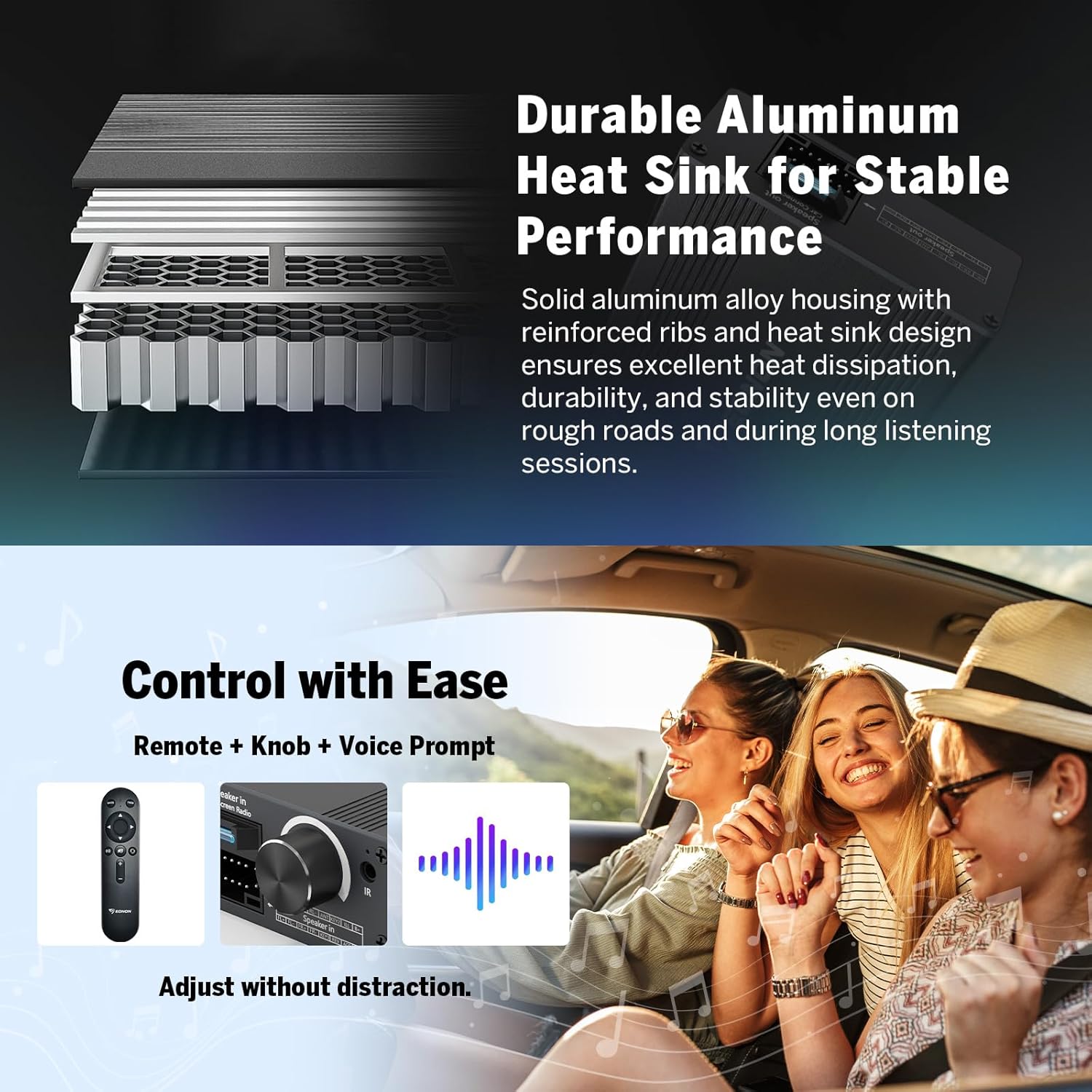
Its compact size and universal 16-pin power interface ensure a plug-and-play installation with compatible car stereos, eliminating the need for complex wiring. The durable aluminum alloy heat sink ensures stable performance and efficient heat dissipation.


2. Package Contents
Please check the package contents upon unboxing to ensure all components are present:
- 1 x Main Unit (Host)
- 1 x Remote Receiver
- 1 x Power Cable
- 1 x Remote Controller
- 1 x User Manual

3. Compatibility
The Eonon A304 DSP Amplifier is compatible with all car stereos that feature a standard 16-pin power plug. This allows for a direct, wire-free, plug-and-play installation.
Important Note: If you are unsure about compatibility with your specific car stereo, please take a photo of your stereo's interface and consult with Eonon support for confirmation before installation.

4. Setup and Installation
The Eonon A304 is designed for easy, tool-free installation due to its compact size (90mm W × 122mm L × 37mm H) and standard 16-pin power connector.
Installation Steps:
- Connect the provided power cable to the power interface of your aftermarket car stereo.
- Connect the 16-pin power cable of the aftermarket car radio to the amplifier. Note: The other end of the 16-pin power cable needs to connect to the original car power connector.
- ACC/HI Setting: Before final installation, manually set the DSP amplifier box to your desired startup mode (ACC ignition control or HI-level trigger).
- Place the infrared receiver outside the dashboard to ensure proper signal reception for the remote control.
- During installation, ensure the side of the amplifier with the Eonon logo is facing upwards.
5. Operating Instructions
The Eonon A304 offers flexible control and sound customization options to optimize your audio experience.
Sound Customization:
- Bass Adjustment: Adjust bass levels within the range of 50Hz - 300Hz.
- Treble Adjustment: Adjust treble levels within the range of 1kHz - 20kHz.
- Volume Adjustment: Fine-tune the overall volume within a range of -12dB to +12dB.
- EQ Modes: Select from six preset equalizer modes to suit your music genre or preference: FLAT, CLASSIC, POP, ROCK, JAZZ, VOCAL BOOST.
Controls:
The amplifier can be operated using both the included remote control and the convenient onboard knob. Voice prompts provide clear operational feedback for a user-friendly experience.

6. Specifications
| Feature | Specification |
|---|---|
| Operating Voltage | DC 12V |
| Standby Current | ≤ 1mA |
| Standby Power Consumption | ≤ 0.1W |
| Signal-to-Noise Ratio (SNR) | 80dB |
| Separation | 80dB |
| Total Harmonic Distortion (THD) | ≤ 0.1% |
| Signal Input Voltage | 14VPP |
| Signal Output Voltage | 25VPP |
| Sampling Frequency | 48K |
| Frequency Response Range | 20Hz - 20kHz |
| Bass Adjustment Range | 50Hz - 300Hz |
| Treble Adjustment Range | 1kHz - 20kHz |
| Volume Adjustment Range | -12dB - +12dB |
| EQ Modes | FLAT / CLASSIC / POP / ROCK / JAZZ / VOCAL BOOST |
| Rated Power | 4CH × 40W |
| Max Power | 4CH × 50W |
| Input Impedance | 4Ω (VS-ON) |
| Output Impedance | 4Ω |
| Dimensions (W × L × H) | 90mm × 122mm × 37mm |
7. Troubleshooting
If you encounter any issues with your Eonon A304 DSP Amplifier, please refer to the following common troubleshooting steps:
- No Power: Ensure all power connections are secure and correctly plugged into both the car stereo and the amplifier. Verify the car's fuse for the stereo system is intact.
- No Sound: Check all speaker connections. Confirm the input source on your car stereo is correctly selected. Ensure the amplifier's volume is not set to minimum or muted.
- Distorted Sound: Reduce the volume level on both the car stereo and the amplifier. Check for loose speaker wires or damaged speakers. Ensure the EQ settings are not overly aggressive.
- Remote Control Not Working: Check the battery in the remote control. Ensure the infrared receiver is properly positioned and not obstructed.
- Intermittent Sound: Inspect all wiring for loose connections or damage. Ensure the amplifier is not overheating (though the aluminum heat sink is designed to prevent this).
If the problem persists after attempting these steps, please contact Eonon customer support for further assistance.
8. Maintenance
To ensure the longevity and optimal performance of your Eonon A304 DSP Amplifier, follow these maintenance guidelines:
- Cleaning: Use a soft, dry cloth to clean the exterior of the amplifier. Avoid using harsh chemicals, solvents, or abrasive cleaners, as these can damage the finish.
- Ventilation: Ensure the amplifier is installed in a location with adequate airflow to prevent overheating. Do not block the heat sink fins.
- Connections: Periodically check all wiring connections to ensure they are secure and free from corrosion.
- Environmental Conditions: Avoid exposing the amplifier to extreme temperatures, direct sunlight for prolonged periods, or excessive moisture.
9. Warranty and Support
For warranty information, please refer to the warranty card included with your product or visit the official Eonon website. Keep your purchase receipt as proof of purchase for any warranty claims.
For technical support, product inquiries, or assistance with installation and operation, please contact Eonon customer service through their official channels. You can typically find contact information on the Eonon website or in the included user manual.
Online Resources: For additional support and product information, visit the EONON Store on Amazon.