
1. Introduction
This manual provides instructions for the assembly, operation, and maintenance of your Garvee Fluted Home Office Desk. Please read these instructions carefully before beginning assembly or use to ensure proper function and safety. Keep this manual for future reference.

Image 1.1: Garvee Fluted Home Office Desk in a typical office environment.
2. Safety Information
- This desk has a maximum load limit of 500 pounds (226.8 kg). Do not exceed this weight capacity.
- Ensure the desk is properly assembled according to the provided instructions.
- For stability, place the desk on a level surface.
- Consider anchoring the desk to a wall to prevent tipping, especially if heavy items are stored in drawers or on shelves.
- Keep small parts and assembly hardware away from children.
- Do not stand or sit on the desk.
3. Package Contents
Verify that all components are present before beginning assembly. If any parts are missing or damaged, contact customer support.
- Desk panels (top, sides, back, drawer fronts, cabinet door)
- Drawer boxes and slides
- Cabinet shelves and supports
- Integrated charging station (2 AC outlets, 1 USB-A port, 1 Type-C port)
- Hardware pack (screws, dowels, cam locks, handles, etc.)
- Assembly instructions (provided separately)
4. Setup and Assembly
Assembly is required for this product. Detailed instructions are provided in a separate document included with your package. Please follow those instructions carefully.
- Preparation: Clear a spacious area for assembly. It is recommended to have two people for assembly due to the size and weight of the components.
- Tools: Ensure you have the necessary tools as specified in the assembly guide. (Tools are not included unless stated otherwise).
- Component Check: Before starting, lay out all parts and hardware and compare them against the parts list in the assembly instructions to ensure everything is present.
- Estimated Assembly Time: Approximately 2 hours.

Image 4.1: Illustration of the assembly process, highlighting detailed instructions and clear marking.
5. Features and Operation
5.1. Wave Fluted Panel Design
The desk features a distinctive wave fluted panel design on the drawer fronts and cabinet door, providing a unique visual texture.

Image 5.1.1: Detail of the wave fluted panel design on the desk.
5.2. Storage Drawers
The desk includes multiple drawers for organized storage. There are three standard drawers and one large full-extension file drawer.
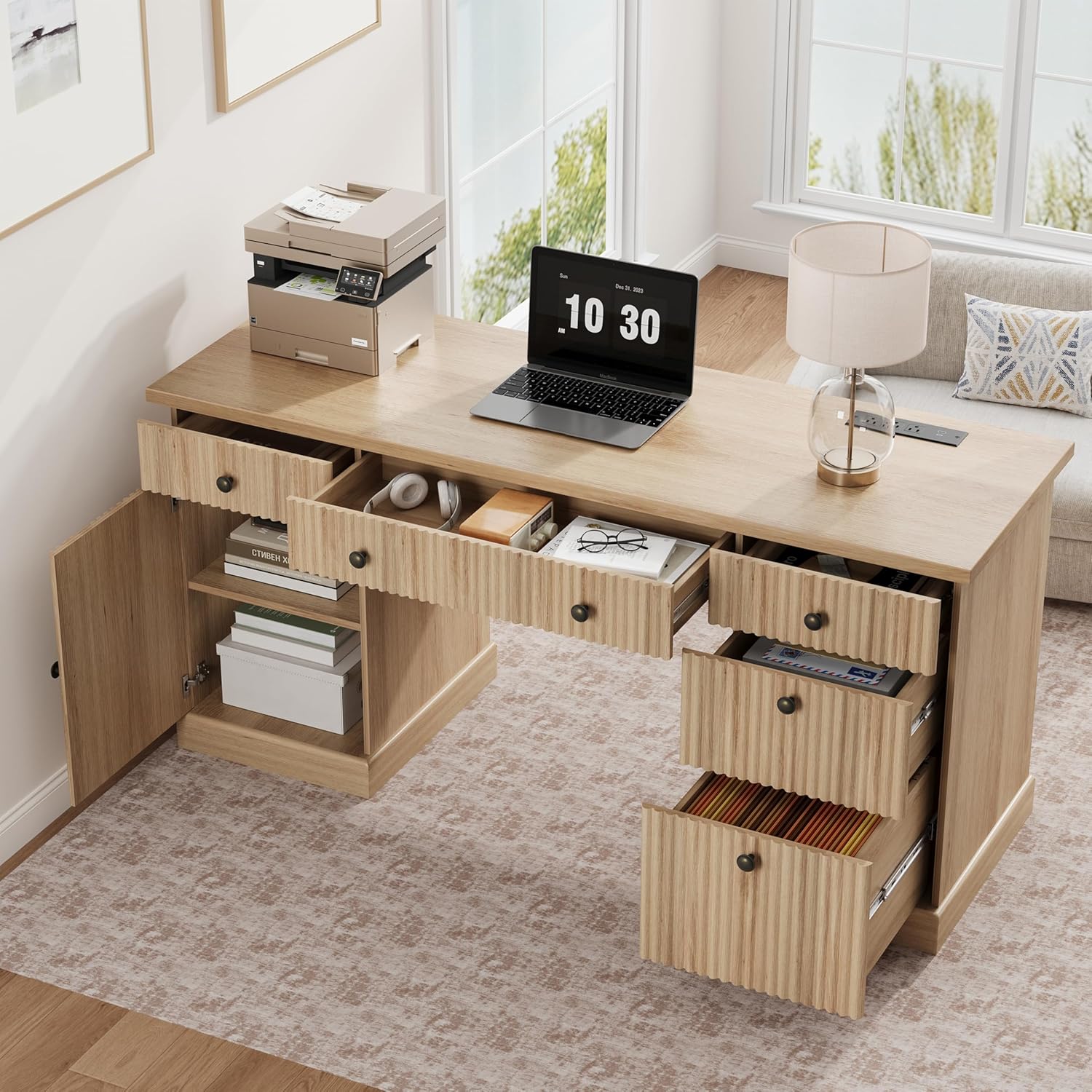
Image 5.2.1: Overview of the desk's storage compartments with drawers and cabinet open.
Full-Extension File Drawer
The bottom drawer is a full-extension file drawer, designed to accommodate letter, A4, and legal-size files. Ball bearing slide rails ensure smooth and complete access to the drawer contents.
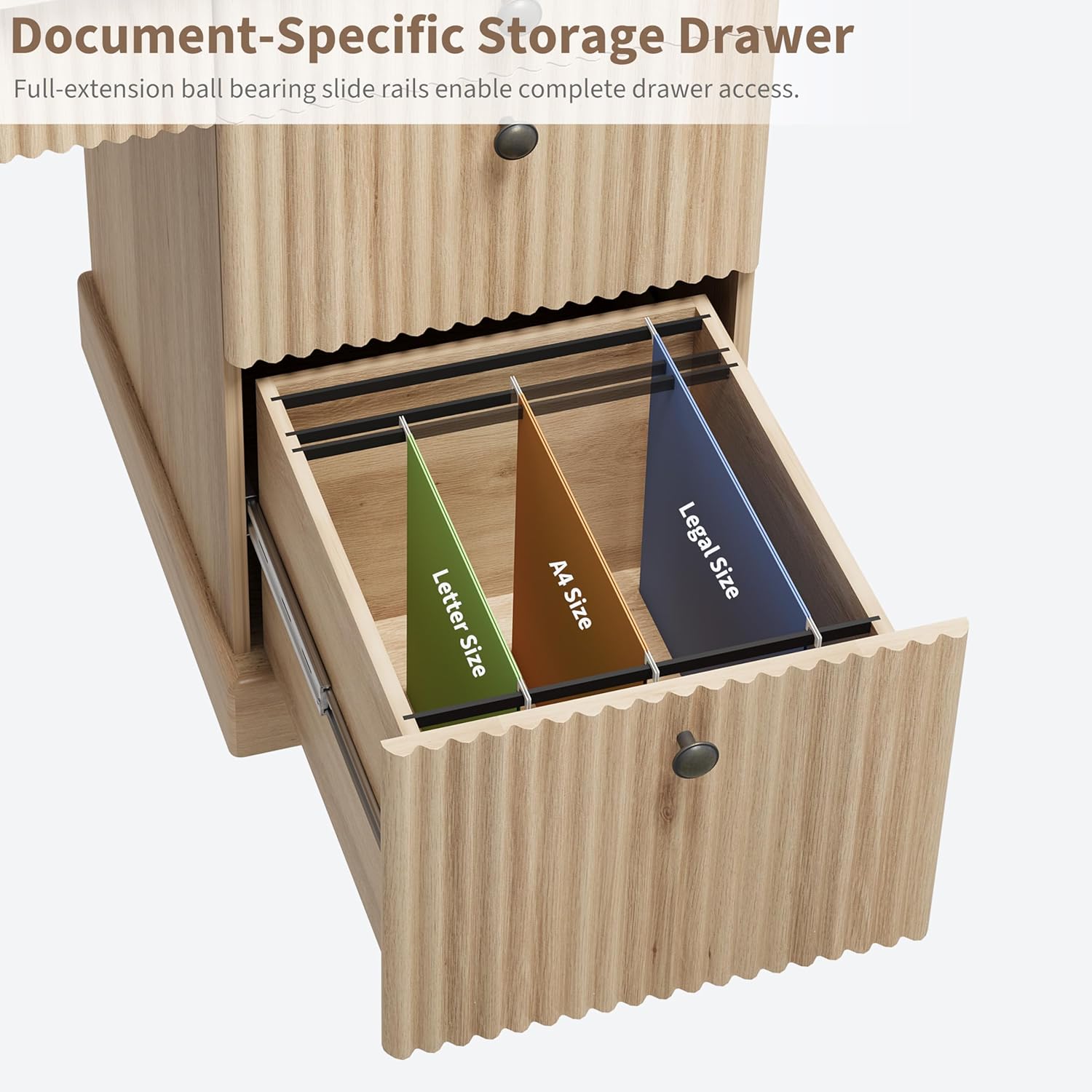
Image 5.2.2: The full-extension file drawer, suitable for letter, A4, and legal-size documents.
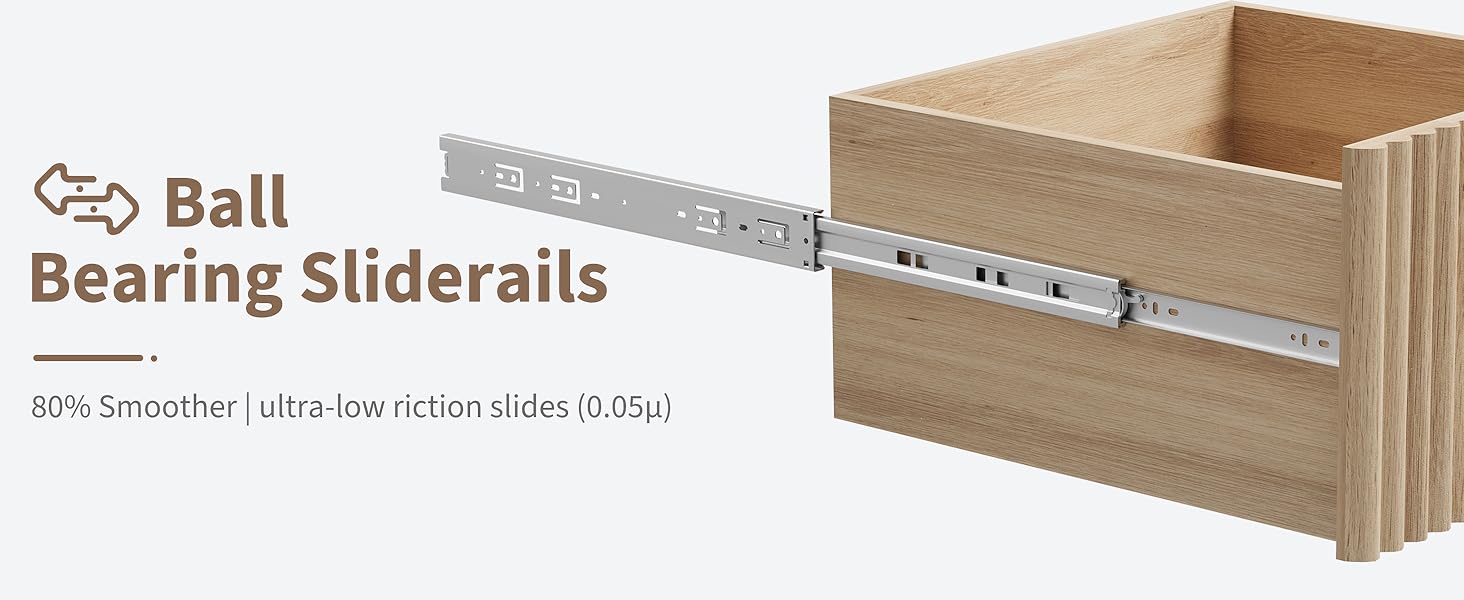
Image 5.2.3: Ball bearing sliderails for smooth and quiet drawer movement.
5.3. Adjustable Cabinet Shelving
The integrated cabinet features height-configurable shelving, allowing you to customize storage space for various items such as books, binders, or electronic devices.

Image 5.3.1: The cabinet with 5 height-configurable shelving options.
5.4. Integrated Charging Station
The desk includes a built-in charging station for convenient power access. It features:
- 2 AC Outlets (12A / 125V)
- 1 USB-A Port (2A / 5V)
- 1 Type-C Port (2A / 9V)
To use, simply plug the desk's power cord into a wall outlet. Then, connect your devices to the appropriate ports on the charging station.

Image 5.4.1: The integrated charging station with AC, USB-A, and Type-C ports.
5.5. Robust Construction
The desk is constructed from 1.11 inch heavy-duty MDF, designed for durability and stability. Reinforced legs contribute to a high load capacity.
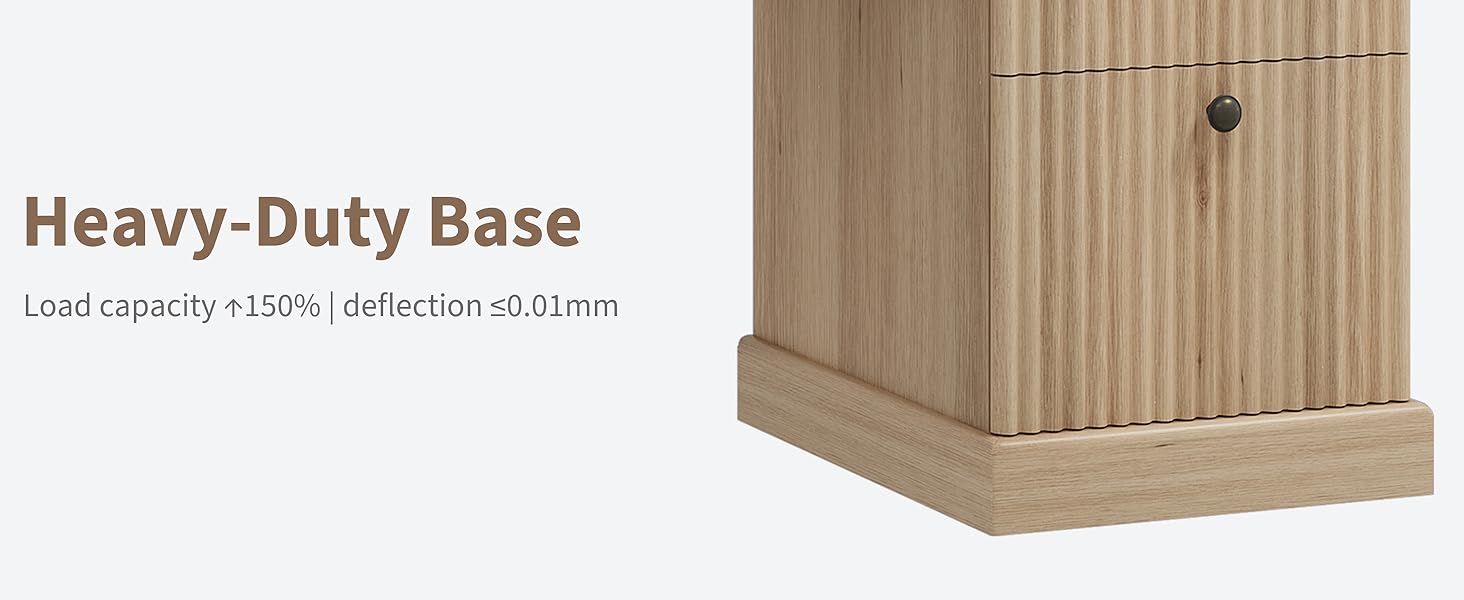
Image 5.5.1: Detail of the heavy-duty base, contributing to the desk's stability.
6. Maintenance
6.1. Cleaning
The engineered wood surface is designed for easy cleaning.
- Wipe surfaces with a soft, damp cloth.
- Avoid using harsh chemicals or abrasive cleaners, as these can damage the finish.
- Promptly wipe up any spills to prevent staining or water damage.

Image 6.1.1: The desk's wooden texture, indicating its waterproof and easy-to-clean characteristics.
6.2. General Care
- Avoid placing hot items directly on the desk surface; use coasters or protective pads.
- Keep the desk away from direct sunlight or extreme temperature changes to prevent warping or fading.
- Periodically check and tighten all assembly hardware to ensure stability.
7. Troubleshooting
This section addresses common issues you might encounter.
7.1. Drawers Do Not Slide Smoothly
- Ensure the drawer slides are correctly installed and aligned.
- Check for any obstructions in the drawer tracks.
- Verify that the drawer is not overloaded, exceeding its weight capacity.
7.2. Charging Station Not Functioning
- Confirm that the desk's power cord is securely plugged into a working wall outlet.
- Check if the wall outlet itself is receiving power (e.g., by plugging in another device).
- Ensure your device's charging cable is properly connected to the charging station port.
7.3. Desk Wobbles
- Verify that the desk is placed on a flat, level surface.
- Check all assembly hardware and tighten any loose screws or connections.
- Ensure the desk's legs are evenly supported.
8. Specifications
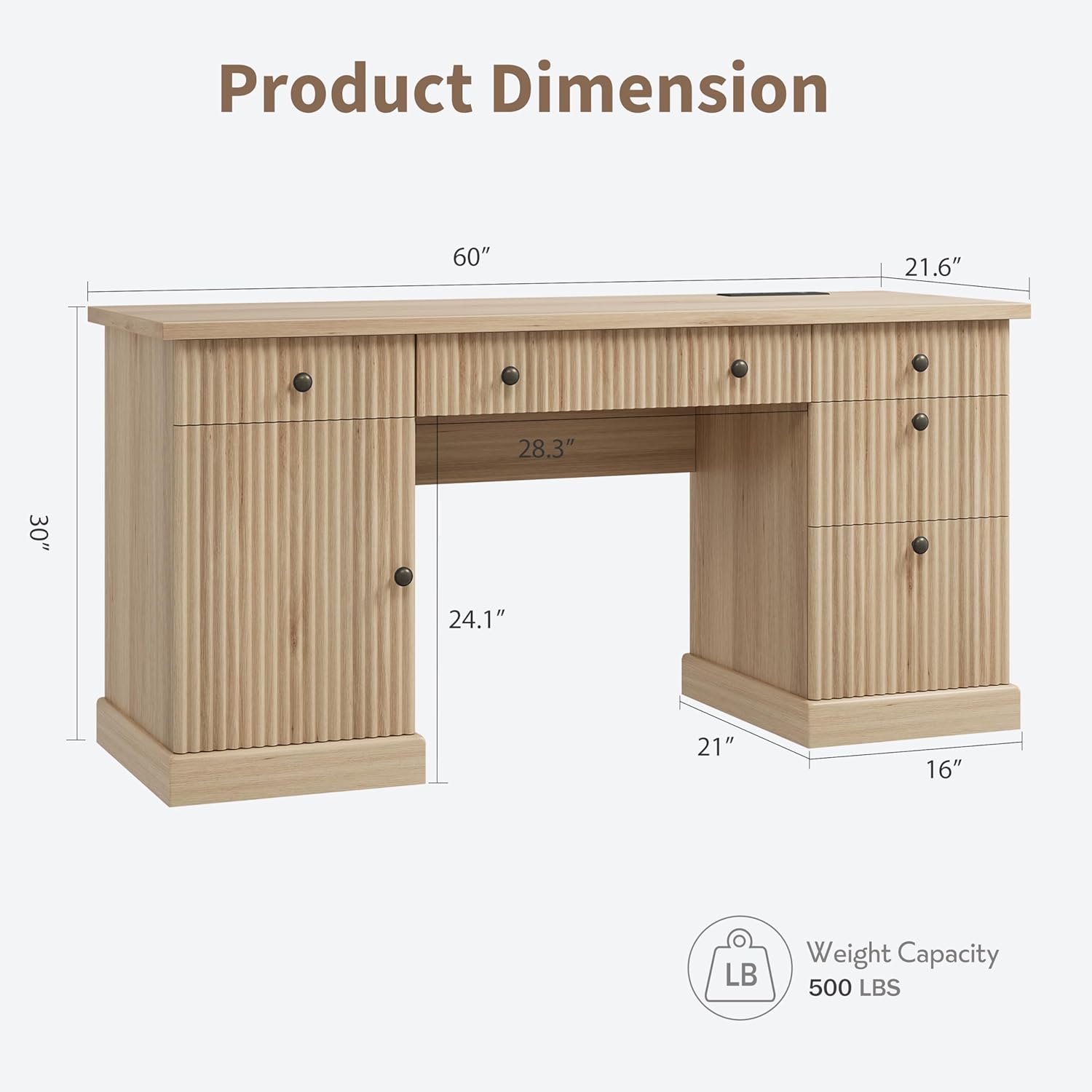
Image 8.1: Product dimensions and weight capacity.
| Attribute | Detail |
|---|---|
| Brand | Garvee |
| Model Number | HlXgWzUsFt5wWEEn3-JBewP6Rwy1N |
| Product Dimensions (D x W x H) | 21.6" x 60" x 30" (54.9 cm x 152.4 cm x 76.2 cm) |
| Item Weight | 134.48 Pounds (61 kg) |
| Maximum Weight Recommendation | 500 Pounds (226.8 kg) |
| Material Type | Engineered Wood (MDF) |
| Tabletop Thickness | 1.11 Inches (2.8 cm) |
| Number of Drawers | 4 (3 standard, 1 file) |
| Number of Cabinets | 1 |
| Charging Station | 2 AC Outlets (12A/125V), 1 USB-A Port (2A/5V), 1 Type-C Port (2A/9V) |
| Required Assembly | Yes |
9. Warranty and Support
9.1. Return Policy
This product is eligible for a 30-day easy return policy. Please refer to the retailer's specific return guidelines for detailed information on initiating a return or replacement.
9.2. Customer Support
For any questions, missing parts, or assistance with assembly or operation, please contact Garvee customer support or the retailer from whom you purchased the product. Contact information can typically be found on the Garvee brand website or through your purchase platform.