
1. Introduction
Thank you for purchasing the DSP KC3049 Bread Maker. This appliance is designed to bring the joy of freshly baked bread to your home with minimal effort. Featuring a powerful 600W motor, a quiet operation, and 19 versatile programs, you can easily bake various types of bread, cakes, and even make jam or yogurt. Please read this manual carefully before first use to ensure safe and optimal operation of your bread maker.
2. Important Safety Instructions
Always follow basic safety precautions when using electrical appliances to reduce the risk of fire, electric shock, and/or injury to persons, including the following:
- Read all instructions.
- Do not touch hot surfaces. Use handles or knobs.
- To protect against electric shock, do not immerse cord, plugs, or appliance in water or other liquid.
- Close supervision is necessary when any appliance is used by or near children.
- Unplug from outlet when not in use and before cleaning. Allow to cool before putting on or taking off parts.
- Do not operate any appliance with a damaged cord or plug or after the appliance malfunctions or has been damaged in any manner.
- The use of accessory attachments not recommended by the appliance manufacturer may cause injuries.
- Do not use outdoors.
- Do not let cord hang over edge of table or counter or touch hot surfaces.
- Do not place on or near a hot gas or electric burner, or in a heated oven.
- Extreme caution must be used when moving an appliance containing hot oil or other hot liquids.
- To disconnect, turn any control to "off", then remove plug from wall outlet.
- Do not use appliance for other than intended use.
3. Product Overview
The DSP KC3049 Bread Maker is designed for ease of use and versatility. It features a sleek design with a stainless steel lid and an intuitive LCD display.
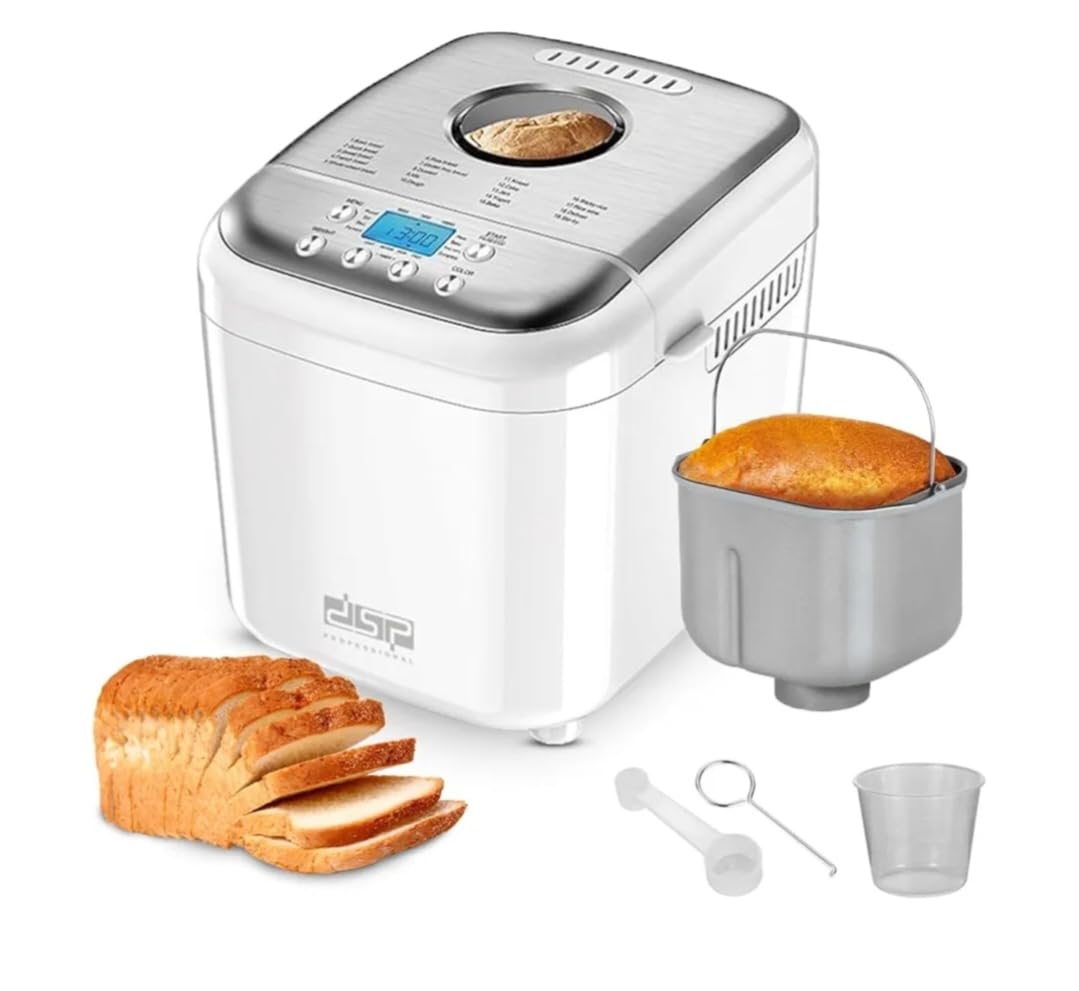
Image: The DSP KC3049 Bread Maker shown in a kitchen setting, ready to bake. Sliced bread, jam, and milk are visible, highlighting its use.
Key Features:
- 600W Power with Low-Noise Motor
- 19 Automatic Programs for various recipes
- Digital LCD Display for easy program selection and monitoring
- Adjustable Loaf Sizes: 500g, 750g, 1000g
- 3 Crust Color Settings: Light, Medium, Dark
- 15-Hour Delay Timer for fresh bread anytime
- 1-Hour Automatic Keep Warm Function
- Non-stick Aluminum Baking Pan
4. Setup
4.1 Unpacking
Carefully remove your bread maker and all accessories from the box. Check for any damage. Keep the packaging materials for future storage or transport if needed.
4.2 First Use & Cleaning
- Before first use, wipe the exterior of the bread maker with a damp cloth.
- Wash the baking pan, kneading paddle, and measuring cup/spoon in warm, soapy water. Rinse thoroughly and dry all parts completely.
- Insert the kneading paddle onto the shaft inside the baking pan.
- Place the baking pan into the bread maker and turn it clockwise until it locks into place.
- For the first bake, it is recommended to run the 'Bake' program (Program 15) for about 10 minutes without any ingredients to burn off any manufacturing residues. Ensure good ventilation during this process.
4.3 Placement
Place the bread maker on a stable, flat, heat-resistant surface, away from direct sunlight and heat sources. Ensure there is adequate ventilation around the appliance.
5. Operating Instructions
Operating your DSP KC3049 Bread Maker is straightforward. Follow these steps for a perfect loaf every time.
5.1 Adding Ingredients
- Ensure the kneading paddle is securely attached to the shaft in the baking pan.
- Add liquid ingredients first (water, milk, eggs, oil), followed by dry ingredients (flour, sugar, salt).
- Make a small indentation in the center of the dry ingredients (not touching the liquid) and add the yeast.
- Do not allow yeast to come into direct contact with salt or sugar before mixing.
- Place the baking pan into the bread maker and close the lid.
5.2 Program Selection
The bread maker offers 19 automatic programs. Use the 'Menu' button on the control panel to cycle through the programs displayed on the LCD screen.

Image: A visual representation of the 19 available programs on the bread maker's LCD screen, including Basic, Quick, Sweet, French, Whole-white, Rice, Gluten-free, Dessert, Mix, Dough, Knead, Cake, Jam, Yogurt, Bake, Sticky-rice, Rice-wine, Defrost, and Stir-fry.
Available Programs:
- Basic Bread
- Quick Bread
- Sweet Bread
- French Bread
- Whole-White Bread
- Rice Bread
- Gluten-Free Bread
- Dessert
- Mix
- Dough
- Knead
- Cake
- Jam
- Yogurt
- Bake
- Sticky-Rice
- Rice-Wine
- Defrost
- Stir-Fry
5.3 Loaf Size and Crust Color
After selecting your program, you can adjust the loaf size and crust color. Use the 'Loaf Size' button to choose between 500g, 750g, or 1000g. Use the 'Crust Color' button to select Light, Medium, or Dark.

Image: Illustrates the three available bread sizes (500g, 700g, 1000g) and three crust color options (Light, Medium, Dark) for customization.
5.4 Delay Timer Function
The 15-hour delay timer allows you to set the bread maker to start at a later time, ensuring fresh bread when you want it. Press the 'Delay' button to adjust the delay time in 10-minute increments. The displayed time includes the baking cycle duration.
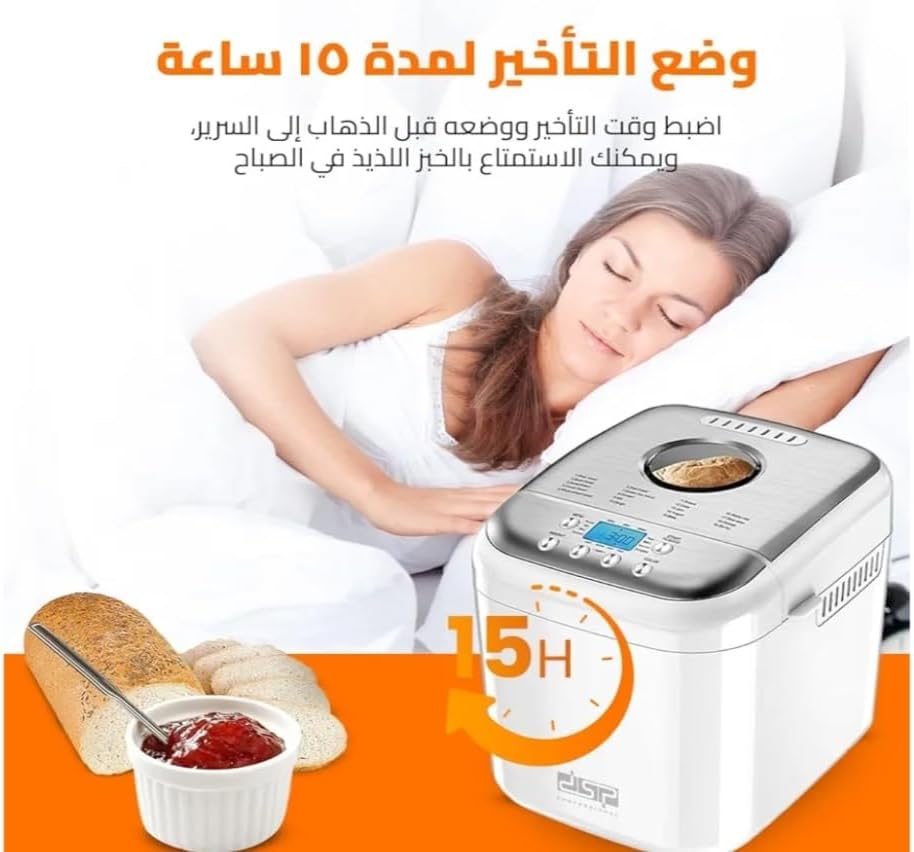
Image: Depicts the 15-hour delay timer feature, allowing users to set the bread maker to start baking later, for example, to wake up to fresh bread.
5.5 Start/Stop
Press the 'Start/Stop' button to begin the selected program. The LCD display will show the remaining time. To stop a program, press and hold the 'Start/Stop' button for a few seconds.
5.6 Keep Warm Function
After the baking cycle is complete, the bread maker will automatically switch to a 1-hour 'Keep Warm' function to maintain the bread's temperature. This ensures your bread stays fresh and warm until you're ready to serve it.

Image: Highlights key features such as the 1-hour keep warm function, 10-15 minute memory function (in case of power outage), delay timer, and 360-degree heating rotation for even baking.
6. Maintenance and Cleaning
Proper maintenance ensures the longevity and optimal performance of your bread maker.
6.1 Cleaning the Baking Pan and Kneading Paddle
- After use, unplug the bread maker and allow it to cool completely.
- Remove the baking pan from the appliance.
- Fill the pan with warm, soapy water and let it soak for 10-15 minutes to loosen any stuck-on dough or residue.
- Carefully remove the kneading paddle. If it's difficult to remove, soak it longer.
- Wash the baking pan and kneading paddle by hand using a soft sponge. Do not use abrasive cleaners or metal scouring pads, as this can damage the non-stick coating.
- Rinse thoroughly and dry completely before storing or next use.

Image: The bread maker with its lid open, revealing the removable non-stick aluminum baking pan, which is easy to clean.
6.2 Cleaning the Exterior
Wipe the exterior of the bread maker with a soft, damp cloth. Do not use harsh chemicals or abrasive cleaners. Never immerse the main unit in water or any other liquid.
6.3 Storage
Ensure all parts are clean and dry before storing the bread maker. Store it in a cool, dry place, away from direct sunlight.
7. Troubleshooting
If you encounter any issues with your bread maker, refer to the following common problems and solutions:
| Problem | Possible Cause | Solution |
|---|---|---|
| Bread does not rise | Expired yeast, too much salt, too little liquid, incorrect program. | Check yeast expiration date. Reduce salt. Adjust liquid amount. Select appropriate program. |
| Bread is too dense | Too much flour, too little liquid, old yeast. | Measure ingredients accurately. Ensure fresh yeast. |
| Bread collapses in the middle | Too much liquid, too much yeast, high humidity. | Reduce liquid slightly. Use correct yeast amount. |
| Kneading paddle stuck in bread | Common occurrence. | Carefully remove the paddle after taking the bread out. A non-stick tool can help. |
| Appliance not turning on | Not plugged in, power outage, faulty outlet. | Check power connection. Test outlet with another appliance. |
8. Specifications
| Feature | Specification |
|---|---|
| Brand | DSP |
| Model Number | KC3049 |
| Power | 600 Watts |
| Capacity | 500g / 750g / 1000g |
| Number of Programs | 19 |
| Material | Aluminum (non-stick pan), Stainless Steel (lid) |
| Color | White |
| Care Instructions | Hand wash only (baking pan and paddle) |
9. Warranty and Support
For warranty information or technical support, please refer to the warranty card included with your product or contact the retailer where you purchased the DSP KC3049 Bread Maker. Keep your proof of purchase for any warranty claims.