
Introduction
This manual provides essential instructions for the safe and effective operation, setup, and maintenance of your ANDELI MCT-416P Multi-Process Welder. The MCT-416P is a versatile 6-in-1 machine capable of Pulse MIG, High-Frequency TIG, High-Frequency Plasma Cutting, MMA (Stick), SYN MIG, and MAN MIG welding. Please read this manual thoroughly before operating the equipment.
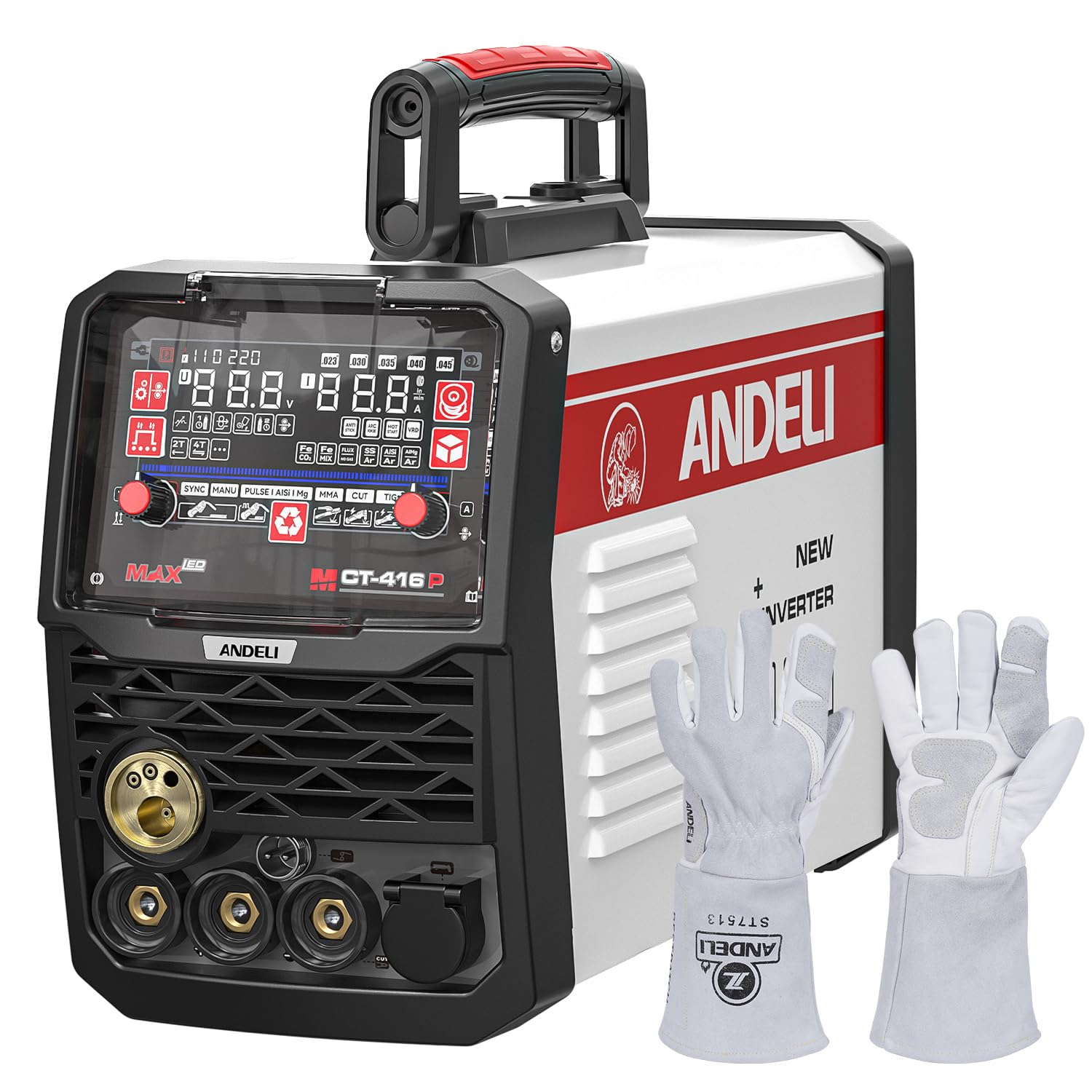
Figure 1: ANDELI MCT-416P Multi-Process Welder with included accessories, including torches, ground clamp, and regulator.
Safety Information
Always prioritize safety when operating welding and cutting equipment. Failure to follow safety guidelines can result in serious injury or death.
- Electrical Shock: This equipment uses high voltage. Ensure proper grounding and never operate in wet conditions. Wear dry gloves and protective clothing.
- Fumes and Gases: Welding and cutting produce fumes and gases that can be hazardous to your health. Work in a well-ventilated area or use a fume extractor.
- Arc Rays: Arc rays can burn eyes and skin. Always wear a welding helmet with appropriate shade and protective clothing.
- Fire and Explosion: Sparks and hot metal can cause fires. Keep flammable materials away from the work area. Have a fire extinguisher readily available.
- Burns: Hot metal and equipment can cause severe burns. Wear protective gloves and clothing.
The ANDELI MCT-416P is CE certified and includes automatic shut-off and over-heat protection features to enhance user safety. However, these features do not replace the need for proper safety practices.
Product Features
The MCT-416P offers a comprehensive set of features for diverse welding and cutting applications:
- 6-in-1 Multi-Functional Welder: Pulse MIG, High-Frequency TIG, HF Plasma Cutter, MMA (Stick), SYN MIG, and MAN MIG.
- Dual Voltage Capability: Operates on both 110V and 220V power supplies.
- High-Frequency Ignition: For both TIG welding and Plasma Cutting, ensuring clean starts.
- 5-inch LED Display: Large, clear display for easy mode selection, material type, wire/tungsten rod diameter, electrode type, and workpiece thickness.
- Automatic Parameter Memorization: Saves and recalls welding parameters for consistent results and reduced setup time.
- 2T/4T Modes: Provides flexibility for various welding processes.
- Material Compatibility: Suitable for welding aluminum alloys (AlMg, AlSi), carbon steel, stainless steel, and iron.
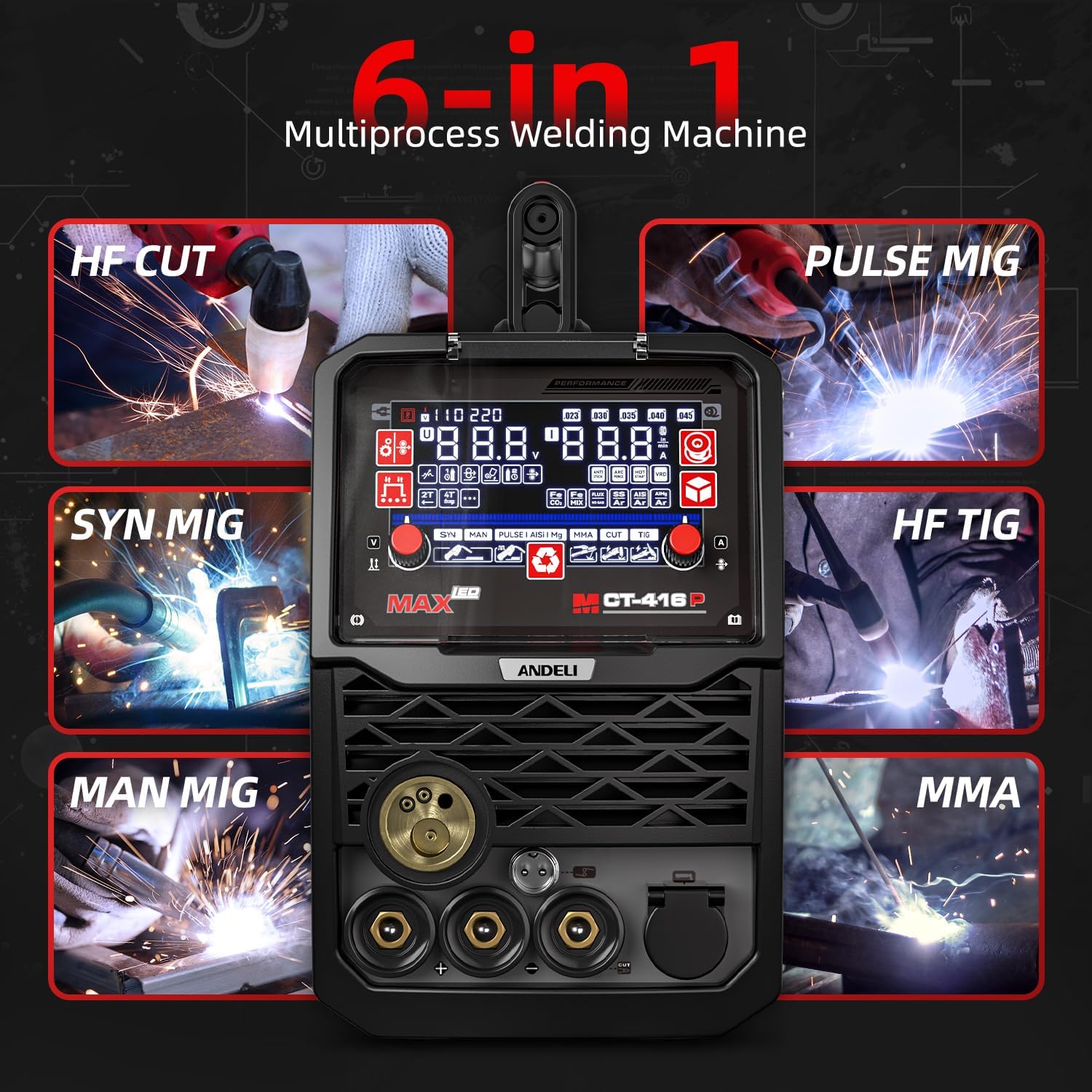
Figure 2: The 5-inch LED display showing the selection of 6-in-1 welding and cutting modes.

Figure 3: Close-up of the 5-inch LED display, illustrating parameter adjustment and mode selection interface.
Setup
Proper setup is crucial for safe and efficient operation.
- Power Connection: Connect the machine to a suitable 110V or 220V power outlet. The machine automatically detects the voltage. Ensure the power source can handle the maximum current (160A for welding, 40A for cutting).
- Ground Clamp: Securely attach the ground clamp to the workpiece or a sturdy metal workbench that is properly grounded. Ensure good electrical contact.
- Torch Connection: Connect the appropriate torch (MIG, TIG, or Plasma) to its designated port on the front panel. Ensure all connections are tight.
- Gas/Air Connection:
- For MIG/TIG: Connect the gas regulator to your shielding gas cylinder (e.g., Argon for TIG, Argon/CO2 mix for MIG) and then connect the gas hose to the machine's gas inlet. Set the gas flow rate according to your welding process.
- For Plasma Cutting: Connect an air compressor to the machine's air inlet. Ensure the air pressure is set correctly for cutting.
- Consumables: Install the correct consumables for your chosen process (e.g., MIG wire and contact tip, TIG tungsten electrode and collet, Plasma cutting nozzle and electrode).
Operating Instructions
Follow these steps for general operation and specific welding/cutting modes.
General Operation
- Power On: Turn on the main power switch located on the rear of the machine. The 5-inch LED display will illuminate.
- Mode Selection: Use the control knobs and buttons on the front panel to navigate the LED display and select your desired welding or cutting mode (Pulse MIG, HF TIG, HF CUT, MMA, SYN MIG, MAN MIG).
- Parameter Adjustment: Based on your selected mode, material, and workpiece thickness, adjust parameters such as welding current (Amps), voltage, wire feed speed, and gas flow. The machine's automatic memorization feature can recall previously set parameters.
- 2T/4T Modes: Select 2T (two-touch) for standard operation where the arc starts when the trigger is pressed and stops when released. Select 4T (four-touch) for longer welds, where the arc starts with a brief trigger press and stops with another brief press, allowing the operator to reposition their hand.
MIG Welding (Pulse MIG, SYN MIG, MAN MIG)
MIG welding is suitable for various metals, including aluminum, carbon steel, and stainless steel.
- Wire Loading: Ensure the correct wire diameter and type are loaded into the wire feeder. Adjust tension appropriately.
- Gas Selection: Use Argon/CO2 mix for steel, 100% Argon for aluminum.
- Parameter Setting: Use the display to select material (e.g., AlMg, AlSi for aluminum, Fe for steel) and adjust current, voltage, and wire speed. The SYN MIG mode offers synergistic control for easier parameter setup.

Figure 4: Example of a clean MIG weld on aluminum alloy.

Figure 5: Example of a consistent MIG weld on carbon steel.
TIG Welding (HF TIG)
High-Frequency TIG welding provides precise control for thin metals and stainless steel.
- Tungsten Electrode: Ensure the correct type and diameter of tungsten electrode is installed and properly ground.
- Gas: Use 100% Argon shielding gas.
- HF Start: The HF TIG feature provides a non-contact arc start, preventing contamination of the tungsten and workpiece.

Figure 6: A welder performing High-Frequency TIG welding, demonstrating the precise control for delicate work.
Plasma Cutting (HF CUT)
The HF Plasma Cutter allows for efficient and clean cutting of various conductive metals.
- Air Supply: Connect a clean, dry air supply to the machine. Adjust air pressure according to the material thickness.
- Consumables: Use the correct plasma cutting nozzle and electrode for the material and thickness.
- Cutting Technique: Maintain a consistent standoff distance and travel speed for optimal cut quality.

Figure 7: High-Frequency Plasma Cutting in action, showing the cutting arc and material separation.
MMA (Stick) Welding
MMA welding is suitable for a wide range of applications and conditions.
- Electrode Selection: Choose the appropriate electrode type and diameter for your material and desired weld.
- Polarity: Connect the electrode holder and ground clamp to the correct polarity terminals (DC+ or DC-) as recommended by the electrode manufacturer.
- Amperage: Adjust the welding current based on the electrode size and material thickness.
Maintenance
Regular maintenance ensures the longevity and optimal performance of your welder.
- Cleaning: Periodically clean the exterior of the machine with a dry cloth. Use compressed air to blow out dust and debris from inside the machine, especially around the cooling fan and circuit boards. Ensure the machine is unplugged before cleaning.
- Consumables Check: Regularly inspect and replace worn-out consumables such as MIG contact tips, nozzles, TIG collets and tungsten electrodes, and Plasma cutting nozzles and electrodes.
- Cable and Hose Inspection: Check all welding cables, gas hoses, and power cords for damage, cuts, or fraying. Replace any damaged components immediately.
- Wire Feeder (MIG): Clean the wire feeder rollers and guide tubes to prevent wire feeding issues.
Troubleshooting
Refer to this section for common issues and their solutions.
| Problem | Possible Cause | Solution |
|---|---|---|
| No power to machine | Power cord unplugged, circuit breaker tripped, faulty power switch. | Check power connections, reset circuit breaker, contact support if switch is faulty. |
| No arc (welding/cutting) | Poor ground connection, incorrect settings, worn consumables, torch not connected. | Ensure ground clamp is secure, verify settings on display, replace consumables, check torch connection. |
| Poor weld/cut quality | Incorrect parameters, improper technique, contaminated gas, worn consumables. | Adjust settings, review operating instructions, check gas supply, replace consumables. |
| Overheat protection activated | Exceeded duty cycle, blocked ventilation. | Allow machine to cool down, ensure clear airflow around the machine. |
If issues persist after troubleshooting, please contact ANDELI customer support.
Specifications
- Model: MCT-416P
- Input Voltage: 110V/220V Dual Voltage
- Max Welding Current: 160A
- Max Cutting Current: 40A
- Display: 5-inch LED
- Welding Processes: Pulse MIG, HF TIG, HF Plasma Cut, MMA, SYN MIG, MAN MIG
- Certifications: CE
- ASIN: B0FQ9YN533
Warranty and Support
The ANDELI MCT-416P Multi-Process Welder is backed by a two-year warranty, which includes free replacement parts for covered defects. For warranty claims, technical assistance, or general inquiries, please contact ANDELI customer support through the official website or your purchase platform.
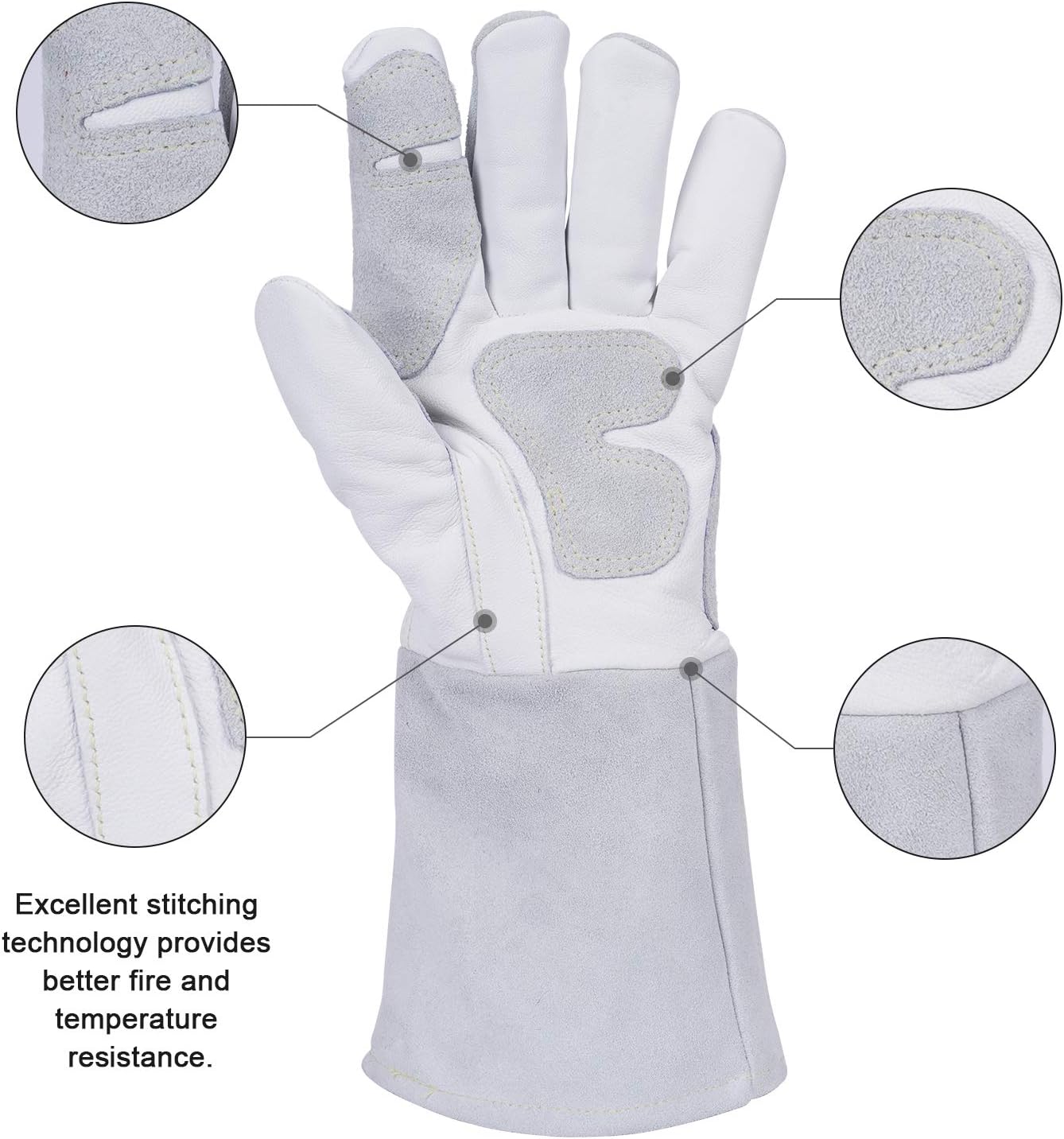
Figure 8: Close-up of the included welding gloves, highlighting reinforced palm, thumb, and finger areas for comfort and protection.

Figure 9: A welder using the ANDELI gloves, which offer heat resistance up to 932°F (500°C).


