
1. Introduction
This manual provides essential information for the safe and efficient operation of your Dreyoo Greenhouse Heater. This device is designed to maintain optimal temperature and humidity levels for plants in greenhouses, grow tents, and other indoor/outdoor environments. It features a digital thermostat for precise climate control and a separate hygrometer for real-time monitoring.

Image 1.1: The Dreyoo Greenhouse Heater with its digital thermostat and separate hygrometer.
2. Package Contents
Please verify that all items listed below are included in your package:
- 1 x Greenhouse Heater Fan (1500W/750W/24W modes)
- 1 x Digital Heat Thermostat with LED Display
- 1 x Digital Thermohygrometer (Temperature & Humidity Monitor)
- 1 x User Manual (this document)
3. Safety Instructions
Read all safety warnings and instructions before using this product to prevent injury or damage.
- Do not cover the heater with objects when in use. Obstruction of airflow can lead to overheating.
- Winding risk: Keep the power cord and unit away from children and pets.
- For long-term continuous operation, allow a short rest period (e.g., 30 minutes) every 48 hours to ensure product longevity.
- Ensure the heater is placed on a stable, non-slip surface. The raised support bracket design helps prevent tipping.
- The unit features automatic overheat shut-off for safety.
- Made from flame-retardant material with an IP21 dustproof and water-resistant rating. However, avoid direct exposure to heavy water spray.
- Do not cover the air inlet and outlet when using the heater.
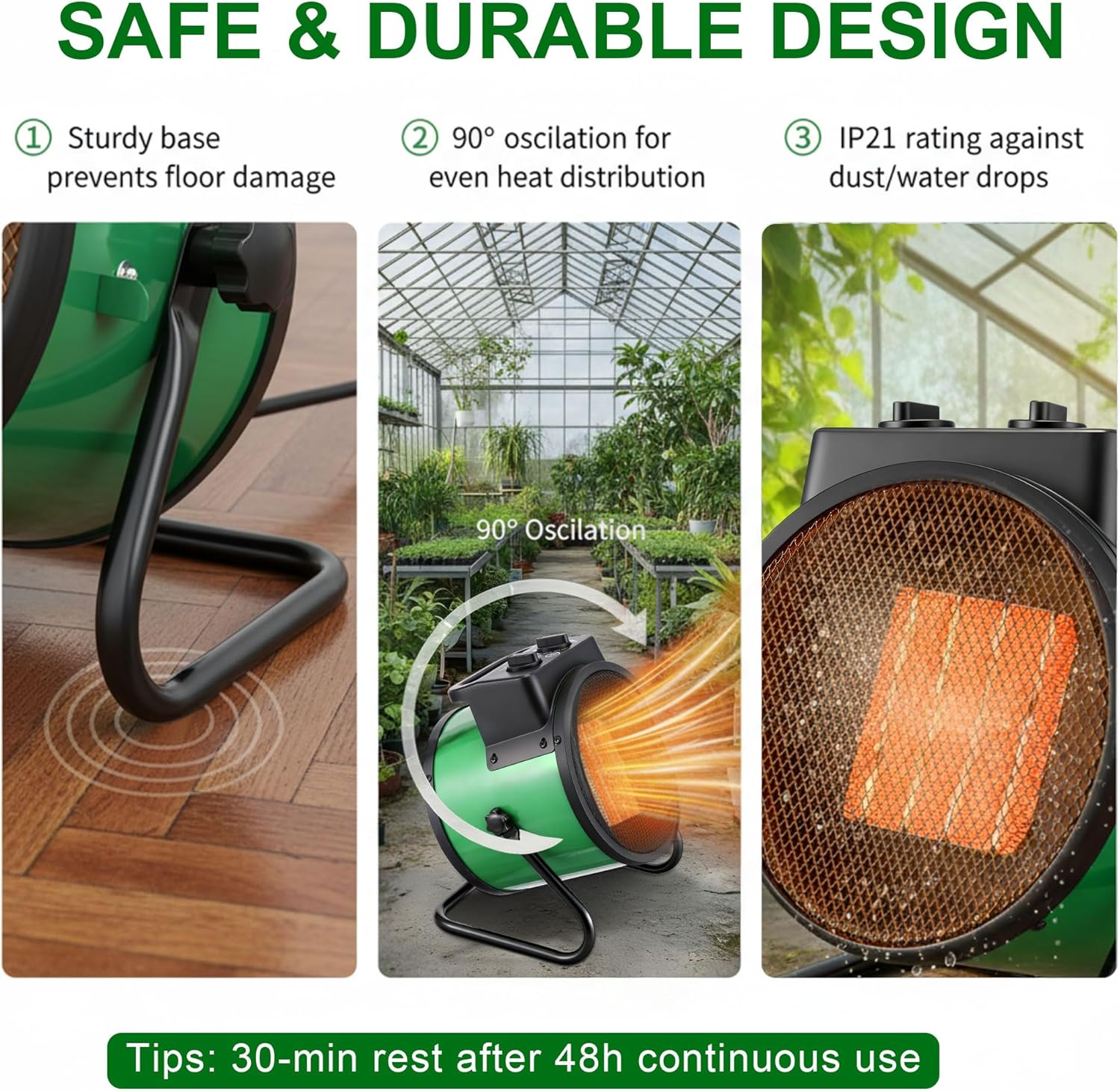
Image 3.1: Visual representation of the sturdy base, 90-degree oscillation, and IP21 rating for safe and durable operation. Includes a tip for a 30-minute rest after 48 hours of continuous use.
4. Product Overview
4.1 Heater Controls

Image 4.1: Depicts the mode selector dial (Fan Only, Low, High) and the temperature control dial (MIN to MAX) on the heater unit. Also shows the portable handle.
- Mode Selector: Choose between Fan Only (24W), Low Heat (750W), and High Heat (1500W).
- Temperature Control: Adjustable range from 40°F to 140°F. For use with the external digital thermostat, set this knob to MAX.
- Portable Handle: Integrated handle for easy transportation.
4.2 Digital Thermostat
The external digital thermostat allows for precise temperature setting and monitoring.

Image 4.2: Shows the digital thermostat with its LED display, control buttons (POWER, SET, UP, DOWN), and a sensitive probe for temperature detection. The compatible temperature range is 40°F-108°F.
4.3 Digital Thermohygrometer
The separate digital thermohygrometer provides real-time temperature and humidity readings.

Image 4.3: Displays the digital thermohygrometer with a bright 3-inch LCD, showing temperature, humidity, and clock. It includes a °F/°C toggle switch and is powered by 1 AAA battery (not included).
5. Setup and Installation
5.1 Hygrometer Setup
- Gently tear off the protective film from the hygrometer screen.
- Open the battery compartment on the back and insert 1 AAA battery (not included), ensuring correct polarity.
- Close the battery compartment.
- Use the °C/°F switch on the back to select your preferred temperature unit.
- To set the clock and other values, long press the MODE key to enter setting mode. Use the ADJ key to adjust values and short press MODE to switch between values (e.g., 12/24hr format, time).
Video 5.1: Demonstrates the setup and basic operation of the digital thermohygrometer, including battery installation, unit selection, and time setting.
5.2 Heater Placement
Place the heater on a flat, stable surface in the desired area. Ensure there is adequate clearance around the unit for proper airflow and to prevent fire hazards.
5.3 Thermostat Connection
Plug the heater into the digital thermostat, then plug the thermostat into a standard 110V AC / 60Hz power outlet. Position the thermostat's sensitive probe in an area where you want to measure the ambient temperature accurately.
6. Operating Instructions
6.1 Heater Operation Modes
The heater offers three operational modes:
- Fan Only (24W): Circulates air without heating. Useful for ventilation.
- Low Heat (750W): Provides moderate heating.
- High Heat (1500W): Provides maximum heating for faster temperature increase or larger areas.

Image 6.1: Illustrates the three power settings: Fan Only (24W), Low (750W), and High (1500W), showing different airflow and heat intensities.
6.2 Using the Digital Thermostat
- Set the heater's temperature control knob to the MAX position.
- On the digital thermostat, press the 'SET' button to enter temperature setting mode.
- Use the 'UP' and 'DOWN' buttons to adjust the desired temperature between 40°F and 108°F.
- The thermostat will automatically turn the heater on or off to maintain the set temperature.
6.3 Fast Heating and Air Circulation
The 1500W high heat mode can quickly raise the temperature in areas up to 120 sq ft. The adjustable fan provides seasonal air circulation, and the 90° rotatable airflow ensures even heat distribution.
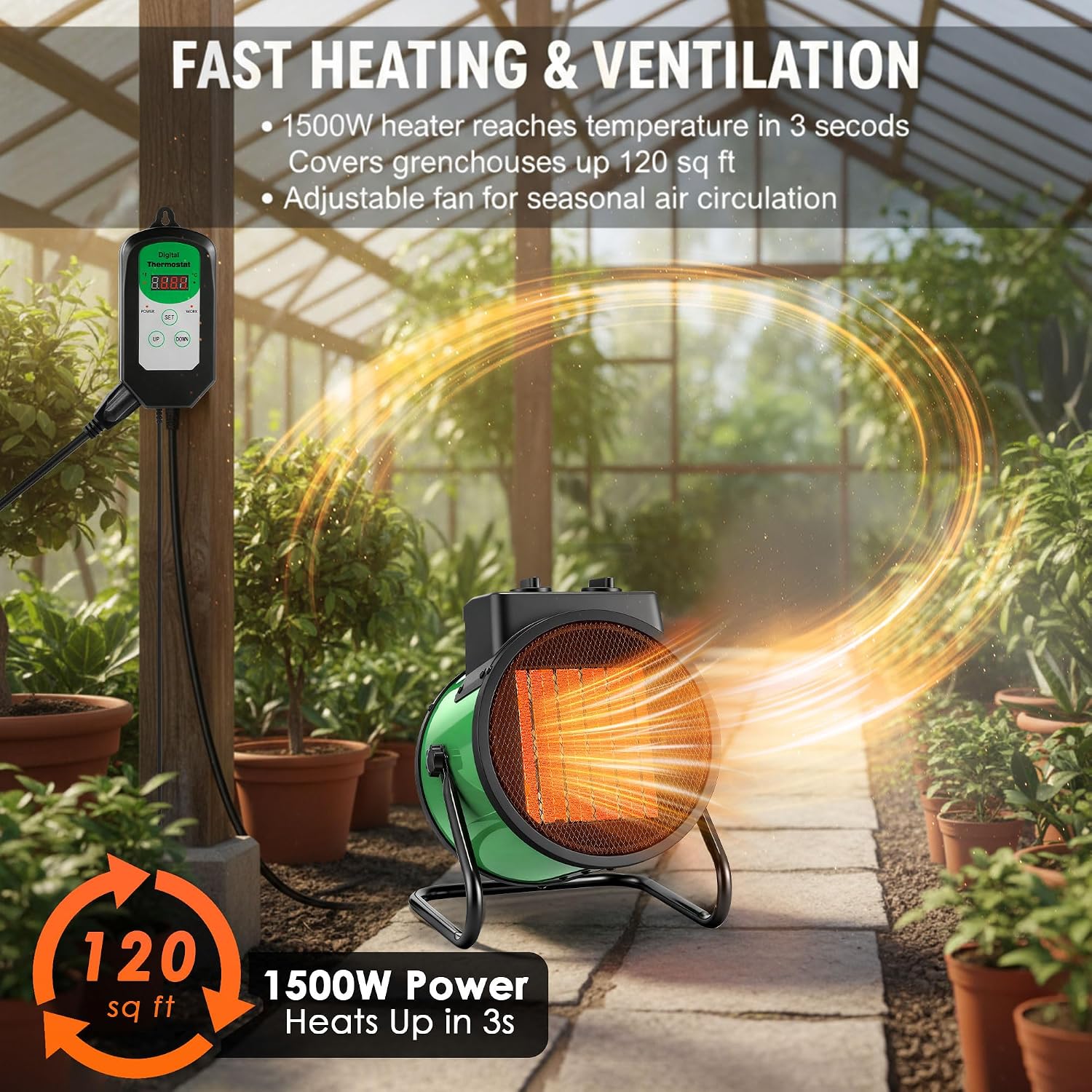
Image 6.2: Shows the heater in operation, illustrating fast heating and air circulation, covering up to 120 sq ft with 1500W power.
7. Specifications
| Feature | Detail |
|---|---|
| Power Supply | 110V AC / 60Hz |
| Rated Current | 12.5A |
| Maximum Power | 1500W (High) / 750W (Low) / 24W (Fan Only) |
| Temperature Control Range | 40°F–108°F (Thermostat) |
| Thermostat Accuracy | ±1°F |
| Hygrometer Display Range | Temp -10°C–70°C / Humidity 10%–99% RH |
| Airflow | 190 CFM |
| Noise Level | ≤45 dB |
| Safety Rating | IP21 Dustproof & Water Resistant |
| Product Dimensions | 12.2"D x 9.45"W x 7.48"H |
| Item Weight | 5.73 pounds |
| Model Number | DR-Dreyoo-2102 |

Image 7.1: Visual diagram showing the dimensions of the heater and thermostat, along with key electrical specifications.
8. Care and Maintenance
- Cleaning: Ensure the heater is unplugged and completely cool before cleaning. Use a soft, damp cloth to wipe the exterior. Do not use abrasive cleaners or allow water to enter the unit.
- Storage: When not in use, store the heater in a cool, dry place, away from direct sunlight and moisture.
- Airflow Vents: Periodically check and gently clean the air inlet and outlet vents to ensure they are free from dust and debris, which can impede airflow and reduce efficiency.
9. Troubleshooting
- Heater not turning on:
- Check if the power cord is securely plugged into both the thermostat and the wall outlet.
- Ensure the wall outlet is functional.
- Verify the thermostat is set to a temperature higher than the ambient temperature.
- Confirm the heater's mode selector is set to 'Low' or 'High' heat, and its temperature control knob is set to 'MAX' if using the external thermostat.
- Insufficient heating:
- Ensure the heater is set to 'High' heat (1500W).
- Check for any obstructions around the air inlet or outlet.
- Verify the room size is within the recommended coverage area (up to 120 sq ft).
- Hygrometer display is blank:
- Replace the AAA battery.
- Ensure the battery is inserted with correct polarity.
- Heater turns off unexpectedly:
- The overheat protection may have activated. Unplug the unit, allow it to cool down for 30 minutes, and check for any obstructions before restarting.
- Ensure the thermostat is not set too low, causing it to cycle off.
10. Warranty and Support Information
Specific warranty details for this product are not provided in the available information. For warranty claims, technical support, or further assistance, please refer to the contact information provided with your purchase or visit the official Dreyoo website. Keep your purchase receipt as proof of purchase.