
1. Introduction
This manual provides essential information for the safe and efficient operation of your ZZA 32 Inch 4K 1500R Curved Monitor. Please read this manual thoroughly before using the product and retain it for future reference.

Image 1.1: Front view of the ZZA 32 Inch 4K 1500R Curved Monitor.
2. Package Contents
Verify that all items listed below are present in your package:
- ZZA 32 Inch 4K 1500R Curved Monitor
- Monitor Stand (Base and Neck)
- Power Adapter and Cable
- HDMI Cable or DisplayPort Cable (one included, refer to specific model details)
- User Manual (this document)
3. Setup Instructions
3.1 Assembling the Stand
- Carefully place the monitor face down on a soft, clean surface to prevent scratches.
- Attach the stand neck to the back of the monitor using the provided screws.
- Connect the stand base to the stand neck and secure it with the designated screw.
- Gently lift the monitor and place it upright on a stable desk.
3.2 VESA Mounting
The ZZA monitor is VESA compatible, supporting a 100x100mm mounting standard. This allows for attachment to compatible monitor arms or wall mounts (sold separately).
3.3 Connecting to a Device
Connect your computer or other devices to the monitor using the available ports:
- DisplayPort (DP 1.4): For high-resolution video and audio transmission. Two ports are available.
- HDMI (HDMI 2.0): For high-definition video and audio transmission. Two ports are available.
- Headphone Jack: For connecting external audio devices.
- DC IN 12V: Connect the power adapter here.
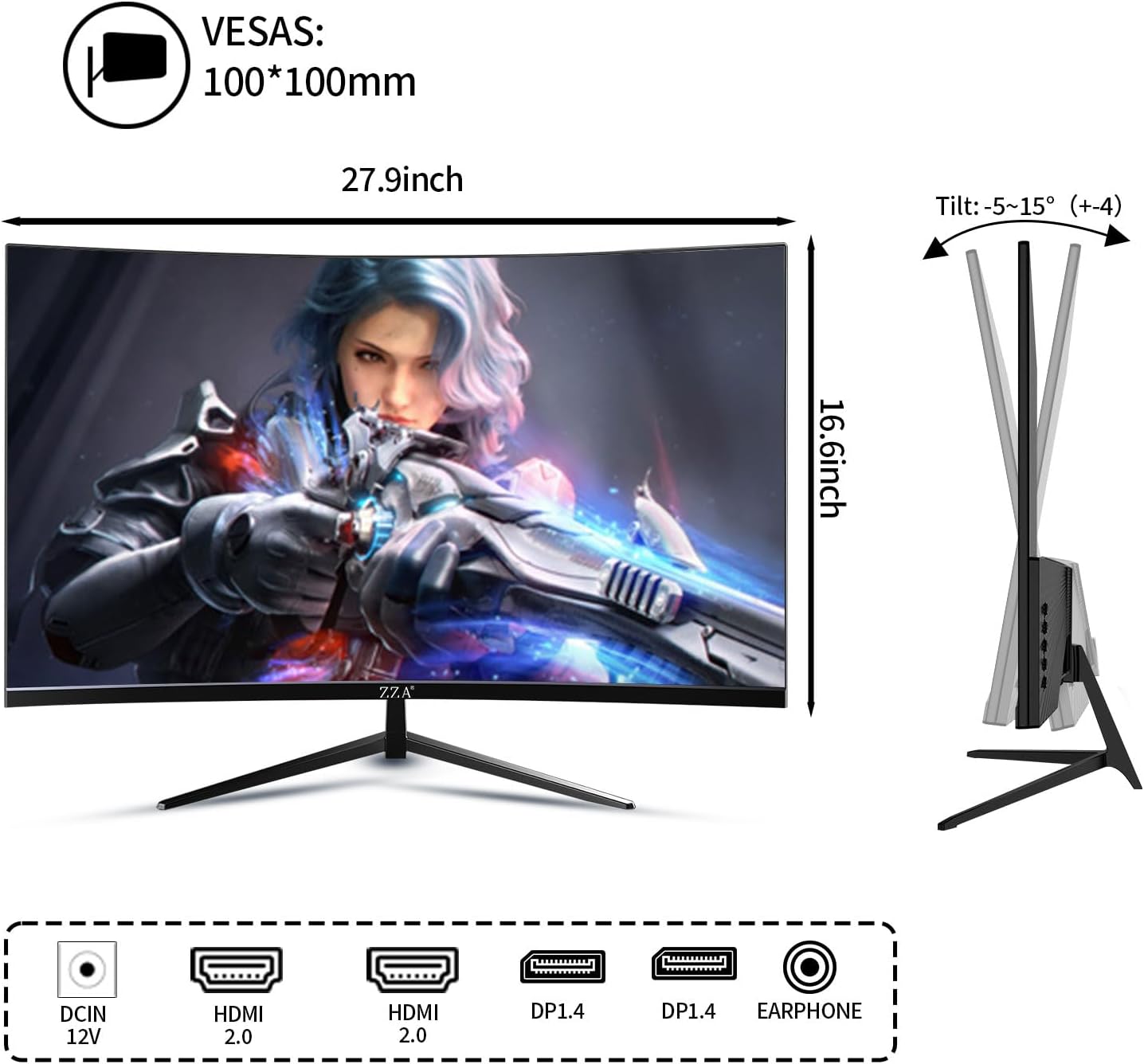
Image 3.1: Rear view of the monitor showing port locations and dimensions.
4. Operating Instructions
4.1 Power On/Off
Press the power button, usually located on the back or bottom right of the monitor, to turn the monitor on or off. The power indicator light will illuminate when the monitor is on.
4.2 OSD Menu Navigation
The On-Screen Display (OSD) menu allows you to adjust various monitor settings. Use the control buttons (joystick or individual buttons) on the back or bottom of the monitor to navigate the OSD menu. Common settings include:
- Picture Settings: Brightness, Contrast, Sharpness, Color Temperature.
- Input Source: Select between HDMI 1, HDMI 2, DisplayPort 1, or DisplayPort 2.
- Audio Settings: Adjust volume for the headphone jack.
- Display Settings: Aspect Ratio, FreeSync (Adaptive Sync) on/off.
- Eye Care: Low Blue Light mode.
4.3 Input Selection
To switch between connected devices, access the OSD menu and navigate to the 'Input Source' option. Select the desired input (e.g., HDMI 1, DisplayPort 2).
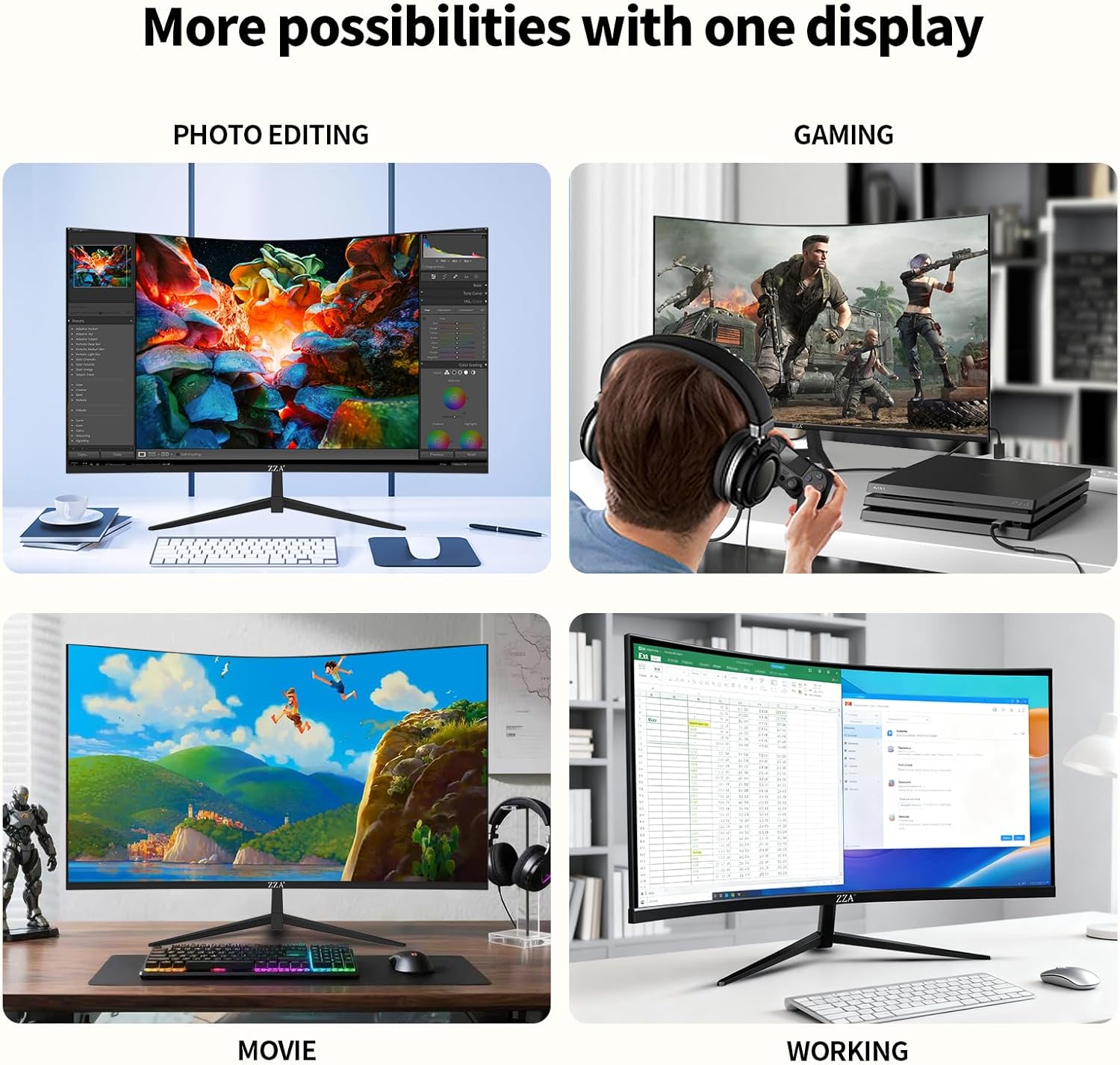
Image 4.1: The monitor supports various applications including photo editing, gaming, movies, and office work.
5. Features Overview
The ZZA 32 Inch 4K 1500R Curved Monitor offers a range of features designed for an enhanced visual experience:
- Superior 4K UHD Resolution: A 32-inch display with 3840 x 2160 pixels, providing four times the detail of Full HD.
- Immersive 1500R Curvature: The curved screen enhances depth perception and reduces peripheral distractions for a more engaging view.
- Vibrant Color Performance: Features 100% DCI-P3 and 100% sRGB color coverage, displaying up to 1.07 billion colors for accurate and rich visuals.
- High Contrast Ratio: A 4000:1 contrast ratio reveals intricate details in both dark and bright scenes.
- Smooth 60Hz Refresh Rate: Provides a stable and fluid viewing experience, suitable for general use, video playback, and casual gaming.
- AMD FreeSync Support: Helps eliminate screen tearing and stuttering for smoother visuals during dynamic content.
- Eye Care Screen: Equipped with a matte surface to reduce reflections and a Low Blue Light mode to minimize eye strain during extended use.
- Extensive Connectivity: Includes two DisplayPort 1.4 and two HDMI 2.0 ports for broad compatibility with various devices.
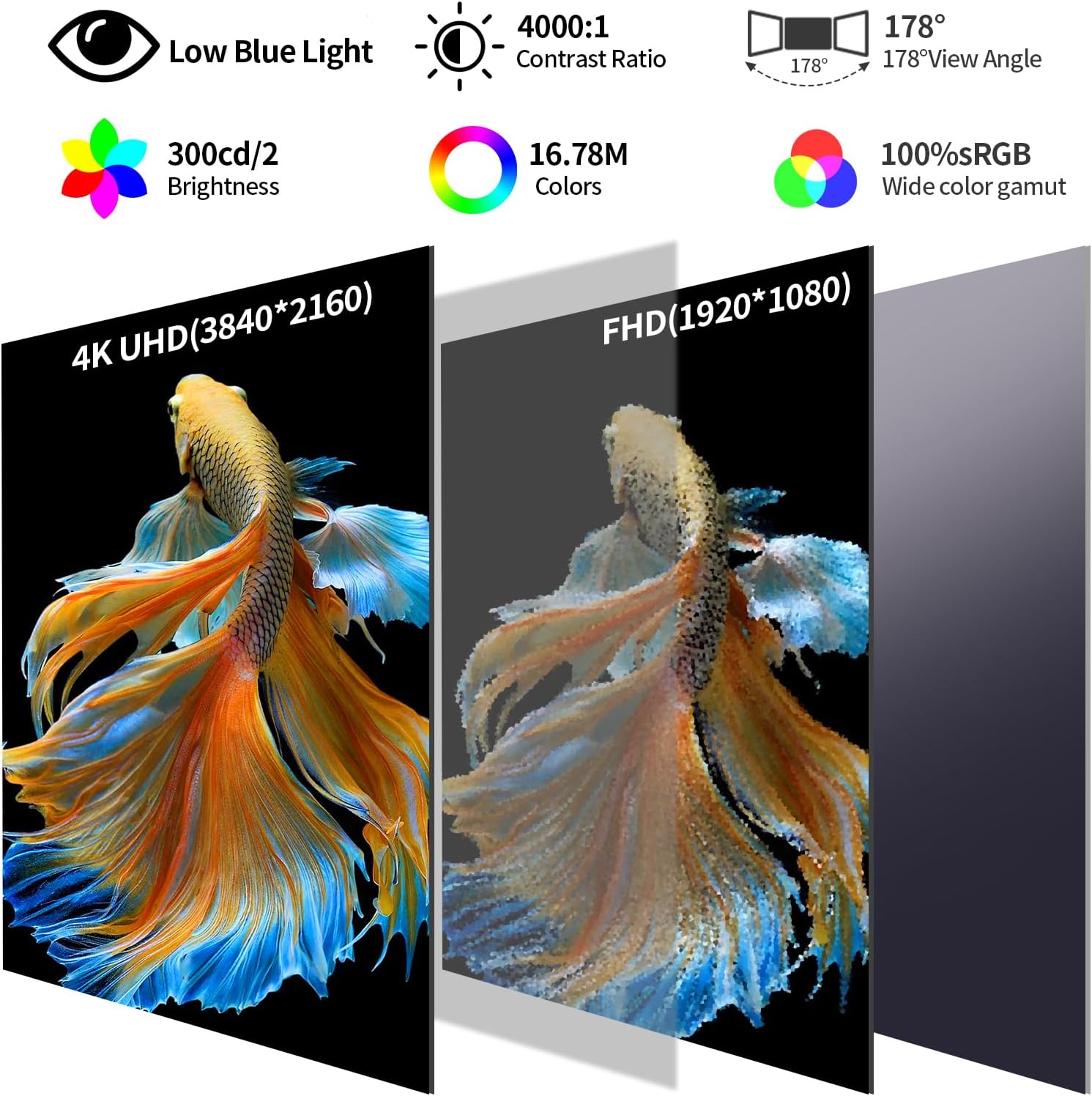
Image 5.1: Visual representation of key monitor features.

Image 5.2: The monitor's color performance is suitable for creative tasks like photo and video editing.

Image 5.3: Demonstrates the clarity and detail of 4K UHD resolution compared to lower resolutions.
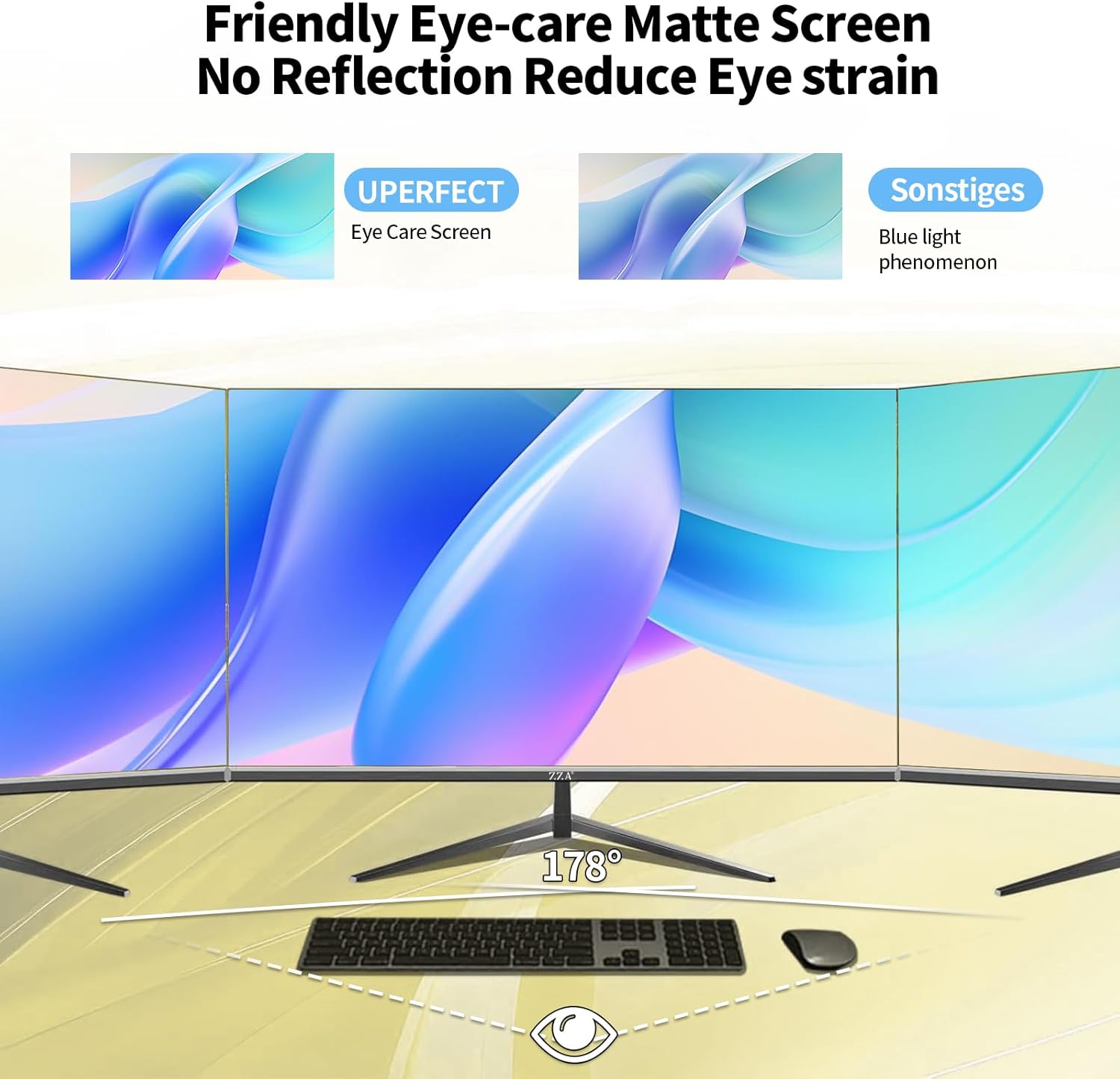
Image 5.4: The matte screen reduces reflections and contributes to eye comfort.
Video 5.1: A short video from ZZA-Factory highlighting the monitor's capabilities for editing and color accuracy.
6. Maintenance
6.1 Cleaning the Monitor
To clean the screen and exterior of your monitor:
- Turn off the monitor and unplug the power cord.
- Use a soft, lint-free cloth slightly dampened with water or a non-abrasive screen cleaner.
- Wipe the screen gently. Avoid applying excessive pressure.
- Do not use alcohol, ammonia, or abrasive cleaners, as these can damage the screen surface.
6.2 Storage
When storing the monitor for an extended period, ensure it is powered off, unplugged, and stored in a cool, dry place away from direct sunlight and extreme temperatures.
7. Troubleshooting
If you encounter issues with your ZZA monitor, refer to the following common solutions:
- Monitor does not power on: Ensure all cables are securely connected, including the power adapter. Verify the power outlet is functional.
- No signal or blank screen: Check that the video cable (HDMI or DisplayPort) is firmly connected to both the monitor and your device. Ensure the correct input source is selected in the OSD menu. Try restarting your connected device.
- Distorted or incorrect colors: Reset the monitor to factory settings via the OSD menu. Check your device's display settings for proper resolution and refresh rate.
- Flickering screen: Ensure the video cable is securely connected. If using FreeSync, try disabling it in the OSD menu or your device's graphics settings to see if the issue persists.
- Monitor arm compatibility: The ZZA monitor supports VESA mount standard 100x100mm. Ensure your monitor arm is compatible with this standard.
- Missing cables: ZZA monitors typically include either a DisplayPort or HDMI cable. Refer to your specific model's packaging or product page for included accessories.
If the problem persists after attempting these solutions, please contact ZZA customer support through the Amazon Buyer Message Center for further assistance.
8. Specifications
Detailed technical specifications for the ZZA 32 Inch 4K 1500R Curved Monitor (Model Z32B):
| Feature | Specification |
|---|---|
| Model Number | Z32B |
| Screen Size | 32 Inches |
| Curvature | 1500R |
| Resolution | 4K UHD (3840 x 2160 Pixels) |
| Refresh Rate | 60Hz |
| Aspect Ratio | 16:9 |
| Brightness | 300 cd/m² (nits) |
| Contrast Ratio | 4000:1 |
| Color Gamut | 100% sRGB, 100% DCI-P3 |
| Colors Displayed | 1.07 Billion (16.7 Million for sRGB) |
| Pixel Pitch | 163 PPI |
| Screen Surface | Matte |
| Connectivity | 2x DisplayPort 1.4, 2x HDMI 2.0, 1x Headphone Jack |
| VESA Compatibility | 100x100mm |
| Product Dimensions (L x W x H) | 4.9 x 30 x 19.48 inches |
| Item Weight | 13.24 pounds |
9. Warranty and Support
Your ZZA monitor is covered by a manufacturer's warranty. For specific warranty terms and conditions, please refer to the product documentation included in your package or contact the seller directly.
For technical support, troubleshooting assistance, or any questions regarding your product, please contact ZZA customer service through the Amazon Buyer Message Center. Provide your order number and a detailed description of the issue for prompt assistance.