
1. Introduction
Thank you for choosing the Wkzay WK2 License Plate Backup Camera. This manual provides essential information for the proper installation, operation, and maintenance of your new backup camera. Designed for trucks, this camera offers HD 1080P resolution, IP69 waterproof rating, and enhanced night vision capabilities, ensuring a clear view for safer reversing. It is compatible with the S21 system.
2. Safety Information
- Always ensure the vehicle is turned off and the parking brake is engaged before beginning installation.
- Disconnect the vehicle's battery to prevent electrical shorts during wiring.
- Consult a professional if you are unsure about any installation steps.
- This camera is an aid for reversing and does not replace the driver's responsibility to check surroundings.
- Do not attempt to modify the camera or its components.
3. Package Contents
Please check the package for the following items:
- 1 x Wkzay WK2 License Plate Backup Camera
- Necessary wiring and mounting hardware (specifics may vary based on S21 system kit)
4. Product Overview
The Wkzay WK2 License Plate Backup Camera is designed for discreet and effective integration with your vehicle's license plate. It features a robust, waterproof housing and a high-definition lens for clear imaging.
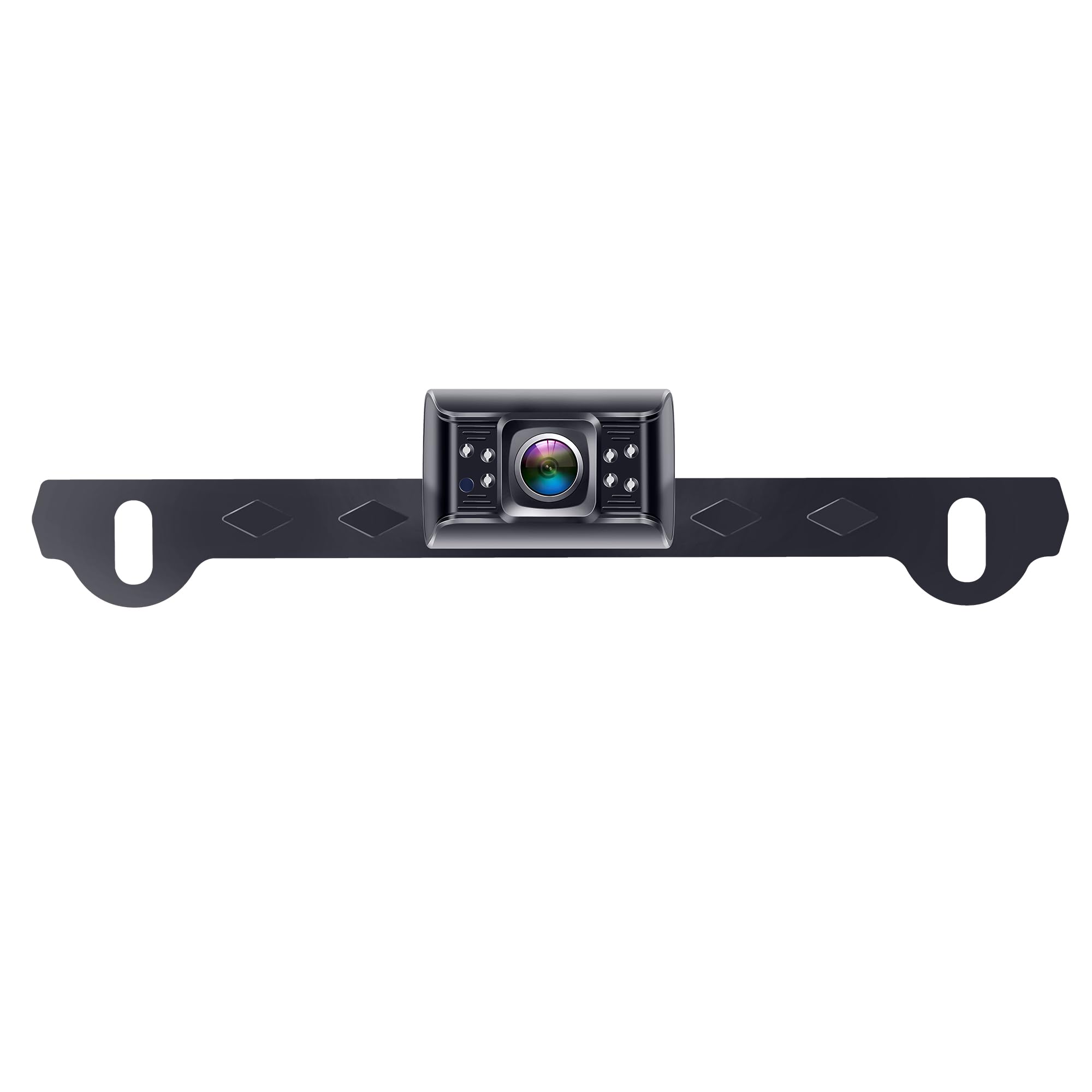
Figure 1: Wkzay WK2 License Plate Backup Camera. This image shows the compact, rectangular camera unit with its central lens and integrated mounting bracket designed to attach to a license plate frame. The camera body is black with subtle silver accents around the lens and small indicator lights or sensors.
Key Features:
- HD 1080P Resolution: Provides clear and detailed video feed.
- IP69 Waterproof: Ensures reliable operation in various weather conditions.
- Night Vision: Enhances visibility in low-light environments.
- Wide Field of View: 150 Degrees for comprehensive rear coverage.
- S21 System Compatibility: Seamless integration with existing S21 systems.
5. Setup and Installation
The Wkzay WK2 camera is designed for easy installation, particularly when integrating with an S21 system. Follow these general steps:
- Prepare the Vehicle: Ensure the vehicle is off and the parking brake is engaged. Disconnect the negative terminal of the vehicle's battery.
- Mount the Camera:
- Position the camera securely behind your vehicle's license plate. The camera is designed to integrate with the license plate mounting area.
- Use the provided mounting hardware to fasten the camera firmly. Ensure the camera lens has an unobstructed view.
- Route the Wiring:
- Carefully route the camera's power and video cables from the license plate area into the vehicle's interior. Avoid sharp edges or moving parts that could damage the cables.
- Utilize existing grommets or drill new holes (if necessary, seal properly) to pass the cables through the vehicle body.
- Connect to S21 System:
- Connect the camera's video output cable to the video input of your S21 system's display unit or receiver. Refer to your S21 system's manual for specific video input ports.
- Connect the camera's power cable to a 12V DC power source that is activated when the vehicle is in reverse. This is typically achieved by tapping into the vehicle's reverse light wiring.
- Ensure all connections are secure and properly insulated.
- Test the System: Reconnect the vehicle's battery. Put the vehicle in reverse (with the engine off and parking brake engaged) to test the camera feed on your S21 display. Adjust the camera angle if needed.
Note: For detailed wiring diagrams and specific S21 system integration instructions, please refer to your S21 system's user manual.
6. Operating Instructions
Once properly installed and connected to your S21 system, the Wkzay WK2 camera operates automatically:
- Automatic Activation: When your vehicle is shifted into reverse, the camera will automatically power on and transmit its video feed to your connected S21 display.
- Viewing the Feed: The live video feed from the camera will appear on your S21 system's monitor, providing a clear view of the area behind your vehicle.
- Night Vision: The camera's integrated night vision capabilities will automatically activate in low-light conditions, providing improved visibility without manual intervention.
- Waterproof Design: The IP69 waterproof rating ensures the camera functions reliably even in rain, snow, or when exposed to water spray.
7. Maintenance
To ensure optimal performance and longevity of your Wkzay WK2 camera, follow these maintenance guidelines:
- Lens Cleaning: Regularly clean the camera lens with a soft, damp cloth to remove dirt, dust, or water spots. Avoid abrasive cleaners or materials that could scratch the lens.
- Housing Inspection: Periodically check the camera housing and mounting hardware for any signs of damage, corrosion, or looseness. Tighten any loose screws as needed.
- Cable Inspection: Inspect the wiring for any fraying, cuts, or exposed wires. Repair or replace damaged cables immediately to prevent electrical issues.
- Avoid High-Pressure Washing: While the camera is waterproof, avoid directing high-pressure water jets directly at the camera for extended periods, as this could potentially compromise seals over time.
8. Troubleshooting
| Problem | Possible Cause | Solution |
|---|---|---|
| No image on display. |
|
|
| Image is blurry or distorted. |
|
|
| Night vision not working. |
|
|
9. Specifications
| Brand | Wkzay |
| Model | WK2 |
| Resolution | HD 1080P |
| Waterproof Rating | IP69 |
| Field of View | 150 Degrees |
| Voltage | 12 Volts (DC) |
| Connector Type | USB (Note: This might refer to the S21 system's connection or a power input; clarify with S21 manual.) |
| Product Dimensions (L x W x H) | 6.5"L x 4.8"W x 8.5"H (Note: These dimensions may include packaging or a kit; refer to actual product for camera-specific dimensions.) |
| Item Weight | 0.5 Kilograms |
| Compatible Devices | S21 System, Furrion RVs |
10. Warranty and Support
The Wkzay WK2 License Plate Backup Camera comes with a 1-year limited warranty from the date of purchase. This warranty covers manufacturing defects under normal use.
For warranty claims, technical support, or any questions regarding your product, please contact Wkzay customer service through the retailer where the product was purchased or visit the official Wkzay website for contact information.
Please retain your proof of purchase for warranty service.