
1. Important Safety Instructions
Please read all instructions carefully before using the V-Guard VIC 150 Induction Cooktop. Retain this manual for future reference.
- Do not immerse the appliance, cord, or plug in water or other liquids.
- Ensure the power supply voltage matches the rating label on the appliance.
- Always place the cooktop on a stable, flat, heat-resistant surface.
- Do not operate the appliance with a damaged cord or plug. Contact authorized service personnel for repairs.
- Keep the appliance away from children and pets during operation.
- Do not touch the hot surface immediately after cooking. The ceramic plate will retain residual heat.
- Ensure proper ventilation around the cooktop. Do not block air vents.
- Use only induction-compatible cookware.
- Avoid placing metallic objects like knives, forks, spoons, or lids on the induction surface as they can become hot.
- Unplug the cooktop from the power outlet when not in use and before cleaning.
2. Product Overview
The V-Guard VIC 150 is a 2000W induction cooktop designed for efficient and quick cooking. It features a sleek touch panel and multiple cooking functions.
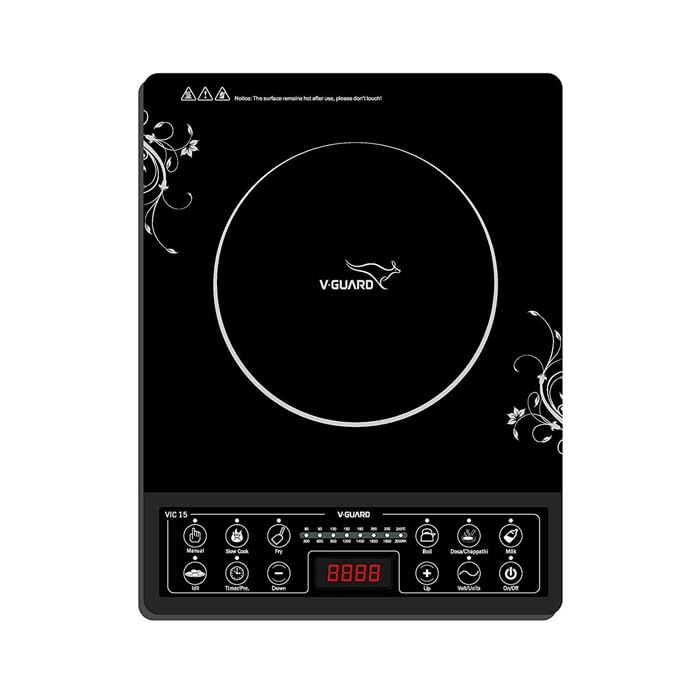
Image: Side view of the V-Guard VIC 150 Induction Cooktop, showcasing its compact design and black finish.
Key components include the ceramic cooking surface, the touch control panel, and ventilation openings.
3. Setup
3.1 Unpacking
- Carefully remove the induction cooktop from its packaging.
- Check for any damage during transit. If damaged, do not use and contact customer support.
- Remove all packaging materials, stickers, and labels from the appliance.
3.2 Placement
- Place the cooktop on a dry, stable, and level surface.
- Ensure there is at least 10 cm of clear space around all sides of the cooktop for adequate ventilation.
- Do not place the cooktop near heat sources, flammable materials, or on metallic surfaces that could interfere with induction.
3.3 Power Connection
- Plug the power cord into a grounded electrical outlet that matches the voltage requirements of the cooktop.
- Ensure the outlet is easily accessible for quick disconnection if needed.
4. Operating Instructions
4.1 Control Panel Overview
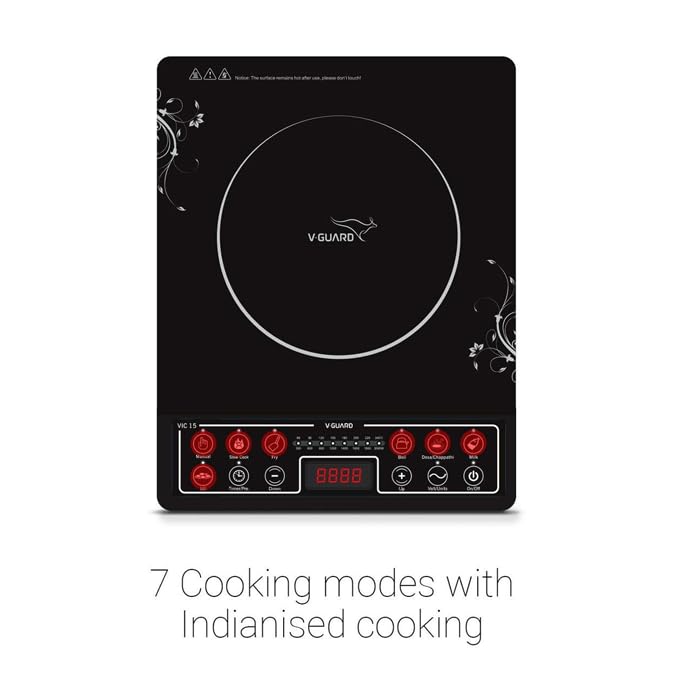
Image: Top view of the V-Guard VIC 150 Induction Cooktop, highlighting the control panel with its 7 cooking modes.
The cooktop features an intuitive touch panel for easy operation. The digital display shows power levels, temperature, or timer settings.
4.2 Basic Operation
- Power On: Place induction-compatible cookware on the center of the cooking zone. Plug in the cooktop. Press the On/Off button. The display will light up.
- Select Function: Choose one of the 7 cooking functions or use the manual mode.
- Adjust Settings: Use the + and - buttons to adjust power, temperature, or time.
- Power Off: Press the On/Off button again to turn off the cooktop. Unplug from the power outlet after use.
4.3 Cooking Functions
The V-Guard VIC 150 offers 7 pre-programmed cooking functions for various culinary needs. Select the desired function by pressing its corresponding icon on the touch panel.
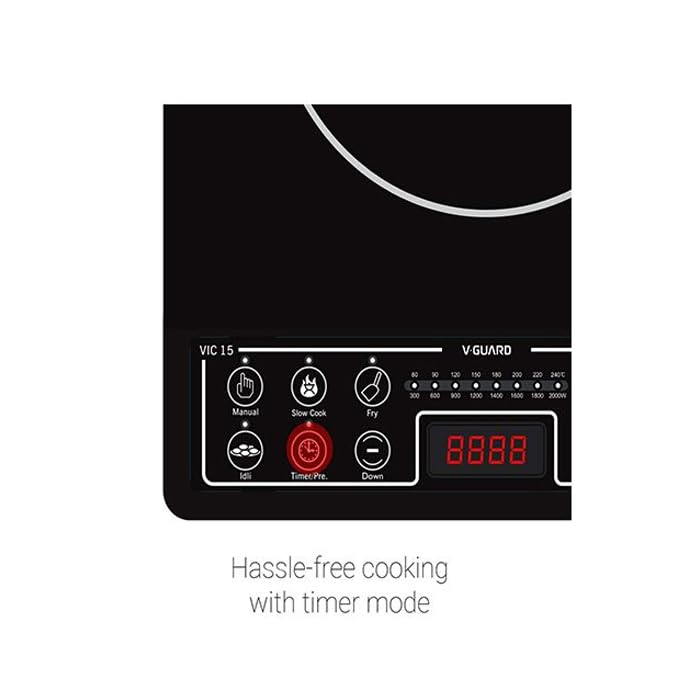
Image: Close-up of the V-Guard VIC 150 control panel, showing the 'Timer/Pre.' button and power/temperature indicators.
- Manual Mode: Allows for custom power/temperature settings.
- Slow Cook: Ideal for dishes requiring longer cooking times at lower temperatures.
- Fry: Optimized for frying with higher, consistent heat.
- Other specific functions are indicated by icons on the control panel, designed for common Indian cooking methods.
4.4 Timer Function
- Press the Timer/Pre. button to activate the timer.
- Use the + and - buttons to set the desired cooking time (up to 24 hours).
- The cooktop will automatically turn off once the set time has elapsed.
4.5 Child Lock
- To activate the child lock, press and hold the Child Lock button (often indicated by a lock icon) for a few seconds until the lock indicator appears on the display.
- When activated, all other buttons will be unresponsive.
- To deactivate, press and hold the Child Lock button again until the indicator disappears.
5. Maintenance and Cleaning
5.1 Cleaning the Cooktop
- Always unplug the cooktop and allow it to cool completely before cleaning.
- Wipe the ceramic glass surface with a soft, damp cloth and mild detergent. For stubborn stains, use a non-abrasive ceramic cooktop cleaner.
- Do not use abrasive cleaners, scouring pads, or harsh chemicals, as they can scratch or damage the surface.
- Wipe the control panel and exterior body with a soft, damp cloth. Ensure no water enters the internal components.
- Dry all surfaces thoroughly before plugging the cooktop back in.
5.2 Storage
- Store the cooktop in a dry, cool place when not in use.
- Avoid placing heavy objects on the cooktop surface during storage.
6. Troubleshooting
If you encounter issues with your V-Guard VIC 150 Induction Cooktop, refer to the following common problems and solutions:
| Problem | Possible Cause | Solution |
|---|---|---|
| Cooktop does not turn on | No power supply; Cooktop not plugged in; Power button not pressed. | Check power outlet and plug connection; Press the On/Off button. |
| No heating | Non-induction compatible cookware; Cookware not centered; Small cookware. | Use induction-compatible cookware; Center the cookware; Ensure cookware base covers at least 80% of the cooking zone. |
| Display shows an error code (e.g., E0, E1) | Overheating; Voltage fluctuation; Internal fault. | Unplug and let cool; Check power supply; If error persists, contact customer support. |
| Fan continues to run after turning off | Normal operation to cool internal components. | This is normal. The fan will stop automatically once cooled. |
If the problem persists after attempting these solutions, please contact V-Guard customer support.
7. Specifications
Key technical specifications for the V-Guard VIC 150 Induction Cooktop:
| Feature | Specification |
|---|---|
| Model Number | VIC 150 |
| Power Output | 2000 Watts |
| Control Type | Touch Panel |
| Cooking Functions | 7 Pre-programmed functions |
| Timer | 24-hour timer |
| Safety Features | Child Lock, Low/High Voltage Cut-off Protection |
| Color | Black |
| Item Weight | 500 g |
| Item Dimensions (LxWxH) | 12 x 5 x 12 Centimeters |
| Included Components | User Manual |
8. Warranty and Support
8.1 Warranty Information
The V-Guard VIC 150 Induction Cooktop comes with a manufacturer's warranty. Please refer to the warranty card included with your product for specific terms, conditions, and duration of the warranty.
8.2 Customer Support
For any product-related queries, service requests, or technical assistance, please contact V-Guard customer support. Contact details can typically be found on the V-Guard official website or on the product packaging.