1. Introduction
This manual provides essential information for the safe operation, maintenance, and troubleshooting of your Oxseryn 4400 Watts Inverter Generator, Model EDOG10. Please read this manual thoroughly before operating the generator to ensure proper use and to prevent injury or damage.

Figure 1: Oxseryn 4400 Watts Inverter Generator (Model EDOG10)
2. Safety Information
Operating a generator can be hazardous. Always follow these safety precautions to reduce the risk of fire, electric shock, and personal injury.
- Carbon Monoxide Hazard: Generators produce carbon monoxide (CO) gas, which is colorless and odorless. Never operate the generator indoors or in enclosed spaces. Use it only outdoors, far away from windows, doors, and vents. Install battery-operated CO alarms in your home.
- Electrical Shock Hazard: Do not operate the generator in wet conditions. Ensure all electrical connections are dry and properly insulated. Never touch the generator or connected devices with wet hands.
- Fire Hazard: Gasoline is highly flammable. Refuel in a well-ventilated area with the engine off and cool. Do not smoke or allow open flames near the generator. Store fuel in approved containers.
- Hot Surfaces: The generator engine and muffler become very hot during operation and remain hot for some time after shutdown. Avoid touching these surfaces to prevent burns.
- Proper Grounding: Always properly ground the generator before use to prevent electrical shock. Refer to local electrical codes for grounding requirements.
- Children and Pets: Keep children and pets away from the generator at all times.
3. Product Overview
Familiarize yourself with the components and control panel of your Oxseryn Inverter Generator.
3.1 Key Features
- Powerful Output: 4400 peak watts and 3400 running watts.
- Multi-Output Options: Includes 2x 120V AC ports, 1x 12V DC port, and 1x RV port.
- Extended Runtime: Up to 14 hours at 25% load with ECO mode, thanks to a 2-gallon fuel tank.
- Low Noise Operation: Operates under 72 dBA at 23 feet.
- Lightweight Design: Weighs approximately 56 lbs for portability.
- Clean Sine Wave Power: Safe for sensitive electronics like laptops and phones.

Figure 2: Generator highlighting key features such as multi-purpose, overload protection, oil sensor, clean power, fuel saving, long runtime, low noise, and lightweight design.
3.2 Control Panel
The control panel provides access to all operational controls and indicators.

Figure 3: Detailed view of the control panel, showing the ECO switch, Engine switch, DC 12V port, Reset button, DC Overload Protector, AC Overload Protector, Indicator Lights (Low Oil, Overload, Running), AC 120V ports, and AC 120V RV port.
- ECO Switch: Engages ECO mode for fuel efficiency and reduced noise at lower loads.
- Engine Switch: Controls engine ON/OFF.
- DC 12V Port: For 12V DC appliances.
- Reset Button: Resets the generator after an overload.
- DC Overload Protector: Protects the DC circuit from overload.
- AC Overload Protector: Protects the AC circuits from overload.
- Indicator Lights:
- Yellow: Low Oil Indicator
- Red: Overload Indicator
- Green: Running Indicator
- AC 120V Ports: Standard household outlets.
- AC 120V RV Port: For RV connections.
- Ground Terminal: For proper grounding of the unit.
4. Setup
Before first use, proper setup is crucial for safe and efficient operation.
4.1 Adding Engine Oil
- Place the generator on a level surface.
- Locate the oil fill cap/dipstick.
- Remove the oil fill cap/dipstick.
- Add approximately 0.45 to 0.6 liters (450-600ml) of recommended engine oil (e.g., SAE 10W-30) into the oil fill opening. Do not overfill. The oil level should reach the lower edge of the oil fill opening.
- Securely replace the oil fill cap/dipstick.
Important: The generator is shipped without engine oil. Operating without oil will cause severe engine damage and void the warranty.
4.2 Adding Fuel
- Ensure the generator is off and cool.
- Open the fuel tank cap.
- Fill the fuel tank with fresh, unleaded gasoline (minimum 87 octane). The tank capacity is 2 gallons (7.57 liters). Do not overfill; leave space for fuel expansion.
- Securely close the fuel tank cap.
Warning: Do not use E85 or any other fuel containing more than 10% ethanol. This can damage the fuel system.
4.3 Grounding the Generator
For safety, the generator must be properly grounded. Connect a heavy-gauge copper wire from the generator's ground terminal to an appropriate ground source, such as a ground rod.
5. Operating Instructions
5.1 Starting the Engine
- Ensure the generator is on a level, outdoor surface, away from combustible materials.
- Check oil and fuel levels.
- Turn the fuel valve to the ON position.
- If the engine is cold, move the choke lever to the FULL CHOKE position.
- Turn the Engine Switch to the ON position.
- Pull the recoil starter handle slowly until resistance is felt, then pull quickly and firmly.
- Once the engine starts, gradually move the choke lever to the RUN position.
- Allow the engine to run for a few minutes to warm up before connecting electrical loads.
5.2 Connecting Electrical Loads
- Ensure the generator is running stably.
- Plug in your electrical devices to the appropriate AC or DC outlets.
- Do not exceed the generator's rated running wattage (3400W) or peak wattage (4400W). Overloading will trip the overload protector.

Figure 4: Generator providing backup power for common household items like lamps, Wi-Fi routers, laptops, space heaters, microwaves, and refrigerators.
5.3 ECO Mode Operation
The ECO mode switch, when engaged, allows the engine speed to automatically adjust to the connected load. This reduces fuel consumption, engine noise, and exhaust emissions when operating at less than full capacity.
- To activate ECO mode, flip the ECO switch to the ON position.
- For maximum power output or when starting high-load devices, turn ECO mode OFF.
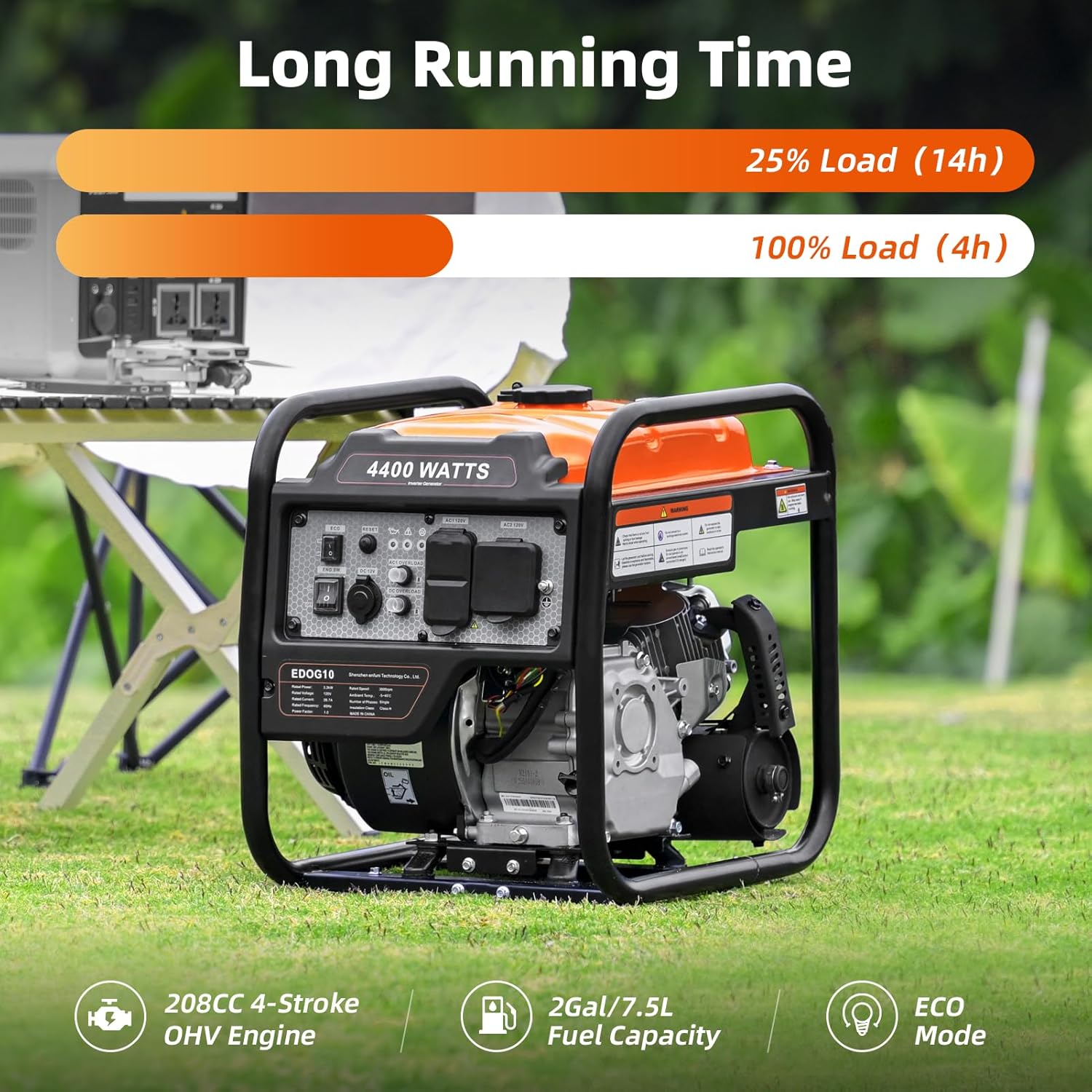
Figure 5: Generator runtime at different loads: 14 hours at 25% load and 4 hours at 100% load, demonstrating fuel efficiency with ECO mode.
5.4 Stopping the Engine
- Disconnect all electrical loads from the generator.
- Allow the engine to run for a few minutes without load to cool down.
- Turn the Engine Switch to the OFF position.
- Turn the fuel valve to the OFF position.
6. Maintenance
Regular maintenance ensures the longevity and reliable performance of your generator.
6.1 Maintenance Schedule
| Item | Every Use | Every 25 Hrs / Monthly | Every 100 Hrs / 6 Months | Every 300 Hrs / Annually |
|---|---|---|---|---|
| Check Engine Oil Level | ✓ | |||
| Change Engine Oil | ✓ (First 25 hrs) | ✓ | ||
| Clean Air Filter | ✓ | |||
| Check Spark Plug | ✓ | |||
| Clean Fuel Filter | ✓ |
6.2 Storage
If storing the generator for more than 30 days:
- Drain the fuel tank and carburetor. Run the engine until it stops from lack of fuel.
- Change the engine oil.
- Remove the spark plug and pour a tablespoon of engine oil into the cylinder. Slowly pull the recoil starter a few times to distribute the oil, then reinstall the spark plug.
- Clean the exterior of the generator.
- Store in a clean, dry, well-ventilated area.
7. Troubleshooting
Refer to this section for common issues and their solutions.
| Problem | Possible Cause | Solution |
|---|---|---|
| Engine will not start | No fuel Low oil level Engine switch OFF Choke not set correctly Spark plug issue Crimped fuel line | Add fresh fuel Add oil to correct level Turn engine switch ON Adjust choke (FULL CHOKE for cold start, RUN for warm) Inspect/clean/replace spark plug Check fuel lines for kinks or blockages |
| Engine starts then stops | Low oil level Stale fuel Clogged fuel filter Carburetor issue | Add oil to correct level Drain and refill with fresh fuel Clean/replace fuel filter Contact service for carburetor inspection |
| No power output | Overload protector tripped Loose connections ECO mode engaged with high load | Reduce load, press reset button Check all cable connections Turn ECO mode OFF for high-load devices |
| Engine runs rough | Stale fuel Dirty air filter Spark plug issue | Drain and refill with fresh fuel Clean/replace air filter Inspect/clean/replace spark plug |
8. Specifications
Detailed technical specifications for the Oxseryn EDOG10 Inverter Generator.
| Specification | Value |
|---|---|
| Brand | Oxseryn |
| Model Name | EDOG10 |
| Starting Wattage | 4400 Watts |
| Running Wattage | 3400 Watts |
| Fuel Type | Gasoline |
| Fuel Tank Volume | 2 Gallons (7.57 Liters) |
| Engine Type | 208cc 4-Stroke OHV Engine |
| Voltage | 120 Volts |
| Total Power Outlets | 2x AC 120V, 1x DC 12V, 1x RV 120V |
| Noise Level | Under 72 dBA (at 23FT) |
| Item Weight | 56 Pounds |
| Product Dimensions (L x W x H) | 19" x 15.6" x 19.1" |
| Special Features | Cold Start Technology, Fuel Efficient, Fuel Gauge, Low Oil Shutdown, Overload Protection, ECO Mode |
9. Warranty and Support
9.1 Manufacturer's Warranty
This Oxseryn Inverter Generator is covered by a 1-Year Manufacturer's Warranty from the date of purchase. This warranty covers defects in materials and workmanship under normal use. It does not cover damage resulting from misuse, neglect, unauthorized modifications, or normal wear and tear.
9.2 Customer Support
For technical assistance, warranty claims, or to order replacement parts, please contact Oxseryn customer support. Keep your purchase receipt and product serial number readily available when contacting support.
You can typically find contact information on the manufacturer's official website or through your point of purchase.