1. Introduction
This manual provides detailed instructions for the installation, operation, and maintenance of your CAMECHO 9-inch Android 15 Car Stereo. This device is designed to enhance your in-car entertainment and navigation experience with advanced features.
1.1. Product Overview
The CAMECHO car stereo features a 9-inch Incell touchscreen, runs on Android 15, and comes with 4GB RAM + 64GB ROM for smooth performance. It integrates seamlessly with various car functions and offers extensive connectivity options.
1.2. Vehicle Compatibility
This unit is compatible with the following Volkswagen Polo models:
- VW Polo (6C1, 6R1) 2009/06-2014/05
- VW Polo (6R, 6C) 2014/11-2017/12
- VW Polo Vivo with tailgate 2010/02-2017/09
- VW Polo (9N) 2001/10-2009/11
- VW Polo (9N-) 2008/10-2009/04
Note: If you are unsure about compatibility, please consult a professional or contact CAMECHO support with a photo of your car's central console and the rear of the original CD unit.
2. Setup and Installation
Proper installation is crucial for optimal performance. It is recommended that installation be performed by a qualified technician.
2.1. Package Contents
Verify that all components are present in the package:
- CAMECHO 9-inch Car Stereo Unit
- AHD Rear Camera (Gift)
- Power Cable
- Canbus Decoder
- Installation Tool
- Microphone
- GPS Antenna
- Accessories & Radio Cable
- 6PIN USB Cable
- 4PIN USB Cable
- Camera Input Cable
- User Manual (this document)
- RCA Cable

Image: Overview of the CAMECHO 9-inch car stereo, showing its dimensions and the included components for installation. The image displays the unit before and after installation in a car dashboard, along with a list of accessories like power cable, camera, microphone, and GPS antenna.
2.2. Wiring Diagram and Connections
Refer to the following diagram for proper wiring connections. Ensure all cables are securely connected to prevent malfunctions.

Image: Detailed wiring diagram for the CAMECHO car stereo, highlighting specific connection points labeled 'A' and 'B' for troubleshooting purposes. Various colored wires and connectors are shown, indicating power, audio, and data connections.
Key Connections:
- Power Cable: Connects to the vehicle's power supply.
- RCA Cable: For audio and video input/output.
- USB Cable: For connecting USB devices.
- Camera Input: For connecting the rear view camera.
- Radio Adapter: For connecting to the vehicle's radio antenna.
- GPS Antenna: For satellite navigation signal reception.
3. Operating Instructions
Familiarize yourself with the various functions and features of your CAMECHO car stereo.
3.1. CarPlay, Android Auto, and MirrorLink
Connect your smartphone wirelessly via Bluetooth and Wi-Fi to access CarPlay or Android Auto. This allows you to use your phone's navigation, music, contacts, and other apps directly on the car stereo screen. MirrorLink functionality also enables screen mirroring of your smartphone.

Image: The CAMECHO car stereo displaying CarPlay and Android Auto interfaces, showing various compatible applications like YouTube, TikTok, Netflix, Facebook, Instagram, and Spotify. The image illustrates how smartphone features are integrated into the car's display.
3.2. Bluetooth 5.0, EQ, and FM/RDS Radio
The built-in Bluetooth 5.0 module supports hands-free calling, voice chat, and wireless audio streaming. The system automatically loads your phonebook for convenience. The professional EQ (Equalizer) allows you to customize audio output for a richer sound experience. The FM/RDS radio provides real-time information such as traffic conditions, news, and weather forecasts.

Image: Visual representation of the CAMECHO car stereo's Bluetooth calling and music playback, FM/RDS radio interface, and the graphic equalizer settings. It shows hands-free calling, Bluetooth music streaming, radio station selection, and sound effect adjustments.
3.3. GPS Navigation and Wi-Fi Connectivity
The unit includes integrated GPS navigation, supporting both online and offline maps. For offline navigation, download free map data via the 'Here WeGo' app after connecting to the internet. Wi-Fi connectivity allows you to browse the internet, stream videos, and download various applications.
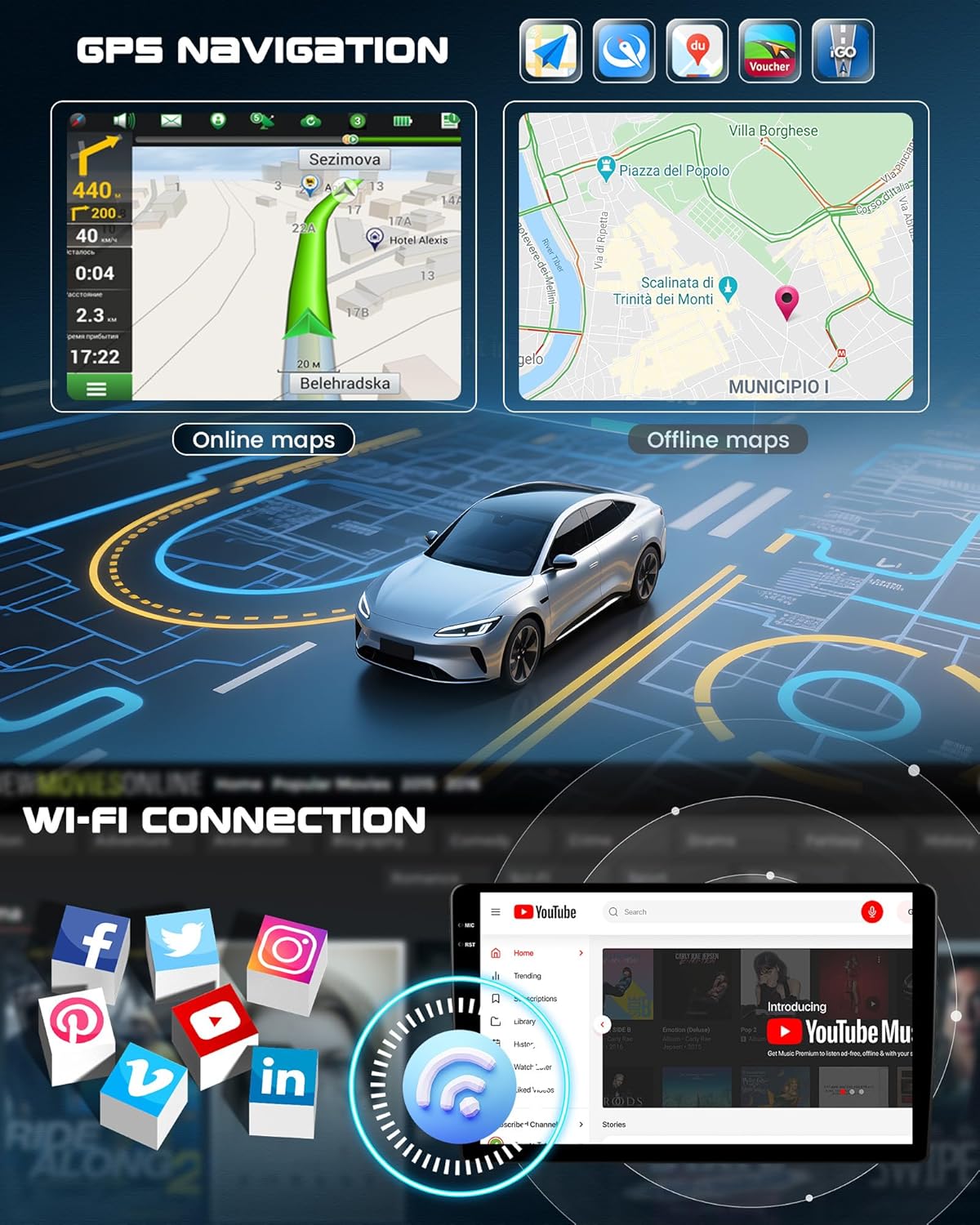
Image: The CAMECHO car stereo displaying online and offline GPS navigation maps, along with an illustration of Wi-Fi connectivity enabling access to social media and video streaming platforms like YouTube.
3.4. Additional Features
- Split Screen Function: Allows simultaneous use of multiple applications.
- Customizable UI: Personalize home screen applications and user interface.
- Smart Voice Assistant: Supports intelligent voice commands.
- Internet Radio & Global Weather: Access internet radio and global weather forecasts.
- External Device Support: Supports external rear camera, DVR, OBD2, DAB+, subwoofer, and 360 panoramic view (these devices are optional and not included).
- Steering Wheel Control (SWC): Compatible with your vehicle's steering wheel controls for convenient operation.

Image: A collage illustrating various advanced features of the CAMECHO car stereo, including reversing assistance with a rear camera, voice assistance interface, DAB+ radio function, steering wheel control integration, and OBD2 diagnostic capabilities.
4. Maintenance
To ensure the longevity and optimal performance of your CAMECHO car stereo, follow these general maintenance guidelines:
- Cleaning: Use a soft, dry cloth to clean the screen and exterior. Avoid abrasive cleaners or solvents.
- Temperature: Operate the unit within the specified temperature range (-20 ℃ to 70 ℃). Extreme temperatures can affect performance and lifespan.
- Software Updates: Periodically check for and install software updates to ensure the system runs efficiently and securely.
- Avoid Liquids: Keep the unit away from liquids to prevent damage to internal components.
5. Troubleshooting
If you encounter issues with your car stereo, refer to the following common troubleshooting steps:
5.1. Unit Not Powering On or Functioning
If the in-car player is not working after installation, ensure that ports 'A' and 'B' (as circled in the wiring diagram image in Section 2.2) are correctly connected. Disconnect and reconnect them, then retest the unit. Incorrect wiring is a common cause of power or functionality issues.
5.2. General Troubleshooting Tips
- No Sound: Check speaker connections and audio settings (volume, EQ).
- Poor Radio Reception: Ensure the radio antenna is properly connected.
- GPS Signal Issues: Verify the GPS antenna is installed in a clear location with an unobstructed view of the sky.
- Touchscreen Unresponsive: Try restarting the unit. If the issue persists, contact support.
If you are unsure how to proceed with any troubleshooting step, or if the problem persists, please contact CAMECHO customer support for assistance.
6. Specifications
Detailed technical specifications for the CAMECHO 9-inch Android 15 Car Stereo:
| Feature | Specification |
|---|---|
| System | Android 15 |
| Screen Material | Incell |
| Chipset | RK3326 |
| MCU | G0001ALT |
| Sound Processor | TM2313 |
| Operating Speed | 1.5 GHz |
| Screen Size | 9 inches |
| Memory (RAM + ROM) | 4 GB (RAM) + 64 GB (ROM) |
| Screen Resolution | 1280*720 |
| Bluetooth | Supported (Bluetooth 5.0) |
| Radio Chip | UMW2652 |
| Output Power | 4*45 W (180 Watts total) |
| Operating Voltage | 9 V-16 V |
| Operating Temperature | -20 ℃ to 70 ℃ |
| Steering Wheel Control | Supported |
| Power Amplifier Chip | YD7388 |
| Radio Band | FM/RDS |
| Reverse Input | AHD/CVBS |
| External Microphone | Supported |
| Split Screen | Supported |
| Mirror Link | Supported |
| Factory Password | 1234 |
| Maps | Integrated offline maps (requires internet for data download) |
| Wi-Fi | Supported |
| USB | Dual USB interface |
| Audio Format Support | APE/FLAC/WAV/MP3/WMA, etc. |
| Video Format Support | MKV/RMVB/AVI/MP4/MDV, etc. |
| Image Format Support | PNG/JPEG/JPG/GIF/WBMP/BNP, etc. |
| Languages | Chinese/English/French/Italian/Korean/Japanese/Arabic/Spanish/Portuguese/Russian/Turkish/Vietnamese/Hebrew/Polish/German |
7. Warranty and Support
CAMECHO is committed to providing high-quality automotive electronics and excellent customer service.
7.1. About CAMECHO
CAMECHO is a global brand specializing in car stereos and backup systems since 2014, dedicated to equipping vehicles with the latest in audio, application, and technology. The brand aims to deliver superior experiences in sound, operation, and smart rearview solutions, providing high-quality intelligent automotive terminals.
7.2. Customer Support
For any questions, technical assistance, or support regarding your CAMECHO product, please contact our customer service team. We offer 24-hour support and are ready to help.
Support Email: CAMECHOVIP@126.com
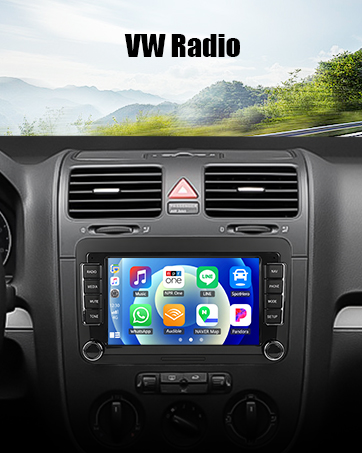
Image: A graphic indicating CAMECHO's commitment to 24-hour support, high quality, and technical assistance, along with the support email address.


