
1. Product Overview
The GEMEK 4 Channel Dash Cam provides comprehensive 360° surveillance for your vehicle. Equipped with four lenses, it simultaneously records FHD 2K video from the front, rear, left, and right sides. The adjustable front lenses allow for customized shooting angles to capture specific details. This dash cam integrates 5GHz WiFi and app control for convenient viewing, playback, and management directly from your smartphone. Key features include Super Night Vision, G-Sensor for emergency recording, loop recording, and a 24-hour parking mode for continuous vehicle protection. A 64GB TF memory card is included for immediate use.

Image: The GEMEK 4 Channel Dash Cam, showcasing its compact design with a central front camera and two adjustable side cameras. A separate rear camera is also depicted. Key features like Wide Angle, 4 x FHD 1080P, Audio Recording, Free 64G Micro Card, G-Sensor Lock, WiFi/App, Parking Monitor, and Loop Recording are highlighted.
2. Package Contents
Verify that all items listed below are present in your package:
- 1 x Dash Cam
- 1 x Rear Camera
- 1 x 11.48ft Car Charger
- 1 x Adjustable Suction Mount
- 1 x 3M Adhesive Mount
- 1 x Car Charge with Type C USB Cable
- 1 x User Manual
- 1 x Electrostatic Film for 3M Mount
- 1 x 64GB SD Memory Card (inserted into the machine in advance)
- 1 x 19.6ft Rear Camera Cable
- 2 x Screws
- 1 x 3M Adhesive

Image: A visual representation of all items included in the GEMEK 4 Channel Dash Cam package, including the main dash cam unit, rear camera, various cables, mounting options, user manual, and a 64GB SD card.
3. Setup and Installation
The GEMEK 4 Channel Dash Cam is designed for easy installation. Follow these steps to set up your device:
- Mounting the Main Dash Cam: Attach the adjustable suction mount to your windshield. Ensure the dash cam is positioned to provide a clear view of the road ahead and allows for adjustment of the side cameras.
- Connecting Power: Use the provided car charger to connect the dash cam to your vehicle's power outlet (cigarette lighter port). Alternatively, you can use the USB-C cable if your vehicle has a compatible USB-C port.
- Installing the Rear Camera: Mount the rear camera on your rear windshield using the 3M adhesive mount or screws. Run the 19.6ft rear camera cable along the vehicle's interior trim to the main dash cam unit.
- Adjusting Camera Angles: The main front camera and the two side cameras are adjustable. Use the live view on the dash cam's 3.0-inch IPS screen to fine-tune the angles for optimal coverage of the front, left, and right sides of your vehicle.
- Memory Card: A 64GB TF memory card is pre-installed. If using a different card, ensure it is a micro-SD, class 10 U3 speed, up to 256GB max, and formatted to FAT32.

Image: A visual guide demonstrating the simple steps for installing the dash cam, including mounting the main unit, connecting the rear camera, and routing cables for a clean setup.
Video: An official product video from GEMEK demonstrating the installation and features of the 4 Channel Dash Cam, including its front and rear camera capabilities.
4. Operating Instructions
The dash cam features a 3.0-inch IPS screen that provides live video feedback from all four cameras simultaneously. You can switch between different camera views or display all four in a split-screen format.
- Power On/Off: The dash cam typically powers on automatically when the vehicle starts and powers off when the vehicle is turned off.
- Recording: Continuous loop recording is enabled by default. The oldest videos will be overwritten when the TF card is full.
- Screen Display: Use the buttons below the screen (M, Up, Down, OK) to navigate menus and switch between display modes (e.g., single camera view, quad-view).

Image: The dash cam screen showing a quad-view display, with live feeds from the front, inside, left, and right cameras, illustrating the comprehensive coverage.

Image: A diagram illustrating the 360° all-around protection provided by the quad camera system, with each camera covering a 170° field of view around the vehicle.
5. App Control & Wi-Fi Connectivity
The dash cam supports 5GHz Wi-Fi connectivity, allowing you to control and manage your recordings via a dedicated smartphone application (Viidure app).
- Download the App: Scan the QR code provided in the user manual or on the dash cam screen to download the Viidure app for your iOS or Android device. You can also visit https://www.6zhentan.com/app/d0001/index.html to download the app.
- Connect to Wi-Fi: Turn on the dash cam's Wi-Fi hotspot (initial password: 12345678). Connect your smartphone to the dash cam's Wi-Fi network.
- App Functions: Through the app, you can view live footage, play back recorded videos, download 1080P videos directly to your phone, and manage settings.
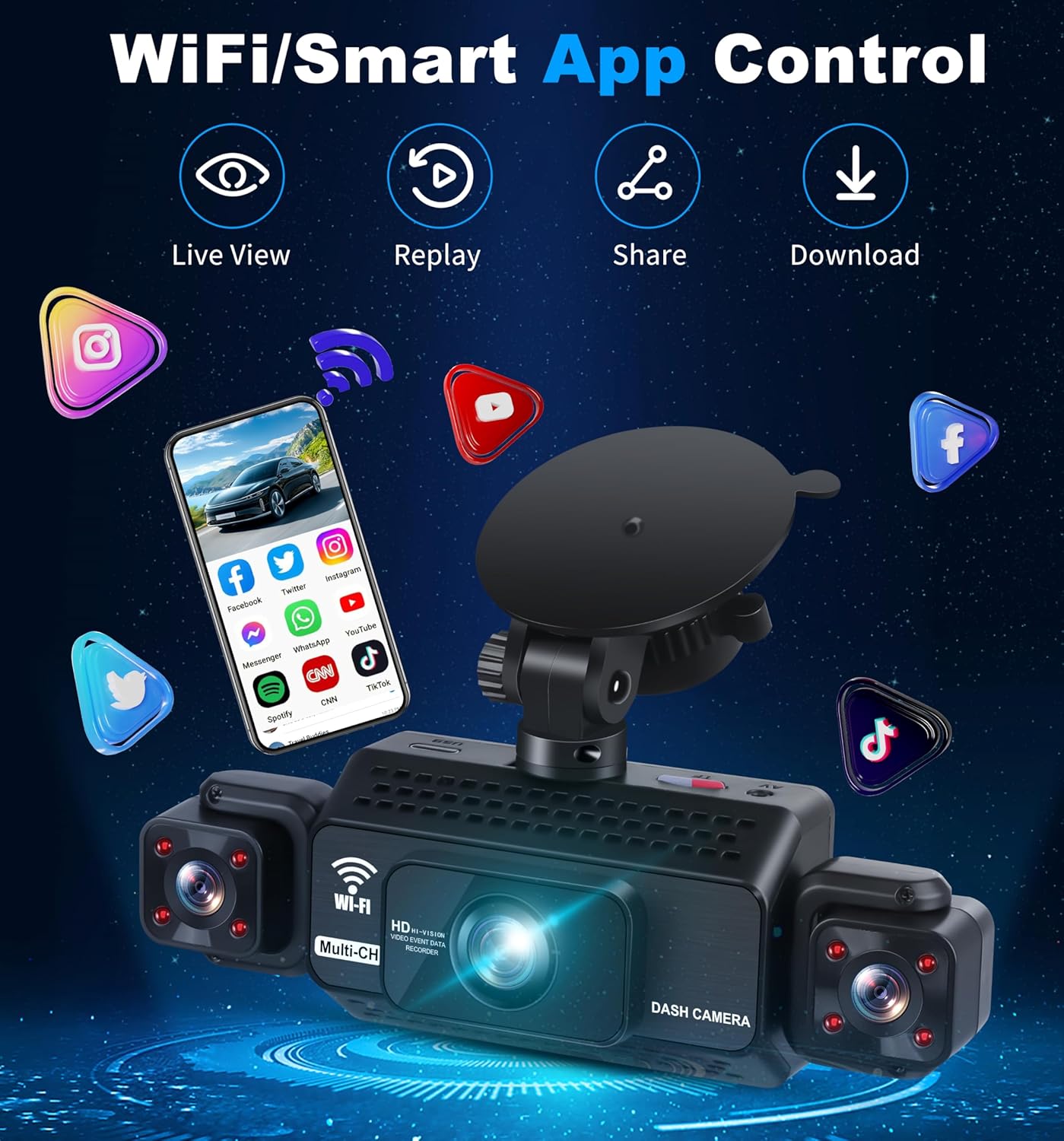
Image: A smartphone screen showing the Viidure app interface, with icons for Live View, Replay, Share, and Download, demonstrating smart app control for the dash cam.
6. Parking Mode & G-Sensor
The dash cam offers advanced features for vehicle security:
- 24-Hour Parking Mode: When your vehicle is parked and turned off, the dash cam automatically switches to parking mode. It monitors the area around the car (front 3-4 meters) and records a 1-minute video upon detecting motion or impact, providing continuous surveillance. This feature requires the dash cam to be connected to a USB-C hardwire kit (not included) or an external battery for constant power.
- G-Sensor & Emergency Lock: The built-in sensitivity G-Sensor detects sudden shakes or collisions. In such events, it automatically locks the current footage to prevent it from being overwritten during loop recording. These protected videos are saved in a dedicated "Event" folder for easy access.

Image: A graphic detailing the G-Sensor & Emergency Lock, 24 Hours Parking Monitor (with motion detection), and Loop Recording functionalities of the dash cam.
7. Night Vision & Video Quality
The GEMEK Dash Cam ensures clear recordings even in challenging lighting conditions:
- Super Night Vision: Equipped with 8 LED infrared lights and Wide Dynamic Range (WDR) technology, the dash cam prevents overexposure from headlights and automatically adjusts the balance in low light. This ensures crisp cabin images and clear recordings at night, enhancing driving safety.
- 2K Video Resolution: The high-performance Novatek chipset and sensor deliver smooth 1920*1080P (FHD 2K) video quality across all four channels.

Image: A side-by-side comparison demonstrating the effectiveness of Super Night Vision, showing a clear license plate, versus poor night vision where the license plate is blurry.

Image: A visual comparison illustrating the benefits of Superior HDR Technology, showing a balanced and clear image with HDR compared to an overexposed or underexposed image without it.
8. Maintenance
To ensure optimal performance and longevity of your GEMEK Dash Cam, follow these maintenance guidelines:
- Regular Formatting of TF Card: Periodically format the included 64GB TF card (or any other compatible card) to maintain optimal recording performance and prevent data corruption. This can typically be done through the dash cam's settings menu or via the app. If formatting with a computer, ensure it's formatted to FAT32.
- Clean Lenses: Gently clean the camera lenses with a soft, lint-free cloth to ensure clear video capture. Avoid abrasive materials or harsh chemicals.
- Firmware Updates: Check the official GEMEK website or the Viidure app for any available firmware updates. Keeping the firmware updated can improve performance and add new features.
- Secure Mounting: Periodically check that the dash cam and rear camera mounts are secure to prevent accidental dislodging during driving.
9. Troubleshooting
If you encounter any issues with your GEMEK Dash Cam, refer to the following common troubleshooting tips:
- Dash Cam Not Powering On: Ensure the car charger is securely plugged into both the dash cam and the vehicle's power outlet. Check if the vehicle's power outlet is functioning.
- Recording Issues: Verify that the TF card is correctly inserted and has sufficient free space. Format the TF card if necessary. Ensure loop recording is enabled in the settings.
- Wi-Fi Connection Problems: Confirm that the dash cam's Wi-Fi hotspot is active. Double-check the Wi-Fi password (default: 12345678). Ensure your smartphone is within range.
- Poor Video Quality: Clean the camera lenses. Check the video resolution settings in the dash cam or app to ensure it's set to 2K (1920*1080P) or higher.
- G-Sensor Not Triggering/Too Sensitive: Adjust the G-Sensor sensitivity settings in the dash cam menu.
For further assistance, please contact GEMEK customer support.
10. Specifications
| Product Dimensions | 7 x 11 x 22 inches |
| Item Weight | 11.3 ounces |
| Batteries | 1 Lithium Ion batteries required (included) |
| Brand | GEMEK |
| Model Name | 4 Channel Dash Cam 360° View 5G WiFi & APP Control |
| Connectivity Technology | Powerline, Wi-Fi |
| Special Features | 24-Hour Radar Detection Parking Monitoring, 360 Degree Dash Cam, 4 Channel Dash Cam, App Control, Built-In Microphone, Built-In Speaker, Compact Design, G-Sensor, Internal Memory, Loop Recording, Motion Sensing, Mute Function, Built-In WiFi, Night Vision, Parking Monitor, Reverse Assist, Blind Spot Detection, Automatic Incident Detection |
| Video Capture Resolution | 1920*1080p (2K) |
| Mounting Type | Windshield Mount |
| Color | Black |
| Field Of View | 360 Degrees |
11. Warranty and Support
For warranty information and customer support, please refer to the contact details provided in your product packaging or visit the official GEMEK website. Keep your purchase receipt for warranty claims.


