
Product Overview
The LOKMAT APPLLP 4G Android Smart Watch is a versatile wearable device featuring a 2.16-inch AMOLED display, 3GB RAM, and 32GB ROM. It supports independent 4G communication, a 190-degree rotating camera, and various smart functions for daily use, fitness tracking, and entertainment.
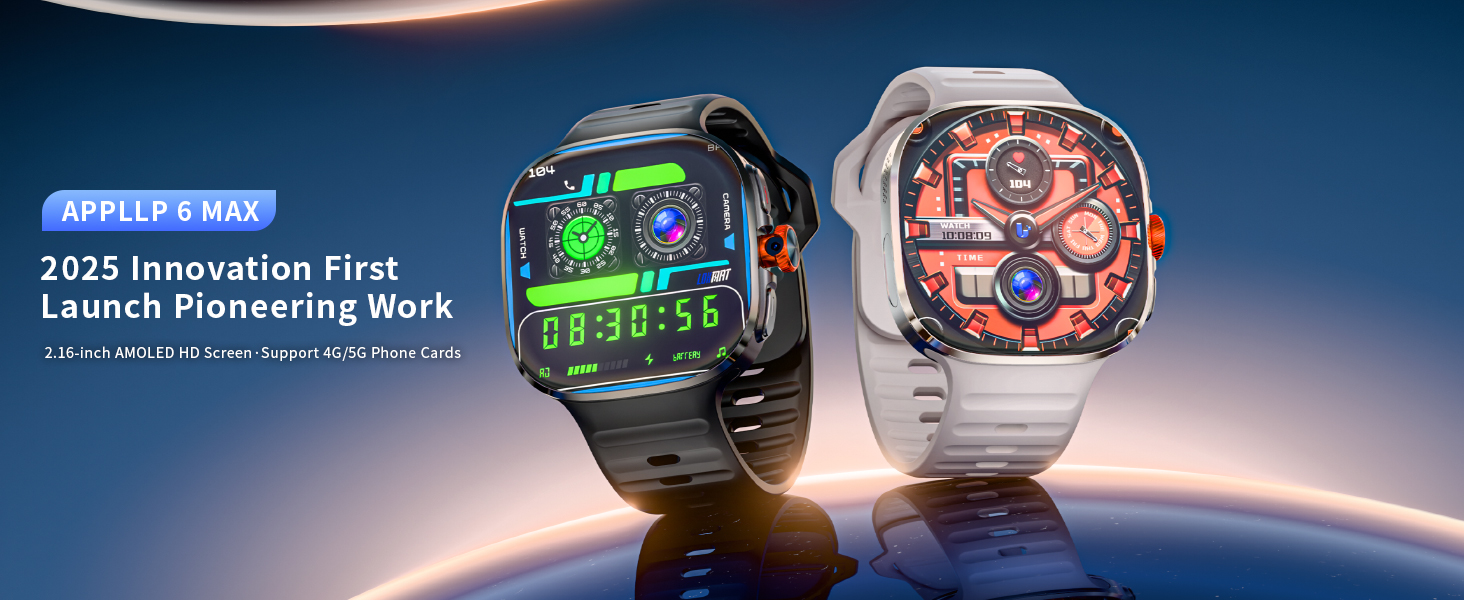
The LOKMAT APPLLP 4G Android Smart Watch features a large, vibrant AMOLED display.
Key Features:
- 4G Independent Communication: Supports Nano SIM card for calls, video calls, and internet access without a paired phone.
- 2.16-inch AMOLED HD Display: Offers clear visuals with 480x480 resolution for enhanced viewing.
- 190° Rotating Camera: A 2-megapixel camera allows flexible angle adjustments for photos and video calls.
- Android OS & App Support: Runs on Android, allowing installation of third-party applications for social media, tools, and games.
- Health & Fitness Tracking: Monitors heart rate, steps, calories, and offers multiple sports modes.
- Long Battery Life: Equipped with an 1150mAh battery for extended use.
- Smart Features: Includes iFLYTEK AI voice assistant, NFC for access control, Wi-Fi, and GPS.
What's in the Box
Upon unboxing your LOKMAT APPLLP Smart Watch, please ensure all the following items are present:
- LOKMAT APPLLP Smartwatch
- Watch Band
- Charging Cable
- User Manual

Detailed view of the items included in the product packaging.
Setup Guide
1. Initial Charging and Battery Activation
Before first use, fully charge the smartwatch. New batteries perform best after being fully charged and discharged twice. The standby time is approximately 2 days after a full charge. Heavy app usage (videos, games) will reduce usage time to 3-8 hours.
2. SIM Card Installation (for 4G Connectivity)
The watch supports Nano SIM cards for 2G/3G/4G networks. Supported bands include GSM: 850/900/1800/1900; WCDMA: B1/B2/B3/B4/B5/B7/B8/B12/B17/B20/B28F/B66; LTE-TDD: B34/B38/B39/B40/B41(100MHz).
- Locate the SIM card slot on the side of the smartwatch.
- Carefully insert a Nano SIM card into the slot.
- After inserting the SIM card, restart the device to ensure it properly reads the signal.

Insert a Nano SIM card for 4G network connectivity.
3. Connecting to a Smartphone (Bluetooth)
To connect your smartwatch to your smartphone for notifications and data synchronization, follow these steps:
- Download the "HiSportPro" app from Google Play Store (Android) or Apple App Store (iOS).
- Enable Bluetooth on your smartphone.
- Open the "HiSportPro" app, go to "Device", and select "Add a new device".
- On your smartphone, confirm the pairing request.
- Allow the necessary permissions for the app to function correctly.

Bluetooth connection process with the HiSportPro app.
4. Receiving Notifications (iOS & Android)
To receive messages and app notifications, ensure the "HiSportPro" app is active and properly configured.
For iOS Devices:
- Connect the watch and phone via Bluetooth.
- In the "HiSportPro" app, go to "Device" and tap "SMS" to enable SMS reminders.
- Go to "Device" and tap "App" to enable notifications for desired applications.
- On your iPhone, go to "Settings" > "Notifications" and allow "HiSportPro" to access notifications.

Configuring notifications for iOS devices.
For Android Devices:
- Connect the watch and phone via Bluetooth.
- In the "HiSportPro" app, go to "Device" and tap "SMS Reminder" to enable SMS reminders.
- Go to "Device" and tap "App Reminder" to enable notifications for desired applications.
- Ensure the "HiSportPro" app is added to the whitelist in your phone's settings to prevent it from being closed by the system. Disable "Do Not Disturb" and "Low Power Mode" for the app.

Configuring notifications for Android devices.
Operating Instructions
1. Display and Navigation
The smartwatch features a 2.16-inch AMOLED touchscreen with a resolution of 480x480 pixels. Navigate the interface by swiping across the screen and tapping icons. The full touch screen provides a smooth and responsive experience.

The 2.16-inch AMOLED HD screen provides clear and vibrant visuals.
2. 4G Communication and Wi-Fi
With a Nano SIM card inserted, the watch can make and receive calls, send text messages, and access the internet independently. It also supports 2.4GHz Wi-Fi for internet browsing and app usage.
3. Rotating Camera
The integrated 2-megapixel camera can rotate 190 degrees, allowing you to capture photos and conduct video calls from various angles. Simply rotate the camera lens to adjust your shot.

The 190-degree rotating camera offers flexibility for capturing moments.
4. App Installation and Usage
The smartwatch supports the installation of various third-party applications from its built-in app market. This includes social media platforms, utility tools, games, and learning applications. The 3GB RAM ensures smooth multitasking, and 32GB storage provides ample space for apps and media.

Download and use a wide range of applications directly on your smartwatch.

Stay connected with social media applications on your wrist.
5. Health and Fitness Monitoring
The watch includes multiple built-in sports modes and real-time health monitoring features. It tracks heart rate, steps, and calories. These functions are designed to provide general fitness information and are not intended for medical diagnosis or treatment.

Monitor your health metrics directly from your wrist.

Engage in various sports activities with dedicated tracking modes.
6. NFC Access Control
The NFC function allows for convenient access control unlocking. Simply lift your arm to quickly open compatible NFC-enabled doors without needing complex passwords. Note that NFC access control supports IC cards with a frequency of 13.56MHz (applicable to 80% of access control systems).

Utilize NFC for quick and secure access control.
7. GPS Functionality
The built-in GPS provides accurate positioning for navigation and tracking during outdoor activities.
Care and Maintenance
- Cleaning: Wipe the watch and band regularly with a soft, dry cloth. Avoid using harsh chemicals or abrasive materials.
- Water Resistance: This device is not water resistant. Avoid exposure to water, moisture, or extreme humidity to prevent damage.
- Charging: Use only the provided charging cable. Ensure the charging contacts are clean and dry before charging.
- Temperature: Avoid exposing the watch to extreme temperatures (hot or cold) or direct sunlight for prolonged periods.
- Storage: When not in use for an extended period, store the watch in a cool, dry place.
Troubleshooting
This section addresses common issues you might encounter with your LOKMAT APPLLP Smart Watch.

Key considerations for optimal performance and usage.
- Short Battery Life:
- Ensure the battery has been fully charged and activated twice for optimal performance.
- Heavy usage of apps, videos, or games significantly increases power consumption. Reduce usage or charge more frequently.
- Check for background apps running and close unnecessary ones.
- SIM Card Not Detected / Network Issues:
- Ensure the Nano SIM card is correctly inserted.
- Restart the smartwatch after inserting the SIM card to allow it to register with the network.
- Verify that your SIM card is active and has a valid plan.
- Check if your location has network coverage for the supported bands.
- Cannot Connect to Wi-Fi:
- Ensure your Wi-Fi network is 2.4GHz, as the watch supports this frequency.
- Check Wi-Fi password and signal strength.
- Restart the watch and your Wi-Fi router.
- Notifications Not Appearing:
- Verify that the smartwatch is properly connected to your smartphone via Bluetooth.
- Ensure the "HiSportPro" app is running in the background and has all necessary permissions enabled on your phone (refer to Setup Guide).
- For Android, ensure the app is whitelisted and not affected by power-saving modes.
- Health Data Inaccuracies:
- Ensure the watch is worn snugly on your wrist.
- Note that sports and health functions (blood oxygen, heart rate, sleep) are for reference only and are not intended for medical use.
Technical Specifications
| Feature | Specification |
|---|---|
| Model Name | APPLLP |
| Operating System | Android |
| Memory Storage Capacity | 32 GB |
| RAM Memory Installed | 3 GB |
| Screen Size | 2.16 Inches |
| Display Type | AMOLED |
| Resolution | 480 x 480 |
| Battery Capacity | 1150 Milliamp Hours (Lithium Polymer) |
| Connectivity Technology | Wi-Fi (2.4GHz), Bluetooth |
| Cellular Technology | 4G (Unlocked) |
| GPS | Built-in GPS |
| Camera | Yes (190° Rotating) |
| Human Interface Input | Touchscreen |
| Metrics Measured | Heart Rate Monitor, Step Counter, Calorie Tracker |
| Case Material Type | Metal |
| Band Material Type | Silicone |
| Water Resistance Level | Not Water Resistant |
| Compatible Devices | Smartphone (Android Smartphones) |
Warranty Information
The LOKMAT APPLLP Smart Watch comes with a Limited Manufacturer Warranty. The warranty period is 12 Months from the date of purchase. Please retain your proof of purchase for warranty claims.
For detailed terms and conditions of the warranty, please refer to the official LOKMAT website or contact customer support.
Customer Support
For further assistance, technical support, or inquiries regarding your LOKMAT APPLLP Smart Watch, please visit the official LOKMAT store or contact their customer service.
LOKMAT Official Store: https://www.amazon.com/stores/LOKMAT/page/7ACB61AE-D6AF-4F3D-955D-9969F2F052ED


