
1. Introduction
The SPOOBOOLA Party Light Disco Ball (Model TD-001) is a versatile lighting device designed to enhance various environments with dynamic light effects. This unit integrates multiple lighting functions, including stage lighting, party lighting, starry sky projection, night light, and water wave effects. It is suitable for a range of settings, from personal rooms to event decorations, offering diverse visual experiences.
2. Package Contents
Please verify that all items listed below are included in your package:
- 1 x Party Light Unit
- 1 x Remote Control
- 1 x USB Cable
- 1 x Power Adapter
- 1 x Instruction Manual
- Accessories (mounting bracket, screws)

Image: The Party Light Disco Ball with its USB cable, power adapter, and remote control, illustrating the product's dimensions.
3. Setup
- Unpacking: Carefully remove all components from the packaging. Retain packaging for future storage or transport.
- Power Connection: Connect the provided USB cable to the party light unit and then to the power adapter. Plug the power adapter into a standard electrical outlet (5V, 2A). The unit is designed for corded electric use and cannot be charged.
- Placement: Position the party light on a stable surface or mount it using the included accessories. The unit features a 360° portable stand, allowing for adjustment of the projection angle to suit your desired coverage area. Ensure the light is placed where its effects can be projected onto a wall or ceiling without obstruction.
- Initial Power-On: Once connected to power, the unit will typically power on automatically. Use the remote control or the buttons on the back of the unit to select your desired lighting mode.
4. Operating Instructions
The Party Light Disco Ball can be operated using the buttons on the back of the unit or the included remote control. The remote control offers comprehensive functionality for selecting modes, colors, and speed settings.
4.1. Lighting Modes and Effects
- Party Light Effect: This mode combines the ocean wave projector, laser lights, and colorful disco ball effects to create a vibrant and dynamic atmosphere. Multiple lighting effects interweave for a dazzling display.
- Starry Sky Lamp Effect: Projects a serene starry sky with slowly flowing clouds and gradually brightening stars, creating a calming and immersive celestial experience.
- Water Wave Ripple Effect: Generates gentle, flowing water ripple patterns, ideal for creating a tranquil or romantic ambiance.
4.2. Remote Control Functions
The remote control allows for easy adjustment of various settings:
- Power On/Off: Turn the unit on or off.
- Mode Selection: Cycle through different lighting modes (e.g., Party, Starry Sky, Water Wave).
- Color Adjustment: Select specific colors or color combinations for the LED and laser lights.
- Speed Control: Adjust the speed of the light patterns and movements.
- Sound Activation: Enable sound-activated mode, where lights respond to music or ambient sound.
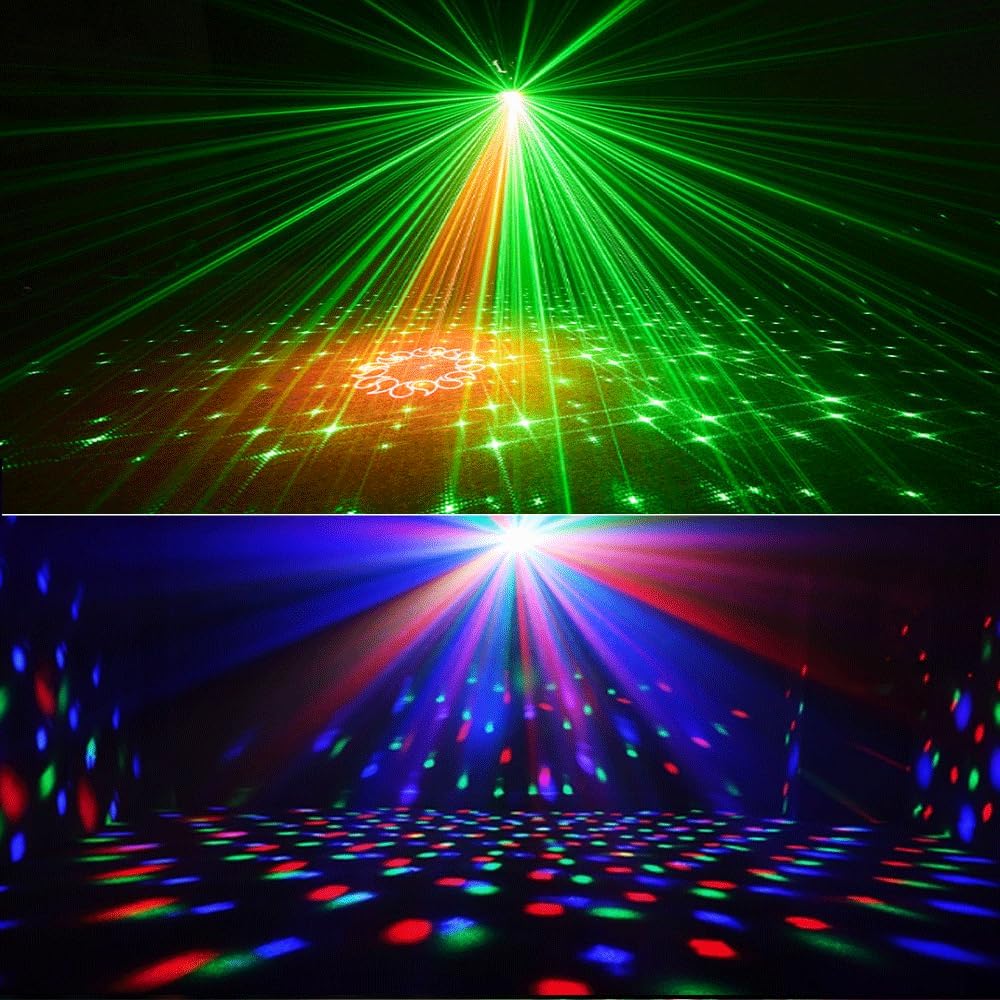
Image: The Party Light Disco Ball creating vibrant laser and disco ball patterns, illuminating a dark room.

Image: The Party Light Disco Ball displaying red and green water wave patterns, creating a fluid light effect.

Image: A lively party setting with the SPOOBOOLA Party Light Disco Ball projecting dynamic, colorful lights and patterns across the room.

Image: A room's ceiling transformed into a starry sky by the SPOOBOOLA Party Light Disco Ball, showcasing the celestial projection.
4.3. Official Product Video
Video: This video demonstrates the Party Lights Starry Sky Projector and Ocean Wave Projector effects of the SPOOBOOLA unit.
5. Maintenance
- Cleaning: Use a soft, dry cloth to clean the exterior of the unit. Do not use abrasive cleaners or solvents. Ensure the lenses are free of dust and smudges for optimal projection clarity.
- Storage: When not in use, store the unit in a cool, dry place away from direct sunlight and extreme temperatures.
- Safety: Avoid direct eye exposure to the laser beams. Keep the unit away from water or other liquids to prevent electrical hazards.
6. Troubleshooting
| Problem | Possible Cause | Solution |
|---|---|---|
| Unit does not power on. | No power supply or loose connection. | Check if the power adapter is securely plugged into the unit and the electrical outlet. Ensure the outlet is functional. |
| Lights are not projecting. | Unit is off, mode not selected, or lenses obstructed. | Ensure the unit is powered on. Use the remote or buttons to select a lighting mode. Check for any obstructions on the projection lenses. |
| Remote control not responding. | Remote battery depleted or obstructed signal. | Replace the remote control battery. Ensure there is a clear line of sight between the remote and the unit's IR receiver. |
7. Specifications
| Feature | Detail |
|---|---|
| Model Number | TD-001 |
| Brand | SPOOBOOLA |
| Color | Black |
| Shape | Square |
| Material | Acrylonitrile Butadiene Styrene (ABS), Plastic |
| Light Source Type | Laser |
| Power Source | Corded Electric |
| Voltage | 5 Volts |
| Amperage | 2 Amps |
| Mounting Type | Wall Mount |
| Light Source Special Features | Color-changing (RGB LEDs), Dynamic Laser Effects, Disco Ball Lighting, Remote Control Compatibility |
| Number of Light Sources | 3 |
| Item Weight | 1.58 Pounds |
| Item Dimensions (L x W x H) | 7.3"L x 4.9"W x 5.5"H |
| Batteries Included | No |
8. Warranty
The SPOOBOOLA Party Light Disco Ball (Model TD-001) comes with a one-year manufacturer's warranty. This warranty covers defects in materials and workmanship under normal use. Please retain your proof of purchase for warranty claims.
9. Support
For further assistance, technical support, or warranty inquiries, please contact SPOOBOOLA customer service through the retailer where the product was purchased or refer to the contact information provided on the product packaging or the official SPOOBOOLA website.