
Introduction
The Tapo C615F KIT is a solar-powered pan/tilt 2K outdoor security camera with an integrated 800-lumen floodlight. This manual provides detailed instructions for the setup, operation, maintenance, and troubleshooting of your device to ensure optimal performance and security.
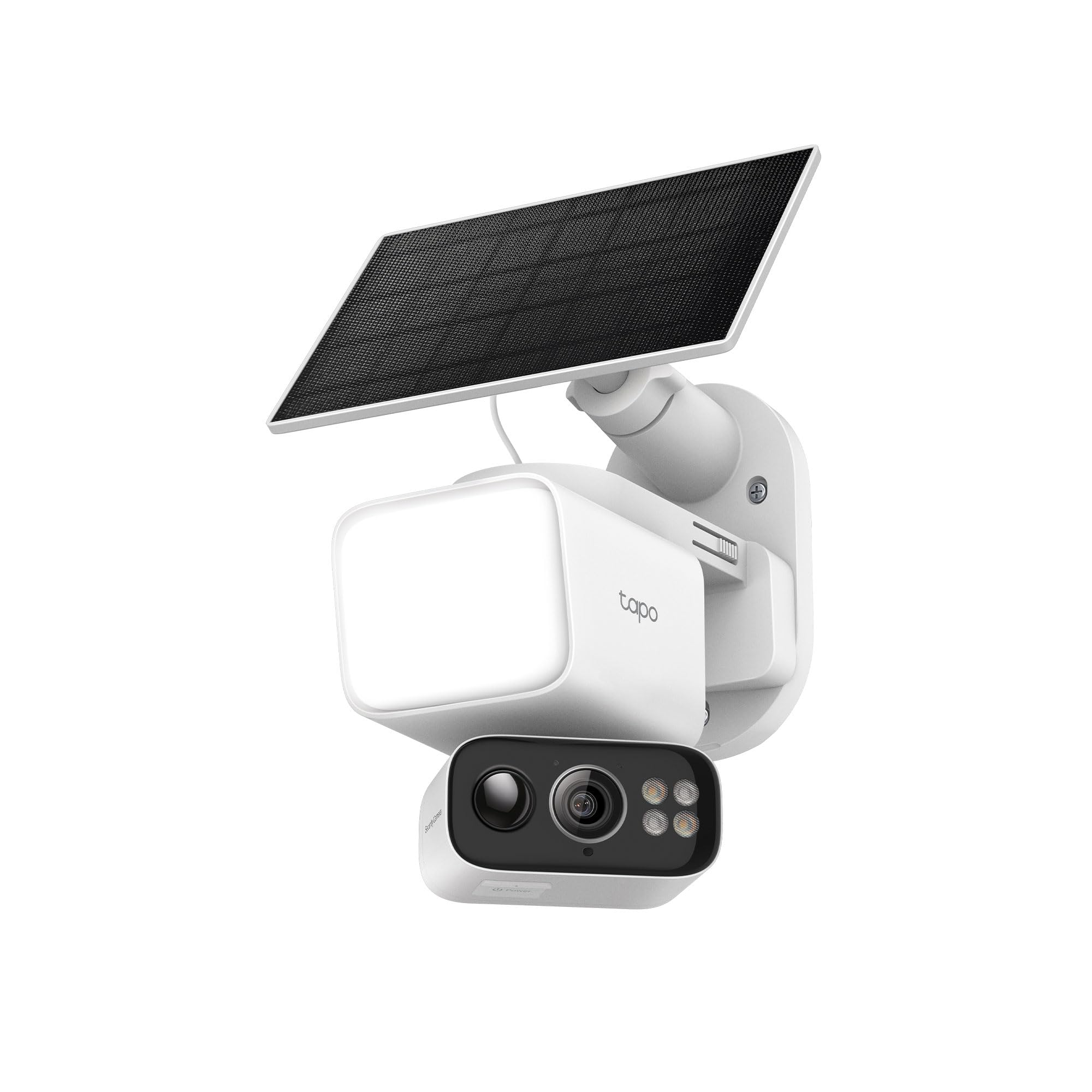
Image: The Tapo C615F KIT Solar Floodlight 2K Pan/Tilt Wireless Security Camera.
What's in the Box
The Tapo C615F KIT includes all necessary components for installation and operation. Please verify that all items listed below are present in your package.
- Tapo C615F Camera x1
- Tapo A201 Solar Panel x1
- Tapo A201 Solar Panel Bracket x1
- Base Cover x1
- USB Charging Cable x1
- Solar Extension Cable x1
- Mounting Screws and Anchors
- Mounting Template Stickers x2
- Quick Start Guide
Setup Guide
1. Charge the Battery
The camera battery comes partially charged. For optimal performance, we recommend fully charging the battery before initial use. This typically takes about 6 hours using the provided USB charging cable and a 5V 2A USB charger (not included).

Image: Diagram showing the camera connected to a USB charger for initial battery charging.
2. Set Up the Camera via Tapo App
- Download the Tapo app from the App Store or Google Play.
- Open the cover on the camera, then press and hold the power button for 3 seconds to turn it on.
- Follow the in-app instructions to add and configure your camera.
3. Mounting the Camera and Solar Panel
The camera and solar panel can be mounted together or separately. Use the provided mounting template stickers to mark drill holes. Insert anchors and secure the bracket with screws.
- Combined Mount: Attach the camera to the bracket, then slide the solar panel onto the top of the bracket.
- Separate Mount: Unscrew the two bracket screws to separate the camera and solar panel mounts. Use the solar extension cable if mounting the solar panel away from the camera.

Image: Diagram illustrating the adjustable angles of the floodlight and camera, and how the solar panel connects to the camera bracket.

Image: Examples of flexible camera placement, showing the camera and solar panel mounted together and separately.
Operating Instructions
Live View and Controls
Access the live feed of your Tapo C615F KIT through the Tapo app. From the app, you can:
- View real-time 2K video footage.
- Control pan (338°) and tilt (97°) movements for 360° horizontal and 130° vertical coverage.
- Activate the 800-lumen dimmable floodlight.
- Engage two-way audio communication.
- Set up privacy mode to temporarily disable recording and streaming.

Image: Visual comparison of 2K live view, full-color night vision with floodlight, and IR night vision modes.
AI Detection and Tracking
The Tapo C615F KIT features advanced AI detection capabilities to minimize false alerts and provide precise tracking:
- Person/Vehicle/Pet Detection: Customize notifications for specific types of motion.
- 360° AI Tracking: The camera automatically pans and tilts to follow detected subjects across its 360° viewing range.
- Sound and Light Alarm: Configure the built-in 97 dB siren and bright alarm lights to deter intruders upon detection.

Image: Screenshots demonstrating the AI detection of persons, vehicles, and pets with corresponding notifications.

Image: Visual representation of the camera's 360° AI tracking feature following a person on a skateboard.
Storage Options
The Tapo C615F KIT offers flexible storage solutions for your recordings:
- Local Storage: Supports microSD cards up to 512GB (purchased separately) for subscription-free recording.
- Cloud Storage: Optional Tapo Care cloud service provides additional features like rich notifications, encrypted protection, data backups, and 30-day video clip history.

Image: Illustration showing the camera's local microSD card slot and information about Tapo Care cloud service.
Maintenance
Solar Panel Care
To ensure continuous power and optimal solar charging efficiency:
- Regularly wipe the solar panel to remove dust and debris.
- Position the solar panel facing south in the Northern Hemisphere or north-facing in the Southern Hemisphere for maximum sunlight exposure.
- The recommended tilt angle for the panel is 35°–45° horizontally.
Image: Diagram illustrating how 45 minutes of direct sunlight can power the camera for a full day, and the battery life without sunlight.
Weather Resistance
The Tapo C615F KIT is designed with an IP65 weather-resistant rating, ensuring durability in various outdoor conditions. It withstands rain, dust, snow, and harsh sun.

Image: The Tapo C615F KIT camera mounted outdoors during rainfall, demonstrating its weather resistance.
Troubleshooting
Common Issues and Solutions
- False Alarms: Choose a proper location to mount your camera, avoiding areas with swaying trees, direct traffic, or street lamps. Keep the motion sensor level and tilt the camera lens down at an angle of about 22°.
- No Power/Charging Issues: Ensure the USB cable is securely connected. Verify the USB charger is 5V 2A. Check the battery status in the Tapo app.
- Wi-Fi Connectivity: Ensure your router is a 2.4 GHz Wi-Fi network. Keep your phone or tablet close to the Tapo device during setup.
- Firmware Update: If an update is available, follow the in-app instructions. The camera LED will flash green during the update.
Specifications
| Model Name | Tapo C615F KIT |
| Indoor/Outdoor Usage | Outdoor |
| Power Source | Solar/Battery Powered (10400 mAh) |
| Connectivity Protocol | Wi-Fi (2.4GHz) |
| Video Capture Resolution | 2K 3MP |
| Night Vision Range | 32.8 Feet |
| Pan/Tilt Range | 338° Pan, 97° Tilt (up to 360° horizontal, 130° vertical coverage) |
| Floodlight Brightness | 800 Lumens |
| Weather Resistance | IP65 |
| Local Storage | microSD card up to 512GB (purchased separately) |
| Dimensions (Camera) | 6.34 x 3.23 x 5.23 inches |
| Weight (Camera) | 1.41 Pounds |
Warranty and Support
For warranty information, technical support, user guides, FAQs, and more, please visit the official Tapo support website: www.tapo.com/support/.
TP-Link is a signatory of the U.S. Cybersecurity and Infrastructure Security Agency’s (CISA) Secure-by-Design pledge, ensuring advanced security as a core requirement for this device.


