
1. Introduction
This manual provides essential instructions for the safe operation, setup, and maintenance of your FINOTI RG806 MAX GPS Drone. Please read this manual thoroughly before operating the drone to ensure proper function and to prevent damage or injury. The RG806 MAX features a 5.6-inch integrated display, three-sided visual obstacle avoidance, GPS and optical flow positioning, and a 4K camera for high-quality aerial photography and videography.
2. Safety Information
WARNING: Failure to follow these safety guidelines may result in injury, damage to the drone, or property damage.
- Keep the drone away from naked flames or direct heat sources.
- Ensure all propellers are securely attached before flight.
- Operate the drone in open areas, away from people, animals, and obstacles.
- Do not operate the drone in strong winds (above 10 KM/H).
- Always maintain visual line of sight with the drone during flight.
- Do not fly near airports or restricted airspace.
- Refer to local regulations regarding drone operation.
- Adult supervision is recommended for minors operating the drone.
3. Package Contents
Verify that all items listed below are included in your package. If any items are missing or damaged, contact customer support.
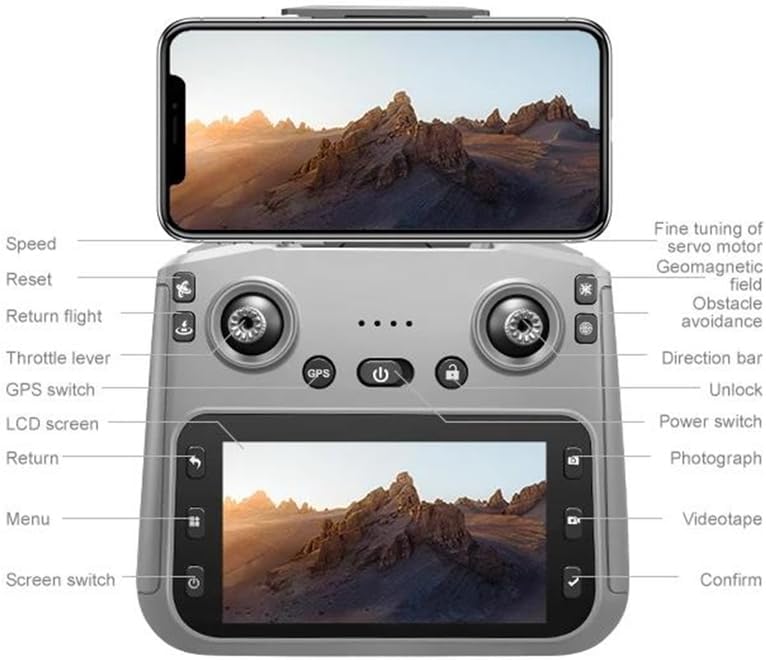
Image: Package contents of the FINOTI RG806 MAX drone. This image displays the drone, a remote control with an integrated screen, three batteries, a screwdriver, eight spare propellers, a 64GB high-speed memory card, a card reader, two instruction manuals, a charging cable, a storage bag, and a gift box.
- RG806 MAX Drone x 1
- Remote Control with Screen x 1
- Flight Battery x 3 (Triple Battery version)
- Propellers x 8 (4 installed, 4 spare)
- Screwdriver x 1
- 64GB High-Speed Memory Card x 1
- Card Reader x 1
- Charging Cable x 1
- Storage Bag x 1
- Instruction Manual x 2 (This document and a quick start guide)
4. Product Overview and Features
The FINOTI RG806 MAX is designed for stable and intelligent flight, offering advanced features for both beginners and experienced pilots.
4.1 Key Features
- 5.6-inch Integrated Display: Provides real-time, high-definition viewing directly on the remote control.
- Three-Sided Obstacle Avoidance: Intelligent visual sensors detect and avoid obstacles from three directions, enhancing flight safety.
- GPS and Optical Flow Positioning: Ensures precise hovering, stable flight indoors and outdoors, and accurate return-to-home functions.
- 4K HD Video Recording: Capture high-resolution photos and videos with the onboard camera.
- Brushless Motors: Provides powerful, quiet, and efficient flight performance with increased durability.
- Custom Course Planning: Plan specific flight paths for automated shooting.
- Smart Return to Home: Automatically returns to the takeoff point in case of low battery, signal loss, or user command.
4.2 Camera Features
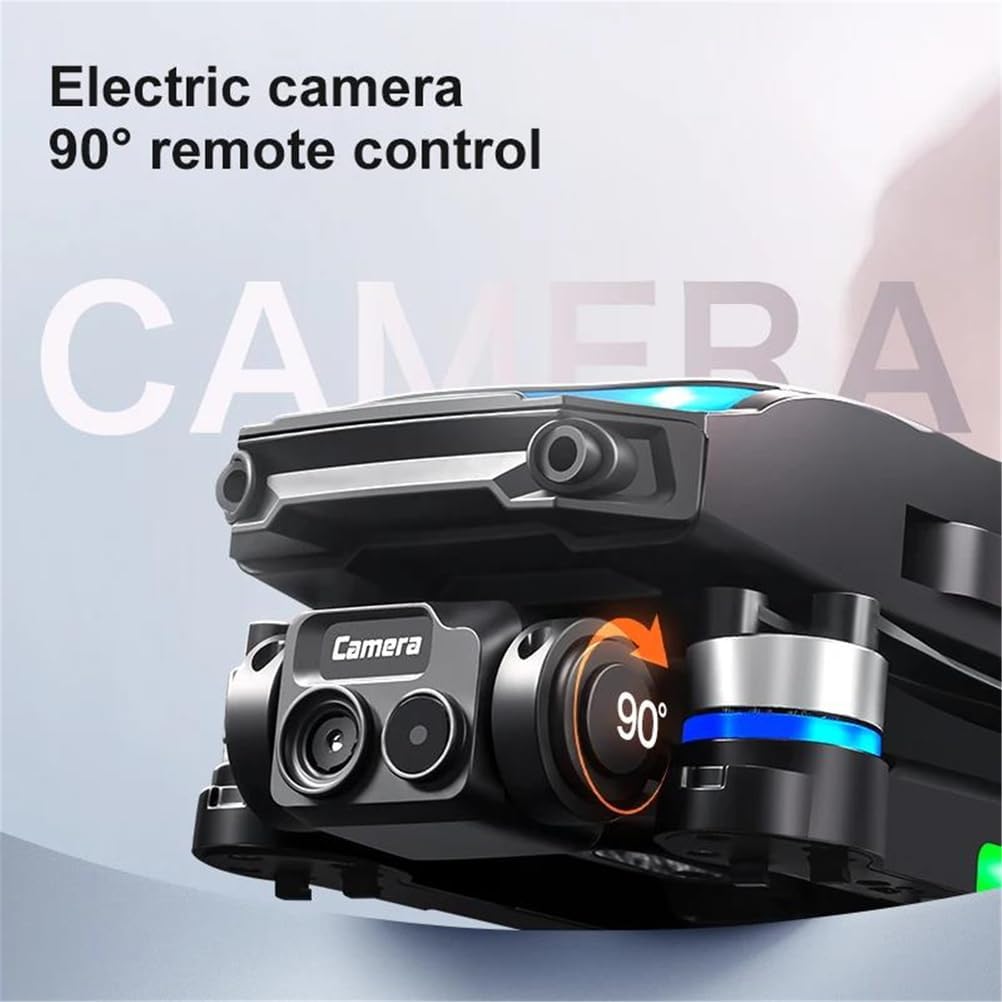
Image: The drone's camera module, highlighting its ability for 90-degree remote-controlled electric camera adjustment.
The drone features an electric camera with 90-degree remote control adjustment, allowing for flexible shooting angles during flight. It supports 4K HD video recording and high-resolution still images.
4.3 Obstacle Avoidance System

Image: The FINOTI RG806 MAX drone demonstrating its 3-way intelligent perception for obstacle avoidance, with sensors detecting surroundings.
Equipped with a three-sided intelligent perception system, the drone can detect and avoid obstacles, significantly reducing the risk of collisions during flight.
4.4 GPS Smart Return to Home
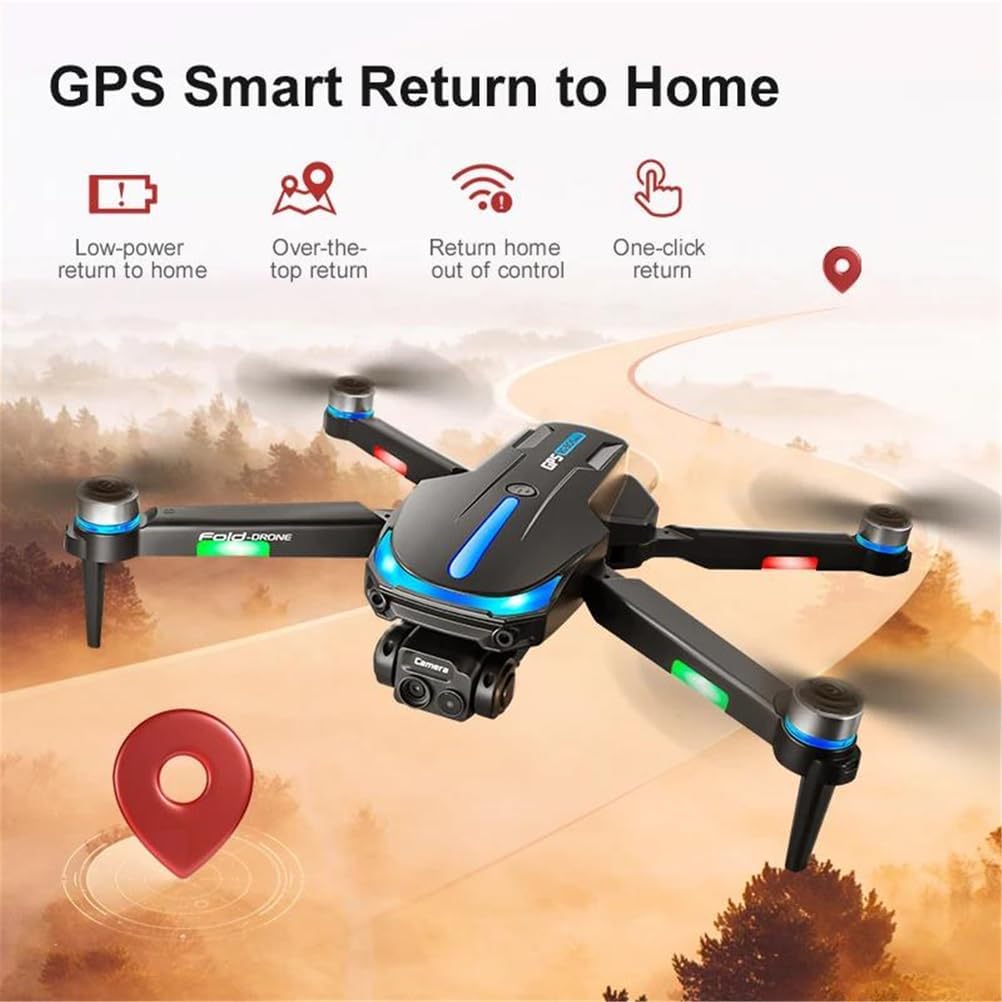
Image: An illustration detailing the GPS Smart Return to Home functions, including return due to low power, exceeding flight limits, loss of control, and a user-initiated one-click return.
The GPS system enables multiple return-to-home functions:
- Low-power Return: The drone automatically returns when the battery is critically low.
- Out of Control Return: If the drone loses signal with the remote control, it will automatically return to the takeoff point.
- One-click Return: Initiate return to home with a single button press on the remote control.
5. Setup Guide
5.1 Charging the Batteries
Before first use, fully charge the drone's flight batteries and the remote control battery.
- Connect the charging cable to the battery and a suitable USB power adapter (not included).
- The indicator light on the battery will show charging status (e.g., red for charging, green for full).
- Charging time is approximately 60-90 minutes per battery.
5.2 Installing Propellers
Ensure propellers are installed correctly according to their rotation direction (A and B). Incorrect installation will prevent flight.
- Match the 'A' propellers to the motor arms marked 'A' and 'B' propellers to 'B' motor arms.
- Secure each propeller with the provided screws using the screwdriver.
5.3 Inserting Flight Battery
- Ensure the drone is powered off.
- Insert a fully charged flight battery into the battery compartment on the drone until it clicks into place.
5.4 Remote Control Setup
- Ensure the remote control is charged.
- Power on the remote control.
- The remote control's screen will display flight information and video feed once connected to the drone.
6. Operating Instructions
6.1 Powering On/Off
- To Power On: Press and hold the power button on the drone and then on the remote control until indicator lights illuminate.
- To Power Off: Press and hold the power button on the drone and then on the remote control until indicator lights turn off.
6.2 Pairing the Drone and Remote Control
- Place the drone on a flat, level surface.
- Power on the drone, then the remote control.
- Push the left joystick up then down to complete the pairing process. The drone's indicator lights will stop flashing and remain solid once paired.
6.3 GPS Signal Acquisition
For outdoor flight, wait for the drone to acquire a sufficient GPS signal before takeoff. This is indicated by a specific light pattern or message on the remote control screen.
6.4 Basic Flight Controls (Refer to Remote Control Diagram)
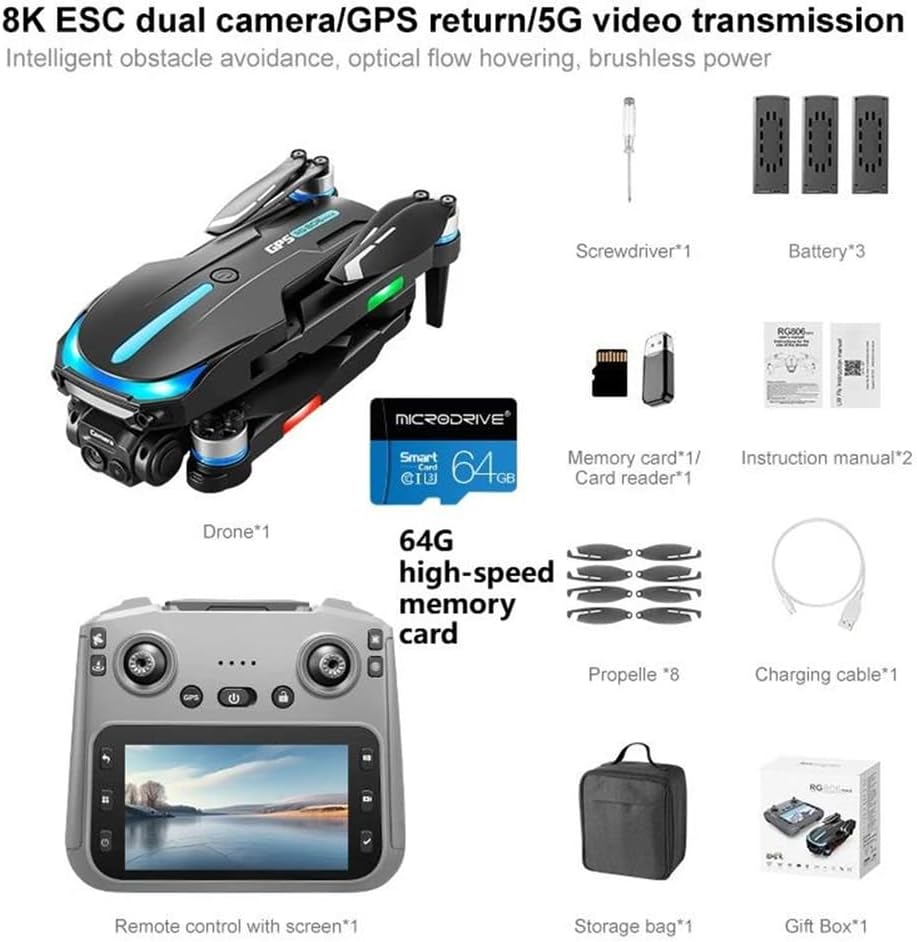
Image: Detailed diagram of the FINOTI RG806 MAX drone remote control, showing the functions of all buttons, joysticks, and the integrated screen. Labels include Speed, Reset, Return flight, Throttle lever, GPS switch, LCD screen, Return, Menu, Screen switch, Fine tuning of servo motor, Geomagnetic field, Obstacle avoidance, Direction bar, Unlock, Power switch, Photograph, Videotape, and Confirm.
The remote control features two joysticks and various buttons for precise control. Familiarize yourself with the layout:
- Left Joystick (Throttle Lever): Up/Down for altitude, Left/Right for yaw (rotation).
- Right Joystick (Direction Bar): Up/Down for forward/backward, Left/Right for left/right strafe.
- One-Key Takeoff/Landing Button: Initiates automatic takeoff or landing.
- Return Flight Button: Activates GPS Smart Return to Home.
- Photograph Button: Takes a still image.
- Videotape Button: Starts/stops video recording.
- Speed Button: Toggles between different flight speeds.
- Obstacle Avoidance Switch: Activates or deactivates the obstacle avoidance system.
6.5 Advanced Flight Functions
- Custom Course: Use the remote control screen to draw a flight path, and the drone will follow it automatically.
- Gesture Control: Perform specific hand gestures for photo or video capture (refer to the full manual for details).
- Optical Flow Positioning: For stable hovering in indoor environments where GPS is unavailable.
7. Maintenance
- Cleaning: Use a soft, dry cloth to clean the drone and remote control. Do not use solvents.
- Propeller Inspection: Regularly check propellers for damage (cracks, bends). Replace damaged propellers immediately.
- Battery Care: Store batteries in a cool, dry place. Do not overcharge or over-discharge. If storing for extended periods, charge to approximately 50-60%.
- Storage: Store the drone and accessories in the provided storage bag to protect them from dust and physical damage.
8. Troubleshooting
| Problem | Possible Cause | Solution |
|---|---|---|
| Drone does not power on | Battery not charged or incorrectly inserted. | Ensure battery is fully charged and correctly inserted. |
| Drone cannot take off or flies unstably | Propellers installed incorrectly; drone not calibrated; strong wind. | Check propeller installation (A/B). Calibrate the drone on a flat surface. Avoid flying in strong winds. |
| No video feed on remote control | Drone and remote not paired; WiFi connection issue. | Re-pair the drone and remote. Ensure strong WiFi signal. |
| GPS signal not acquired | Flying indoors or in an area with poor satellite reception. | Move to an open outdoor area with clear sky view. Wait for GPS lock. |
| Obstacle avoidance not working | System deactivated; sensors obstructed or dirty. | Ensure obstacle avoidance is enabled. Clean sensors. |
9. Specifications
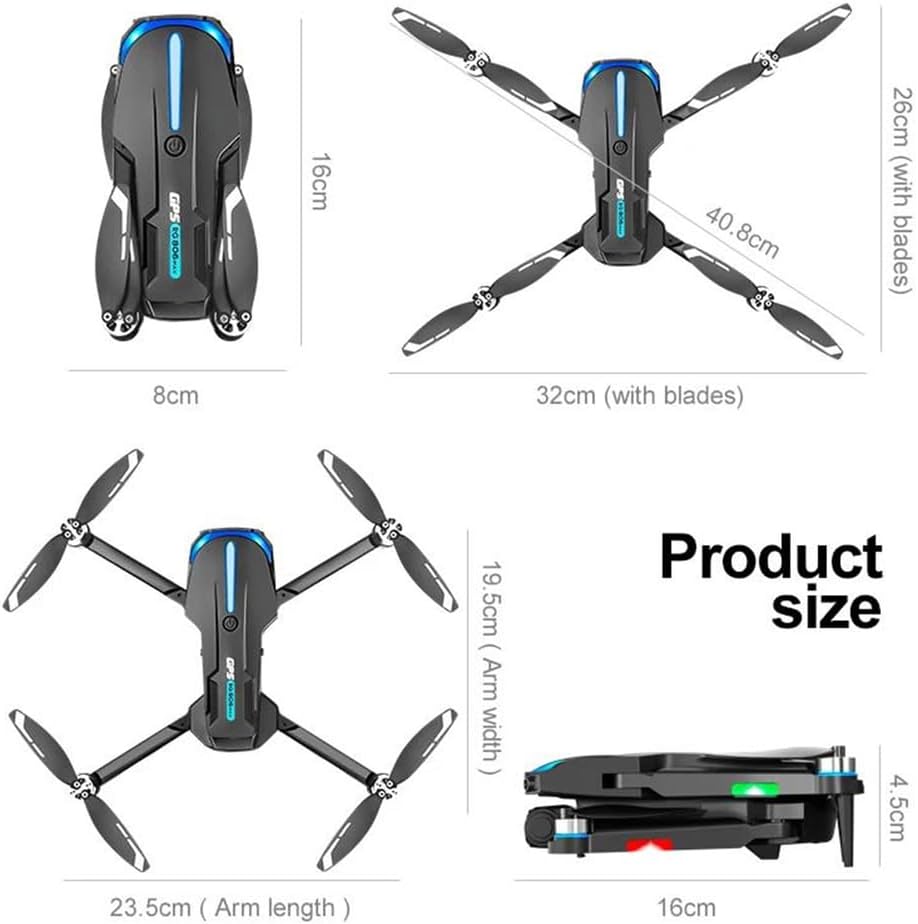
Image: Product size diagram for the FINOTI RG806 MAX drone. Dimensions include 26cm (with blades) and 32cm (with blades) for width, 16cm for length, 19.5cm (arm width), 23.5cm (arm length), and 4.5cm for height when folded, with a folded length of 16cm.
| Feature | Specification |
|---|---|
| Model | RG806 MAX |
| Drone Weight | 190g |
| Max Takeoff Weight | <1kg |
| Flight Time | Up to 20 minutes |
| Remote Distance | 250m |
| Aircraft Operating Frequency | 5GHz (WiFi) |
| Video Maximum Resolution | 4K (4096*2160) |
| Sensor Size | 1/1.28 Inches |
| Motor Type | Brushless Motor |
| Obstacle Avoidance Types | Visual avoidance (Three-sided) |
| Max Wind Speed Resistance | <10 KM/H |
| Connectivity | WiFi, GPS |
| Display Control | YES (5.6-inch integrated screen) |
| Country of Origin | China |
| Folded Dimensions (approx.) | 16cm (L) x 8cm (W) x 4.5cm (H) |
| Unfolded Dimensions (approx.) | 32cm (W with blades) x 26cm (W with blades) x 23.5cm (Arm length) |
10. Warranty and Support
For warranty information, technical support, or service inquiries, please refer to the warranty card included in your package or contact FINOTI customer service directly. Keep your purchase receipt as proof of purchase.
Manufacturer: FINOTI
Item Model Number: 66593658-TRIPLEBATTERY