
1. Getting Started
This section guides you through the initial steps of setting up your realme Note 70T 4G Smartphone.
1.1 Package Contents
- realme Note 70T 4G Smartphone
- USB Cable
- Documentation (Quick Start Guide, Safety Information)
- SIM Ejector Tool
- Protective Case
1.2 Device Overview
Familiarize yourself with the physical components of your realme Note 70T.

The image displays the realme Note 70T smartphone, showcasing its front screen and the rear camera module.
1.3 Powering On and SIM Card Installation
- Power On: Press and hold the Power button located on the side of the device until the realme logo appears on the screen.
- SIM Card Installation: Locate the SIM card tray on the side of the device. Use the provided SIM ejector tool to gently open the tray. Insert your Nano-SIM card(s) and/or microSD card into the tray, ensuring correct orientation as indicated on the tray. Carefully close the tray securely into the device.
2. Operating Your Device
This section details the core functions and features of your realme Note 70T.
2.1 Display
The realme Note 70T features a 6.75-inch display with a 90Hz refresh rate, delivering smooth visuals for an enhanced user experience. Adjust display settings such as brightness, color mode, and refresh rate through the device's settings menu.

An image of the realme Note 70T screen displaying "90Hz" prominently, highlighting its smooth visual capabilities.
2.2 Battery Management
Equipped with a robust 6000mAh battery, the device offers extended usage throughout your day. To optimize battery life, manage background app usage and utilize power-saving modes available in the settings.

This image illustrates the 6000mAh battery capacity and 15W fast charging capability of the realme Note 70T, showing estimated usage times for various activities.
2.3 Camera Usage
The 32MP camera captures clear, colorful photos in various lighting conditions. Access different camera modes like Portrait, Night Mode, and AI enhancements through the camera application.

The image highlights the 32MP AI camera features of the realme Note 70T, including AI Image Matting, AI Clear Face for portraits, and Night Mode for low-light photography.
2.4 Performance
The powerful octa-core processor ensures smooth multitasking, efficient app switching, and responsive performance for daily tasks and light gaming without lag.

An illustration detailing the "Ultra Powerful Chipset" of the realme Note 70T, showing it has an Octa-core chipset with 12nm advanced process and 8-cores.
3. Maintenance and Durability
Information on how to care for your device and its protective features.
3.1 Water and Dust Resistance
The realme Note 70T features an IP54 rating, providing resistance against everyday dust and splashes. This protection helps safeguard your device from minor water exposure, such as light rain or accidental spills. Avoid submerging the device in water or exposing it to high-pressure water jets.
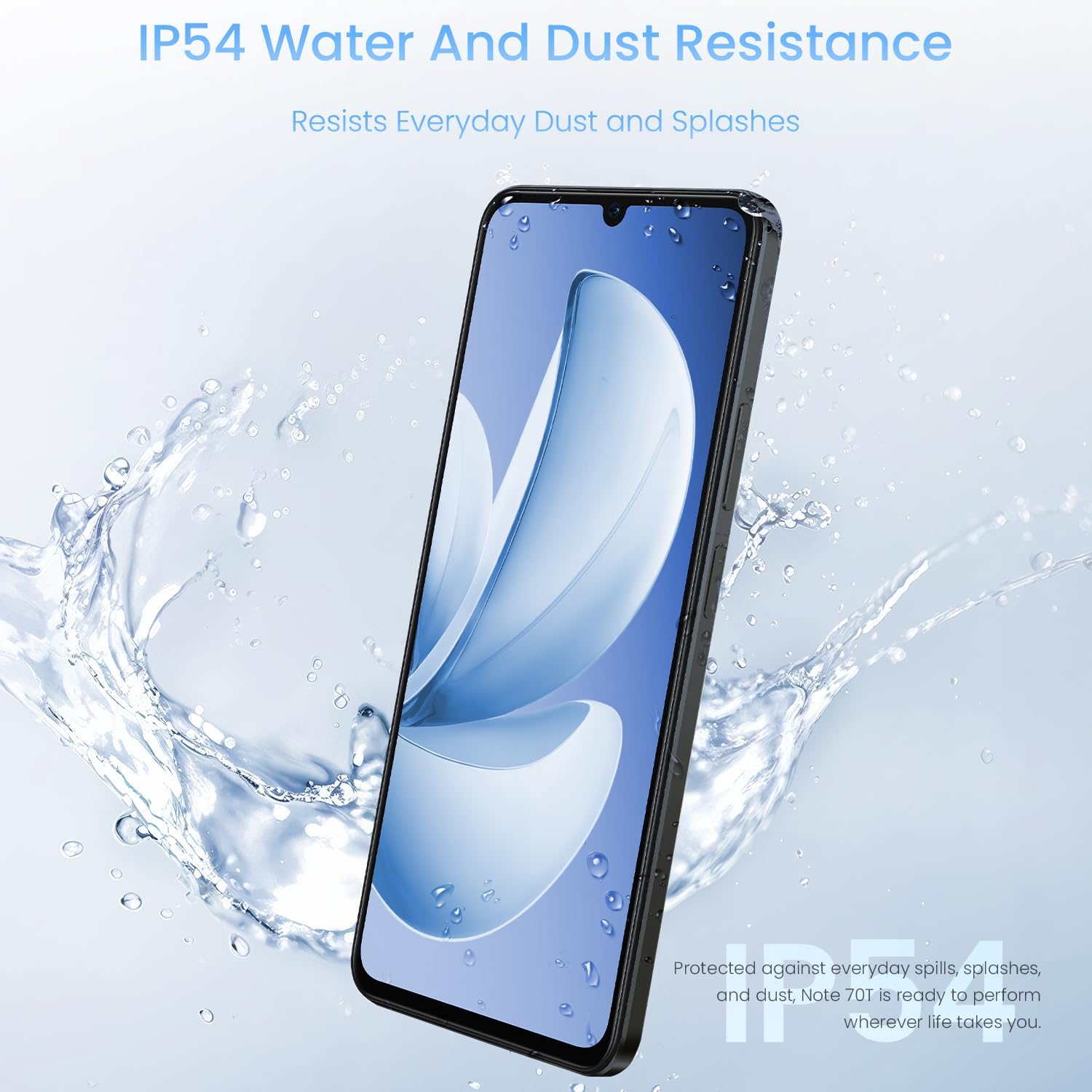
This image shows the realme Note 70T being splashed with water, illustrating its IP54 water and dust resistance for everyday protection.
3.2 ArmorShell Protection
The device is built with ArmorShell Protection for enhanced durability and impact resistance, designed to withstand daily wear and tear and minor bumps. This contributes to the phone's overall robustness.

An image showcasing the military-grade durability of the realme Note 70T, indicating its resistance to drops up to 1.8 meters and ability to withstand up to 33 KG of weight.
4. Troubleshooting
This section provides solutions for common issues you might encounter with your device.
4.1 General Troubleshooting Tips
- Device Not Responding: If your device becomes unresponsive, press and hold the Power button for approximately 10 seconds to force a restart.
- App Issues: If an application is not functioning correctly, try clearing its cache and data in the device settings (Settings > Apps > [App Name] > Storage > Clear Cache/Clear Data). If the issue persists, uninstall and reinstall the app.
- Connectivity Problems: Ensure Wi-Fi or mobile data is enabled in your quick settings or network settings. For persistent network issues, try restarting the device or resetting network settings (Settings > System > Reset options > Reset Wi-Fi, mobile & Bluetooth).
- Battery Drain: Check battery usage in settings (Settings > Battery) to identify apps consuming excessive power. Close unnecessary background apps and reduce screen brightness.
4.2 Contact Support
For persistent issues that cannot be resolved using the troubleshooting tips above, please refer to the official realme support website or contact their customer service for further assistance.
5. Specifications
Detailed technical specifications for the realme Note 70T 4G Smartphone.
| Feature | Detail |
|---|---|
| Item Weight | 13 ounces |
| Item Model Number | RMX5313 |
| Operating System | Android 14 |
| Connectivity Technologies | USB |
| GPS | True |
| Special Features | Standard |
| Other Display Features | Wireless |
| Audio Jack | 3.5 mm |
| Form Factor | Slate |
| Color | Obsidian Black |
| Battery Power Rating | 6000 Milliamp Hours |
| Manufacturer | realme |
| Memory Storage Capacity | 64 GB |
| Standing Screen Display Size | 6.75 Inches |
| RAM Memory Installed Size | 4 GB |
| Battery Capacity | 6000 Milliamp Hours |
| Charging Time | 3.0 hours (estimated) |
| Brand | realme |
| CPU Model | Mediatek Dimensity 9400 |
| CPU Speed | 1.8 GHz |
| Screen Size | 6.75 Inches |
| Refresh Rate | 120 Hz |
| Model Name | realme Note 70T |
| Wireless Carrier | 1&1 |
5.1 What's in the Box
- USB Cable
6. Warranty and Support
Important information regarding your product's warranty and how to obtain support.
6.1 Warranty Information
Your realme Note 70T 4G Smartphone is covered by a standard manufacturer's warranty. Please refer to the warranty card included in your package or visit the official realme website for detailed terms and conditions, including warranty period and coverage specifics.
6.2 Customer Support
For further assistance, technical support, or service inquiries, please visit the official realme support portal or contact their customer service hotline. Contact details and support resources can typically be found on the realme official website (www.realme.com).