
Introduction
Product Overview
The Twotrees TTS-20 Max is a high-performance 20W laser engraving and cutting machine designed for precision and versatility. It offers a large working area and advanced control options for various creative and professional applications.
Key Features
- High-Performance 20W Laser: Delivers concentrated power for fast engraving and precise cutting of materials like wood, leather, acrylic, and stainless steel.
- Industrial Precision Architecture: Equipped with 42 stepper motors, a silent TMC2209 driver, and a precise GT2 synchronous belt drive system for stable, quiet operation and high accuracy (±0.1 mm, repetition accuracy 0.01 mm).
- Large 600x600mm Working Area: Provides ample space for large-scale projects, wall art, or batch production of smaller items.
- Smart Wireless Control: Supports Wi-Fi, USB data transfer, and offline operation via TF card. Compatible with professional software like LightBurn.
- Safety Certifications: CE, FCC, ROHS certified, includes professional laser safety glasses.
Safety Information
General Safety Guidelines
- Always wear the provided professional laser safety glasses when operating the machine.
- Never look directly at the laser beam or its reflection.
- Ensure the work area is well-ventilated to dissipate fumes and smoke generated during engraving/cutting.
- Keep a fire extinguisher nearby.
- Do not leave the machine unattended during operation.
- Keep children and pets away from the machine during operation.
- Operate the machine on a stable, non-flammable surface.
- Ensure proper grounding of the machine.
- Do not engrave or cut unknown materials, as some may produce toxic fumes or catch fire easily.
Package Contents
Before beginning assembly, please verify that all components listed below are present in your package. If any parts are missing or damaged, contact customer support immediately.
- Twotrees TTS-20 Max Laser Engraving Machine Frame Components
- 20W Laser Module
- Power Adapter and Cable
- USB Cable
- Professional Laser Safety Glasses
- TF Card (pre-prepared with necessary files)
- Assembly Tools (wrenches, screws, etc.)
- User Manual (this document)
- Sample Materials for testing
Setup Instructions
1. Unpacking and Inspection
Carefully remove all components from the packaging. Inspect each part for any signs of damage during transit. Refer to the "Package Contents" section to ensure all items are present.
2. Frame Assembly
Assemble the aluminum frame according to the included diagrams. Ensure all screws are tightened securely to maintain the machine's precision and stability.

Image: Comparison of the TTS-20 Max's large 600x600mm working area with a smaller laser engraver, highlighting the ample space for projects.
3. Laser Module Installation
Mount the 20W laser module onto the gantry. Connect the laser module cable to the designated port on the control board. Ensure the module is seated firmly and correctly aligned.

Image: Detailed view of the 20W diode laser module in operation, demonstrating its capability to cut through materials like 35mm acrylic and 20mm veneer.
4. Cable Connections
Connect the power adapter to the machine and then to a suitable power outlet. Connect the USB cable to your computer if you plan to use a wired connection. For wireless operation, ensure your Wi-Fi network is configured.
5. Software Installation (LightBurn/GRBL)
Install the necessary laser control software on your computer. The TTS-20 Max is compatible with professional software such as LightBurn (purchased separately) and GRBL-compatible software. Follow the software's installation guide for detailed instructions.

Image: Screenshot showing the LightBurn and GRBL Laser software interfaces, illustrating the machine's compatibility with professional laser control software and wireless connectivity options.
Operating Instructions
1. Material Preparation
Place the material to be engraved or cut onto the working surface. Ensure it is flat and securely positioned to prevent movement during operation. Adjust the laser focus if necessary, following the laser module's specific instructions.
2. Design and Software Setup
Open your chosen laser control software (e.g., LightBurn). Import or create your design. Configure the laser parameters (power, speed, passes) based on the material type and desired effect. Refer to the software's documentation for detailed parameter settings.

Image: Illustration comparing the laser spot size of the TTS-20 Max (0.130mm) with other models (0.5mm, 0.3mm), and demonstrating an engraving speed of 500 mm/s.
3. Connecting to the Machine
Connect the software to the TTS-20 Max via USB, Wi-Fi, or by loading the G-code file from the TF card for offline operation. Ensure a stable connection before proceeding.
4. Framing and Positioning
Use the software's framing function to preview the laser path on your material. Adjust the material or design position as needed to ensure it fits within the desired area.
5. Starting the Operation
Once satisfied with the positioning and parameters, initiate the engraving or cutting process from the software. Monitor the machine closely during operation. Always wear your laser safety glasses.
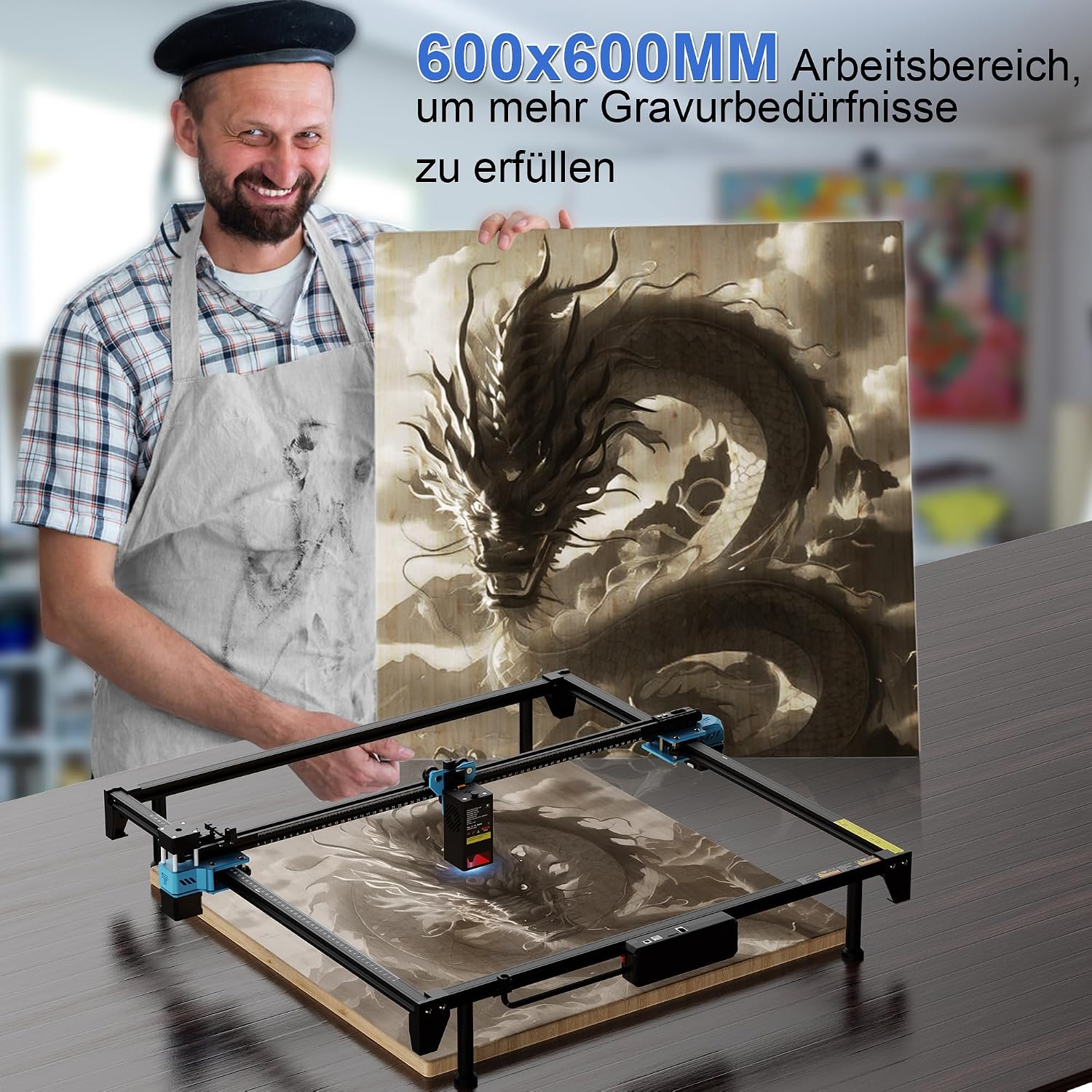
Image: A user proudly displaying a large, intricately engraved wooden dragon artwork, showcasing the creative potential and large working area of the TTS-20 Max laser engraver.
6. Completion
After the operation is complete, wait for the laser to cool down and any smoke to clear before removing the material. Disconnect the machine from power when not in use.
Maintenance
1. Cleaning the Laser Lens
Regularly clean the laser lens with a specialized lens cleaning solution and a lint-free cloth. A dirty lens can reduce laser power and engraving quality.
2. Cleaning the Machine
Keep the machine free from dust and debris. Use compressed air to clean the gantry, rails, and other moving parts. Ensure no material residue accumulates on the working surface.
3. Lubrication
Periodically lubricate the linear rails and lead screws with appropriate lubricant to ensure smooth movement and prevent wear.
4. Belt Tension
Check the tension of the synchronous belts. They should be taut but not overly tight. Adjust if necessary to maintain engraving accuracy.
Troubleshooting
1. Laser Not Firing
- Check if the power cable is securely connected and the machine is powered on.
- Verify the laser module cable is properly connected.
- Ensure the laser software is connected to the machine and the laser power setting is not zero.
- Check for any error messages in the software.
2. Poor Engraving/Cutting Quality
- Focus: Ensure the laser is properly focused on the material surface.
- Parameters: Adjust laser power, speed, and number of passes in the software. Different materials require different settings.
- Cleanliness: Clean the laser lens and ensure no debris is obstructing the laser path.
- Material: Ensure the material is flat and consistent in thickness.
3. Machine Not Moving
- Check all cable connections, especially for the stepper motors.
- Ensure the software is connected and sending commands.
- Verify there are no physical obstructions preventing movement.
- Check belt tension.
4. Connection Issues (Wi-Fi/USB)
- USB: Try a different USB port or cable. Reinstall USB drivers if necessary.
- Wi-Fi: Ensure the machine is within range of your Wi-Fi network and correctly configured. Restart both the machine and your router.
Specifications
| Feature | Detail |
|---|---|
| Model | TTS-20 Max |
| Laser Power | 20W Diode Laser |
| Working Area | 600 x 600 mm |
| Engraving Accuracy | ±0.1 mm |
| Repetition Accuracy | 0.01 mm |
| Control System | 42 Stepper Motors, TMC2209 Driver, GT2 Synchronous Belt Drive |
| Connectivity | Wi-Fi, USB, TF Card (Offline) |
| Compatible Software | LightBurn, GRBL-compatible software |
| Certifications | CE, FCC, ROHS |
| Package Dimensions | 80 x 20 x 17 cm |
| Weight | 5 kg |
Warranty Information
Warranty information for the Twotrees TTS-20 Max is not explicitly provided in the product details. Please refer to the seller's or manufacturer's official website, or contact their customer support for specific warranty terms and conditions.
Customer Support
For technical assistance, troubleshooting, or inquiries regarding your Twotrees TTS-20 Max laser engraving machine, please contact Twotrees customer support through their official channels. Refer to the product packaging or the manufacturer's website for contact details.
Online resources such as forums and community groups for LightBurn and GRBL users may also provide helpful information and solutions.
