Basike Bluetooth Portable Speaker Ba-RAD289 Instruction Manual
Model: Ba-RAD289 | Brand: Basike
1. Introduction
Thank you for purchasing the Basike Ba-RAD289 Bluetooth Portable Speaker. This manual provides detailed instructions for setting up, operating, and maintaining your speaker to ensure optimal performance and longevity. Please read this manual thoroughly before using the product and retain it for future reference.
2. What's in the Box
Ensure all items listed below are present in your package:
1x Basike Bluetooth Speaker
1x 3.5mm Audio Cable
1x USB Type-C Charging Cable
1x User Manual
1x Premium Packaging Case
Image: Basike Ba-RAD289 speaker, USB-C cable, 3.5mm audio cable, and user manual.
3. Key Features
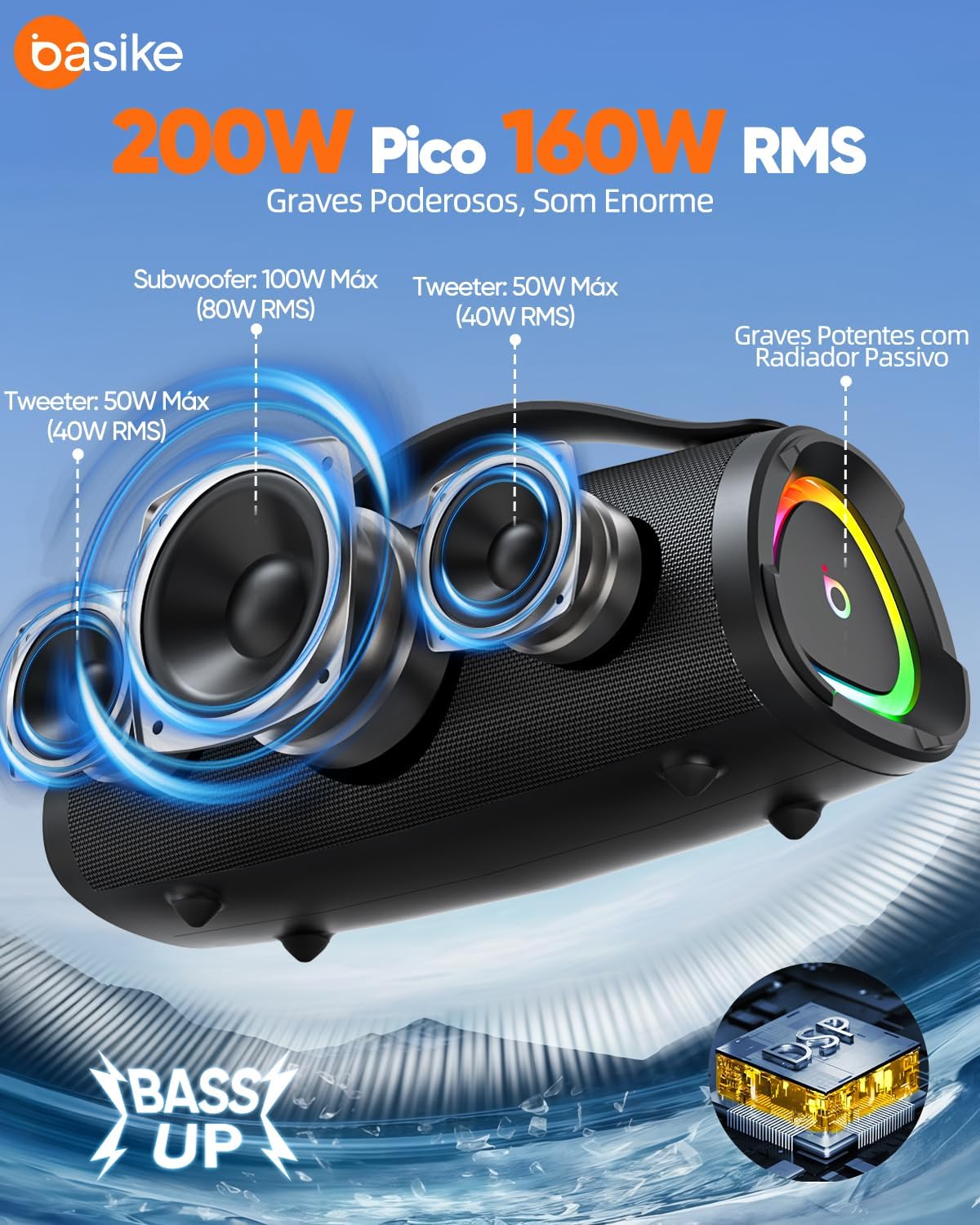
Powerful Audio Output: 160W RMS / 200W Peak power with 1x 105mm subwoofer and 2x 67mm mid-range tweeters for deep bass and clear highs.
True Wireless Stereo (TWS): Connect two Basike speakers wirelessly for immersive 3D stereo sound, reaching up to 320W peak power.
Versatile Connectivity: Supports Bluetooth V5.3, 3.5mm AUX input, USB-A (pen drive), and TF card for multiple playback options.
Advanced DSP & Bass Up: Professional DSP chip reduces distortion. EQ button allows switching between indoor (balanced sound) and outdoor (deep bass) modes, boosting bass by up to 30%.
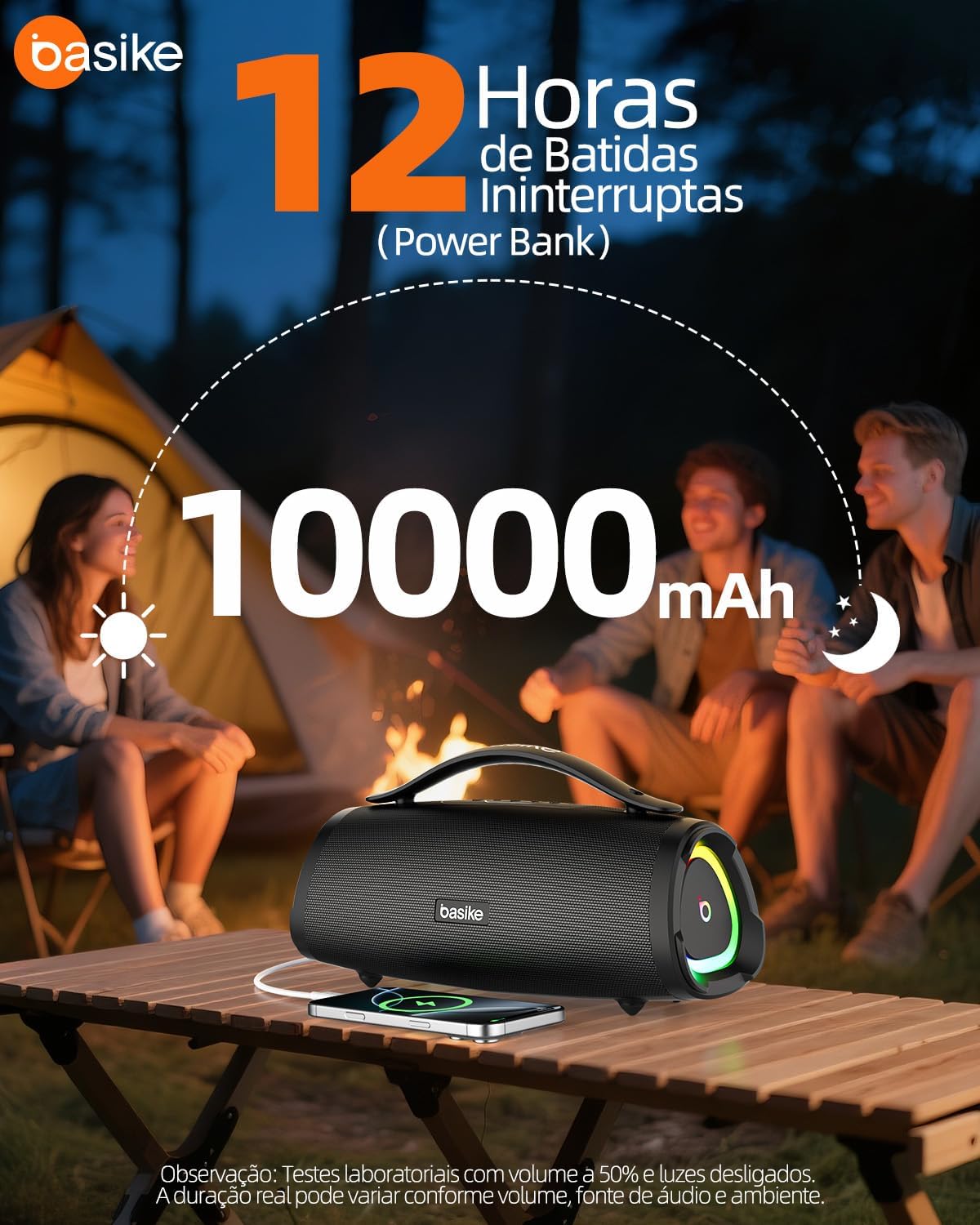
Long-lasting Battery & Power Bank: Built-in 10000mAh rechargeable battery provides up to 12 hours of continuous playback (at 50% volume) and can charge other devices.
Portable & Durable Design: Weighs 2.5kg with dimensions of 320×132×130mm, features a reinforced handle for easy transport. IPX6 water resistance protects against splashes and water jets.
Dynamic RGB Lighting: Lights synchronize with music, creating a vibrant atmosphere.
Image: Internal speaker components including subwoofer and tweeters, illustrating the 160W RMS / 200W Peak power.
Image: Two Basike Ba-RAD289 speakers connected wirelessly using TWS technology for stereo sound.
Image: The Basike Ba-RAD289 speaker being used outdoors, demonstrating its IPX6 water resistance.
Image: Visual representation of the EQ modes, balancing sound for indoor use and enhancing bass for outdoor use.
Image: The Basike Ba-RAD289 speaker acting as a power bank, charging a smartphone, with 10000mAh battery capacity highlighted.
Image: Diagram illustrating the various connectivity options: Bluetooth, TF card, USB-A, AUX, and Type-C port.
Image: The Basike Ba-RAD289 speaker displaying dynamic RGB lighting effects that synchronize with music.
4. Setup
4.1 Charging the Speaker
Before first use, fully charge the speaker. Connect the provided USB Type-C charging cable to the speaker's Type-C port and the other end to a 5V/2A power adapter (not included). The charging indicator will show the charging status. A full charge takes approximately 4 hours.
4.2 Power On/Off
Press and hold the Power button () for 2-3 seconds to power the speaker on or off. You will hear an audible prompt.
4.3 Bluetooth Pairing
Power on the speaker. It will automatically enter Bluetooth pairing mode, indicated by a flashing LED light.
On your device (smartphone, tablet, etc.), enable Bluetooth and search for "Ba-RAD289" in the list of available devices.
Select "Ba-RAD289" to connect. Once connected, the LED light will become solid, and you will hear a confirmation tone.
Video: Demonstrates Bluetooth connection and basic operation of a Basike speaker. Note: This video features a different model (Ba-RAD179) but illustrates the general Bluetooth pairing process.
4.4 True Wireless Stereo (TWS) Pairing
To achieve immersive stereo sound, you can pair two Basike Ba-RAD289 speakers:
Ensure both speakers are powered on and not connected to any Bluetooth device.
On one speaker (this will be the primary speaker), press the TWS button (). The speaker will enter TWS pairing mode.
The two speakers will automatically connect to each other. Once connected, the primary speaker's LED will flash slowly, and the secondary speaker's LED will be solid.
Now, connect your device to the primary speaker via Bluetooth as described in section 4.3.
Video: Demonstrates the TWS pairing function of a Basike speaker. Note: This video features a different model (Ba-RAD337) but illustrates the general TWS pairing process.
4.5 Other Connectivity Options
The speaker supports multiple input sources:
AUX Input: Connect an external audio device using the 3.5mm audio cable to the AUX port. The speaker will automatically switch to AUX mode.
USB-A (Pen Drive): Insert a USB flash drive into the USB-A port. The speaker will automatically play audio files from the drive.
TF Card: Insert a TF (microSD) card into the TF card slot. The speaker will automatically play audio files from the card.
Image: Close-up of the speaker's input panel, showing Type-C, USB, TF card, Microphone, AUX, and Audio Out ports.
5. Operating Instructions
5.1 Button Functions
Image: Control panel of the Basike Ba-RAD289 speaker, indicating the function of each button.
Power Button (7): Press and hold to power on/off.
Mode Button (6): Short press to switch between Bluetooth, AUX, USB, and TF card modes.
EQ Button (M): Short press to cycle through EQ modes (Indoor/Outdoor).
TWS Button (2): Short press to initiate TWS pairing (see section 4.4).
Play/Pause Button (4): Short press to play or pause music.
Volume Up / Next Track Button (3): Short press for next track, long press to increase volume.
Volume Down / Previous Track Button (5): Short press for previous track, long press to decrease volume.
Light Button (1): Short press to change RGB light modes or turn lights off.
5.2 Using as a Power Bank
The Basike Ba-RAD289 can act as a power bank to charge your mobile devices. Connect your device's charging cable to the speaker's USB-A port. The speaker's internal 10000mAh battery will provide power to your device.
Image: The Basike Ba-RAD289 speaker acting as a power bank, charging a smartphone, with 10000mAh battery capacity highlighted.
5.3 Water Resistance (IPX6)
The speaker is IPX6 water-resistant, meaning it can withstand strong water jets and splashes. It is suitable for outdoor use near water, such as beaches or pools. However, it is not designed to be submerged in water.
Image: The Basike Ba-RAD289 speaker being used outdoors, demonstrating its IPX6 water resistance.
6. Maintenance
Clean the speaker with a soft, dry cloth. Do not use abrasive cleaners or solvents.
Avoid exposing the speaker to extreme temperatures, direct sunlight for prolonged periods, or high humidity.
Store the speaker in a cool, dry place when not in use.
Do not attempt to disassemble or repair the speaker yourself, as this will void the warranty.
7. Troubleshooting
Problem
Possible Cause
Solution
Speaker does not power on.
Low battery or no charge.
Charge the speaker fully using the provided Type-C cable.
Cannot pair via Bluetooth.
Bluetooth is off on your device, speaker is already connected, or too far from device.
Ensure Bluetooth is enabled on your device. Disconnect from other devices. Move speaker closer to your device (within 15 meters).
No sound.
Volume too low, incorrect input mode, or device not playing.
Increase volume on both speaker and connected device. Check if the correct input mode (Bluetooth, AUX, USB, TF) is selected. Ensure music is playing on your device.
TWS pairing fails.
Speakers are already connected to other devices or too far apart.
Ensure both speakers are disconnected from all Bluetooth devices. Place them close to each other during TWS pairing.
8. Specifications
Feature
Detail
Model
Ba-RAD289
Bluetooth Version
V5.3
Wireless Range
Up to 15 meters (barrier-free environment)
Speakers
1x 105mm Subwoofer, 2x 67mm Mid-range Tweeters
Compatibility
iOS, Android, Windows
Frequency Response
65Hz – 20kHz
Signal-to-Noise Ratio (SNR)
> 80dB
Battery Duration
Approx. 12 hours (varies with volume and content)
Recharge Time
Approx. 4 hours
Power Output
160W RMS / Up to 200W Peak
Internal Battery
7.4V / 10000mAh
Playback Modes
Bluetooth, AUX 3.5mm, USB-A, TF Card
Charging Port
Type-C (5V/2A)
Water Resistance
IPX6
Dimensions (L x W x H)
320 x 132 x 130 mm
Weight
2.5 kg
9. Warranty and Support
The Basike Ba-RAD289 speaker comes with a 1-year warranty against manufacturing defects. For any issues or questions, please contact Basike customer support. Our support team is available 24 hours a day, 7 days a week to assist you.
Please retain your proof of purchase for warranty claims.
Ask a question about this manual
Ask about setup, troubleshooting, compatibility, parts, safety, or missing instructions. Manuals+ will review the question and use this page’s manual context to help answer it.