
1. Introduction
Thank you for choosing the GENSROCK CK25100 10000mAh 22.5W Portable Power Bank. This device is designed to provide reliable and fast charging for your electronic devices on the go. Its compact and lightweight design makes it an ideal companion for travel, daily commutes, and outdoor activities. This manual provides essential information for the safe and efficient use of your power bank.
2. Product Overview
The GENSROCK CK25100 Portable Power Bank features 22.5W ultra-fast charging technology, capable of charging compatible devices from 0% to 55% in approximately 30 minutes. Its slim and lightweight profile (7.24"×4.25"×1.1", 0.51 lbs) ensures easy portability. The power bank is equipped with dual output charging ports, including a 22.5W USB-C port and a 5V/3A USB-A port, allowing simultaneous charging of two devices. It also includes a clear LED display for battery status and multiple safety protections.
Key Features:
- 22.5W Ultra-Fast Charging: Rapidly charges devices, reaching 55% in 30 minutes for compatible smartphones.
- 10000mAh Capacity: Provides multiple charges for various devices.
- Compact & Travel-Friendly: Slim and lightweight design for easy portability.
- Dual Output Ports: Includes 1x USB-C (22.5W) and 1x USB-A (5V/3A) for simultaneous charging.
- LED Display: Clearly shows remaining battery percentage.
- Certified Safety: FCC, CE, UN38.3, ROHS, and UL certified for protection against overcharging, overheating, and short circuits.
- Universal Compatibility: Supports a wide range of devices including iPhone, Samsung, Google Pixel, LG, and iPad series.
What's in the Box:
- GENSROCK CK25100 Portable Power Bank
- USB-C Charging Cable
- User Manual
3. Setup
Charging the Power Bank:
- Connect the provided USB-C charging cable to the USB-C input port on the power bank.
- Connect the other end of the USB-C cable to a compatible USB wall adapter (not included) or a power source.
- The LED display will show the charging progress. The power bank is fully charged when the display shows 100%.
Note: For optimal charging speed, use a 22.5W PD compatible wall adapter.

Figure 1: The GENSROCK CK25100 Portable Power Bank demonstrating 22.5W fast charging to an iPhone.
4. Operating Instructions
Charging Your Devices:
- Connect your device's charging cable to the appropriate output port on the power bank (USB-C or USB-A).
- The power bank will automatically begin charging your device. The LED display will show the remaining battery level.
- To charge two devices simultaneously, connect each device to an available output port.
LED Display:
The integrated LED display provides a real-time percentage of the power bank's remaining battery capacity. This allows you to monitor the charge level and plan your recharges accordingly.
Flashlight Function:
The power bank may include a built-in LED light for emergency situations or low-light environments. Refer to the device's physical buttons for activation, typically a long press on the power button or a dedicated light button.

Figure 2: The 10000mAh capacity of the GENSROCK CK25100 Portable Power Bank can charge multiple devices.

Figure 3: The power bank offers universal compatibility with a wide range of electronic devices.
5. Safety Information
The GENSROCK CK25100 Portable Power Bank is certified safe and reliable, meeting FCC, CE, UN38.3, ROHS, and UL safety standards. It provides comprehensive protection against common electrical issues to ensure worry-free use.
Built-in Protections:
- Over-Charge Protection: Prevents the battery from being overcharged.
- Over-Discharge Protection: Protects against excessive discharge of the battery.
- High-Temperature Protection: Monitors and regulates internal temperature to prevent overheating.
- Over-Current Protection: Safeguards against excessive current flow.
- Short-Circuit Protection: Automatically shuts down in case of a short circuit.
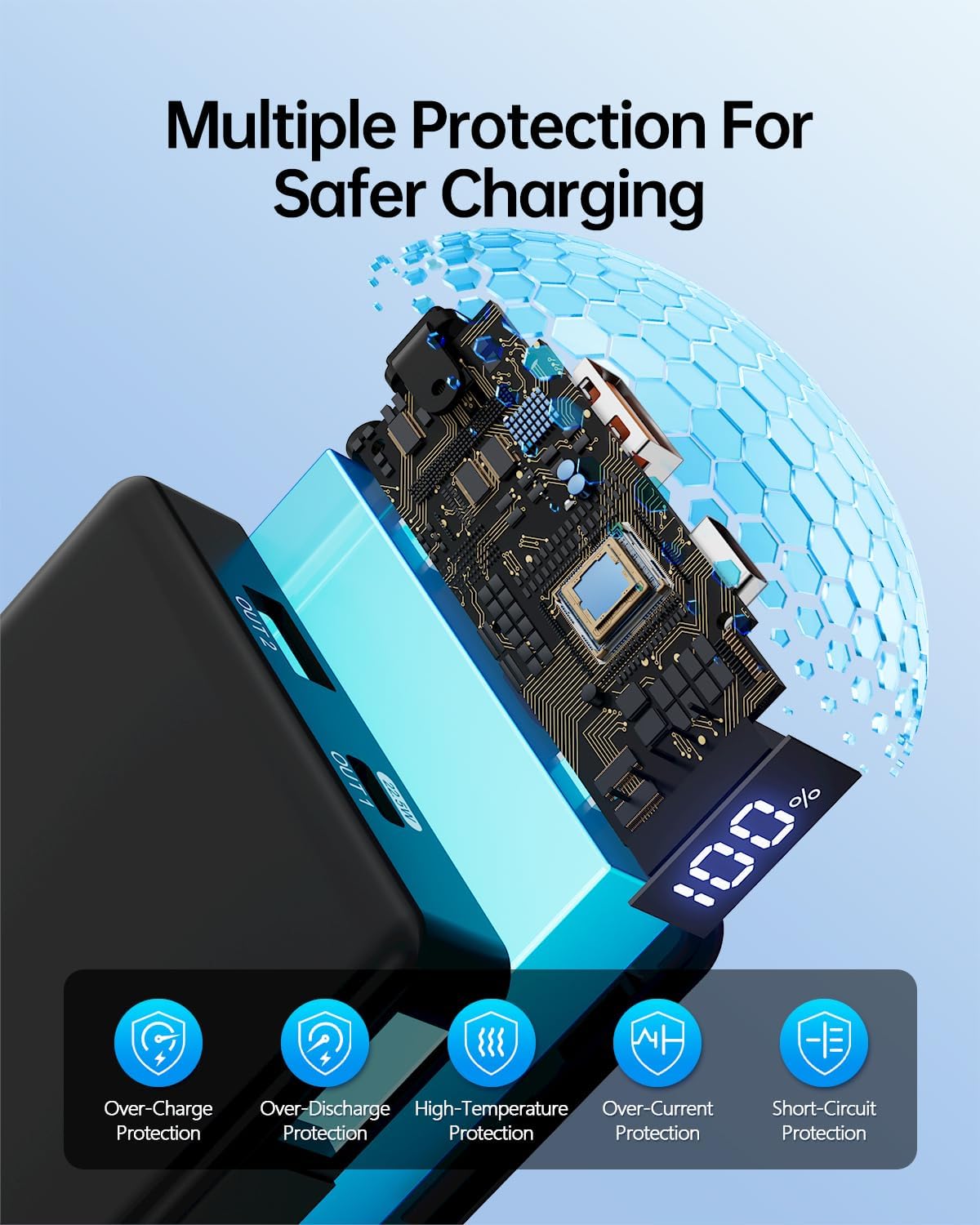
Figure 4: The power bank incorporates multiple protection mechanisms for safer charging.
6. Specifications
| Feature | Detail |
|---|---|
| Product Dimensions | 7.2 x 2.28 x 4.25 inches |
| Item Weight | 1.18 pounds |
| Item Model Number | CK25100 |
| Battery Capacity | 10000 Milliamp Hours (88Wh, 24000mAh/3.7V) |
| AC Output | 110V 60Hz 120W |
| DC Input | 15V/1.5A |
| Connector Type | USB Type A, USB Type C |
| Special Features | Digital Display, Portable, Travel Charger, Lightweight, 90% high conversion, Compact |
| Other Display Features | Wireless |
| Manufacturer | Dongguan Chenrui New Energy Technology Co., LTD. |
| Date First Available | September 1, 2025 |
7. Maintenance
- Cleaning: Use a soft, dry cloth to clean the exterior of the power bank. Avoid using liquid cleaners or solvents.
- Storage: Store the power bank in a cool, dry place away from direct sunlight and extreme temperatures. For long-term storage, charge the power bank to about 50-70% capacity every 3-6 months to prolong battery life.
- Handling: Avoid dropping or subjecting the power bank to strong impacts. Do not disassemble or attempt to repair the device yourself.
8. Troubleshooting
- Device not charging:
- Ensure the power bank is sufficiently charged.
- Check that the charging cable is securely connected to both the power bank and your device.
- Try a different charging cable or a different port on the power bank.
- Verify that your device is compatible with the power bank's output specifications.
- Slow charging:
- Ensure you are using a fast-charging compatible cable and device.
- Check if multiple devices are connected, which may distribute the power and reduce individual charging speed.
- Verify that the power bank itself is charged using a fast-charging input.
- Power bank not turning on/off:
- Press and hold the power button for a few seconds.
- Ensure the power bank has sufficient charge.
9. Warranty and Support
The GENSROCK CK25100 Portable Power Bank is backed by a 12-month warranty, ensuring reliability and customer satisfaction. For any inquiries, technical assistance, or warranty claims, please contact GENSROCK customer support. Your dedicated customer support team is available to assist you with any issues you may encounter.
Contact Email: GENSROCK@outlook.com