
1. Introduction
This manual provides essential information for the safe operation, assembly, maintenance, and troubleshooting of your isinwheel H7Pro Electric Scooter. Please read this manual thoroughly before using the scooter to ensure proper function and safety.
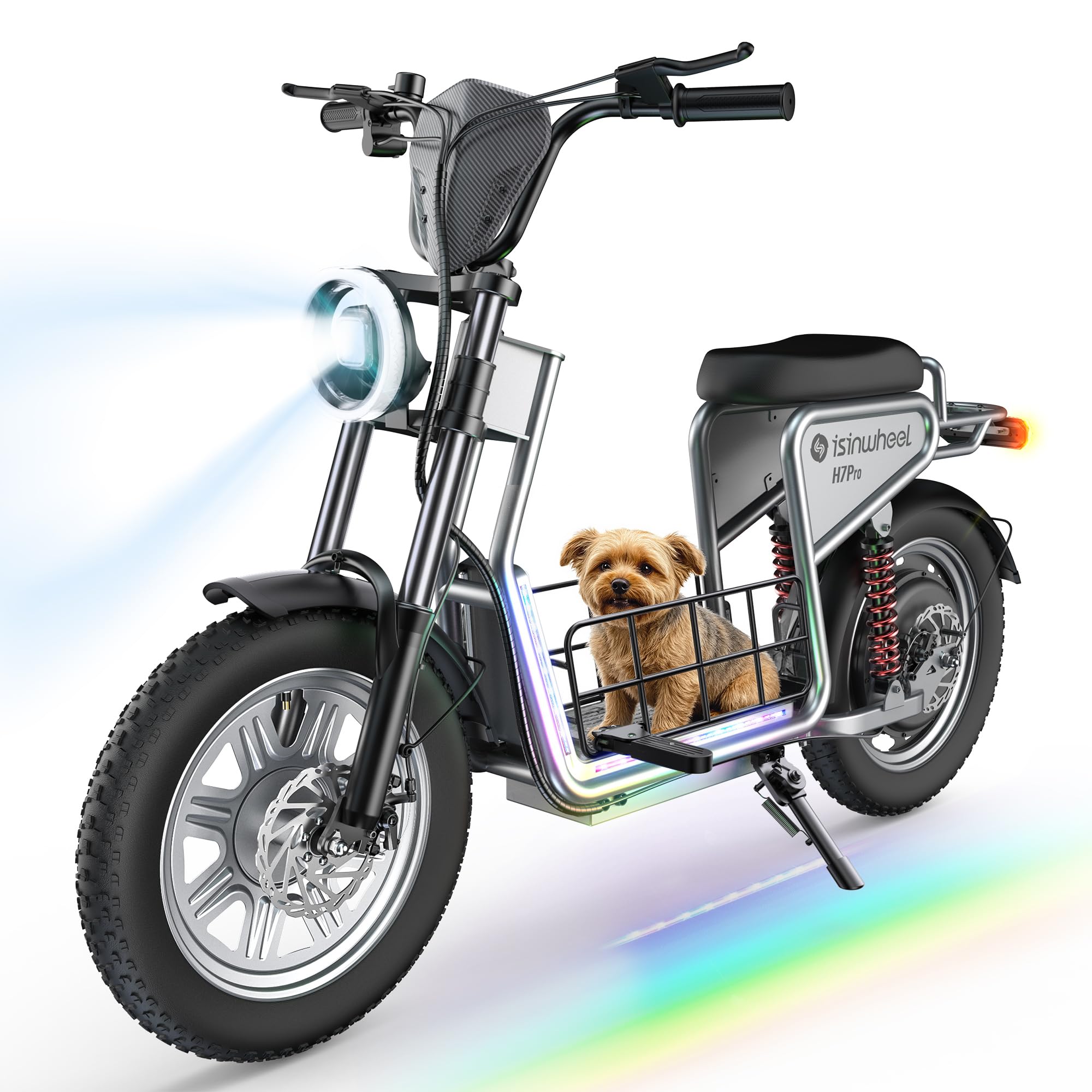
Image: The isinwheel H7Pro Electric Scooter, a robust and versatile personal electric vehicle.
2. Safety Guidelines
- Always wear a helmet and appropriate safety gear when riding.
- Do not ride in wet conditions, heavy rain, or through puddles.
- Ensure all bolts and fasteners are tightened before each ride.
- Familiarize yourself with local regulations regarding electric scooter use.
- Maintain a safe speed and distance from other vehicles and pedestrians.
- Avoid riding on uneven terrain or steep inclines that exceed the scooter's capabilities.
- Regularly check tire pressure, brakes, and lights for proper function.

Image: A person riding the isinwheel H7Pro Electric Scooter, emphasizing the importance of wearing a helmet for safety.
3. What's in the Box
- H7Pro Electric Scooter with Seat x1
- User Manual x1
- Charging Adapter x1
- NFC Key Cards x2
- Assembly Tools (Hex keys, wrench)
4. Assembly Instructions
Follow these steps to assemble your isinwheel H7Pro Electric Scooter. For a visual guide, please refer to the assembly video below.
- Unboxing: Carefully remove all components from the packaging.
- Handlebar Installation: Attach the handlebars to the stem, ensuring they are centered and tightened securely.
- Front Fender Attachment: Secure the front fender to the front fork using the provided screws.
- Front Wheel Installation: Insert the front wheel into the fork, aligning the brake disc with the caliper. Secure with the axle and nuts.
- Cable Connections: Connect all visible cables, ensuring they are properly seated and secured.
- Tire Inflation: Inflate both tires to the recommended pressure of 30 PSI (2.1 bar).
- Footrests/Baskets: Attach any additional footrests or storage baskets as per the diagram.
- Rear Fender/Taillight: Secure the rear fender and connect the taillight wiring.
- Seat Installation: Attach the seat to the frame, ensuring it is firmly secured.
- Mirror Attachment: Install the rearview mirrors onto the handlebars.
Video: Detailed assembly instructions for the isinwheel H7Pro electric scooter, demonstrating each step from unboxing to final setup.

Image: A close-up of a person attaching the handlebars to the scooter's stem during assembly.
5. Initial Setup
5.1 NFC Key Start
To power on your scooter, place one of the included NFC key cards near the NFC sensor area on the display. The scooter will enter Parking mode, indicated by a "P" on the screen. To exit Parking mode, raise the kickstand and squeeze either brake lever.
5.2 App Connection
Download the isinwheel Club APP to monitor battery life, control lighting, adjust riding modes, and manage other scooter settings directly from your smartphone. Ensure Bluetooth is enabled on your device to connect to the scooter.
Video: Demonstrates how to use the NFC key to start the H7Pro electric scooter and connect it to the isinwheel Club app for smart control.

Image: The scooter's LCD display showing speed and battery, with an NFC key being used to unlock the device.
6. Operating Instructions
6.1 Speed Modes
The H7Pro offers four adjustable speed modes: 9 MPH, 19 MPH, 28 MPH, and 38 MPH. Short press the 'M' button twice to cycle through the speed modes.
6.2 Braking System
The scooter is equipped with a reliable safety system combining front and rear disc brakes and an electronic safety cutoff. Apply both brake levers evenly for optimal stopping power.

Image: Illustration of the triple safety braking system, including electronic brake, front disc brake, and rear disc brake.
6.3 Lighting
The H7Pro features bright headlights, rear lights, turn signals, and colorful ambient mood lighting for enhanced visibility and safety, day or night. Use the handlebar controls to activate and adjust lighting.

Image: Close-up of the scooter's bright headlight, tail light, and dimmable mood lights for night riding.
7. Charging
The scooter is equipped with a 48V 18.2Ah high-capacity battery. Standard charging takes 8–9 hours. The dual charging ports allow you to reduce charging time to 4–5 hours with two chargers (one included, additional charger sold separately).

Image: Illustration showing the dual charging ports for faster battery charging.
8. Maintenance
- Tires: Regularly check tire pressure (recommended 30 PSI) and inspect for wear or damage.
- Brakes: Ensure brake levers are responsive and brake pads are not excessively worn.
- Battery: Charge the battery regularly, even when not in use, to prolong its lifespan. Avoid fully depleting the battery.
- Cleaning: Clean the scooter with a damp cloth. Avoid using high-pressure water or harsh chemicals.
- Fasteners: Periodically check and tighten all bolts and screws.
9. Troubleshooting
- Scooter not powering on: Ensure the main power switch (located under the seat) is ON and the battery is charged. Use the NFC key to activate.
- Scooter in Parking Mode ("P"): Raise the kickstand and squeeze a brake lever to disengage.
- Reduced Range/Speed: Check tire pressure, battery charge level, and riding conditions (e.g., uphill riding, heavy load).
- Brake Noise: Inspect brake pads and discs for debris or wear. Consult customer support if noise persists.
10. Specifications
| Feature | Detail |
|---|---|
| Motor Power | 1200W (H7Pro) |
| Top Speed | 38 MPH |
| Max Range | 43 Miles |
| Battery | 48V 18.2Ah |
| Tire Size | 16" x 4.0" Pneumatic Fat Tires |
| Weight Limit | 330 Pounds |
| Suspension | Dual Suspension (Front Fork & Rear Spring) |
| Brakes | Front & Rear Disc Brakes with Electronic Safety Cutoff |
| Charging Time | 8-9 hours (single charger), 4-5 hours (dual chargers) |
| Special Features | NFC Unlock, isinwheel Club APP, Mood Lights, Storage Basket |
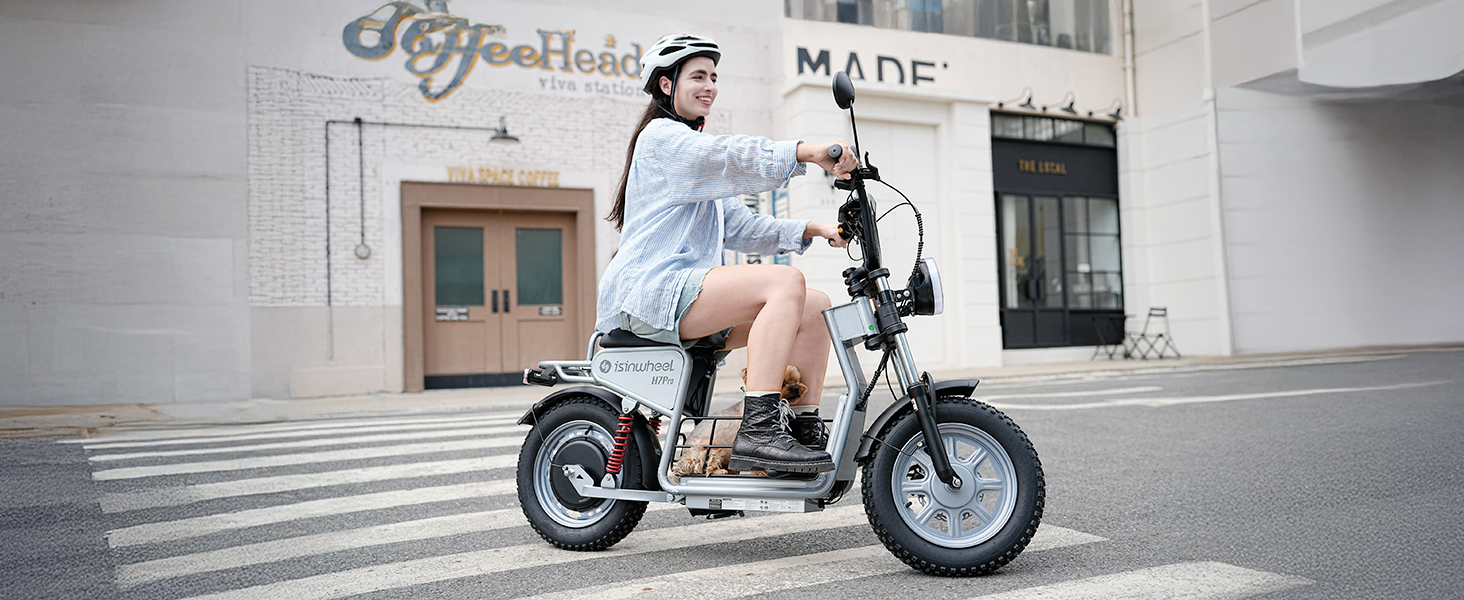
Image: Overview of key features including range, battery, NFC, parking mode, weight capacity, motor, speed modes, charging, brakes, and smart app.
11. Warranty and Support
isinwheel electric scooters come with reliable warranty coverage: 12 months for most components and 6 months for specific parts (e.g., motor and battery). This warranty is non-transferable after the product's initial sale.
We offer a 7-day no-reason return policy on the original condition, provided there is no human damage and no stains. If shipping damage occurs, please contact our support team with photo or video proof.
For any inquiries or support, please contact us:
- Email: support@isinwheel.com
- Phone: 1(888) 293-5788

Image: Customer support details including phone number and email for assistance.


