
1. Important Safeguards
- Read all instructions before using the appliance.
- Do not touch the evaporator when the machine is making ice or cleaning.
- Do not immerse the appliance, power cord, or plug in water or other liquids.
- Supervise children closely when the appliance is in use.
- Do not use the appliance if the cord or plug is damaged, or if the appliance malfunctions. Contact customer service for assistance.
- Use only potable water. Do not use juices, milk, or other liquids, as this may damage the pump and internal components.
- Ensure proper ventilation around the appliance. Maintain at least 5 inches of space on all sides.
- This appliance is for household use only.
2. Product Overview
The Kismile Portable Countertop Ice Maker is designed for convenience, producing bullet-shaped ice quickly. It features a compact design, easy-to-use controls, and a self-cleaning function.
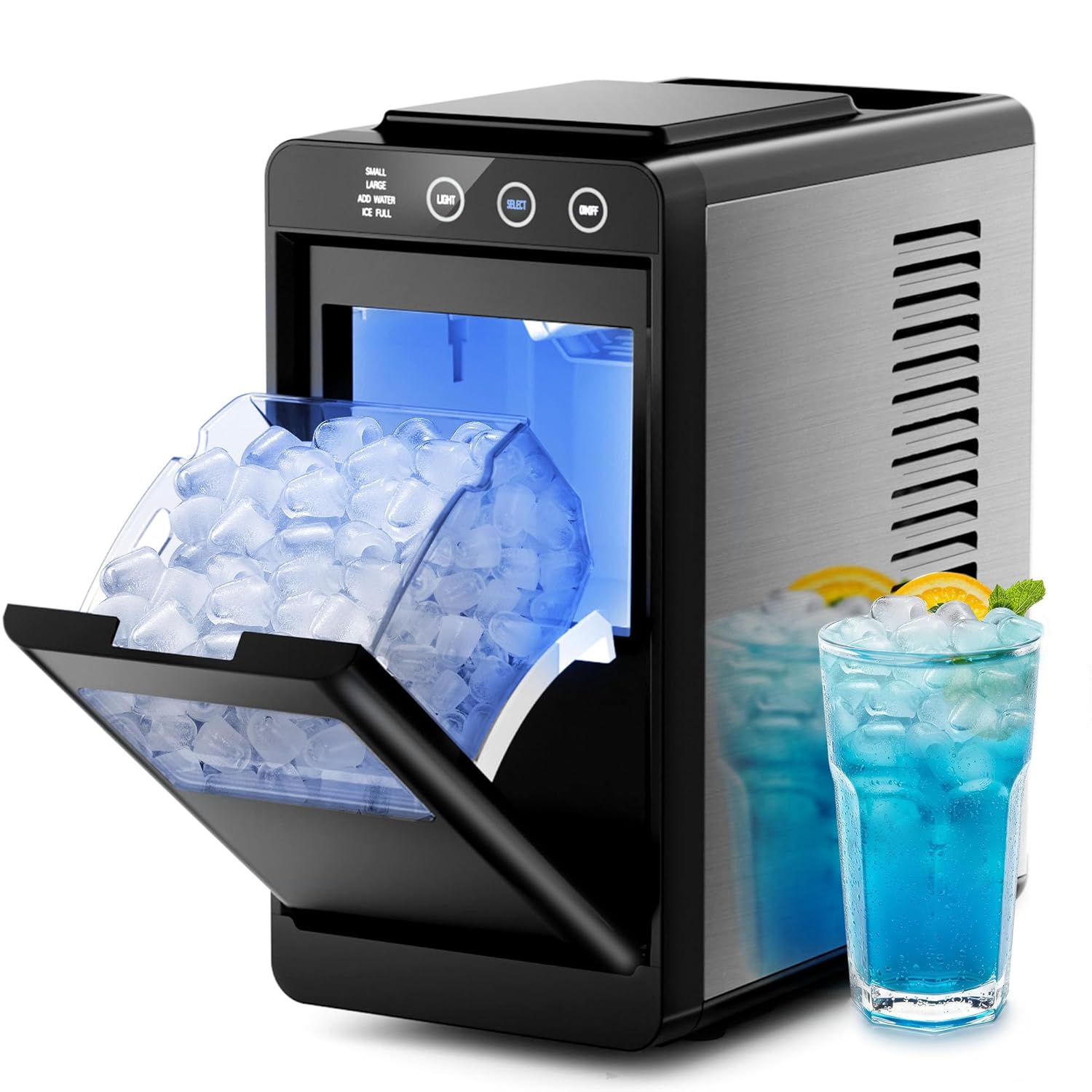
Figure 2.1: Kismile Portable Countertop Ice Maker
The unit includes an ice basket and an ice scoop for easy ice retrieval. The transparent lid allows you to monitor the ice-making process.
Video 2.1: Overview of the Kismile Ice Maker's features and compact design.
3. Setup
- Unpacking: Carefully remove the ice maker from its packaging. Remove all packing materials, including any tape or protective film.
- Placement: Place the ice maker on a flat, stable surface away from direct sunlight and heat sources. Ensure adequate ventilation.
- Cleaning: Before first use, clean the ice maker thoroughly. Refer to the 'Maintenance and Care' section for detailed cleaning instructions.
- Add Water: Open the lid, remove the ice basket, and pour potable water into the water reservoir up to the MAX fill line.

Figure 3.1: Manually adding water to the ice maker's reservoir.
- Power On: Plug the power cord into a grounded electrical outlet.
4. Operating Instructions
The control panel features intuitive buttons and indicator lights for easy operation.

Figure 4.1: Close-up of the Kismile Ice Maker's control panel.
- ON/OFF Button: Press to turn the ice maker on or off.
- SELECT Button: Press to choose between Small or Large ice cube sizes. The selected size indicator will illuminate.
- LIGHT Button: Press to turn the internal light on or off.
- ADD WATER Indicator: Illuminates when the water reservoir is low and needs refilling.
- ICE FULL Indicator: Illuminates when the ice basket is full, and the ice maker will pause operation.
Video 4.1: A demonstration of how to use the Kismile Ice Maker, including adding water and selecting ice size.
5. Ice Cube Size Selection
The Kismile Ice Maker offers two ice cube sizes to suit your preferences:
- Small Ice: Ideal for quickly chilling beverages like juices and sodas.
- Large Ice: Designed to last longer in drinks such as cocktails and iced coffee.
To select your desired ice size, press the SELECT button on the control panel until the corresponding 'SMALL' or 'LARGE' indicator light is illuminated.

Figure 5.1: The ice maker producing both small and large bullet-shaped ice cubes.
6. Self-Cleaning Function
The self-cleaning function helps maintain hygiene and prolong the life of your ice maker.
- Ensure the ice maker is empty of ice and water.
- Add fresh water to the reservoir up to the MAX fill line.
- Press and hold the ON/OFF button for more than 5 seconds. The 'SMALL' and 'LARGE' indicator lights will flash, indicating the self-cleaning cycle has started.
- The cleaning cycle will run for approximately 15 minutes.
- Once the cycle is complete, drain the water from the appliance using the drain plug located at the bottom.
- Wipe the interior dry with a soft cloth.

Figure 6.1: Visual representation of the self-cleaning process within the ice maker.
7. Maintenance and Care
- Regular Cleaning: Perform the self-cleaning cycle regularly, especially if the ice maker is used frequently or stored for extended periods.
- Exterior Cleaning: Wipe the exterior with a soft, damp cloth. Do not use harsh chemicals or abrasive cleaners.
- Interior Drying: Always ensure the interior is completely dry before storing the appliance to prevent mold or mildew growth.
- Drainage: Regularly drain any remaining water from the reservoir using the drain plug.
8. Troubleshooting
| Problem | Possible Cause | Solution |
|---|---|---|
| Ice maker not producing ice. | No water in reservoir. | Add water to the MAX fill line. |
| Ice full indicator is on. | Ice basket is full. | Remove ice from the basket. |
| Ice cubes are too small or not solid. | Water temperature is too high. | Use colder water. |
| Appliance is noisy. | Normal operation sounds (compressor, water pump). | This is normal. Ensure the unit is on a stable surface. |
| Self-cleaning not activating. | ON/OFF button not held long enough. | Press and hold the ON/OFF button for more than 5 seconds. |
9. Specifications
| Feature | Specification |
|---|---|
| Brand | Kismile |
| Model Name | AL-58212RIM0-Black |
| Product Dimensions | 12.2"D x 6.69"W x 13.58"H |
| Ice Production Capacity | Up to 26 lbs per 24 hours |
| Ice Making Speed | 6-8 minutes per cycle |
| Ice Basket Capacity | 1.1 lbs |
| Voltage | 115 Volts |
| Refrigerant | R600a |
| Item Weight | 14.92 pounds |
10. Warranty and Support
For warranty information and customer support, please refer to the documentation included with your product or visit the official Kismile website. Keep your purchase receipt for warranty claims.
If you encounter any issues not covered in this manual, please contact Kismile customer service for assistance.