1. Introduction
This manual provides detailed instructions for the installation, operation, and maintenance of your CAMECHO 8-Core Android 15 Autoradio. Please read this manual thoroughly before using the device to ensure proper functionality and safety. This autoradio is specifically designed for Peugeot 3008 models manufactured between 2009 and 2015.
2. Product Overview
The CAMECHO Autoradio features an 8-Core Qualcomm Snapdragon processor with Android 15, offering a responsive and powerful user experience. It includes 4GB RAM and 64GB ROM for ample storage and smooth multitasking. The 9-inch 1280x720 IPS QLED touchscreen provides clear visuals and responsive interaction.

Image: Qualcomm Snapdragon Chipset with Android 15, 8-Core, 1.8 GHz, 4GB RAM, 64GB ROM. This image highlights the core specifications of the device, emphasizing its processing power and memory for fast response and smooth operation.
Key features include:
- High-Performance Processor: 8-Core Qualcomm Snapdragon chip for rapid response and seamless multitasking.
- Advanced Operating System: Latest Android 15 for a modern and efficient user interface.
- Vivid Display: 9-inch 1280x720 IPS QLED touchscreen, offering anti-scratch, anti-knock, and anti-high temperature properties.
- Digital Sound Processor (DSP): Built-in DSP for enhanced audio quality with various sound field modes, including strong bass, soft midrange, and bright treble.
- Cooling System: Integrated fan cooling system to maintain optimal device temperature for smoother operation and extended lifespan.
- Customizable Interface: Adjustable UI color and front themes for personalized aesthetics.

Image: QLED HD-Definition IPS Touchscreen comparison. This image illustrates the superior clarity and brightness of the device's screen compared to standard displays, highlighting its anti-scratch, anti-knock, and anti-high temperature features.
3. Setup and Installation
This autoradio is designed for direct fitment in Peugeot 3008 models from 2009 to 2015. Professional installation is recommended. Ensure all vehicle power is disconnected before beginning installation.
3.1. Package Contents
Verify that all components are present in the package:

Image: Packing list and size diagram. This image displays the main unit dimensions (9-inch screen, 230mm width, 380mm height) and all included accessories such as the AHD Rear Camera, Power Cable, USB adapter cable, Installation Tool, Canbus, Radio Adapter Cable, USB Cable, Camera Input, User Manual, RCA Cable, GPS Antenna, and Microphone.
3.2. Installation Notes
After installation, the screen may appear elevated compared to the original center control frame. This is a normal effect of the product's design.
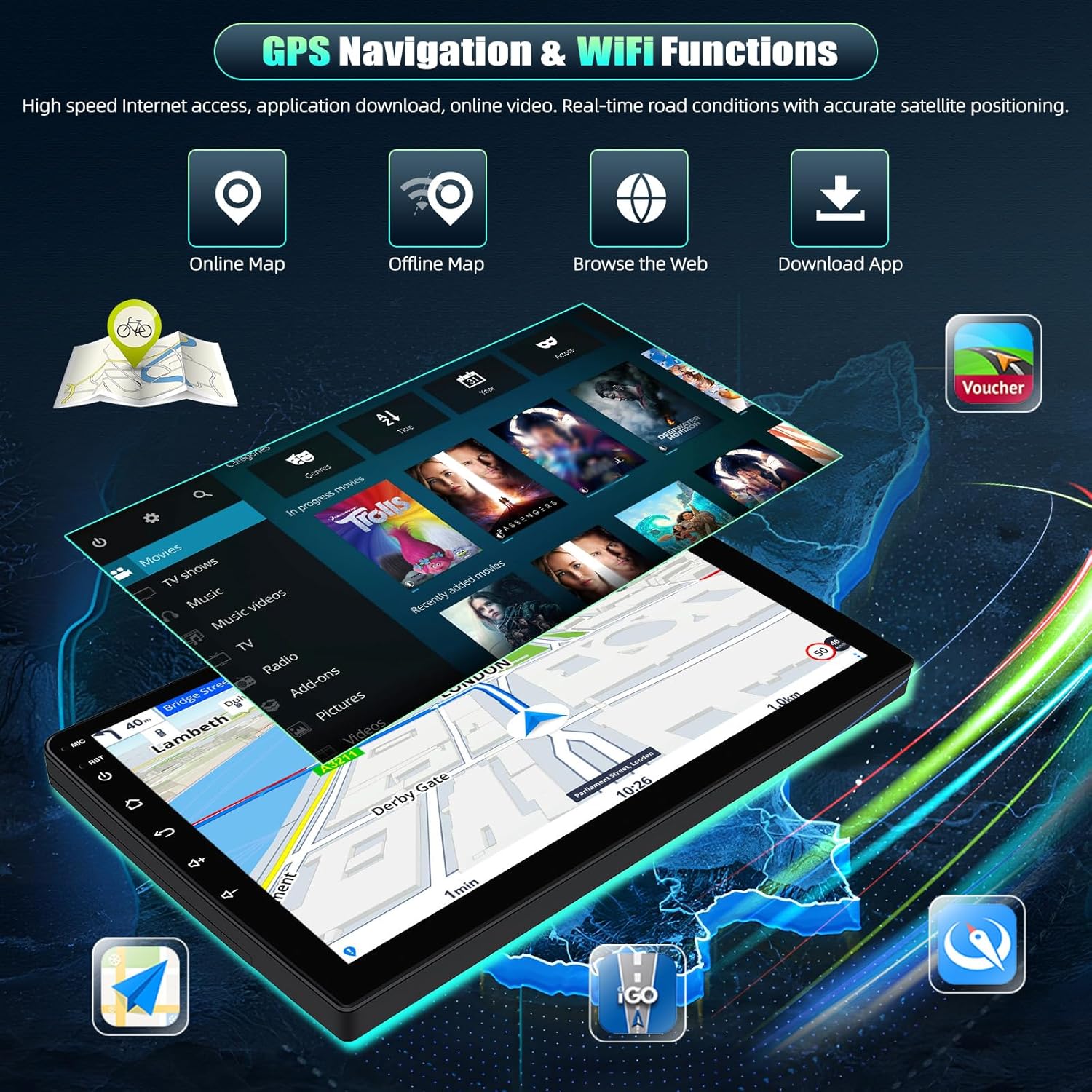
Image: Installation note. This image demonstrates how the product will appear after installation, showing that the screen will be positioned higher than the vehicle's center control frame.
4. Operating Instructions
4.1. Touchscreen Operation
The device features a responsive touchscreen. Navigate through menus and applications by tapping, swiping, and pinching gestures similar to a smartphone.
4.2. Steering Wheel Control
The autoradio supports steering wheel controls, allowing you to manage audio, calls, and navigation functions without taking your hands off the wheel. Configuration may be required in the system settings.

Image: Bluetooth, FM/RDS Radio, and Steering Wheel Control. This image illustrates the Bluetooth 5.1 interface for hands-free calls, the FM/RDS radio display, and the settings menu for configuring steering wheel controls.
4.3. Customizable UI
Personalize your experience by adjusting the UI color and front themes through the system settings. This allows you to create a unique interface that matches your preferences.
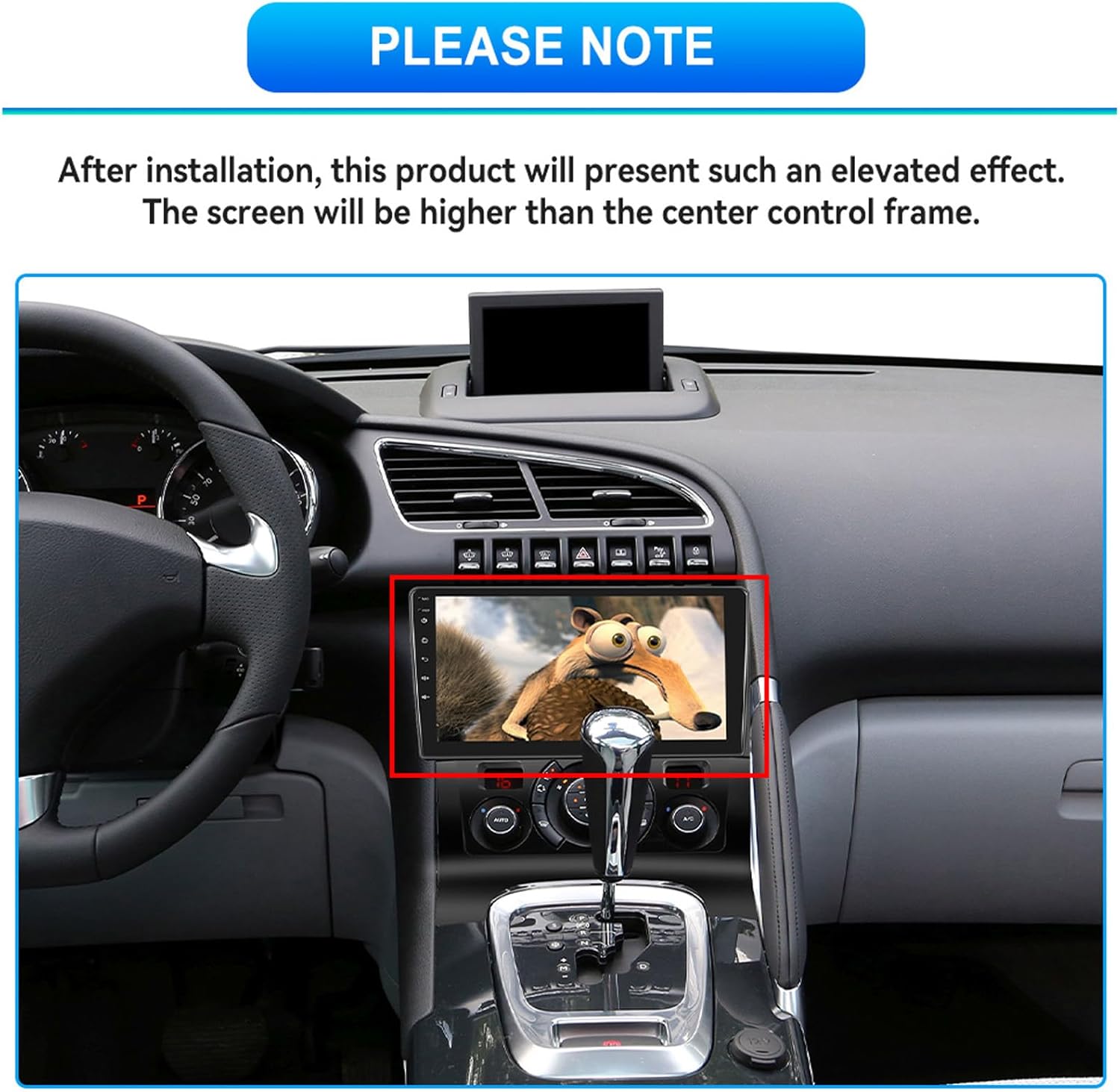
Image: QLED Touchscreen and UI Adjustment. This image demonstrates the 1280x720 HD QLED touchscreen's split-screen capability and the interface for adjusting UI and front colors.
5. Connectivity
5.1. Bluetooth 5.1
Connect your smartphone via Bluetooth 5.1 for stable and reliable hands-free calling and audio streaming. The upgraded Bluetooth version ensures smooth operation and efficient pairing.

Image: Upgraded Bluetooth 5.1. This image highlights the benefits of Bluetooth 5.1, including a 50% increase in transmission rate and 70% improved signal stability for clearer hands-free calls and audio.
5.2. Wireless Carplay & Android Auto
Seamlessly integrate your iOS or Android smartphone with the autoradio using Wireless Carplay and Android Auto. This allows access to navigation, music, messages, and voice assistants (Siri/Google Assistant) directly from the car's display, enhancing driving safety and convenience.

Image: Wireless Carplay & Android Auto. This image illustrates the user interfaces for Wireless Carplay and Android Auto, demonstrating how smartphone features are mirrored and controlled on the autoradio screen.
5.3. Wireless Mirror Link
For devices not supporting Carplay or Android Auto, use Wireless Mirror Link to display your smartphone screen directly on the autoradio. This feature is compatible with both iOS and Android devices.
5.4. WiFi Connection
Connect the autoradio to a mobile WiFi hotspot to access high-speed internet. This enables downloading applications, updating map data, and browsing online content directly on the device.
6. Navigation and Multimedia
6.1. GPS Navigation
The integrated GPS system provides accurate positioning and access to real-time traffic data, helping you plan optimal driving routes. The device supports both online and offline maps, ensuring navigation even without an internet connection.

Image: WiFi Connection & GPS Navigation. This image displays the various functions available with WiFi and GPS, including online/offline maps, web browsing, and application downloads, all contributing to improved driving safety and stability.
6.2. FM/RDS Radio
Enjoy a wide range of radio stations with the built-in FM/RDS tuner. Access news, music, and various programs during your journey for an enriched driving experience.
6.3. DSP Hi-Res Audio
Experience immersive sound with the advanced built-in DSP (Digital Sound Processor). It offers various surround sound field modes, delivering strong bass, soft midrange, and bright treble for a transparent stereo sound.

Image: DSP Hi-RES Audio. This image illustrates the DSP interface with equalizer settings and options for adjusting sound characteristics like bass, midrange, and treble, providing a customizable audio experience.
7. Maintenance
To ensure the longevity and optimal performance of your CAMECHO Autoradio, follow these maintenance guidelines:
- Cooling System: The device is equipped with an internal cooling fan. Ensure that the ventilation areas are not obstructed to allow for proper airflow.
- Screen Cleaning: Use a soft, lint-free cloth to gently wipe the touchscreen. Avoid abrasive cleaners or harsh chemicals that could damage the display.
- Software Updates: Periodically check for software updates to ensure you have the latest features and performance enhancements.

Image: Fan Cooling Temperature Setting. This image highlights the integrated cooling fan system designed to keep the device at optimal temperatures, ensuring smoother operation and a longer service life.
8. Troubleshooting
If you encounter any issues with your CAMECHO Autoradio, please refer to the following general troubleshooting tips:
- No Power: Check all power connections and ensure the vehicle's ignition is on. Verify fuses if necessary.
- No Sound: Check volume settings, audio source selection, and speaker connections. Ensure the mute function is not activated.
- GPS Signal Issues: Ensure the GPS antenna is properly installed and has a clear view of the sky.
- Bluetooth Pairing Problems: Ensure Bluetooth is enabled on both the autoradio and your smartphone. Delete previous pairings and try again.
- Touchscreen Unresponsive: Try restarting the device. If the issue persists, a factory reset might be necessary (note: this will erase all user data).
For more complex issues or if troubleshooting steps do not resolve the problem, please contact customer support.
9. Specifications
| Feature | Specification |
|---|---|
| Brand | CAMECHO |
| Model | 8-Kern 4+64G Android 15 Qualcomm radio |
| Operating System | Android 15 |
| Processor | 8-Core Qualcomm Snapdragon |
| RAM | 4GB |
| ROM | 64GB |
| Screen Size | 9 Inches |
| Screen Resolution | 1280 x 720 IPS QLED |
| Connectivity Technology | Bluetooth 5.1, USB, WiFi, Ethernet |
| Special Features | Android Auto, Apple CarPlay, DSP, GPS Navigation, Touchscreen, Cooling Fan |
| Audio Output Mode | Stereo, Mono |
| Output Power | 200 Watts |
| Compatible Devices | Smartphone |
| Product Dimensions | 41 x 26 x 11.5 cm |
| Product Weight | 2.45 kg |
10. Warranty and Support
CAMECHO provides professional online support and manual instructions for its products. For any inquiries, technical assistance, or warranty claims, please contact our support team.

Image: Customer Support. This image shows a customer service representative, indicating the availability of professional online help and manual instructions. For support, please contact: bs_support21@126.com


