
1. Introduction
Thank you for choosing the Guudsoud S18 Waterproof Swimming Headset. This manual provides essential information for the safe and effective use of your new device. Please read it thoroughly before operation and retain it for future reference. This headset is designed for music playback during water activities, offering a comfortable and secure fit.
2. Safety Information
- Do not attempt to disassemble, repair, or modify the headset. This may cause damage, electric shock, or fire, and will void the warranty.
- Keep the headset away from extreme temperatures, direct sunlight, and corrosive liquids.
- Ensure the charging port is completely dry before charging to prevent short circuits.
- Avoid prolonged listening at high volumes to prevent hearing damage.
- Dispose of the device and its battery responsibly according to local regulations.
3. Package Contents
Please check the package for the following items:
- Guudsoud S18 Waterproof Swimming Headset
- USB Charging Cable
- User Manual
4. Product Overview
The Guudsoud S18 headset features a lightweight, ergonomic design for comfortable wear during swimming and other sports. It is equipped with bone conduction technology for clear audio underwater.
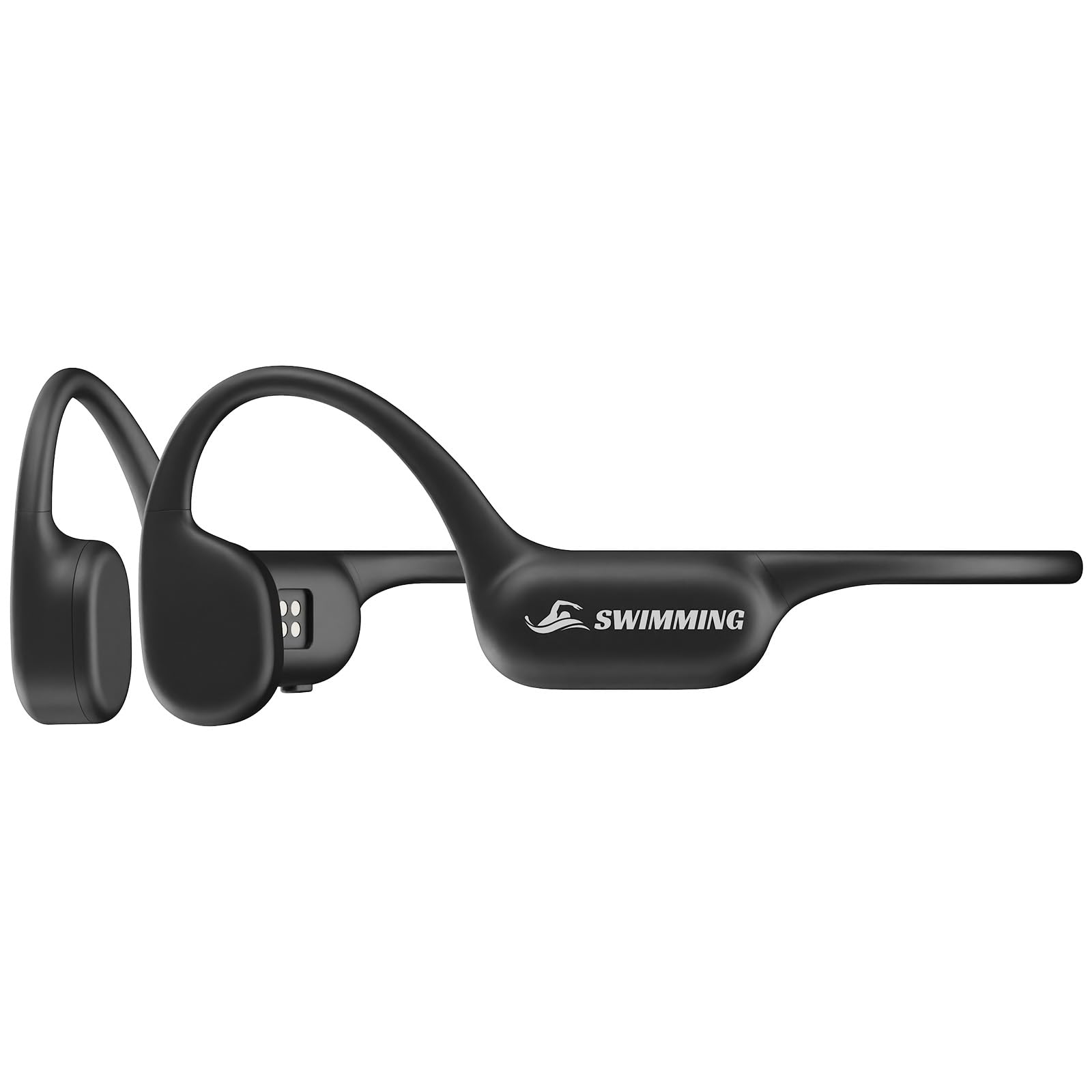
Image 1: Guudsoud S18 Waterproof Swimming Headset. This image displays the headset's ergonomic design, showing the ear hooks and the main unit that rests behind the head.
5. Setup
5.1 Charging the Headset
- Connect the USB charging cable to the charging port on the headset.
- Plug the other end of the USB cable into a standard USB power adapter (5V/1A recommended) or a computer's USB port.
- The LED indicator will show the charging status (e.g., red for charging, blue for fully charged).
- A full charge typically takes approximately 1.5-2 hours. Ensure the charging port is dry before connecting the cable.
5.2 Power On/Off
- Power On: Press and hold the Power button for 3 seconds until the LED indicator flashes blue and a voice prompt confirms "Power On".
- Power Off: Press and hold the Power button for 3 seconds until the LED indicator flashes red and a voice prompt confirms "Power Off".
5.3 Bluetooth Pairing
- Ensure the headset is powered off.
- Press and hold the Power button for 5-7 seconds until the LED indicator flashes red and blue alternately, indicating pairing mode. A voice prompt will say "Pairing".
- On your smartphone or Bluetooth-enabled device, enable Bluetooth and search for available devices.
- Select "Guudsoud S18" from the list of devices.
- Once connected, the LED indicator will flash blue slowly, and a voice prompt will confirm "Connected".
- If pairing fails, turn off the headset and repeat the steps.
6. Operating Instructions
6.1 Music Playback
- Play/Pause: Press the Multi-function button once.
- Next Track: Press and hold the Volume + button for 2 seconds.
- Previous Track: Press and hold the Volume - button for 2 seconds.
- Volume Up: Press the Volume + button once.
- Volume Down: Press the Volume - button once.
6.2 Call Functions
- Answer Call: Press the Multi-function button once.
- End Call: Press the Multi-function button once during a call.
- Reject Call: Press and hold the Multi-function button for 2 seconds.
- Redial Last Number: Double-press the Multi-function button.
6.3 Using in Water
The Guudsoud S18 is designed for use in water. For optimal performance and longevity:
- Ensure the charging port cover is securely closed before submerging the headset.
- Bone conduction technology works best when the headset is positioned correctly on your cheekbones.
- Bluetooth connectivity may be limited or lost when fully submerged due to water interference. For continuous music underwater, it is recommended to use the headset's internal memory (if available and supported by the model) or ensure your audio source is very close to the surface.
7. Maintenance
- Cleaning: After use in water, rinse the headset with clean fresh water to remove chlorine or salt. Wipe it gently with a soft, dry cloth.
- Drying: Allow the headset to air dry completely before storing or charging. Do not use external heat sources to dry.
- Storage: Store the headset in a cool, dry place, away from direct sunlight and extreme temperatures.
- Battery Care: To prolong battery life, avoid fully discharging the battery frequently. Charge it regularly, even if not in use for extended periods.
8. Troubleshooting
| Problem | Possible Cause | Solution |
|---|---|---|
| Headset does not power on | Low battery | Charge the headset fully. |
| Cannot pair with device | Headset not in pairing mode; Bluetooth off on device; too far apart | Ensure headset is in pairing mode (flashing red/blue). Turn on Bluetooth on your device. Keep devices within 1 meter. |
| No sound | Volume too low; headset not connected; audio source issue | Increase headset and device volume. Re-pair the headset. Check audio source playback. |
| Sound cuts out in water | Bluetooth signal interference from water | Bluetooth signal strength is reduced underwater. Ensure audio source is close or use internal memory if available. |
9. Specifications
- Brand: Guudsoud
- Model Number: S18
- Color: Crimson
- Rechargeable Battery: Yes
- ASIN: B0FPRFZ5F6
- First Available Date: September 4, 2025
10. Warranty and Support
The Guudsoud S18 Waterproof Swimming Headset comes with a standard manufacturer's warranty. For specific warranty terms and conditions, please refer to the documentation provided at the time of purchase or contact your retailer.
If you encounter any issues or require technical assistance, please contact Guudsoud customer support through the retailer's platform or the official Guudsoud website. Please have your model number (S18) and purchase details ready when contacting support.