Introduction
Thank you for purchasing the FREQUENT BUBBLES Rechargeable Bubble Machine Model 8820. This manual provides essential information for the safe and efficient operation of your device. Please read it thoroughly before use and retain it for future reference.
Safety Information
- WARNING: Not suitable for children under 3 years due to small parts.
- This product has been CPSC CE tested for safety.
- Use only the recommended bubble solution or a 1:4 concentrate to water mixture.
- Do not submerge the machine in water.
- Keep away from open flames or heat sources.
- Ensure the USB-C charging port is dry before charging.
What's in the Box
Verify that all items are present:
- 1 x Bubble Machine
- 1 x Remote Control
- 2 x AA Batteries (for remote)
- 2 x Bubble Solution Concentrates (4.4oz each)
- 1 x USB-C Charging Cable
Setup
- Charge the Bubble Machine: Connect the provided USB-C cable to the machine and a suitable USB power adapter (not included). The red indicator light will be ON during charging and will turn OFF when fully charged (approximately 1 hour).

Image: The bubble machine connected to a USB-C charger, with a red light indicating it is charging.
- Install Remote Control Batteries: Open the battery compartment on the back of the remote control and insert 2 AA batteries, ensuring correct polarity.
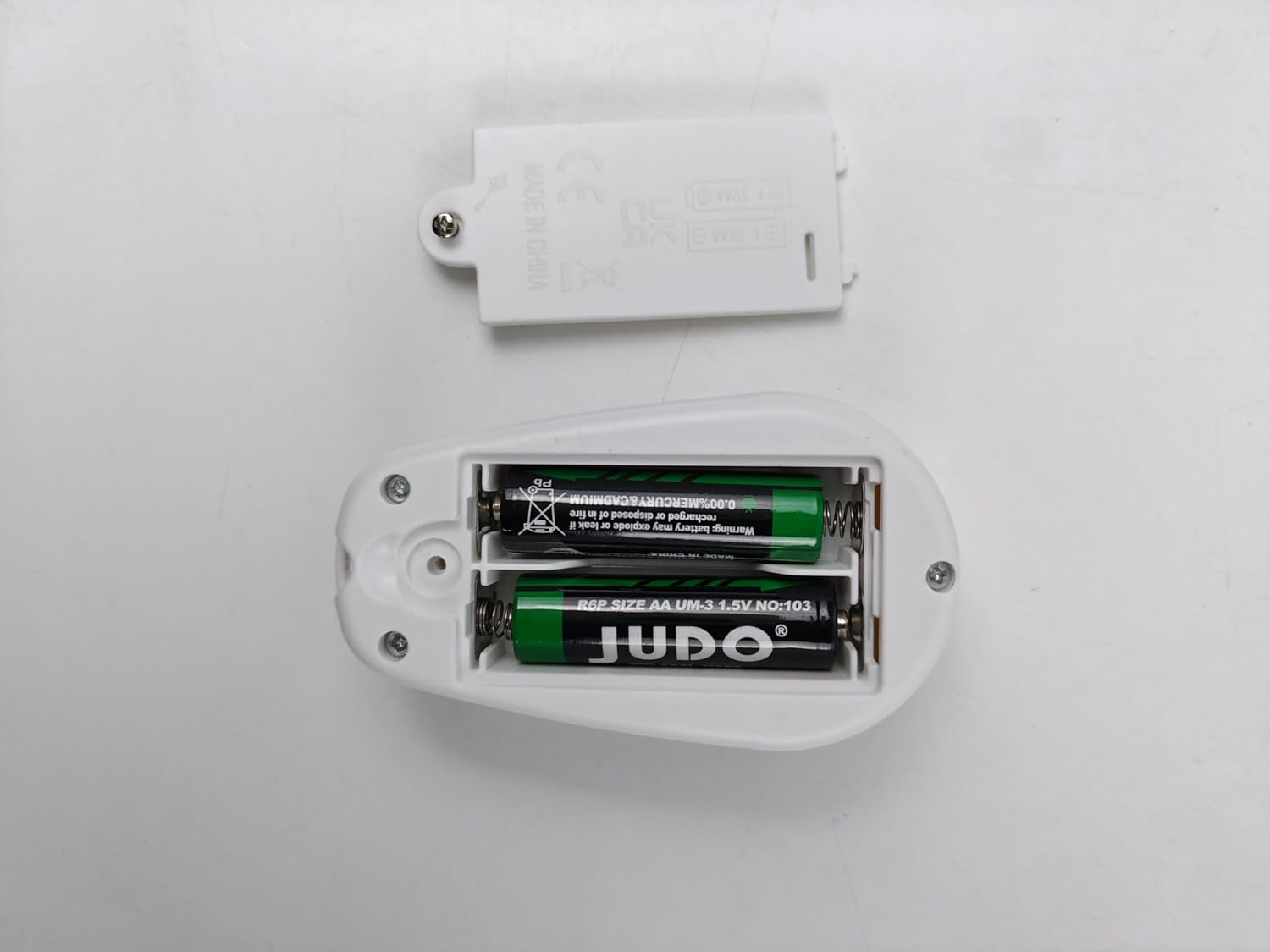
Image: The remote control with its battery cover removed, showing two AA batteries correctly installed.
- Prepare Bubble Solution: Mix one 4.4oz bubble concentrate bottle with 4 parts water (1:4 ratio) in a separate container. Pour the mixed solution into the bubble machine's 420ml tank using the funnel.

Image: A visual guide demonstrating how to mix the bubble concentrate with water at a 1:4 ratio and then pour it into the bubble machine's reservoir.
Operating Instructions
One-Button Operation
The bubble machine features a single power button for basic functions:
- 1st Press: Activates LED light mode only.
- 2nd Press: Activates LED light and bubble blowing mode.
- 3rd Press: Activates rotation mode (with LED and bubbles).
- 4th Press: Powers off the machine.

Image: Diagram illustrating the four modes accessible via successive presses of the main power button.
Remote Control Operation
The remote control offers more precise command over the bubble machine's features:
- Bubble Button: Toggles bubble production on or off.
- Power Button: Instantly turns off all functions and enters standby mode. The machine can be restarted within 10 minutes.
- Rotation Button:
- Press once for 90-degree rotation.
- Press twice for 360-degree continuous rotation.
- Press three times to turn off rotation.
- Light Button: Cycles through LED light effects: Rainbow (all colors blending) → Seven-color flash → Single color selection (7 individual colors).
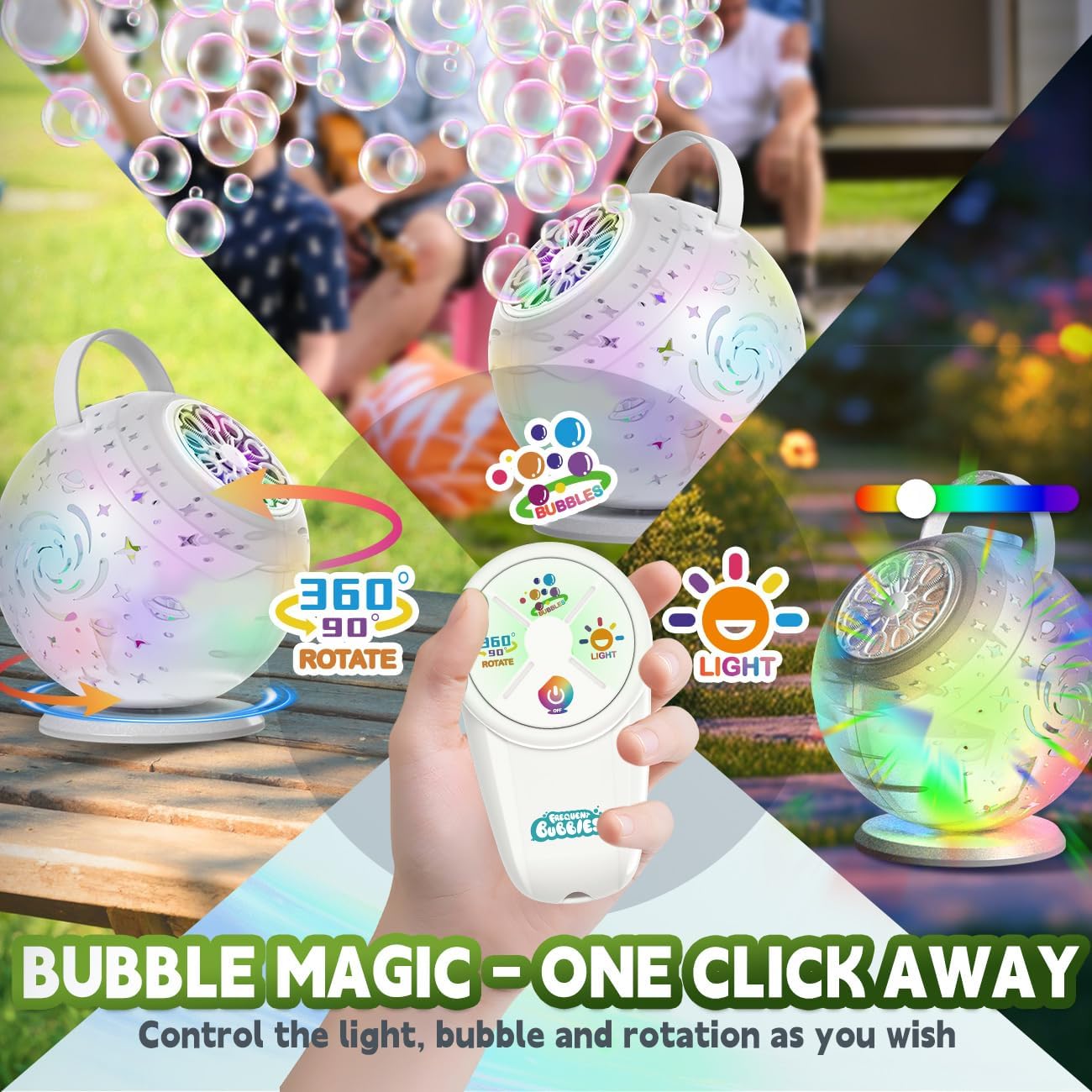
Image: The remote control displaying its buttons for controlling light, bubble, and rotation functions.
Features Overview
- Massive Bubble Output: The 10-hole design generates a continuous stream of large bubbles.
- Dazzling LED Lights: Choose from 3 light modes: cycling through 7 colors, blending all 7 colors, or selecting a single color.
- Automatic Rotation: The machine can rotate 90° or 360° to spread bubbles widely.
Maintenance
- After each use, unplug the machine and empty any remaining bubble solution from the tank.
- Wipe the exterior of the machine with a dry cloth.
- To prevent clogging, it is recommended to rinse the bubble wands and solution reservoir with clean water after extended use. Allow to air dry completely before storage.
- Store the bubble machine in a cool, dry place away from direct sunlight.
Troubleshooting
| Problem | Possible Cause | Solution |
|---|---|---|
| No bubbles are produced. |
|
|
| Machine does not turn on. |
|
|
| Remote control is not working. |
|
|
Specifications
- Model Number: 8820
- Product Dimensions: 5 x 4 x 7 inches
- Item Weight: 1.9 pounds
- Power Source: Rechargeable Lithium-Ion Battery (included)
- Charging Port: USB-C
- Charging Time: Approximately 1 hour
- Operating Time: Up to 45-60 minutes (depending on mode)
- Bubble Solution Tank Capacity: 420ml
- Remote Control Batteries: 2 x AA (included)
- Recommended Age: 36 months - 15 years
Warranty and Support
Specific warranty information is not provided in the product details. For any support inquiries or issues not covered in this manual, please refer to your purchase documentation or contact the retailer where the product was purchased.


