
1. Introduction and Overview
The GODOX V480 TTL Camera Flash is a versatile and compact speedlite designed for Panasonic and Olympus cameras. It features a guide number of GN50 (ISO100, 105mm) and offers comprehensive exposure control with TTL auto flash and manual flash modes. The flash head provides flexible rotation and tilt for various lighting setups. Key features include an intuitive 2-inch touchscreen for easy parameter adjustment, real-time effective flash range display, and a built-in 2.4G wireless X system for multi-light setups. It supports multiple professional modes such as high-speed sync up to 1/8000s, 1st curtain sync, and 2nd curtain sync, along with stroboscopic flash. Powered by a 2200mAh rechargeable battery, it delivers approximately 650 full-power flashes with a quick 1.7s recycle time and supports USB-C charging. A 10-level 5300K LED modeling lamp is also integrated for pre-visualization.
- Easy Control: Equipped with a 2-inch touchscreen and physical switches for seamless control and quick adjustment of parameters.
- Effective Flash Range Display: The screen shows real-time effective flash distance, eliminating the need for exposure estimation.
- Built-in 2.4G Wireless X System: Supports up to 100 meters of wireless triggering or multi-light flashes.
- Multiple Professional Modes: Offers TTL, manual flash, stroboscopic flash, and high-speed sync up to 1/8000s.
- Long-Lasting Battery: 2200mAh rechargeable battery supports up to 650 full-power flash times and quick 1.7s recovery, with USB-C charging.
2. What's in the Box
- 1x GODOX V480 Flashlight
- 1x Flash Stand
- 1x Rechargeable Battery
- 1x Carrying Bag
- 1x Softbox
- 1x Charger
- 1x User Manual
- 1x USB-C Charging Cable
3. Setup
3.1 Battery Installation and Charging
The GODOX V480 is equipped with a built-in 2200mAh rechargeable lithium battery. To charge the battery, connect the provided USB-C charging cable to the flash unit and a compatible USB power source. The flash supports approximately 650 full-power flashes and has a quick 1.7s recycle time.

Image: The GODOX V480's 2200mAh rechargeable battery, showing USB-C charging capability and quick recycle time.
3.2 Mounting the Flash
Slide the GODOX V480 flash onto your camera's hot shoe. Secure the flash by tightening the locking mechanism on the hot shoe mount.
3.3 Power On/Off
Press and hold the power button to turn the flash unit on or off.
4. Operating Instructions
4.1 Intuitive Touchscreen and Buttons
The V480 features a 2.0-inch color touchscreen and tactile buttons for parameter adjustments. Tap, swipe, or press buttons to navigate menus and change settings quickly without interrupting your workflow.

Image: A close-up of the GODOX V480's intuitive touchscreen and physical buttons, showing a user adjusting flash parameters.
4.2 Flash Modes
- TTL Auto Flash: Automatically adjusts flash output for correct exposure based on camera metering.
- Manual Flash: Allows manual control over flash power output for precise lighting.
- Stroboscopic Flash: Fires a series of rapid flashes to capture multiple movements in a single image.
- High-Speed Sync (HSS): Enables flash synchronization at shutter speeds up to 1/8000s, useful for overpowering ambient light.
- Sync Modes: Supports 1st curtain sync and 2nd curtain sync for creative effects with moving subjects.

Image: Examples of professional flash modes in use, demonstrating the versatility of the GODOX V480 for various photographic scenarios.
4.3 Flexible Bounce Head
The flash head can tilt from -7° to 120° vertically and swivel 0° to 330° horizontally. Use the flexible head to bounce light off walls or ceilings for softer, more natural illumination, adapting instantly to any shooting environment.
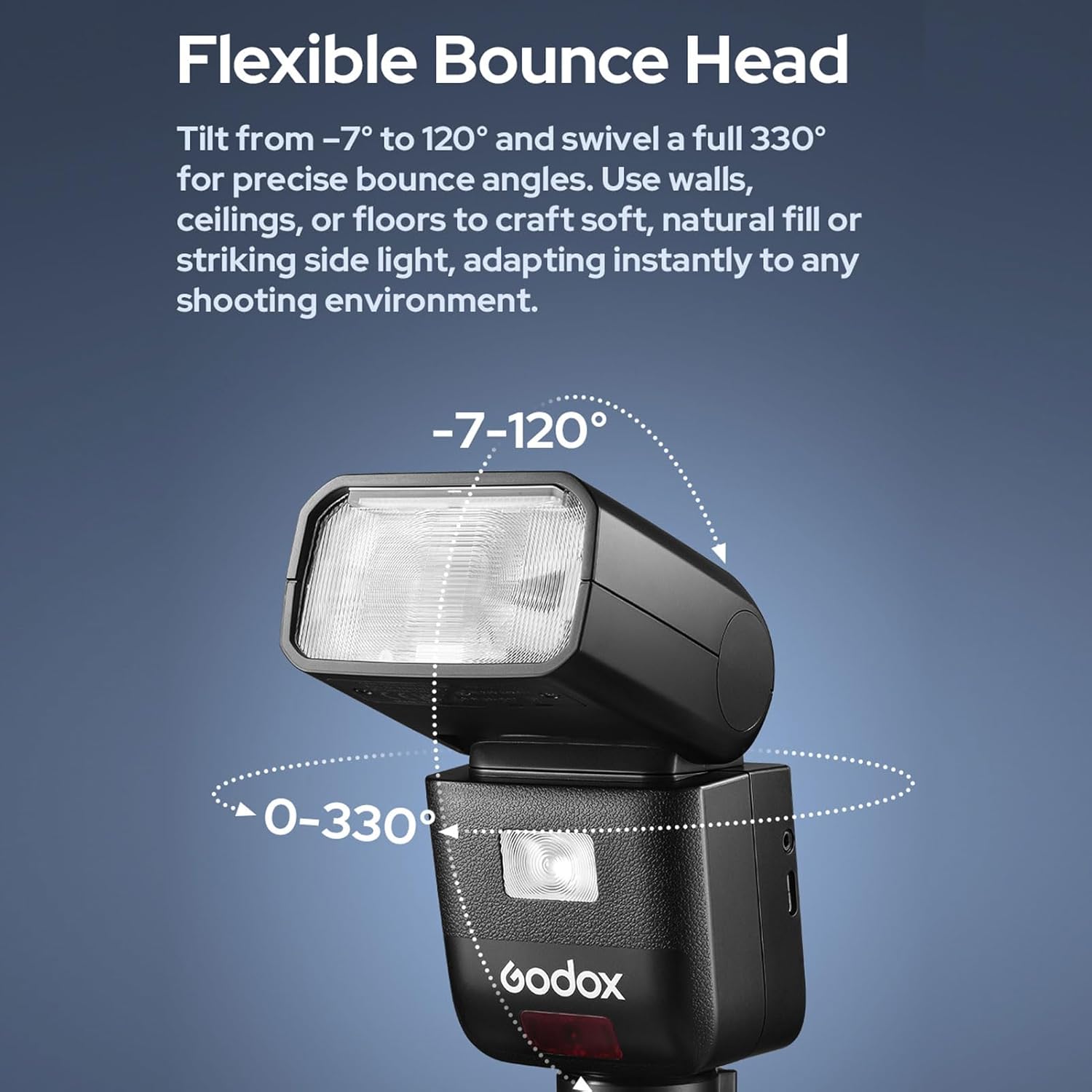
Image: Diagram illustrating the flexible tilt (-7° to 120°) and swivel (0° to 330°) capabilities of the GODOX V480 flash head.
4.4 Smart Distance Readout
The V480's display shows the real-time effective flash range, assisting in determining optimal subject distance. This feature eliminates exposure guesswork, ideal for tight spaces, bounce applications, or fast-paced events.
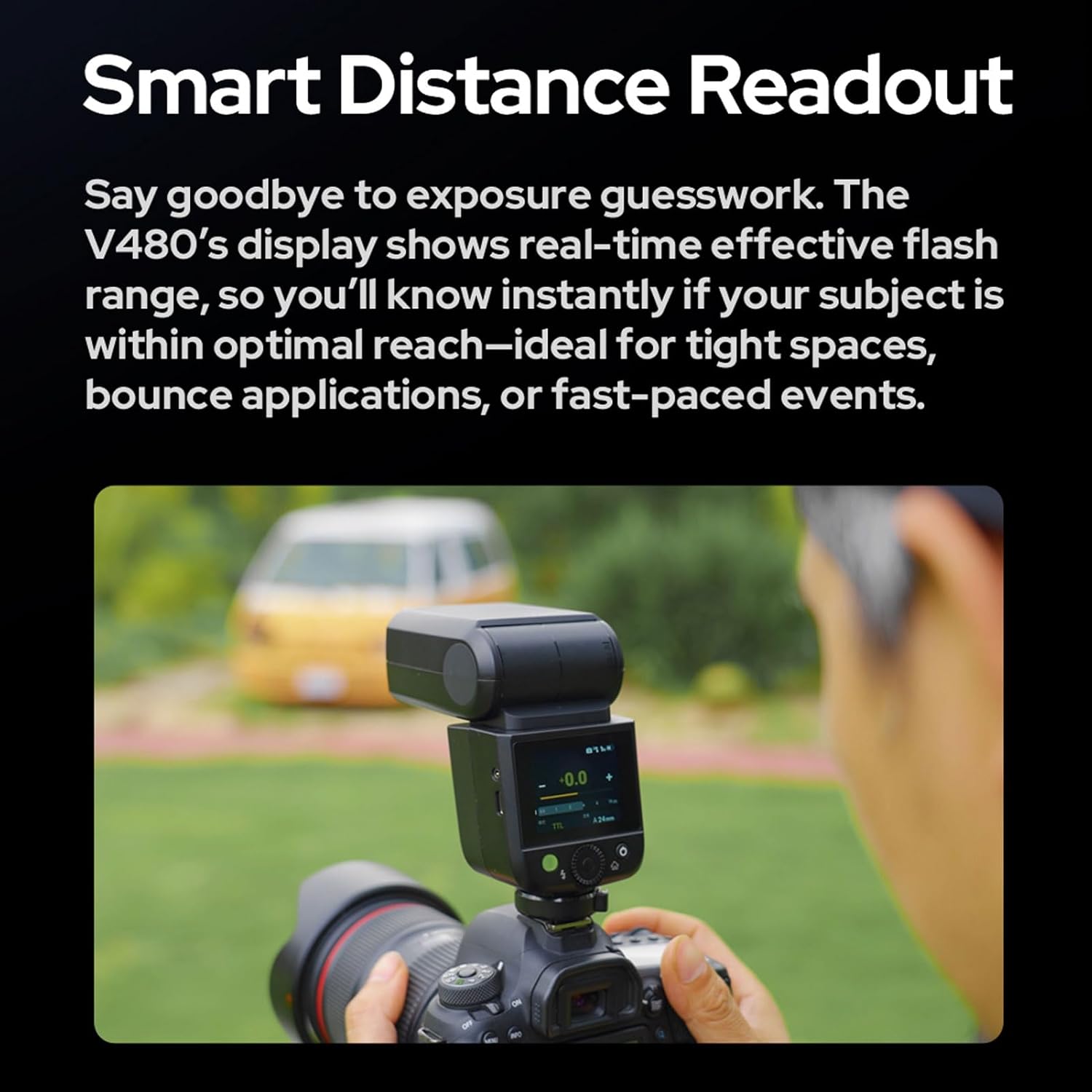
Image: A photographer using the GODOX V480, with the display showing the smart distance readout feature in action.
4.5 10-Level Modeling Lamp
Activate the built-in 2W LED modeling lamp to preview how light will fall on your subject and shape shadows. Adjust the brightness through 10 levels to fine-tune your setup before firing the main flash.
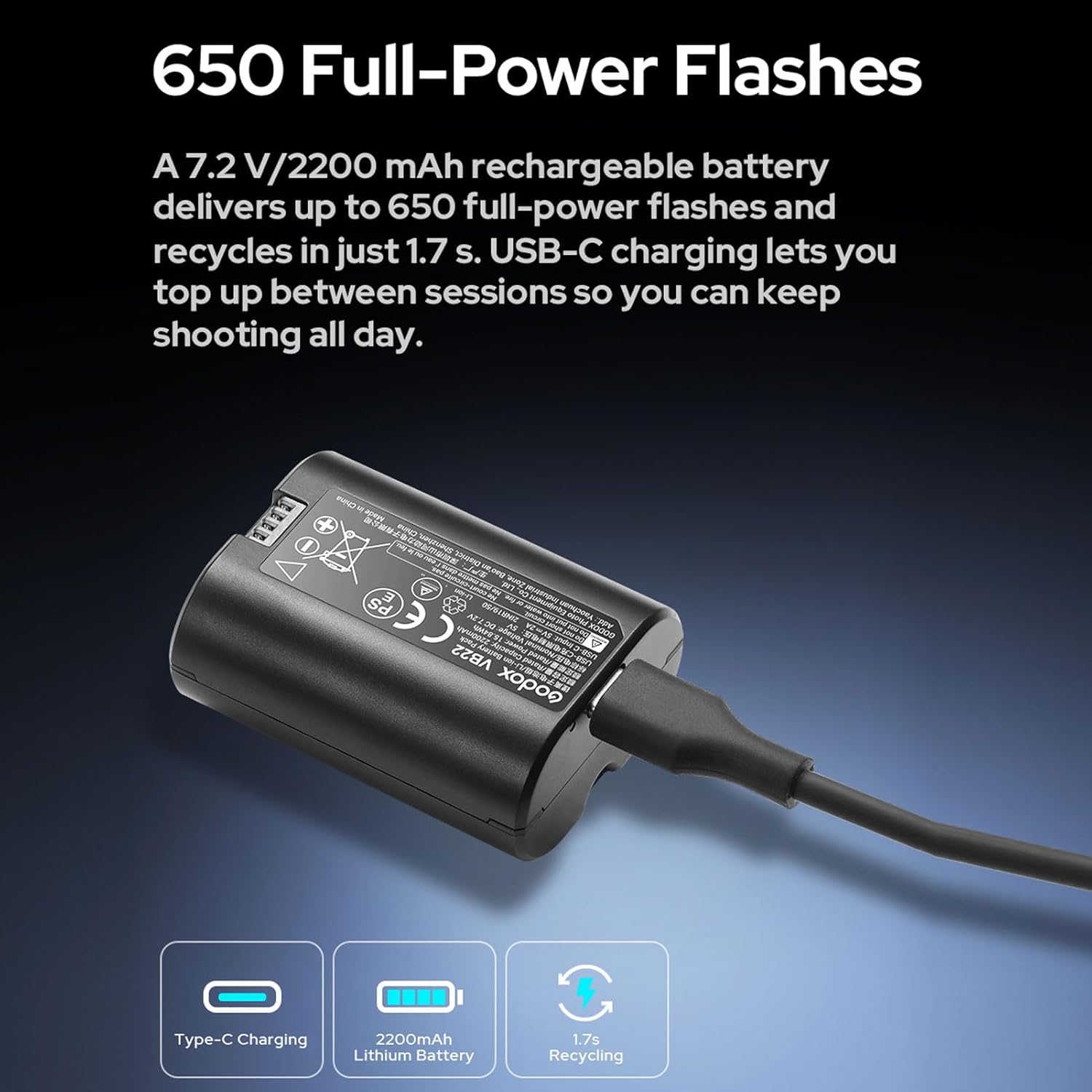
Image: A photographer using the GODOX V480's 10-level modeling lamp to pre-visualize lighting on a subject.
4.6 2.4G Wireless X System
The V480 can function as a master or slave unit within the Godox 2.4G wireless X system. It supports wireless triggering and multi-light setups with a transmission range of approximately 100m. The system features 32 channels and 01-32 groups with ID settings (OFF/01-99) for flexible control.
Video: An official GODOX video demonstrating the features and use of the GODOX V480 Wireless Camera Flash, including its lithium battery and various lighting applications.
5. Maintenance
- Keep the flash unit clean and dry. Use a soft, dry cloth for cleaning.
- Avoid exposing the unit to extreme temperatures, humidity, or strong magnetic fields.
- Store the flash in its carrying bag when not in use to protect it from dust and damage.
- Do not attempt to disassemble or repair the unit yourself. Contact authorized service personnel for repairs.
6. Troubleshooting
6.1 Flash Not Firing
- Check if the flash is securely mounted on the camera's hot shoe.
- Ensure the battery is charged and correctly inserted.
- Verify flash settings on both the flash unit and the camera.
- Check for any error messages on the flash display.
6.2 Inconsistent Exposure
- Review flash exposure compensation (FEC) settings.
- Ensure the flash mode (TTL/Manual) is appropriate for the shooting conditions.
- Check for obstructions between the flash and the subject.
6.3 Wireless Triggering Issues
- Confirm that the master and slave units are set to the same channel and group ID.
- Ensure units are within the effective transmission range (approximately 100m).
- Check for interference from other 2.4G devices.
7. Specifications
| Item Type | Wireless Camera Flash |
| Guide Number (1/1 Output, 105mm) | Approx. GN50 (ISO100, in meters) |
| Flash Coverage | Auto zoom (24-105mm), Manual zoom (24-105mm) |
| Flash Head Rotation | Horizontal 0°~330°, Vertical -7°~120° |
| Flash Duration (t0.1) | 1/600s~1/20000s |
| Exposure Control System | TTL auto flash, manual flash |
| Flash Exposure Compensation (FEC) | ±3 stops in 1/3 stop increments |
| Sync Mode | High-speed sync (up to 1/8000s), 1st curtain sync, 2nd curtain sync |
| Stroboscopic Flash | Supports (max 100 times; max 100Hz) |
| Wireless Function | Master/Slave unit (2.4G wireless transmission) |
| Transmission Range | Approx. 100m |
| Channels | 32 |
| Groups | 01~32 |
| ID | OFF/01~99 |
| Recycle Time | Approx. 1.7s |
| Flash Times (1/1 Output) | Approx. 650 times |
| Power-saving | Auto power off after idle use |
| Sync Triggering Mode | Hot shoe, 2.5mm sync cord |
| LED Lamp Power | 2W |
| LED Lamp Color Temperature | 5300K±300K |
| Battery | 2200mAh (built-in) |
| Item Size | 166x71x49mm / 6.54x2.8x1.93in |
| Manufacturer | Godox |
| Compatible Mountings | Panasonic and Olympus Cameras |
| Model Number | V480 |
8. Warranty and Support
For warranty information and technical support, please refer to the official GODOX website or contact your local distributor. Keep your purchase receipt for warranty claims.